
Three days ago on Saturday I went with some friends down to Carolina Beach to attend an airshow there. We got to see a few aerobatic airplanes do their stuff and then a couple of old WWII-era trainers doing some beautiful formation flying. We got back mid-evening, met Jess at a local restaurant and had dinner. So zero work done on the plane.
This blog post covers the past couple days since Saturday, with yesterday being a LOT of research and CAD/3D printing modeling on the WxWork antenna mount… I’ll show that when the design is finalized.
I also brushed up on my BNC connector install how-to since it’s been quite a number of years since I’ve done any. My first victim was the RG400 cable for COM1 that connects the GNS-480 to the right winglet radio antenna, with that connection inside the CS spar. Since most of my cables’ BNC connectors attaching to the GNS-480 are the male version, I decided to go female here to help avoid any possible cable mixups.
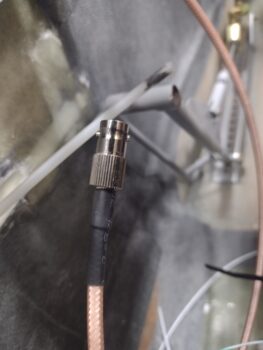 This morning first thing I went to the hangar and knocked out the BNC connector installs on the winglet radio antennas that use RG58 cable (the standard when I started building). The left wing (pic 1) got a female BNC connector installed, while the right wing got a male BNC connector attached (pic 2).
When I get a chance I’ll bring the MFJ-259B Antenna Analyzer to the hangar and check the VSWR on each antenna.
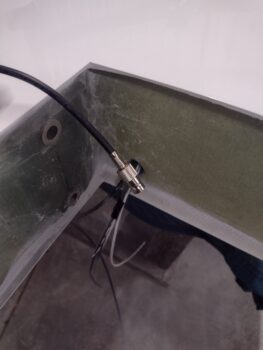
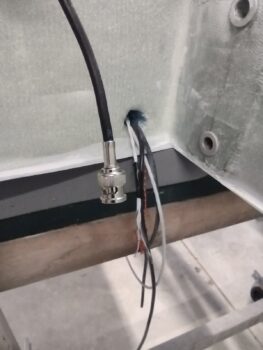
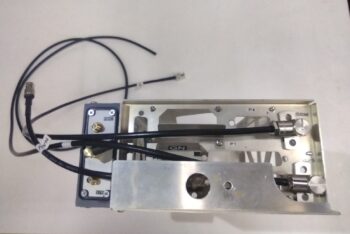
Back at the house I gathered up the 3 right angle/90° antenna connector brackets that attach the GPS, COM and NAV antenna cables, respectively, to the GNS-480 mounting tube. I’ll note that these brackets are designed to “float” a bit to allow inserting and removing the actual GNS-480 unit in and out of the mounting tube.
Since VOR/LOC/ILS will be the lesser of my navigation capabilities used with the GNS-480, that was the antenna lead I started with… of course using the instructions spelled out in the manual.
Here we have the RG58 pigtail with the end stripped and prepped, ready for insertion and securing into the 90° antenna connector.
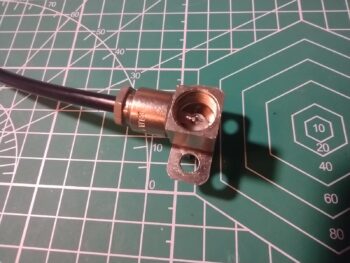
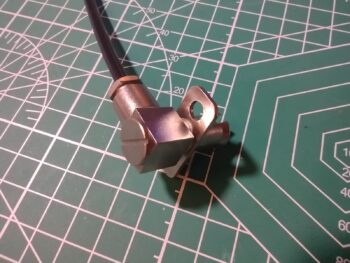
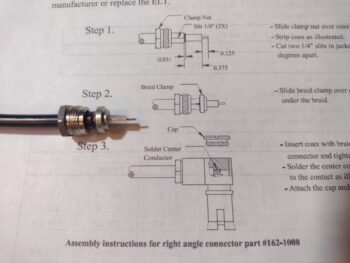 Which involved a bit of soldering: the center core of the RG58 to the center pin of the antenna connector (pic 1) before then closing and sealing that off with a protective threaded cap (pic 2).
Voila! Here is my first antenna cable pigtail to connect the GNS-480 NAV (VOR/LOC/ILS) antenna output to the antenna on the canard.
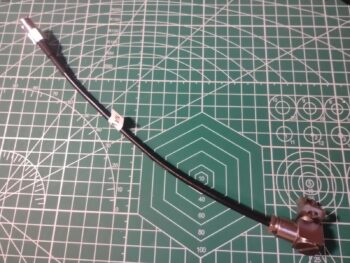 Next up was the RG58 cable pigtail for the COM1 antenna lead, that I showed the mating connector install up above.
Here is the COM1 antenna cable pigtail after soldering it inside the 90° antenna connector.
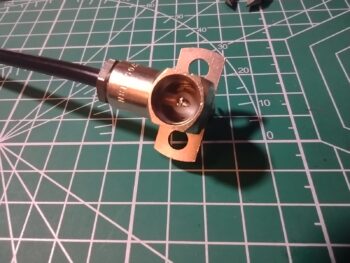 For the RG400 GPS antenna cable terminating into the GNS-480 I had originally planned to lop off the original/existing 90° BNC connector and then connect it straight into the GNS-480’s 90° connector… but with how the cable is configured and runs inside the avionics bay, I realized an interconnecting pigtail would make life much easier. I know RG400 is the standard for GPS antennas, but I don’t have any on hand. So I’m using about a foot of RG58 for the pigtail and will assess how the GPS signal fairs with it. I don’t expect any issues.
After I finished the GPS antenna cable pigtail install into the 90° antenna connector, I then set them into place on the backside of the GNS-480 mounting tube. And no, I have not installed the interconnecting female BNC on this GPS cable pigtail yet, choosing to wait until I know the best length it should be once all is installed inside the bird.
 I also did an initial assessment of my strake-to-wing light connectors as well, deciding to use a D-Sub DB9 on each side due their compactness and limited space between wing and strake end. I had originally planned (and bought) on using Deutsch connectors, but those appear to be too thick. That all being said, I measured everything out and will be moving forward on terminating both wing-side and strake-side light wires soon.
More to follow…