Project Update

Hey Guys,

I’ve left the painting and finishing world on this bird and am now primarily focused on the electrical system install and expect to start the avionics install in earnest in the next week or two.

Somewhat concurrently, at least mentally (ha!) I’m working to get the rudder/brake pedals configured and installed, along with the brake lines, master cylinders and reservoirs plumbed. 

Coming up soon will be the balancing, rigging and final installation of all the control surfaces.

…getting exponentially closer to finish every day!

Chapter 22 – GNS-480 support arm

My wife had a day off since family is in town, so I spent the afternoon with her and had some lunch down by the water.  A nice little break from the build.

I then reviewed and did some background research on antenna cabling, my electrical notes, etc., so I didn’t make it out to the shop until early evening.

I worked on the initial bracket and spring attachment tab that I plan to rivet to the taxi light to add a spring between taxi light cover and the forward nose bulkhead to ensure the taxi light always retracts into the closed position, assisted or not by the actuator.  No pics of all that as I’m just in the initial assessment phase.

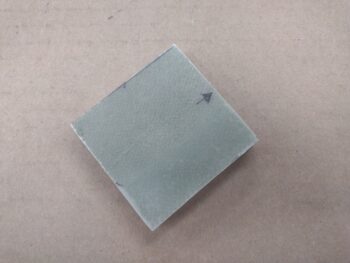
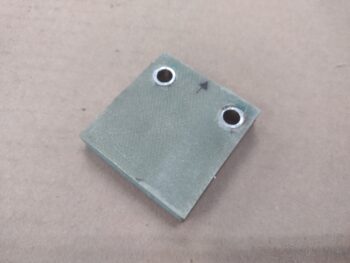
I then riveted the 2 each K1000-6 platenuts onto the GNS-480 bracket that I just machined to allow me to mount that via the pre-existing holes in the bottom flange of the mounting tube.

Here we have the 2x K1000-6s installed onto the bracket, which then allowed the bracket to be attached to the GNS-480 via two #6 screws.

And a bottom view of the 2 screws securing the bracket to the bottom flange of GNS-480 mounting tube.

I then temporarily installed the GNS-480 mounting tube inside the avionics area, securing the tube to the instrument panel inner edges with 2 screws on each side.

Note the blue plastic covered 2024 aluminum support hanging down from the Clickbond mounted on the aft side of F28 (upper left corner).  Also note the new 45° SkyRadar receiver mounting bracket (lower right corner).

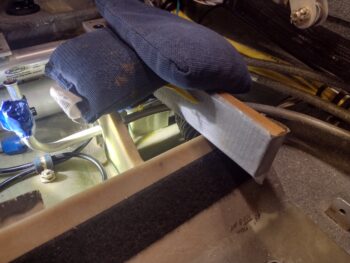
And here is the 2024 aluminum support arm drilled and clecoed to the attached lower bracket.

I then trimmed the support arm to length, drilled the hole to attach it to the support bracket, pulled the plastic and cleaned it up.  On the bracket itself, I installed a K1000-3 platenut to allow attaching the support arm to the new GNS-480 mounting tube (obviously via the bracket).

This ends the configuration prep for the GNS-480 tube.  After I get the left-side panel wires wrangled and secured I’ll do the final install of the GNS-480 mounting tube, replete with the wiring harness and antenna connectors.

Chapter 22 – GNS-480 bracket

This post covers the past couple of days.

First off, I ordered another stylus for my Centroid Acorn CNC probe.  Centroid has a program where you can send your probe back into them for calibration and even replacement if needed, but it’s a one time event in the life of the probe and you still have to replace any missing stylus.  Since my tolerances aren’t (read: can’t be) super tight on this current mill, I just ordered a new stylus.

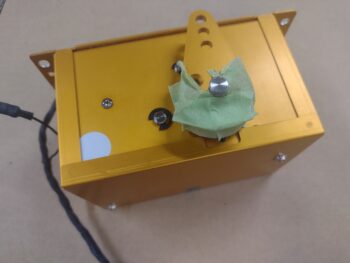
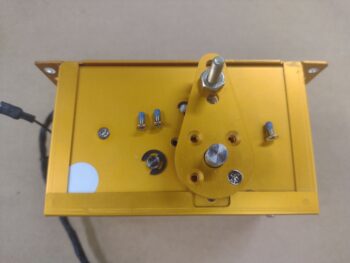
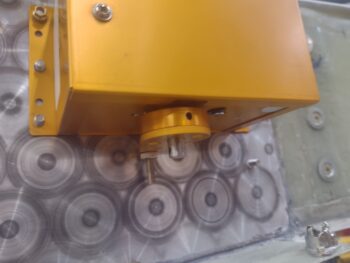
As promised, here is a shot of Taxi Light pivot arm #7 (pic 1), with pivot arm #6 (pic 2) and pivot arm #5 (pic 3) added for comparison.   Clearly I need a runoff between #7 and #5 to see which final version will get installed currently…  again, with plans to tweak the geometry after the bird’s in the air.

In poking around in the remaining panel areas that still yet need to get populated, I stumbled upon a clearance issue between the SkyRadar ADS-B IN receiver’s aft bracket and 2 of the 3 connectors on the backside (technically front) of the HXr.  The HXr frame will clear the actual SkyRadar unit but its protruding D-Sub connectors will not clear the mounting bracket.

Also note the USB cable off the SkyRadar unit, which is 3 feet long.  The USB hub that it connects to is 6″ away.  So I ordered a new 9″ cable with a 90° mini USB connector  that will mount into the SkyRadar aft face… again to optimize clearance with the HXr.

I spent nearly an hour in CAD modeling up a new bracket that is simply a 45° version of the current retaining bracket.  Clearly the bracket is mounted away from the HXr, which SHOULD provide clearance for the HXr’s D-Sub connectors.  My last task of the evening of Day 1 was kicking off the 3D print of this guy, which took about 2.5 hours.

This morning I staked a pair of brass threaded inserts into the SkyRadar’s new angled mounting bracket before taking it out to the shop for install.

As a reminder, here is the original pair of brackets (pic 1).  And here is the GNS-480 mounting tube with the SkyRadar ADS-B IN receiver’s new 45° foward-biased bracket (pic 2).

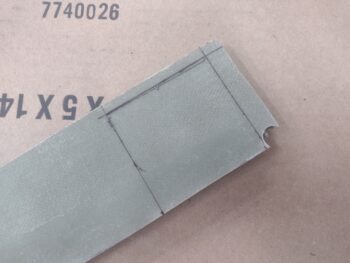
I then got busy machining the “aft” angled bracket of the GNS-480 tube that will help wrangle and secure all the wires and cables connecting to the GNS-480.

As a reminder, this is a close copy to what Marco has on the “aft” side of his GNS-480.  Note the red support arm that is bolted to this bracket and to the aft side of the F28 bulkhead.  This is probably the most important feature of this bracket and, if you remember, I already installed a Clickbond on the aft side of F28 just for this purpose.

Here I’m machining the vertical wall of the angled 6061 aluminum to create this bracket.

And here is the finished machining of the vertical wall of the bracket.  I put the 3D printed model in the shot for comparison of 3D model vs machined part.

But wait just a darn minute you state emphatically!
“Didn’t you crash and destroy the stylus of your probe?” — Yes.
“Didn’t you have to order a new one?” — Yes.
“I guess you’re finding Z0/X0/Y0 via ol’ skool machining methods then?” — Hell no!
“Then what in tar-nation is going on?!”

Interestingly enough, Centroid has the dimensions and threads of the probe stylus listed on their website.  Again, since my tolerances aren’t critical for this part, I simply modeled up and 3D printed a stylus to get this job done, and pressed forward.  Improvise, adapt and overcome!
Here I’m using the 3D printed stylus to determine zero for all axes before machining the bottom of the GNS-480 bracket.

Although there are 2 screw mounting holes in the bottom of the bracket to mount it to the GNS-480 tube, I only used the mill to drill one of them.  After I secure the bracket to the GNS-480 tube I’ll drill the other hole to ensure they are spaced just right to line up with the pre-existing holes on the tube flange.

I then machined the bottom bracket angle leg using a 3/16″ 2-flute end mill (pic 1). Again, here is the machined angle bracket pictured with the 3D printed model (pic 2).

And one last shot of the machined GNS-480 mounting tube bracket and the 3D printed model.

Using the single bottom mounting hole I then attached the bracket to the GNS-480 tube with a #6 screw.  With the single screw in place and using a clamp to secure the bracket, I then drilled the other screw hole and installed the 2nd screw.

Tomorrow I need to attach a #6 platenut for each screw, but before I do that I’m going to assess whether I should machine some zip-tie slots along the top edge of the bracket… in the same manner I machined the zip-tie slots on the GPS puck plate.

Here is the GNS-480 tube with the bracket temporarily secured with a pair of #6 screws.

And this shot shows the where the 90° antenna cable connector is mounted to the actual GNS-480 tube back plate, and the large hole in the bracket that provides clearance for that antenna connector.  On the lower right side in this pic is another 90° antenna cable connector which is why there is a large scalloped portion removed from the bracket [there is also a third 90° antenna cable connector in the upper right of the pic, which clearly has no clearance issues with this bracket].

Tomorrow I plan on finishing the install of this bracket, including making and installing the support arm from F28 to the bracket.  Part of the GPS navigator install prep will be firing up the GNS-480 in its simulator station to ensure all is good with it before I mount it into the panel.  I will also work to finish up the Taxi Light pivot arm install in my quest to get the nose battery compartment squared away and ready for operations.

Pressing forward!

Chapter 22 – Puck Plate Installed

Yes, I plasma cut the GPS antenna puck plate yesterday and then machined the slots for the zip ties today.

I had an unfortunate (and costly) incident while machining this part: my mill drawbar is getting old and sticks a bit, often needing a sharp rap to free the tool in the spindle.  Well, in that process I lost control of the probe and it crashed into the upper left corner of the part below, shattering the stylus on the probe.  Nothing that $100 and another round of dialing in and configuring a new probe won’t take care of (sigh).

Regardless of my woes, the show must go on.  Here we have the puck plate ready to install.

Since I won’t have the required access after the puck plate is installed, I went ahead and preinserted the zip-ties in prep for securing the GPS pucks’ wiring bundles.

I then finished physically installing both the puck plate and 3 GPS pucks atop of it (HXr/ AHRS, TruTrak ADI, and MiniUni2 Mini-EFIS).  As you can see, all the copious amounts of included cabling has been wrangled, or in the case of forwardmost MiniUni2 GPS puck the cable is routed over to the left side of the avionics bay via the aft side of the F28 bulkhead.

I then continued on in my quest to find the most reasonable configuration for the Taxi Light pivot arm, with pivot arm #6 making its debut.

And here is pivot arm #6 in the up/closed position.

And also some exterior shots of it in the closed position (pic 1) and the open position (pic 2).  Again, at this point the closed position is more critical to get this bird in the air than the open position.

That being said, you can see the angle of the open light —which should be close to parallel with the ground— pointing downward a good bit… as in not stellar open fashion.

Thus after some assessment, I introduced a significant configuration change with pivot arm #7 to hopefully optimize both the open and closed taxi light positions. . .

Which works pretty darn well in the closed position.  Open position?
Doh!  Apparently I didn’t grab a pic.  I’ll include a pic in my next post and discuss.

I almost forgot to show that yet another indicator light is working as designed, with the TAXI LT on light firing up when the taxi light is deployed out of the nose.

I’ll also note that after a couple of discussions with the “WiFi Expert” cable gurus out of Valencia, California, I pulled the trigger on the 2 ADS-B IN receiver antenna cables, as well as the pigtails for the GNS-480 connections to the VOR/LOC antenna (in the canard), COM 1 radio antenna, and GPS antenna puck (top of pilot headrest).

I’ll continue to press forward in these extended wrap-up actions to get the electrical system, components and panel instruments installed and operational.

Chapter 22 – Puck Plate Plasma cut

Although there are a myriad of pics here regarding the slow design convergence towards the final Taxi Light pivot arm design, there is a video at the end of this blog post showing the plasma cutting of the GPS antenna “puck plate”… for mounting the plethora of GPS antenna pucks I have on hand.

That being said, here is the inside of the nose with the Taxi Light assembly in the up/ closed position with pivot arm #3 just before I removed it.

And this would be version #4.  Notice how each version keeps getting taller?

And here is version #4 shown deployed from the inside of the nose.  I’m not fully securing the pivot arm with a nut just yet to keep from breaking anything during my assessments.

And here is how pivot arm #4 looks from the outside.  The not-quite-so-closed position in pic 2 is not necessarily the pivot arm’s fault, as the sides of the taxi light assembly are catching on the inside sides of the nose opening.  Some clearance-creation actions may be required.

And pivot arm #4 in the closed/up position.

While taxi light pivot arm #5 was 3D printing, I filled up the plasma cutting table’s water tray and aligned/secured the 0.032″ 6061 aluminum plate to be cut.  I also hauled my laptop computer out to the shop to run this operation.

And here we have pivot arm #5 just installed onto the taxi light assembly.  Again, the trend is that they keep getting taller.

And that pivot arm height is simply to drive the taxi light as vertical in the open position, parallel to WL 0, as possible (pic 1).  That being said, right now my primary concern is with the taxi light assembly fully closing and remaining secure in the nose during flight ops (pic 2).  I can always tweak the geometry more fully later, but will continue to do so as long as I see obvious tweaks that can be made now.

And here is pivot arm #5 from inside the nose, with it pretty much in the fully closed position.

I then plasma cut the GPS antenna puck mounting plate (AKA “puck plate’) and grabbed a short (yes, actually short!) video of that process.

After quickly deburring the edges and removing a few bits of very minimal dross, I then used the initial puck plate 3D printed mockup to drill the 2x 4-40 screw holes in the plate, as those are too small in diameter to plasma cut.

I also tweaked the Taxi Light pivot arm to make version #6 and kicked off the 3D print of that, which I’ll test out tomorrow.

In addition, I’m happy to report that the IBBS charged up to 13.7 volts, with 13.5 volts being the bottom threshold for the unit to be called operationally ready.

Still pushing!

Chapter 22 – DUAL GPS puck in

This is another 2-day blog post.

Starting off, I removed the HXr from the panel to give me better clearance to install the GNS-480 mounting tube into place (without screws) to then ensure there was enough clearance for the attached SkyRadar ADS-B IN receiver… and there was.

I then checked spacing for the 2 ADS-B IN antennas, and just after confirming they would fit under the right armrest storage bin, I removed the storage bin to allow for mounting the antennas and ground plane.  I also confirmed cable lengths of 48″ and 54″, respectively, for the 2 antenna cables.  I’ll order those Monday.

In the nose I removed the tool box, battery, pitot tube and IBBS unit.  After removing the IBBS unit I hooked it up to the removed battery, via a separate wiring harness, to charge it.

With the nose stuff cleared out, I then set, drilled, countersunk and mounted the Dual GPS antenna puck mounting sleeve on the aft left side of Napster bulkhead, as high up as I could place it.

Here we have the front side of the Napster bulkhead with the front of the Dual GPS antenna puck bracket CS screw heads showing (pic 1).  These counter sinks, especially the outboard one, were a bit tricky given the internal curvature of the nose.  They were also a bit closer to the IBBS upper Clickbonds than I had expected, but again, I wanted the Dual GPS puck as high up as I could mount it.

And here is a shot of the Dual GPS puck mounting bracket without the GPS puck in place (pic 2).

Here we have the Dual GPS puck mounted in place and ready for action!

And a shot of the lower side of the Dual GPS puck mount to show the bottom side of the mount.  I knocked the mount just a hair off level as I was drilling the second hole, but this dog will certainly hunt!

As my timeline went, I was actually working on the nose taxi light’s internal open/close pivot arm that I designed in CAD and fired off the first 3D print last night for configuration testing today.

Here’s the front face of the sanded (and soon to be repainted) drop-down taxi light assembly.

And the same light assembly, turned face down, with the initial iteration of the open/close pivot arm (pic 1), and then version #2 of the pivot arm after I temporarily installed it in the nose (pic 2)… after each redesign and during each subsequent 3D printing is when I worked on installing the GPS puck mount above [out of curiosity I weighed this part, which came in at 1/3 lb = 5 oz].

Not surprisingly, pivot arm #3 is the most promising yet, and is one that I can actually live test with the taxi light deployment/retraction actuator.  Thus, in prep for the taxi light unit open/close test tomorrow, I finished wiring up the taxi light relay (#11) for the test (no pic).

Yesterday I spent about 45 minutes starting on the initial cleaning of my plasma cutting table water tray.  Tonight I spent nearly 2 hours finishing that task (a complete cleaning will involve actually removing all the slats) to allow me to add water —without it turning instantly dirty brown— to get the GPS puck mounting plate and ADS-B IN antenna ground plane/mounting tabs plasma cut.

I’ll note that I’m working the taxi light final install, along with all the other nose components, so that the next time the battery, etc. is installed the nose compartment will all be squared away to allow me install the nose hatch door…. inching closer!

Chapter 22 – Alarm audio alert checks

Jess and I got back from our DC trip early evening yesterday.  After unpacking and doing an update on my to-do list, I went out to the shop to flip on the Master Switch to check and see if the Mini-X OAT was still alive and reporting believable temps.  And it was.  I also grabbed the lists for both the GRT HXr and Mini-X that I printed off from the GRT website that covers all the specific features included with the new software updates.

Today I spent a good half hour over coffee looking at the updates and highlighting those I wanted to investigate further.

Out in the shop I needed to address a rather tricky task of installing a screw into the HXr’s J4B D-Sub connector’s outboard side.  You see, I didn’t account for the J4B D-Sub connector needing to be installed and secured BEFORE the TruTrak ADI was installed.  And since there is less than 3/8″ clearance between them, I don’t have an room to get a regular screwdriver in there… and I’m NOT removing anything from the panel to get to it.

So I used a low-profile 4-40 hex-drive screw (visible aft of screwdriver tip) and then lopped off most of the end of a hex key (above screwdriver) to allow me to get in there to first set, then fasten the screw into place.  This entire exercise took right about an hour!

Since I plan on creating and installing the GPS antenna puck mounting plate either tomorrow or the next day, I needed to address an issue that just cropped up recently with the Starlink system dealing with both performance and price.  If you’re interested, Scott on the Canard Boulevard YouTube channel covers the issues very well here.

In light of the unfortunate very significant capabilities reduction and price increase for StarLink use in GA, I’m making my power leads for the StarLink antenna swappable to allow me to connect up my WxWorx antenna for SiriusXM Weather (as an option).

Here is the pulled StarLink power cable right behind the power wire terminated with a knife-splice connector for the power side (pic 1) and the a knife-splice connector terminated onto the ground wire (pic 2).  Clearly this will allow me to connect up either the StarLink Antenna, the SiriusXM Weather system, or any future weather product, respectively of course, that needs power.  Yep, we always need to be ready to improvise, adapt and overcome!
Again, in prep for mounting the GPS antenna puck mounting plate, I updated the zip-tie thru-holes and then printed off a thin version of the plate to check those zip-tie points.  This took a good 45 minutes in CAD to do the initial measuring and outlay of these zip-tie points.

That being said, it will need at least one more tweak tomorrow before I plasma cut the plate.

My final quick, but productive, task for the evening was taking a pair of headphones out to the shop to plug into the pilot headset jacks.  I prepped this audio check by fusing the AMX-2A 10-channel audio mixer before flipping on the Master Switch.

I then turned on the Dynon Intercom and was met with the alarm audio alerts from the AG6 warning annunciators (one for the canopy open alarm from AG6 #1 and the other an IBBS low volts alarm from AG6 #2).  Once I finished booting up the HXr and Mini-X EFISs, I was met with a myriad of EIS audio alarms —since the engine data systems aren’t hooked up (and engine not started).

Clearly these functioning audio alarm outputs are initial indications pointing to good wiring on the audio mixer, intercom, AG6s, HXr and Mini-X.

Pressing forward!
Chapter 22 – HXr EFIS install

This blog post covers the past few days of the build.

Here’s a shot of the 3D printed ABS test bracket bases to dial in the screw spacing and depth required to bury the nuts into each bracket segment.

As I discussed in my last post, I determined that only #6 110° CS screws provide the internal clearance required for securing anything to the mounting tube innards.

I’ll note that I spent a considerable bit of time researching and also discussing the SkyRadar ADS-B IN receiver’s remote antenna placement and install with GRT. I also did a deep dive on acquisitioning some cable fittings, or better yet, the entire cable assemblies themselves… made to fit of course <wink>.

Fellow local canardian, Guy Williams, and I had made plans to get together last week, when/where I could update him on my build and also perhaps haul the right wing to my hangar.  Well, that fell through, but a couple of days ago we agreed to make it happen today (Day 2).

I was already prepped to do the initial install on the GRT HXr EFIS and knocked that out about 45 minutes before Guy showed up the shop.  It fired up nicely, as you can see here.

Also on my to-do list for quite some time was getting the last of the seat belt segments installed… here we have the left bottom pilot seatbelt installed.  This makes for ALL the seatbelts officially installed

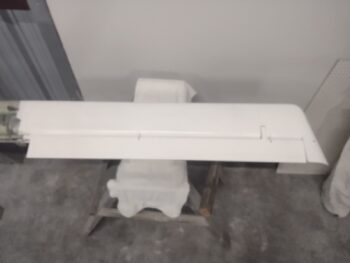
After a good hour-plus BS’ing about my panel and controls installs, Guy and I loaded up the right wing and hauled it to my hangar so it could join the left wing as they both await the delivery of the fuselage…

Here we have a couple of shots with the sunset in the background of the right wing, ready to be unstrapped and placed into the hangar.  If you look closely, you may be able to see the collapsed wing dolly in the bed of my truck, which the wing will be placed upon before it gets installed onto the bird.

Back at the house/shop, I did some final 3D prints of the SkyRadar ADS-B IN receiver’s mounting brackets to allow me to attach the receiver to the inboard side of the Garmin GNS-480’s mounting tube.

Here is the initial assembly of the first of two mounting brackets.

And another shot of the first bracket’s installation (pic 1), and the second bracket ready to be installed as well (pic 2).  Note the threaded 6-32 brass inserts that I staked into the ABS plastic mounting bracket’s mating surfaces, with both a vertical and horizontal screw securing it on each top and bottom corner of each bracket.

The next morning, with the brackets fitting most excellently on the SkyRadar ADS-B IN receiver, I installed the brackets first onto the GNS-480 mounting tube before then doing the final install of the receiver into place.  I have to say, these brackets work a treat and I’m very pleased with them.

I’ll also note that the antennas mounted on the receiver’s forward end (pic 2) are the ones that will have to be removed and remotely mounted under the very aft end of the left pilot armrest.  Inside the armrest of course.  That gets these antennas the required >4′ away from the transponder antenna inside the forward NG30 bracket uprights in the nose.

Moreover, I’ll further note that when Guy was at the shop, I discussed with him a couple of distinct issues I was having with the GRT EFISs.

First off, I’ve been having very spotty reporting from the MIni-X’s OAT probe.  And then after I installed the HXr EFIS, we could see that they were not talking to each other, although they are wired with data crosslinks.

I emailed GRT with some screenshots of my Mini-X’s OAT reporting, which ranged from nothing but dashed lines for the OAT value to a negative value which interestingly put the Density Altitude in the negative thousands.  After a reply from GRT with a few things to troubleshoot —one of which was checking the settings— I decided to go ahead and update the software.

And wouldn’t you know, that seems to have done the trick [knock on wood!].

I was then ready to remove the HXr to check out the wiring between the pair of EFISs, although after some playing around with them I did discover that manipulating the inputs on the Mini-X did change those values on the HXr, but not vise versa… so one wire appeared to be the culprit.

Well, I finally got a lucky break in that as I prepared to remove the HXr, I noticed that one of the 3 data D-Sub connectors on the back of the HXr was cocked at an angle, with the top half not fully inserted into the HXr.  Ahhh, that’s something!  And sure enough, with it fully seated I powered up the panel and every EIS alarm I had been getting on the HXr was now ringing off on the Mini-X as well.  Thus the inputs on the HXr are now also manipulating those items on the MIni-X (altimeter, heading bug, etc.).

Serendipitously, all my <current> troubleshooting tasks on these displays have been resolved!

And here we have the panel with the nose poking out of the shop a hair to allow the GPS pucks to pick up their signals.  I’ll also note that I updated the HXr’s software as well.

Finally, in the mail today I got a nice surprise: the super clean (electrically speaking) 12v-5v converter that Eric Page constructed for me, replete with EZ-PZ labels to ID wire hookups.  Very nice!  This is of course for the one (out of 4 cameras) 5v video camera I have that needs to be hooked up to the Video Camera Multiplexer’s camera 12v power connector.

Tomorrow will be a busy day as we prep for a quick trip up to DC for a few days.  Upon my return I plan on working like a dog and wholeheartedly expect to be pretty much done with the instrument panel and electrical system install on this bird in the week following.

Pressing forward!

Chapter 22 – Last Panel Light

A few days ago I had 3 distinct electrical issues: the nose gear switch putting the nose gear down, the landing brake ancillary functions/notifications not aligning with the switch, and the top row indicator lights push-to-test button not working and popping fuses after every possible initial “fix.”

Well, as this build goes it’s taken a day each (along with other tasks) to get each issue resolved.  For the indicator lights, yesterday I had to disassemble a number of the connections both at the test power leads and the light power connectors in my attempt to test every circuit, which I originally believed was a simple miswiring of the circuitry.

As I was doing my continuity tests I kept getting an errant connection to ground on all the test wires, which should all should only go to power BEFORE the PTT button switch was engaged.  It was clear: I had mole somewhere in the system.  But what wire and what circuit?

Again, as I noted yesterday, I discovered that in my haste to add the new AP SERVOS OFF/PCS indicator light I misread the type of output the Trio autopilot was using for this signal.  I took it at as positive power vs ground.  Ooops!  I had inadvertently wired in a ground wire to the bundle that was coming in through the light main power feed, and moreover had at some point blown out (destroyed) the protective diode that was there to protect the circuit feed (or it was dead when I installed it).  When I tested the installed diode on this circuit it was clearly inoperative.

Once I removed that bad connection, my first task was to correct that circuit to allow the depressed autopilot servo disconnect/pilot controlled steering (PCS activates with a greater than 5 second button push: allows the pilot to manually steer the plane for a bit, release the PCS which will then hand control back over to the autopilot) indicator light to illuminate.

The issue with my original mis-ID’ing of this alarm output high vs low is that I now had a constant hot feed to contend with that goes through the control stick’s multiple ground outputs.  I had no way to isolate —without cracking the control stick open— exactly what ground circuit was on the other end of the wiring.  This forced me to control what I only had access to.  And other than simply abandoning this function and removing the light, this drove me to only one viable required solution for this control issue: a relay (yep!).

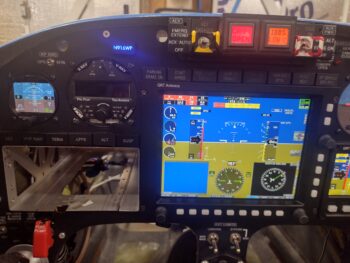
Which you can see down in the open corner of the HXr EFIS opening.  As you can also see that this relay allowed this circuit to work.

It also allowed me to reconnect all the indicator lights’ wiring and get those fired up as designed via pushing my Push-to-Test button on the side of the Warning Annunciator Sub-panel.

One unintended consequence, however, after I wired all these wires back up was that if I pushed the control stick AP servos disconnect button, all the indicator lights fired up… so it was either shorting out the entire light panel, or powering them collectively (sigh).

After messing around testing out another diode and even some high value resistors, in the end I simply punted and cut the test lead to the AP servo indicator light… meaning that it works as required when the control stick button is pushed, but from here on out it does NOT light up with the other lights when the PTT button is pushed.  Facts known, dealt with, and pressing forward.

I’ll state that I did a good half hour worth of assessment on where exactly to mount my SkyRadar ADS-B IN receiver, now that I know that it must be aligned on all axes in relation to the aircraft centerline.  To attain this alignment, along with ease of power connection and my brand new requirement of remotely mounting the 2 antennas, I decided to test mount it on the inboard side of the Garmin GNS-480 mounting tube.  I further determined that only #6 110° CS aircraft grade screws provide internal clearance for securing anything to the mounting tube, so I started some initial test component designs in CAD and kicked off some 3D prints on those bits…. after I tweaked and 3D printed the latest version of the right side GPS puck mounting plate to test out before making.

I then spent a good 45 minutes installing and securing the hardware on the quite difficult to access P3 connector (kinda visible upper left corner of pic behind wires).  Another insane-to-get-to job complete.

I then added some strips of Velcro onto the inboard side of the Trig TT22 transponder GRT serial adapter and backshell to attach it to the transponder itself.  Here is the adapter with the interconnecting wire pigtail I made yesterday, shown from the front side looking aft.

And a shot looking down at the transponder serial adapter/wiring pigtail install. I need to pick up some 1/4″ 4-40 screws to finish attaching the D-Sub connectors, which I’ll do tomorrow. After the D-Subs are fully secured, I’ll then zip tie the wiring and the adapter to the transponder which will complete the install for not only the serial adapter and pigtail, but the transponder itself.

As for component power up tests, I’m happy to report that both the roll trim and pitch trim systems and actuators all powered up nicely and are working a treat.

Pushing forward!

Chapter 22 – Panel LEDs fixed…

I started off today having a leisurely morning with Jess, as she was busy in the kitchen I focused on some arts n’ crafts time by building a 10″ long pigtail with 25-DSub connectors on each end.  One end of the pigtail connects to the Trig TT22 transponder while the other connects to the GRT adapter that allows the HXr EFIS to remotely control the Trig TT22.  The other side of the adapter will plug into a D-Sub connector that goes to the HXr.

Now the question: Why?  Because I originally planned to have the Trig TT22 mounted on the TOP shelf of the Tri-Paragon —OR— out in the end of the right strake.  But after deciding to mount my ELT antenna in the nose I found that after making up a bracket the transponder fit hanging off the right side of the Tri-Paragon’s top shelf… sort of.  To be clear, there was no clearance for it to fit on the shelf top.

All but for that GRT serial adapter.   With the TruTrak ADI installed there is simply no room for the adapter.  I figured we’re talking electrical signals here, so a quick call to GRT to let them know my eevil plan to remotely mount their serial adapter… that ironically let’s one remotely mount the transponder.  They saw no issue with my scheme.

I did a bit of research last night, but did a deeper dive today on Radenna SkyRadar ADSB-in receiver install per the manual.  As noted above with the Trig transponder, figuring out where to mount components has significant consequences to not only that respective unit, but can have 2nd, 3rd and 4th order affects on other stuff as well.

Since I originally planned on the transponder antenna being in the outboard right strake vs the nose, all was good with mounting the SkyRadar receiver either on top of the NG-30 cover (original plan) or on top of the canard.  However, with a quick check in the SkyRadar manual it states that it’s an absolute no-go to have the 978 MHz or 1090 MHz antennas mounted within 4 feet of the ELT antenna.  Ugh. (BTW, 4′ away is the bottom aft edge of the pilot thigh support where it meets the flat pilot seat “pan”).

The only saving grace is that the SkyRadar antennas can be popped off and remotely mounted, and they’re not that big (~6″ long per antenna)… only requiring buying or making the cables required to remotely mount them (again, a common practice with the RV bubbas).

So [once again] a minor install task has morphed into a significantly more involved project.

In other news, I found the culprit preventing my panel indicator lights Push-to-Test switch from popping fuses.  Again, my bad in not fully reading the wiring diagram correctly as I hamfistedly installed the new AP SERVOS OFF/PCS indicator light. A fact I quickly discovered after doing connectivity tests on my PTT wiring circuits.

A correct rewiring of the AP SERVO indicator light should have it back in the mix in short order.

I spent a few hours taking it easy after my late afternoon fun-with-wiring activities above since I had a killer headache… a rare malady for me.

But the shop lights were still on as I kept telling myself I would get back out there to knock out more stuff… which ended up just me fusing the RAM air scoop butterfly valve switch/actuator circuit.  The only panel indication that all these components are functioning as designed is the RAM AIR OPEN indicator, and yes, both switch and actuator worked a treat.

Nice… another power-up test on another component circuit tested good.

And with that, I called it an earlier night than usual.  I plan on being back on the build hot n heavy tomorrow.