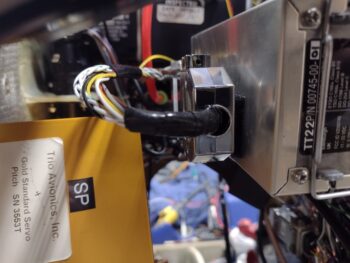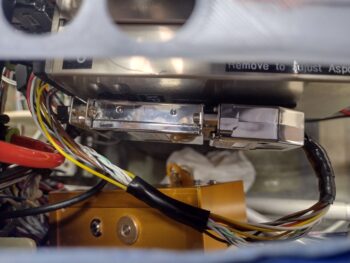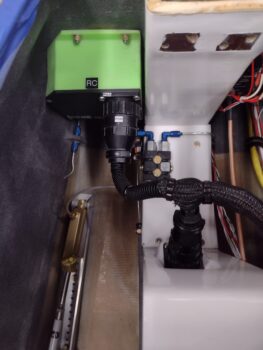
Chapter 22 – Anything happening?!

Another quick update for the past 2 days.

First, I’ll start off by saying that since I had knocked out most of the electrical wiring harnesses (usually in the cold winter months) over the past 10 years my thought on finishing the electrical system in situ inside the bird was going to be pretty much plug and play, with at least 70-80% of the wiring simply needing connection to other components, busses, etc.  However, that number is actually inverse with all but 20-30% of wiring needing further massaging for final routing, connection and termination.

Having taken a couple of years of organic chemistry in college, I explained it to my wife as such:  For any given molecule with a certain makeup of, say, 6 atoms of element X and 12 atoms of element Y, there can be a half dozen physical SHAPES of the molecule, some lending to better chemical reactions, others not as much… again, all due to the physical shape of the specific molecule.

In many ways that is very close to what is currently happening inside my aircraft.  For example, coming from the front-to-aft bundle of wires were 2 ground wires that on paper, based on amp level, I had getting terminated into the G5 ground buss, which is located midpoint on the LEFT side of the Tri-Paragon.

Now, as you’ve seen in the pics that I’ve been posting, I have A LOT of wires… as most aircraft do.  So why should I run 2 wires past the G4 Ground Buss (above) to a ground buss distinctly further away?  When I can simply cut them shorter and dive them right into the G4 Ground Buss and not have as many wires to contend with in open space.

The main couple of reasons NOT to would be to save time (always good) and lack of capacity on G4 (not an issue).

What it does require however is lopping off a perfectly good D-Sub pin to then crimp a FastOn connector AFTER relabeling the wire AND updating all the associated diagrams.

Yes, helps a lot with all my wires in the cleanup and management of the wiring, but it does take a bit more time to get from point A to point B.  This is just one example of many how my wiring management is going, and why it’s taking a bit more time than I had initially expected.

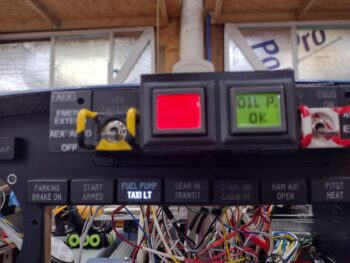
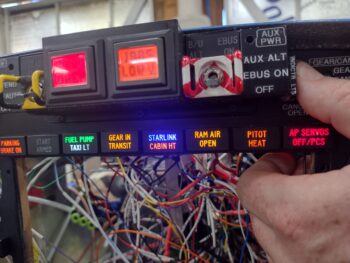
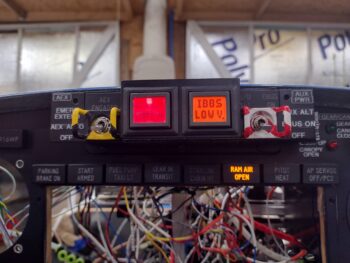
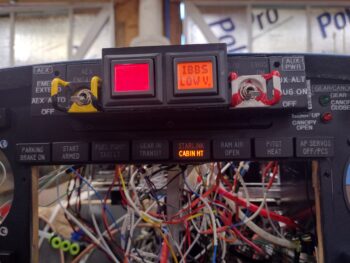
Switching gears… I got my new panel indicator lights from PCFlights in the mail today, with 2 of the 3 new lights installed (not permanently yet) in the panel: 3rd from left “FUEL PUMP” (top) and “TAXI LT” (bottom) and then a single light on the far right end, “AP SERVOS OFF/PCS” which will illuminate when I depress the AP OFF/PCS button on the control stick.

PCS is Pilot Controlled Steering that enables you to temporarily take control of the bird while it’s being flown under autopilot control then once released the control is handed back over to the autopilot/servos.  The trick here is to keep the button depressed for 5 seconds or more to engage the PCS function.  So yes, the light technically covers two somewhat separate functions, but they are both initiated by the physical act of pushing that single button.
[The final new light: “STARLINK” (top) and “CABIN HT” (bottom) is currently attached to Relay 21 and I was lazy in not wanting to disassemble that to mount the light… but it’s ready to install]

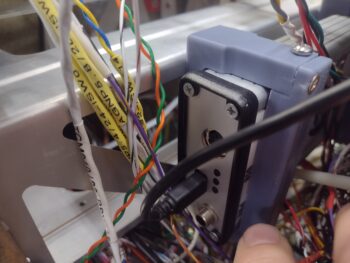
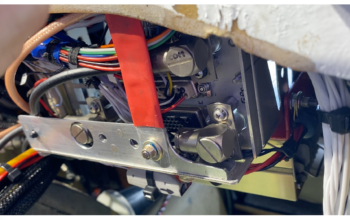
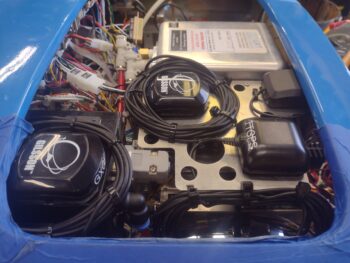
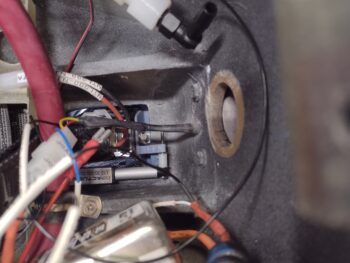
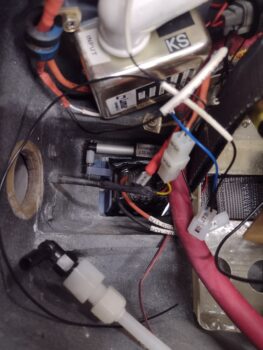
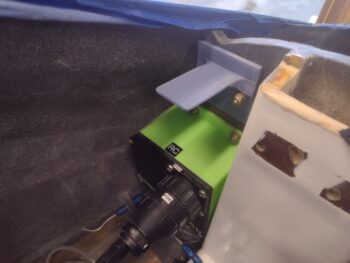
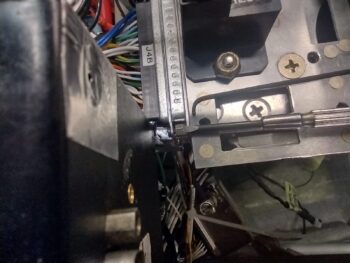
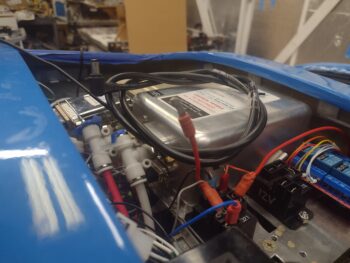
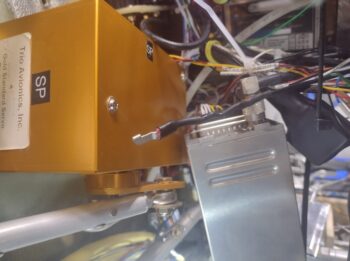
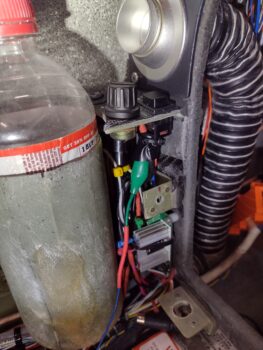
Back to my original point above, after installing the SmartStart module and attaching its D-Sub wiring harness, I then realized that nearly half the wires need to come out the left vs right side of the Tri-Paragon.  Plus I needed to solder a wire close to the connector coming from the front-to-aft wiring bundle.  So off the D-Sub connector came (which is a PITA!… requires a mirror), wiring routed as required, soldered, etc. and then back on went the D-Sub connector.  Note the red power wire connected to the lower right (aft) fuse tab on the E-Bus.

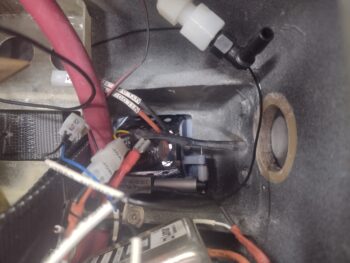
Also note the large white nylon nut to the immediate right of the SmartStart module. This is the GRT HXr OAT probe that installs into a hole from the outside-in, which was fine and happy for the many years it sat on my panel mockup.  But here in the real aircraft, it required removing one wire from the AHRS D-Sub connector and cutting the black ground wire to install it from inside the nose wheel cover to the inside of the bird.  Of course after it was installed it required me to then reinsert the wire into the D-Sub and solder splice the ground wire back to its other (terminated) half.
Yep… no free lunch on this electrical system endeavor!

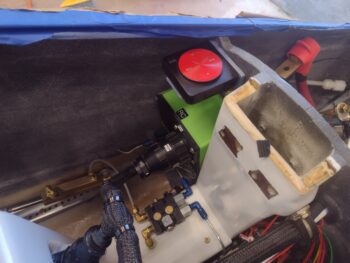
Here we have the E-Bus (again, ‘E’ is for Endurance) on the left side of the Tri-Paragon with a good many power wires attached to it, nearly all with their own story of shortening or lengthening, combining, or re-terminating with FastOn connectors (couple scenarios where I had a “piggyback” FastOn on both wires to allow double-stacking wires on the fuse tab… only one required and will fit, so I had to lop off/replace the other one with a single).  I fully expect the E-Bus and most of the Main Bus to be populated over the next couple of days.

I spent well over 3 hours today on the P5 plug wires getting that rats nest untangled and the various wires oriented, grouped and flowing nicely from that point to points yonder.  This required multiple removal of wires from the P5 connector, often the same wire multiple times as the routings progressed, which again entailed using a mirror, good lighting and tons of patience to de-pin the wires in that tight corner with the P5 mounted face down.

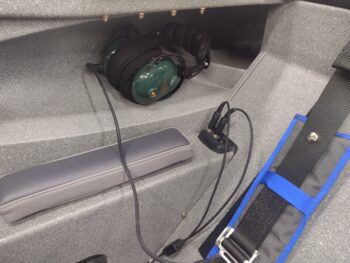
The primary objective in my focus on untangling the P5 plug wires was first to get all the Dynon intercom wires through the bottom instrument panel bulkhead hole and ready for connection to the intercom (mid-right pilot armrest) and the headphone connections (aft right pilot armrest).  Ancillary to that was freeing up Relay #9 —handles the COM1 to COM2 radio swap between GNS-480 (COM1) and the Trig TY-91 (COM2)— which is the center hub/meeting point of all the mostly shielded wires that go to each radio unit.

Within the next 2-3 days I plan on setting aside most of a work day to focus solely on wiring up the intercom and headphone wires.

Inching forward…

Chapter 22 – Another slow slog…

Yep Sir, another post covering the past 2 days.  Barely if I’m honest since I had some much-needed chores to get done around the house on day one, so I printed out most of a new Garmin GNS-480 installation manual.  There’s a color heavy segment and some 11×17 diagrams that I’ll have printed down at Staples to save my printer ink.

I’ll note that a reprint on this guy was required since my original manual was ruined in the hurricane/tornado that hit my hangar just after moving down to NC in 2019.  Luckily the paperwork specific to my GPS unit was in a plastic sleeve which saved it.  I just don’t know where that document is at the moment… ha!

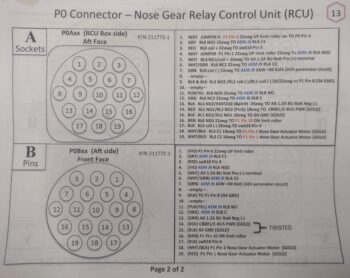
Continuing with my adminstrivia on Day 1, after a physical inventory inside the bird that involved removing a single wire, I did the final tweaks on the P5A connector pinout sheet.

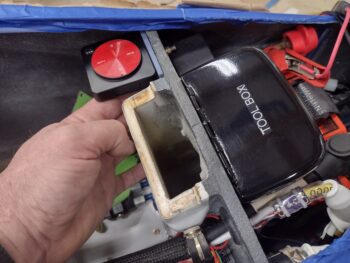
Start of day 2: I pulled the battery out of the nose while ensuring that I documented every step.  I felt that it was akin to working on a car where you needed to remove half a dozen parts just to get the one that you need to work on.  Well, it’s not that bad but the tool box will have to come out (which I planned for and is why it’s easily removable) and the 6 AWG cable that feeds the master bus will need disconnected from the battery contactor to rotate it (and its attached ammeter) out of the way so that battery can slide in with a good 0.32 mm clearance to spare (I jest… kinda).

I even pondered making the IBBS on the left side (upper right in pic) removable, but then determined I didn’t need to with the 6 ga cable moved out of the way.

I then put the bottom battery tray into place, reinserted the battery to make sure it would fit with the tray installed, then removed the battery a final time to ensure process repeatability before I called the battery install & removal steps good.  I again documented that entire procedure.  I’ll note with the battery and tray in together, I marked the positive and ground battery cables for trimming to proper length.

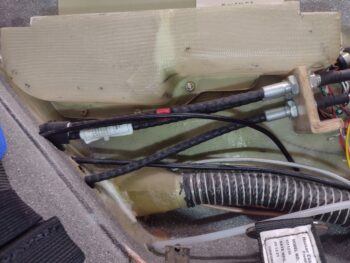
Speaking of the 6 AWG cable in the nose —the one with the ammeter attached— my next task was lopping off a good 3 feet of excess of it that was hanging out through the panel and into the pilot’s seat.  Once I dialed in the no-kidding length of the cable, I crimped a #10 screw ring terminal onto it and mounted it into place on the master buss threaded post (pic 1), all AFTER I placed a rubber boot onto the cable.  I then slid the white rubber boot over the ring terminal and post (pic 2).  The Master Buss is now officially plugged into the system for power.

I then did pretty much the same thing on the E-Bus (opposite/left side) by cutting to length the 12 AWG feed wire from Relay 18 —which is the SD-8 b/u alternator to E-Bus only power feed— then crimped a ring terminal onto the cable before installing it onto the E-Bus’s threaded post.  Another major power circuit wire trimmed to length and terminated.

Note that the AMX-2A 10-channel signal mixer, that feeds into the intercom, has been installed… still to be secured when I do all the final cable/wire management.

I also spent a good bit of time wrangling all the wires hanging out of the top of the bird, and separating them out into groups depending on origin (or final destination).  I corralled and zip-tied the wire/cable feeds coming from the aft end of the bird along the bottom right edge of the panel to meet in the middle of the panel before 80-90% of them turn forward to get terminated onto Tri-Paragon components.  Some of those wires will head north to either the indicator lights or the Warning Annunciator Sub-panel.  Finally, a good few will head over to the points on the left sidewall (P4 throttle handle plug, etc).

I also spent some time isolating the feed wires to the the P5 plug that handles all the wires to the control stick.  I then installed the P5A plug onto the right upper sidewall mounting flange.  I still have a good number of wires left to terminate into the P5 plug, and will work and route those as I come across them.

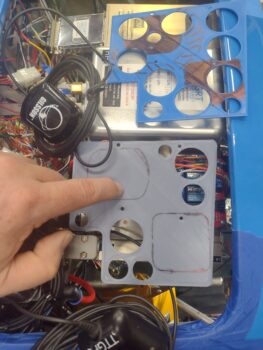
Here’s a current shot of the panel with mostly the wires and cables from the aft end of the bird all spilling out through the HXr EFIS mounting hole.

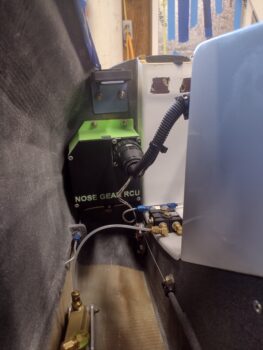
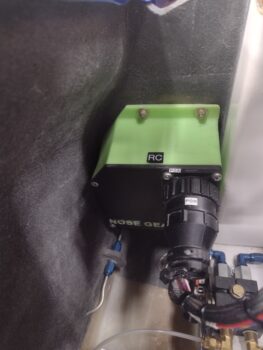
To do some quick cleanup in getting wires installed and out of the rats nest “race” I focused on a group of ground wires mingling about near the F22 area, all whose final destination was the G4 Ground Buss just a scant few inches away.  One was a ground wire that I honestly don’t even know what component it went to (ALL my ground wire FastOn connectors have black heat shrink on them —for this very purpose of ID’ing— while ALL power wire FastOn connectors have red heat shrink) and next was the nose gear’s Relay Control Unit (RCU) and Automatic Extension Module (AEM) ground wires that I terminated into one FastOn (per plan) and installed onto the G4 Ground Buss.

The final set of ground wires took a bit more time, first in verifying the wires coming out out of that bundle in the pic above [again, an issue that I discovered was that wire labels do a great job, UNLESS they’re buried in a cable bundle!].  I did a continuity check on a suspicious pair of wires that I quickly determined went to the GIB cigarette lighter charger.

I also had a single labeled green wire (ground) to the GIB USB charger, and an unlabeled (the segment I could see) white wire (power) that APPEARED to be the green wire’s paired mate… but it wasn’t ringing off with my continuity check.  I chalked this up to my multimeter probe not being able to get into the flat USB plug to contact the positive pin, so I grabbed the battery and a 5 amp fuse and connected up the white and green pair.  Thankfully the LED light on the USB charger lit up and it charged my phone when I connected it up via a USB cable.  Sweet!

With my wire checks good, I then cut and terminated the two GIB charger ground wires into a butt splice connector about 6″ forward of the panel.  Separately, I then added a piggyback (2 tabs) FastOn connector to a length of 14 AWG wire, installed that onto the G4 Ground Buss to then allow me to get the proper length to splice it to the two GIB charger ground leads via the butt connector. Thus the GIB chargers’ ground circuit was complete.

A part of this whole endeavor was printing off another batch of wire labels, which I applied as required during all my above shenanigans.

But what about that piggyback FastOn connector?  Well, I cut and labeled the wire before crimping on a single FastOn connector for the pilot’s front seat cigarette lighter charger ground and terminated that onto the piggyback tab of the GIB charger ground wires… again, all per plan.  Now the only charger ground remaining to terminate is the pilot’s USB charger (not to this ground point)… when I find it!

Finally, here’s a pic of the right side of the bird now, with a lot less wires hanging out (3 of those ground wires came from this bundle)…

Compare the pic above to just a couple of days ago …. one by one, I’m slowly getting these wires to their final termination points.

Pressing forward!
Chapter 22 – One bite at a time

I’m not going to lie, looking at the massive amount of wires hanging out of the bird from last night was a bit daunting and overwhelming.  I mean, where to start?

Well, luckily I had been building my to-do list so I just started on my post-Triparagon install section of it.  That list is a living document and changes day-by-day, and bumped up to the top of the list was both the P4 CPC plug, and more specifically the wiring for the Landing Brake out of the P4 plug.

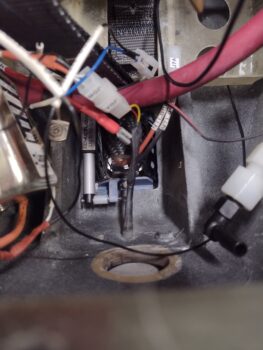
Starting out late this afternoon (I got a late start), I terminated all but one wire (that goes to the AG6 warning annunciator) from the P4 plug/relays to the landing brake actuator and throttle quadrant micro switch, in that order.

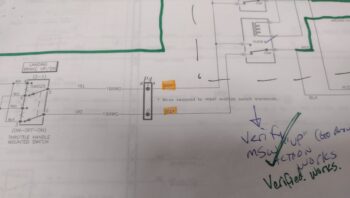
Here we have the 2 white wires to microswitch SW082 on the throttle quadrant which closes a circuit when the throttle is wide open.  This in turn closes the landing brake in case it’s open either during a take-off roll or during a go-around.

I then attached the ground cable from the main battery to the G4 “Forest-of-Tabs” primary avionics bay ground buss (bottom end of yellow pointer)… note the white-labeled wires behind the yellow pointer are the G5 ground buss connector wires, while the wires immediately to the left of the G4 stud are the G7 ground buss connector wires. Note that the upper right half of the pic is the aft side of the F22 bulkhead.

Here’s that ground cable on the battery end inside the nose battery compartment, awaiting to be terminated with a ring connector.

I then reinstalled the TCW Safety-Trim box onto the Tri-Paragon lower right side, just aft of the center F22 bulkhead and below the G4 Ground Buss discussed above.

The top aft screw that secures the Safety-Trim box above is also the forward securing screw for the TCW SmartStart unit that I re-secured on the left side as well.  I then installed the D-Sub connectors for both the SmartUnit and the Safety-Trim box (which you can just make out through the circular opening above / left of the Smart-Start unit).

After nearly an hour of wrangling and organizing the wiring inside the avionics bay, I started to work on the remaining wires that feed into the P4 connector.  After hunting down a few wires, I realized something wasn’t right in Denmark… the component wires were just NOT matching what I had on my P4 connector pinout sheet.

I had used the pinout sheet to inventory the P4 connector just a couple of days ago, but now realized it was out of date as compared to the actual wiring diagram.  A perfect example of what happens when the paperwork is not updated!

So I took almost another hour (with coffee!) to compare the wiring diagram vs the pinout sheet, confirm the existing wiring inside the bird, and then update my P4 pinout sheet.

By this point it was getting later into the evening and I was ready to have dinner with my wife, so I called the workday done.

There are still a ton of wires to sort through and connect up, and I expect this to take at least another day or three, but I can already see good progress.

With that, I’ll add: Get ‘er done!

Chapter 22 – Tri-Paragon Installed

I started off today spending a few hours getting the landing brake circuitry all figured out, then sorting through all the left side and P4 connector wiring.

After getting a good bit of wiring channeled and wrangled, a few spliced and a numbered labeled, I then prepped the Tri-Paragon to install into the bird’s avionics bay by first removing the TCW Technologies Safety Trim box to allow securing the Tri-Paragon to the mounting tabs with countersunk screws (2 which are situated under the Safety Trim unit).

I then installed the Tri-Paragon into the avionics bay of the bird… this is a shot from the left side, adjacent to F22.

And a shot through the aft nose avionics access opening.

And a couple shots from left and right side panel looking forward.

A shot from the right peering in between F22 and F28.

And lastly, a shot of all the wires that I need to sort out, wrangle and connect over the next few days.

Pressing ahead!

Chapter 22 – 3rd times a charm…

Another 2-day post here, which is clearly becoming my norm.

I got the Tri-Paragon back out into the shop, ran off a good bunch of wire labels and applied those with the heat gun.

Not shown is that I realized I needed another few wires soldered into the Video Camera MUX D-Sub connector for the throttle handle castle switch that controls the video camera forward & reverse screen cycling on the HXr EFIS.  All totalled, I soldered in 3 wires for that function.

I’ve been holding off on working on the stripped out #8 setscrew on the right wingtip Nav & Strobe light assembly until warmer weather, and today that happened.  I got the setscrew out using the technique of forcibly inserting a hi-torque bit (took 2 sizes) to reverse it out with judicious force.

I then used my 1/4″ ratchet to install a new set screw with a 5/64″ allen bit inside a 1/4″ socket to keep the alignment as straight as possible, and then no kidding it snapped off before the setscrew was all the way into the body of the Nav/strobe light.  My saving grace was that it wasn’t nearly as far in as the first setscrew (about 0.05″ peaking out), so in a number of iterations I VERY CAREFULLY Dremeled a slot into the exposed setscrew to then use a flat-tip screwdriver to unscrew it… obviously at this point we’re into the official TOTAL PITA realm, and I clearly didn’t want to go through this sh*tshow a third time.

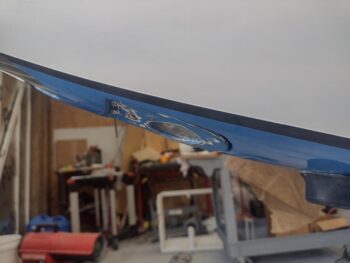
I test installed the 3rd setscrew with a brand new 5/64″ allen wrench when I noted there was still just a hair bit of wobble on the installed light… so I added two separate plies of thicker Gorilla duct tape on the mounting bracket, and 4 small dollops of RTV to secure it in place when I did the final install.  As you can see, that did the trick.

I should note that, as per AeroLEDs, these setscrews are “patch” setscrews in that they have a literal patch of pre-applied thread locker on one side of the threads.  I don’t know if that was the issue, and I even ran a 8-32 tap into the hole to ensure the threads were clean after I retrieved the jacked up setscrews.  Anyway, lessons learned for the left wing and task complete.

Although this entire initial endeavor was undertaken a few weeks ago, here’s the shot to show the wing leading edge Wig-wag/landing light wired up and installed (still needs aimed correctly before lens goes on).

I noted that I had misinterpreted the physical layout of the landing brake relay position on the wiring diagram as I was finalizing its connection to the P4 connector (throttle switch cable), so tomorrow I’ll have fix that and redo the connection wiring [40% of work is rework they say??].

I also did a number of other clean up, prerequisite wiring tasks and labeling in preparation before the Tri-Paragon gets installed… shooting for tomorrow if everything goes as planned!

Chapter 22 – Indicator Lights

Ok sports fans, the “big” reveal is here… my project for the last week in organizing, planning, and implementing is functionally complete.

Let’s get into it.  First, the issue I had was simply not enough space to add more indicator lights to the top row above the HXr EFIS.

As I was finalizing my AG6 programming I pulled the “Fuel Pump” indicator off the row of lights and replaced it with the “Autopilot Servos Off/Pilot Controlled Steering On” indicator light (truncated of course).  After my discussions with Rich regarding the AG6 annunciations, specifically on the Fuel Pump and Starter On annunciations, and how I wanted to manipulate those —but can’t given the inherent operational limitations of the AG6… just more detailed programming I wanted than available— I assessed what I deemed as my requirements for the indicator lights in conjunction with the AG6 alarms.

The AG6 Fuel Pump alarm I wanted was a flashing red light AFTER about 6 minutes had passed to notify me that I had forgotten to turn my fuel pump off.  Since I’ll be routinely switching tanks now (vs my extensive high wing “Both Tanks” history) I figured that would be good to have.  However, that would negate the simple “Fuel Pump On” notification via the AG6 since it won’t do both functions.

Before I get into more notifications and annunciations, lets get into my solution: converting a couple of my single indicator lights into 2-row indicator lights, with one component per each row, to give me more component indicator lights on the entire complement immediately above the HXr EFIS.

Here is the evolution of that in one pic:
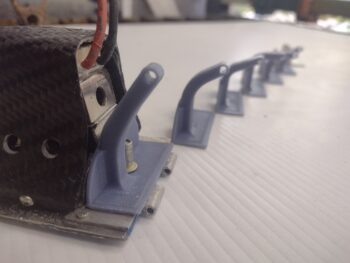
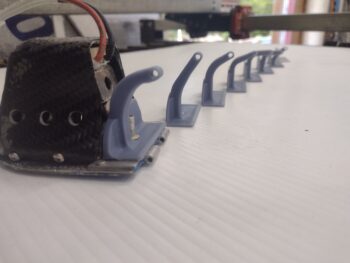
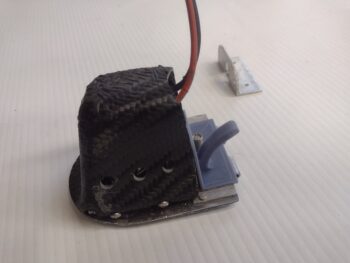
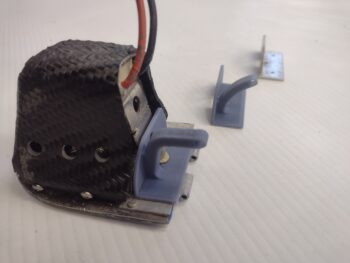
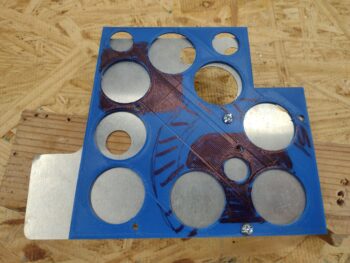
From the top middle we have the initial blue 3D printed prototype that I drew up in CAD and tweaked a few times over to allow for 2 each 3mm (vs 5 or 8mm) LED lights per row. The top right is the standard PCB connector on the stock indicator lights.  Below that, lower right corner is with PCB/LED lights removed.  The bottom middle is after I got the hole sizes dialed in for a tight fit for the 3mm LED lights, where I then switched to black filament. The two left side light cases are where I worked on getting the height of the center horizontal divider where I needed to minimize light seepage from top or bottom being lit while the other side indicator is off.

My first test with an old indicator label installed on a new 3D printed case was without any resistor installed (pic 1). I then added a 470 Ohm resistor for the pair of blue LEDs, where you can see it not glowing quite as bright (pic 2).

The weekend was fairly slow build-wise given Valentine’s Day and some house work I had to get done.  Over a couple of days I really focused on nailing down the circuitry of my top row indicator lights, and what/how I would meld the new 2-row indicator lights into that… here is the initial wiring plan for all that.  A reminder that these lights are also all hooked into the push-to-test circuit and ran through their own dimmer switch.

Here we have a new 3D printed indicator light case, or shell, on the left, compared to a stock one I received from the vendor on the right.

And here we have a new 3D printed light case test installed into the top row light spaces on the panel along with an old stock light case.  Can you tell the difference? (3D printed is on the right).

With my wiring diagram in hand, test and checks completed, I then started installing the LED lights into the 3D printed cases.  At this point I only have two of the 2-row indicator lights in the mix (with an option for a third if I need more component annunciations), with this being the second of the two that I installed the lights into.

For ease of assembly and soldering, I added the resistors onto the negative legs of the LEDs.  Here are 820 Ohm resistors for each pair of lights, while on the first light assembly I made up I had separate 470 Ohm resistors for each LED light.

I put an order in for new LED indicator lights, which on these pair of “double-stack” lights I really only need the front label pieces to pop into my light assemblies.  Clearly why my test front label pieces don’t match the actual components these assemblies will annunciate.

And again, I’ll note that what I see in person is vastly different than the washed out colors my camera captures.  The green on the top row here is much richer and deeper in person.  This is for the FUEL PUMP (on) indication (pic 1), which just lets me know that the fuel pump is on.  This then allows me to program the AG6 to alarm after 6 minutes if the fuel pump is left on (and I clearly am not noticing this indicator light… it happens).

The bottom white indicator (pic 2) is the closest pictorial representation of color and intensity of all these shots.  This will be for the TAXI LT (on) indicator.  Note the minimal bleed over from top light to bottom and vice versa… very acceptable.

The other double-stacked 2-row light assembly has blue on top for the STARLINK (on) indicator (pic 1) and the orange/amber (VERY washed out compared to viewing it in person) for the CABIN HT (“HEAT” on) indicator (pic 2).  I’ll note that these represent the output of Relay 21 so these indicators will never be on at the same time, it’s either one or the other illuminated… with CABIN HT only on if I actually have the heat system powered on.

And a quick shot of my final wiring diagram/task list completed in getting all these indicators and alarms configured and finalized.

Time to do a few final preps in the aircraft (now that the weather temps are just a bit less COLD!) before installing the Tri-Paragon and getting the instrument panel installed.

Pressing forward!
Chapter 22 – 5v Converter Runoff

I’ll admit up front that this is a partial blog post in that the big push I’m currently working on will be something I cover in another few days after I verify it’s all working as I designed it.

Meanwhile, I got a 12v-to-5v converter delivered today.  This is the converter that Eric Page recommended, and after testing it I can see why as it is almost bang-on perfect with a 5.04 volt output.

After my initial discussion with Eric where he pointed out that the 5v video camera, as all video cameras connected, needs to be powered from the Video Camera MUX I found a higher rated (buyer opinion, not electrically) converter on Amazon and pulled the trigger on it.  It’s not as bang on perfect with its output at 5.12v, but still well within specs.

I’ll note that Eric still plans on making me one of his high end 12v-to-5v converters, so this is a temporary stopgap unit, and due to ease of mounting and reportedly much cooler operation I went with the second converter.

Here it is mounted on the bottom left side shelf of the Tri-paragon.

So again, I’ll be reporting soon on my big push as it coalesces together… and yes, it’s delayed my installing the Tri-Paragon into the airplane by about a week.  Obviously I think this delay is worth it in the long run.

Yep… pressing forward.

Chapter 22 – Solder city

Today was much wetter and chillier than forecasted, and I also got a late start… Moreover, I dug up another couple tasks that I want to get done with the Tri-Paragon on the bench vs in the bird.

First off is the majority of the wiring on Relay #21 (RL021) which controls power to EITHER the StarLink Mini Antenna OR the cabin heat system (heated seats and oil heat system).

This required adding an extension to the ground wire on the pre-manufactured StarLink antenna power cord.  I also added the red power feed from the Main Bus (top of pic) that also powers the control circuit of the relay as well via a 22 AWG jumper wire.

The only wires missing to make this ensemble complete are currently in the bird: the 14 AWG power wire to the heat system and the 22 AWG wire to the other side of the control circuit that goes to the STARLINK ON/OFF panel switch.

Normally Closed is the heat system, whereas upon relay activation the power feed then transfers to the StarLink antenna on the Normally Open position and cuts power to the heat system.  Again, this is to mete out my amp usage to avoid overtaxing my battery and 40 amp alternator.

Also note the gray wire also attached to NO to report the StarLink’s powered state to the panel indicator light.

I then spent a good little bit verifying and finalizing the power leads required on the Video Camera MUX that allows taking 4 (currently, max is 8) video camera leads and outputting them into the GRT HXr EFIS —which normally only allows one video camera input.  Note that the D-Sub connector for these wires is a solder-cup style, so more soldering!

There are power and ground wires for both the MUX unit itself, but also for all the individual cameras as well.  These leads are all 12V power, but I do have one 5V camera that will require a 12v-5v “buck buster” type module to convert the power.  This was what I was consulting on with Eric Page, and he was going to make his own version of a converter but has a family member with health issues that he must attend to, so he recommended the best off-the-shelf solution to me.  I’ve ordered that unit and it should be here within the next few days.

The instrument panel in our aircraft is of course all about providing us with information, and in that vein both yesterday and today I did a final assessment on my top of panel indicator lights.  I’ve got a minor mod going on to increase capacity on my information reporting.  I’ll detail that as well once I get into it, but that also included soldering some wires to set up my final schema on those.

Pressing forward!
Chapter 22 – G7 Ground Buss

Another 2-day post here… where I finally got the E-Bus inventoried, fuse values adjusted (as per respective component manuals), some items moved, and some items removed.  Let me tell you, the E-Bus was a heck of a lot busier to finalize than the Master Bus was any day.

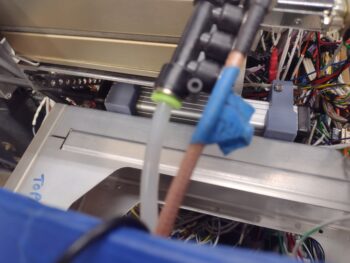
I also finally got around to wiring up one of my last (but not THE last of course <wink>) relays on this bird: Relay #4 (RL004).  This relay simply keeps the power off for the Canopy/Gear Warning System (see that big ‘ol piezo buzzer in the pic??) until the engine is started.  Then all the lights can start flashing and the horn can start blaring that the canopy is open . . . etc.

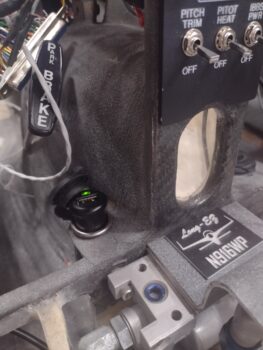
I also spent a good bit of time really digging into the GD-40 CO Detector manual. At the end of the manual it states that these things have a life of about 5-7 years, although often make it to 10 years before the sensor has to be renewed and calibrated (yes, question is: Is that shelf life or operating life?).  Apparently (as I don’t remember!) this thing ships with a combined green/red LED that is used to run self-tests and display any major issues with the unit.

I wanted to run these tests in case I needed to ship the detector back to the manufacturer for a refresh before I start flying.  But speaking of flying, this thing passed all the self-tests with flying colors… literally, as in this steady green light during normal ops means that there is/are no issues.  Rock ‘n roll!

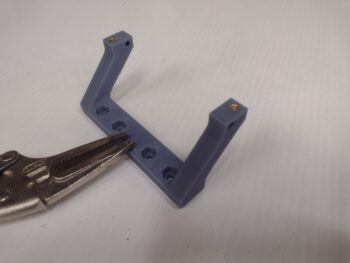
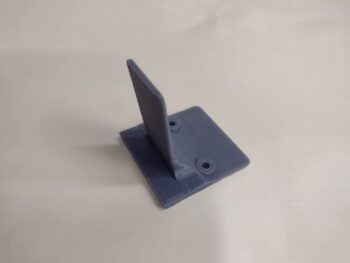
Day 2, after about a good final hour on the E-Bus, I got busy doing the final build on the G7 Ground Bus.  I made my final tweaks in CAD and kicked off the 1 hour 45 minute 3D print for the mounting bracket.

I then went out to the shop to grab some 14 AWG wire, cut two lengths of it, and then proceeded to solder those wires to the aft side of the female DB15 D-Sub connector.  After the solder cooled, I did a continuity check on every socket with each wire lead. All good!

Once the G7 ground bus mounting bracket was through printing, I cleaned it up and hot-sank threaded brass 4-40 inserts into the inside face.  This allowed me to install the male DB15 connector first, with the wire-soldered female DB15 after that, and secure them both as a pair with 4-40 screws.

As you can see, I then labeled the wire pair and crimped a ring terminal for connecting it to the G4 main ground bus.

Now, the 4-40 threaded inserts worked very well, but the holes on the outside —where I intended to hot sink 6-32 threaded inserts— were a bit too narrow in diameter and the resulting excess plastic really gummed things up.  I tried to gingerly use a 6-32 tap to clean things up, but it grabbed the threaded inserts too tightly and broke them loose from the plastic holes… so I just pulled them out.

I then re-tapped the plastic holes and rounded up some washers and Nylock nuts.  However, I had to go down to the Lowe’s Aviation Department to pick up some 1″ long SS screws to get this thing to final install.

The threaded insert issue notwithstanding, I’m very happy with how the install went.  In fact, I like this method of installation better since the washers and nuts provide an even more secure mounting.

Here we have the double-wires going to the G4 main ground bus on the Tri-Paragon (and no, STILL have not gotten to cable management… yet!)

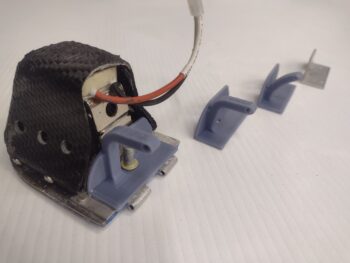
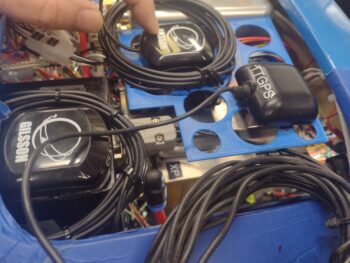
I also spent another 5 minutes in CAD finalizing a small dust cap that gets clamped into place between the two back shell halves on the Video Camera Mux, that the 4 individual video cameras plug into.  My other twin sister unit of this style of small-footprint electrical device is the 10-channel Audio Mixer, that I put in each pic.  The black dust cap on the audio mixer is where I got the idea to fill that hole in the backshell case of the VidCam Mux.

Note that I added a slot for a zip tie in my 3D printed dust cap just in case I want to use that to help secure it onto the Tri-Paragon (pic 2).

The weather was finally a tad bit warmer today (mid-50s) and in prep for installing the Tri-Paragon in the bird (planning to start tomorrow) I installed a couple of wires, labeled a few more, did a thorough scrubbing of the quite-dirty P4 connector (both sides), and then removed the left armrest to expose the handful of micro-switches on the throttle quadrant that will need wired up.

Back in the house I did some more exciting administrivia for about an hour, in part cleaning up the numbering of my panel top row indicator lights that I’ve been playing musical chairs with the past few weeks.  I also had to evaluate and draw up a new circuit diagram to add those lights into the current wiring schema.

Yes, hoping tomorrow proves to be a significant milestone with the Tri-Paragon actually mounted inside the airplane!

Chapter 22 – Getting very close!

… to getting the Tri-Paragon mounted into the bird!
This post covers the past couple of days, where on Saturday I received the 0.5 amp ATO blade fuses from DigiKey.  These are an answer to a question I had for Rich on the AG6s, since I had the AG6s both wired together at one fuse position on the E-Bus through a 1 amp fuse. The install manual states to use a 1/4 amp fuse, and I figured a 1 amp fuse would be ok for two units combined, but wanted to check.

Well, as somewhat par usual for this build, Rich stressed that I really should follow that instruction as closely as possible.  Thus my push to order 0.5 amp fuses to use for the pair of these AG6 units (needing only one of course, but another 2 for spares).

Now, I cold have gone with a glass 0.5 amp fuse, but I didn’t want to rewire the AG6 power leads and renumber the wires and E-Bus fuse block.  I’ve had enough of that stuff and prefer to avoid the time and effort if at all possible.

I compared these 0.5 amp ATO fuses with the ATC fuses and noted right off the bat a significant size difference, albeit mainly in height.  To be clear, you can find a lot of ATC/ATO fuse products, and having never (knowingly) worked with ATO fuses before, I thought the differences were a bit more minor.

Here I grabbed the first shot to show that the 0.5 amp ATO fuse was NOT fitting into the BUSS brand fuse blocks I have on hand… thus pic #2 to show that the label specifically denotes this as a “ATC FUSE PANEL”.

Here is one of those dual ATC/ATO products I mentioned, where either ATO or ATC fuse fits into this inline fuse holder.

After pondering my options, and considering going the inline fuse route off the E-Bus fuse panel’s threaded connecting stud, I wanted to first try a little experiment with one of the three 0.5 amp ATO fuses I bought.

First, I used my micrometer to measure and annotate the width, length, etc. of the ATO vs the ATC fuses.  Then, using a razor knife and Dremel I trimmed down the plastic a bit on all 4 sides.  Here we have the trimmed ATO fuse on the left, and standard unmodified one on the right.

Of course I didn’t want to take too much material off, where the ATO fuse wouldn’t fit tightly, so I took my time in this iterative process to ensure the ATO fuse fit snugly with the plastic and not by just relying on the metal blades (although admittedly that’s where the majority of the clamp force is, I highly suspect).

And here we have it… Voila!  The whittled down 0.5 amp ATO fuse fits in my ATC Buss fuse block.
And here it is installed in its actual position on the E-Bus.

Speaking of busses, I did a thorough review of every position on the Main Buss, getting into the manual for each connected device and component, verifying that the components ID’d matched my diagram, and evaluating each fuse rating per each manual to ensure they were correct.

I swapped the TCW Tech Smart System off the main buss with a component on the E-Bus, since I wanted the Smart System on the E-Bus in case I ever needed to do an engine restart while on E-Bus only power (I know, rare, but potential catastrophic to not have it on the bus with power when you need it).

I started doing the evaluation for the E-Bus in the same manner as the Main Bus, but it was getting late and I wanted something a little less mind-numbing (and physical) to knock out before I quit for the evening, so I made up my last (ACTUAL LAST ha!) Fuse Link, this one a 20 AWG fuse link for the 16 AWG nose gear wire.

Tomorrow I’ll get back to finalizing my E-Bus review and verification, and will work on wiring up Relay #4, which is one of the last relays I have to gin up.  I’ll detail more about it when I show some pics of it tomorrow.

And, as per usual, still PUSHING FORWARD!