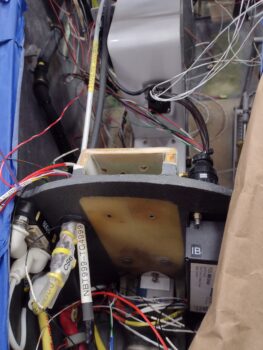
Chapter 18/24 – CS spar hole cover

Another 2-day blog entry here.

First off, here is the left winglet aft lower cover protective cap that I glassed with 2 plies of BID.  I still need to do the right side.

I taped cardboard underneath on both sides of the winglet to mimic the foam padding I’ll have on the inside of the cover.  I don’t really care if it falls off when hit, I just want it super light and the initial impact for both impactor and impactee to be as least injurious as possible, for both parties involved.

While Phil is doing a great job on my bird buffing out my combat paint job, he has been suffering from some major back issues, with definite surgery in his future.  Not surprisingly, between that and his assistant being gone way longer for the Thanksgiving break —delayed a week due to snowstorms— the buffing out of my painted components is at a crawl.  I was expecting to have all parts back mid-December and be turning and burning with installs to get this bird airborne shortly after.
That’s not happening.

The bright side of all this is that tasks I was going to kick off until after the bird was flying, I’m now “pre-loading” and getting them off the docket.

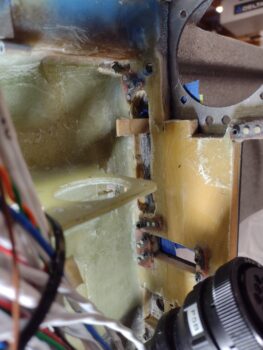
Today’s task is a perfect example: a cover for the CS spar center hole to keep the GIB upper seat pad from sinking into it.  I don’t know how other builders have their seat pads situated, but my GIB top seat core top edge ends right at the top of the CS spar.  The big access hole in the CS spar makes it so the seat pad top “falls into” the open hole and deforms the seat pad.

To fix this issue, I planned to cover both openings in the GIB seat bulkhead, both the bottom round one and the CS spar access hole.  The bottom one is complete, and many moons ago I glassed the lower edge, or catch, of this cover that wrapped around the transition lip at the bottom of the CS spar access hole opening… think inverted “U” shape: (or rounded “V” really).

Today I cut 2 plies of carbon fiber to add the actual hole filling part of the cover.  The layup was a bit tricky because it attaches to the AFT side (inside the CS spar) of the bottom transition lip catch.  I prepregged the 2 plies of carbon fiber, laid that up, THEN constructed and taped into place the foam board to fill the access hole.

Here we have the CS spar access hole cover 2-ply carbon fiber layup, peel plied and curing (pic 1).  And then later after cure (fast hardener) with the peel ply pulled (pic 2).

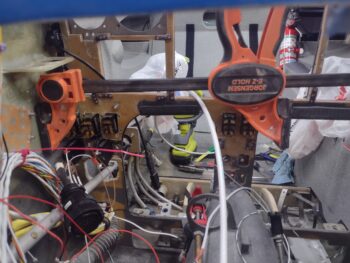
Here is the taped in place foam board used as the layup back wall support.  To tape the foam board in place on the inside I had a small oval cutout in the center to get my hand inside the CS spar.  I then taped the oval cutout into place along with the rest of the foam board.

A few hours later I pulled the 2-ply CF cover out and cleaned up the edges a bit.  Here we have both front (pic 1) and aft (pic 2) sides showing.

Since I was in a rush during the time I created this form mid-layup, I didn’t get any pics of it going in.  So here is an idea of the center access port (pic 1) I created to get inside and tape the perimeter of the foam board (which itself was cut at the same dimensions of the CS spar access hole except along the bottom).  I then cut out the foam board but left the perimeter tape for the final front side layup (pic 2).

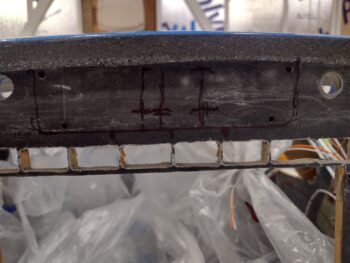
Here we have the CS spar access hole cover trimmed and sanded in prep for the final layup:  A center core of Lantor Soric wetted out, with edges micro’d for a smooth transition, the small gap along the bottom catch and aft wall filled with dry micro, then a single ply of CF over the top of all that.

After laying up the final ply of carbon fiber and peel plying it, I then set the CS spar hole cover back into place and taped the perimeter to keep it in its final position as it cured.

As the cover layup cured, I sanded the epoxy wiped left rudder gust lock and hit it with 2 coats of primer.  I also want to label my assorted aircraft keys, so yesterday I Dremeled off the raised manufacturer’s mark on one side and micro’d the surface.  Today I sanded those down and epoxy wiped them for upcoming paint, labeling, and clear coating.  Finally, I taped up 2 of the left vortilons before touching up the black paint stripes on those.

A few hours later, after nearly fully cured (fast hardener again), I pulled the CS spar cover out of the bird and set it on this heated table (heat lamps below it keep it quite toasty).

A couple of hours later, I pulled the peel ply off the CS spar access hole cover, razor trimmed the excess carbon fiber and hit the edges quickly with a sanding block.

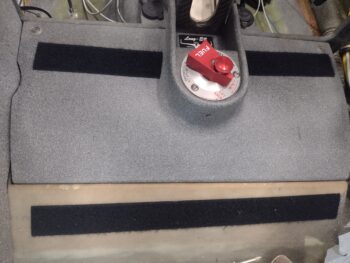
And voila! Here it is, ready for action.

My last official task of the evening was the final install of the canopy latch handle.  All these years I’ve been using the AN screw-head bolts that I love so much, but for the final install I switched to no-kidding AN3 bolts.  And since the threaded holes are different depths, I have at least 2 lengths of bolts in the mix.

And the requisite outside shot of the handle.  Looking good!

My generalized goal at this point, besides ensuring the left wing is ready to go to Phil’s shop for its paint tweaking, is to get the back seat area squared away before moving physically forward on electrical and component installs in the nose, panel and pilot area.

Pressing forward!

Chapter 18/25 – Right N number on

I didn’t get that much done on the bird the last couple of days, with the cold weather and getting some Christmas shopping done.

I finally got down to the one place left in the county to get some Kerosene for the heaters.

After filling and firing up a heater I then got to work doing a quick layup on the left winglet aft bottom corner cap that will keep me and any other unsuspecting victim from hitting that sharp corner.  Plus it will protect the corner, as I’ve noted my right winglet aft bottom corner has already been hit at Phil’s shop, by who I don’t know, but it’s not as sharp as it was and it has bit of paint off of it.  Exactly the purpose of this little cover: to protect both people and winglet … sorry, I forgot to grab a pic.

I then spent nearly 3 hours cleaning and organizing the shop, emphasis on organizing. Primarily focusing on tools and hardware.

I was able to scrounge up another four (4) MS21042-3 nuts, which I soaked in vinegar for about 30 minutes and hit them with a brush to clean/brighten them up a bit.  Tomorrow I will order another bunch of them.

I used the revitalized MS21042-3 nuts to install the forward canopy latch rod and hooks in the pilot seat area.  That being said, I left the aft of these 2 hooks installed with a temporary nut to confirm the best thickness of the washer between the hook and longeron in interfacing with the canopy.

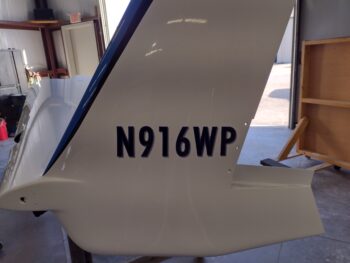
The next morning I got a call from Phil, who wasn’t going to be in the shop due to some major back issues he’s having.  But he did let me in long enough to knock out putting on the right winglet’s N number.

I used the top of the winglet as my W.L. “zero” level reference by taping a yardstick to it, then measured down from it to get a somewhat straight line for the N number.  I then taped the N number in place in prep for applying it.

I’ve given up on trying to get anything perfect on this plane, since curves and all its varying angles will make just about anything look off… especially given from what reference angle you look at it.  Same applies with this number.

Moreover, I’ll note that even though I wanted the N number centered front to aft, in checking with the DAR they stated the most important thing to them was for it to not be on any control surface.  So I scooched it as close to the front rudder edge as I could get it as centered as possible (I know some builders put the number on the lower winglet, but I wanted it higher).

Placement aside, I think it looks pretty damn spiffy, especially considering that I ordered these numbers long before I was certain on my color scheme. Hoo-ah!

Back at the house I made a number of phone calls re. the bird and did a good bit of research the rest of the day, interspersed with holiday festivities prep…. still inching forward! (smile)

Chapter 8/18/24/26 – Bits ‘n pieces

After my last full night of work (my last blog post) I finally caught the flu bug that both my wife and stepson battled through.  I thought I had dodged a bullet, but it hit me like a freight train that night, and throughout most of the next day and night (yesterday).  I slept a ton, feel much better now and am back at it.

I’m guessing there will be a lot more of these somewhat disparate reportings in the next week or so until I finally get to the point of primarily focusing on final electronics/ avionics, fuel system final checks/flushing and engine install/first start prep.  I guess final flight control rigging will be in that mix as well . . . yes, still a good bit to do (sigh).

First off, my last blog post was incomplete, as I failed to report the gooping up (with Permatex #2) of threads and final install of the strake fuel tanks drains.  Here those are:

Today I started out by removing the peel ply and cleaning up the left wing outboard trailing edge fence.  I then marked it for trim, and after removing all the tape from the wing, set it back in place.

I’ll note that I had a few layup/micro tasks on my to-do list, but after my shop heater ran out of my final on-hand kerosene supply, I had to dump any tasks that required a warmer environment as the shop temp was low-to-mid 50s.

I did get the GIB lower seatbelts installed using the hardware ID’d in the plans.

I also took a surprisingly longer amount of time than expected to get the GIB right sidewall kickplate installed, as it was being finicky going in (some slight sanding required for final install).

On the left side it took me longer to find the correct hardware than it did the few minutes to install the GIB throttle quadrant and throttle/mixture cable protective cover.  Task complete.

Still in the GIB realm, I quickly mounted the D-deck front cover, then taped the GIB headrest pad to that to ensure my mounting location for the pad to cover is good. Note the dark blue tape at the bottom which was my original guess of where the bottom of the headrest pad had to be at or above to clear that seatbelt upper strap crossbar (which I did in the house, confirmed in the shop).

I also installed both the front and aft bottom canopy hinges.

A couple comments on the canopy aft bottom hinge:

First, I applied the FAA mandatory passenger warning in pretty much the same spot that Mike Beasley did his on the canopy’s aft lower hinge plate, although I liked his sticker better but couldn’t find it (silver letters with black background).

Second, I’ll note that I used my cordless hammer drill to drive the hinge screws while I secured the nuts with a wrench on the bottom side of the longeron.  I had one screw that had jacked up threads, which caused my drill to jump and take a good ding out of the longeron paint —I of course had everything protected but this minor edge… go figure!  No big deal… just add it to the paint touch-up list (queue another dramatic sigh).

I then got to work on installing the canopy latch rod and hooks down the left longeron.  Besides pushing my 2100 rendezvous to have dinner with my wife, I also came to horrific realization (at first determination) that I have burned through nearly my entire stock of MS21042-3 aircraft grade nuts.  How?!  Who knows.  I guess I needed way more than I expected to finalize all the installs on this bird.

. . . or more likely there is a full bag of them hiding somewhere in my shop.  Regardless, I got the GIB side of the canopy rods & hooks to final install.

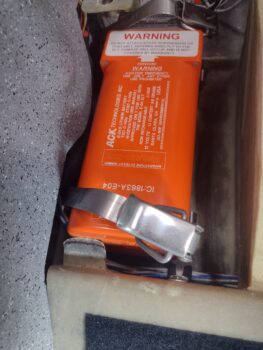
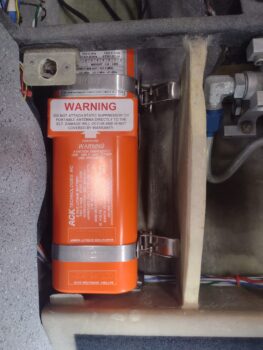
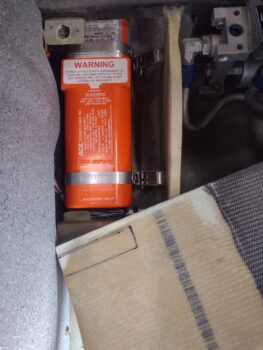
And since I couldn’t finish off the forward side canopy rod & hooks, in an act of sheer and utter defiance, I installed the fire extinguisher… with its requisite bracket of course (take that!! whoever!!!)

Ok . . . still nugging it all out.  One step at a time.

Chapter 19/21/24 – Strakes finished!

Yes, the strakes are finally finished.  In that the fuel caps are now installed… more on that below.

Another milestone is that the vortilons are installed on the right wing.  Here are the marked up tape lines at the vortilon intervals along the leading edge.

I wanted to use white RTV but couldn’t find any anywhere.  Steve Beert recommends a product that is over $20 a tube, which seemed a bit of an overkill.  I had some marine 5200 adhesive that I was going to use, but as I read the instructions last night I noted that the cure time is 7 days.  Not good.

So I found this stuff at Lowe’s and made a command decision as it seemed to be the best they had to offer.

I then attached the vortilons to the wing.

Here’s another shot of the vortilons mounted onto the right wing leading edge.

After getting back to my shop, I pulled the peel ply on the left outboard trailing edge fence, but in doing so I snapped the bottom side of the fence off.  I micro’d it in place and set it front of a heater to cure before I laid up the bottom ply of carbon fiber.

After hauling the fuselage to Phil’s shop and then bringing it back to my shop, putting it into the grazing position and bouncing it down the road on the trailer apparently caused all the small debris and dust —from cutting out the gas cap openings— to settle at the lowest point in the tanks: the drains.  When I took the protective caps out to install the fuel tank drains, the caps were full of dust and debris.  Hmmm, go figure.

I stuck the shop vac hose into the tanks as far as I could to clean the tanks out as best possible, and then I put the nose down into the grazing position and ran a few gallons of water through the tanks to flush them out through the drains to clean out whatever debris was left over (obviously as best possible).

I started on the right tank, and after vacuuming and flushing out the tank, I attached the copper ground wire to the fuel cap safety catch before then attaching the cable and swaging on the nicopress sleeve.

Here’s another shot from the other side…

I then slid the fuel cap safety catch into the tank, and voila!  Gas cap is installed.

Officially mounted right tank gas cap!

Before I installed the left tank gas cap, with the left bottom outboard fence foam micro’d securely in place, I laid up the bottom ply of carbon fiber and peel plied it (pic 1).  A while later I transferred it over to the wing and secured it in place so that it would cure in the correct configuration (pic 2).

I then repeated on the left tank the same gas cap install as I did on the right: attaching the copper ground wire to the gas cap safety catch (pic 1) and then swaging the nicopress sleeve to secure the gas cap cable to the safety catch (pic 2).

I’ll note that I did continuity checks from the drain ports to the cap, on both tanks, to ensure I’ll have a good ground.  This will allow me to use the cable tab at the cap or the the drain itself for grounding during refueling.

I then slid the safety catch inside the gas cap opening to finish the mounting of the left fuel cap.

An “action” shot of the left fuel cap installed.

And a shot of both fuel caps installed.

And a parting shot of the left rudder gust lock pin installed into its sleeve.

SLOWLY pressing forward….

Chapter 19/24 – Lesson learned

This post covers the last couple of days.

The good news is the dew damage on the top of the right wing has been eliminated, and it’s looking very nice.

The lesson that I learned was that I should have waited another day or two to deliver the right wing to Phil’s shop, as laying up the carbon fiber on the right wing trailing edge fences off the wing has resulted in them being a bit off in their relationship to the wing.

I tweaked both the outboard and middle fence after I checked them a few days ago.  The outboard is fine, but the middle one will have to be reworked with it in situ on the wing.  The top is fine, but the bottom flange angle is not sitting flat against the wing.

After checking them in place (pic 1), I then added tape to their wing mounting positions to keep any sealer, polish and ceramic coating off of the wing at those points so I can install them later on (pic 2).

I hadn’t finished the inboard fence when I checked the outboard fences, and with a little trimming of the Fein saw it fit on the wing trailing edge with little issue.

It actually works out fine not putting the fences on just now, so I can fly the plane for a few months, get a baseline and then track the difference after the fences get installed.

Here’s Phil doing one of the final rounds of buffing out the wing top.

Remember again, this was the dew-damaged wing, just as my strakes were, but now it’s looking nice and spiffy!

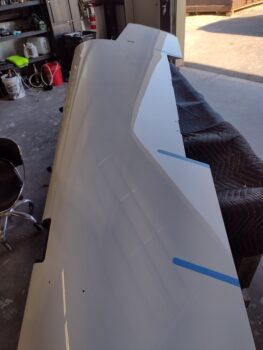
A couple more shots of the wing top, with some reflections showing up nicely.  Note the tape on the wing for the inboard fence.

Back in my shop I trimmed the left wing rudder gust lock.  I may not have reported that I micro’d the pin sleeve into the aft of the wing-to-winglet fairing.  And here is the pin installed nice and snug, securing the gust lock in place.  After this pic I slathered up the gust lock with micro and let it cure overnight.

On the underside CS spar wing bolt access holes, I drew out the 2.75″ diameter circles to cut those.  Which I did next, and then epoxy wiped them.

The next day I sanded both the CS spar bolt hole covers and the micro on the left rudder gust lock.  I then hit the covers with a couple coats of primer and epoxy wiped the gust lock with 3 coats.

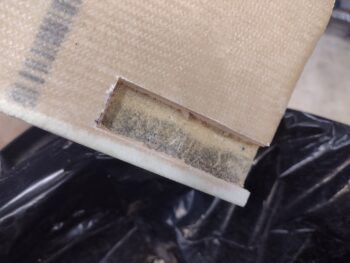
Up until tonight I had the GIB seat hole cover secured in tape with blue painters tape.  Over the last week I thought about how to secure it and came up with the idea of simply cutting the ID of the hole out of anechoic foam, and then peeling and sticking it into place.

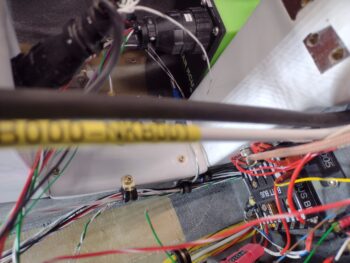
In this pic I also did some cable management and secured the right sidewall seat heating wire pairs, as well as the fuel probe control head units’ wiring just inside the GIB back seat hole.

And here is the cover in place, held fairly secure with the foam.

Both the inboard and middle left wing trailing edge fences are “glassed” in carbon fiber and trimmed.  Here they are set in place on the left wing.  I’ll note that since these were laidup on the wing, they fit with no issues like the right side.

Lastly, here we have the outboard topside fence with a ply of carbon fiber laid up and peel plied.  Tomorrow I’ll layup the bottom side.

Pressing forward!

Chapter 19/22/24 – Right fences made

Once again, this blog post covers the last few days.

After sanding and cleaning up the top of the right wing inboard trailing edge fence, I then cut a new piece of carbon fiber and laid it up (pic 1), and then peel plied the layup (pic 2).  From here on out I’m only doing one top or bottom half of these fences at a time.

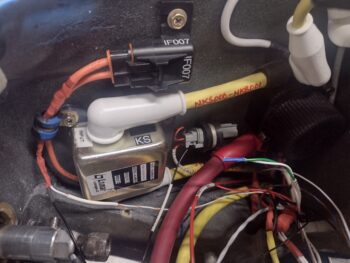
I then took a good half hour to finally knock out soldering my robust resistor inline on the ground wire of the B&C SD-8 backup alternator’s “self excitation” feature (to replace the ground wire I lost).  Once the resistor was soldered inline and a FastOn connector crimped on, I then installed and secured this ground wire in the GIB headrest engine electronics “bay.”

The following morning I took the 2 outboard right wing fences to Phil’s shop and test fitted them on the wings. They definitely WERE NOT a perfect fit, and would need some massaging for them to slip on in their respective positions.

Back in the shop I sanded and cleaned up the bottom half of the right wing inboard trailing edge fence, cut a new piece of carbon fiber and laid it up.  I then peel plied the layup.

Note in the background some added plies added to the middle right wing fence to allow me to sand the inside flange face down for a better fit on the wing.

I then prepped both the left wing and the inboard trailing edge fence before laying up a ply of carbon fiber on the top side of it.  I then peel plied the layup.  I did the same for the middle left wing fence, but no pic of it.  Note that on the left wing all the fences are getting “glassed” in situ to ensure their configuration to the wing stays exactly how they need to be to ensure fit after all the layups are complete.

I noted recently that I had totally overlooked making covers for the outboard strake/CS spar bolt access holes, so with a little bit of excess epoxy from the fence layup above, I cobbled together enough scrap carbon fiber to make two 2-ply covers for these strake bottom bolt access holes.

The next day I pulled the peel ply off the left wing inboard fence, cleaned up the bottom side and laid up a ply of carbon fiber on it.  Of course I peel plied it as well.

And did the same for the middle fence, laying up a ply of carbon fiber on the bottom side of it.

I then spent at least 45 minutes shaping and sanding the left wing outboard trailing edge fence in prep for carbon fiber layups.

Wing the inboard right wing fence layups complete, along with the tweaks on the outboard fences, tomorrow I’ll check fit on all of them at Phil’s shop.

Still pressing forward!
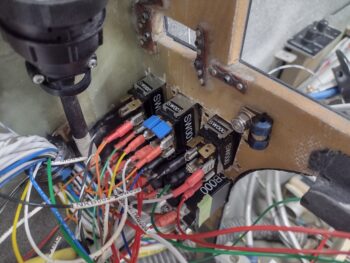
Chapter 19/25 – Trailing Edge Fences

This post covers the last few days, including Thanksgiving and all its festivities for those of you in the States.  Also, not surprisingly the weather has been quite the mix between mildly warm to quite cold.  Thus my push to get the painting knocked out ASAP.

First up, I pulled the tape off the painted left wing vortilons.  Again, I used a recommended glass cleaner to degrease these vortilons before paint, but noted that it hindered paint adherence, with a few spots of paint pulling up when I removed the tape.  No more using that product, and of course I have another couple added tasks on my list for touching up/filling in some black and white spots.

On the left wing I got the trailing edge fences cut out of 1/4″ PVC foam and micro’d to the glassed base flanges taped to the wing.

Here we have all 3 fences micro’d in place.

And closer up shots of the left wing outboard fences (pic 1) and inboard fence (pic 2) micro’d in place.

The following day I untaped and then popped all the fence assemblies off the left wing trailing edge.

My paint finisher Phil also has some production delays with unexpected family arriving for Thanksgiving combined with his right hand man, Ray, being gone for the holiday.

That actually gives me some time to try to knock out these wing trailing edge fences, specifically the right wing.  I did stop by Phil’s shop quickly today to check the outboard right wing fences (curing on the left wing below), and I’ll note that glassing them off the wing has injected some slight variances into their alignment, which I’ll have to work a bit to get them to fit nice and snug.

Here’s a shot of the outboard right wing fences curing on the left wing, with the fence trailing edges clamped straight during cure.  Of course they’re not pressed all the way onto the left wing since it has a different profile, but just enough to allow them to cure upright.

Before heading over to Thanksgiving dinner I was finishing up the entire carbon fiber layup of the right wing inboard fence (top of pic above), and had just clamped the trailing edge straight.  The tape holding it onto the wing let loose and it slid off onto the shop floor.

The peel plied layup was all catawampus and I suspected the foam had been cracked, which I confirmed after simply pulling the carbon fiber layup off of it. I threw the carbon fiber in the trash and did a quick wipedown of the foam fence to remove any micro and epoxy I could before heading off to Thanksgiving dinner… I’ll redo the layup when able.

Chapter 19/25 – Vortilons paint final

Ok, but with a little touchup required…

First, here is a shot of the 3-ply carbon fiber layup, peel plied and taped, that makes up the left rudder lock (pic 1).  After an overnight cure, I then removed the tape and peel ply to reveal the actual rudder gust lock in raw form (pic 2).

I then cleaned it up and rough trimmed it a little bit before placing it back into position.  It still needs some final trimming and cleanup, and is a slightly rougher version than the right side, but it should clean up nicely.

I then pulled the tape and got busy prepping the left vortilons for the final front swath of blue paint.  I tried a tip using a certain glass cleaner as the degreaser prior to paint, and found it to be a bit too aggressive, as you can see some of the gray primer pulled off with the paint.  After a bit of sanding and cleanup with my old degreaser it was ready for paint.

I then first shot a coat of sealer, let that flash and then shot 2 coats of blue paint.  Voila!  The left, and now all, vortilons are painted.  Again, with a few touchups required.

I thought I had gotten pics of the left wing trailing edge fence mounting flange base layups after I laid them up, but apparently not.  Anyway, this is the next day after those cured… removed and peel ply pulled.

I then set the trailing edge fences’ mounting flange bases back into place, taped them to secure them in place, and then started checking fit of my posterboard mockups to then transfer those to the 1/4″ PVC foam to cut them out, first the inboard fence (pic 1) and then the middle fence (pic 2).

It was a bit later in the evening and I had to get out the door, so I’ll do the final outboard fence foam core cutting tomorrow.

I did want to note that I grabbed a pic of my N number graphics to send to my DAR to ensure they meet specs before I apply them to the winglets, especially since they’ll get ceramic coated along with the remainder of the winglet.

Still pressing forward to get this bird completed!

Chapter 22/25 – Magnetometers in

This post covers the past few days.

First off, I had a rub mark on the front edge of the right wing at the junction where it meets the strake that I needed to clean up and add a little paint.  My fault in that in my haste I should have protected it better.  Then the leading edge near the light needed another touch up after Phil did some sanding.

Of course I ended up chatting with Phil for a good bit, so about a 4 hour total op there given the flash times for sealer and paint, even for that small amount.

But, as you can see, the outboard top of the wing is about 70-80% finished with another few rounds of buffing out to do.  The middle has just been sanded and it’s already showing a decent shiny reflection.  And the inboard wasn’t touched at all as Phil waited for me to do my edge paint touchup.

Back in my shop I pulled the tape off the left vortilons (pic 1), taped up the front swoosh where the blue will go and then shot the middle stripe with black paint (pic 2).

I then spent a few hours updating my electrical system diagrams, making & applying wire/cable labels, and installing the magnetometer “pack” in the outboard rib pocket of the left strake.

Here we have the magnetometers’ final install with cables connected and secured.

Another shot of the cables secured and a better shot of where they exit this outboard strake rib area on their way/all the way to the instrument panel via the CS spar.

As I get the vortilons and wing trailing edge fences constructed and painted to install before finalizing the paint finish/ceramic coating on the wings, I’m also trying to knock out small component installs and wiring… from the aft and outboard parts of the bird moving forward.  The major wiring and installs in the nose and panel are coming soon.  So, with that, I called it a night.

Pressing forward!
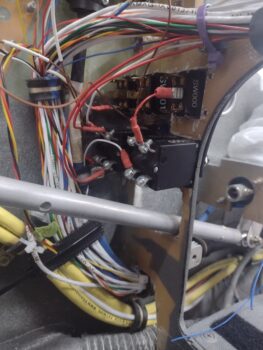
Chapter 25 – Right wing to Phil’s

After last night’s crazy push to get the right wing trailing edge fences’ mounting flange bases glassed and the foam fence bodies micro’d to the bases, I then left them to cure overnight.

Today it was time to pop the fences —now combined with their respective mounting flange bases— off the wing, clean the tape off the wings and get it to Phil at his shop for sanding and buffing of the paint.

If you’ll remember, the right wing was the one that overnight collected dew on the top of the wing after it was painted, which dulled the paint.  As with the strake tops, I fully expect Phil to be able to buff the wing out to a near-mirror finish.

Here’s another shot of the right wing trailing edge fences, ready to be shaped and final glassed (or carbon fiber) after they are pulled off the wing.

Which I did next with no drama.  Once the tape was removed that secured the mounting flange bases to the wing, the newly combined mounting flanges and foam fence bodies slid right off.

More out of curiosity, once I removed the tape and cleaned up the wing, I test fit the trailing edge fences back into place.  Looking good! (IMO)
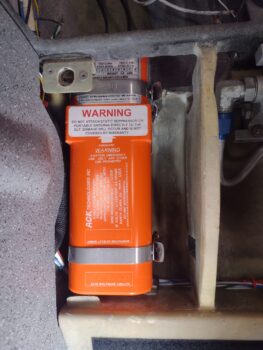
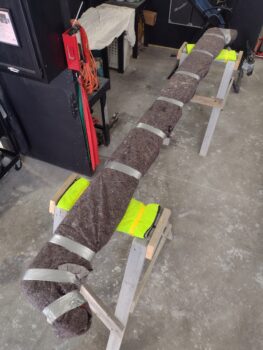
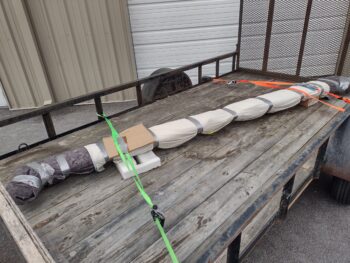
Guy Williams arrived just in time to help me load up the wing into the trailer and after wrapping each end with a moving blanket, we secured it in place.  Not shown is that we put the wing dolly into the back of my truck for Phil to use at his shop.

And with that, Guy and I delivered the right wing to Phil’s shop.  It was very late afternoon by the time we were done, after which I did some administrivia stuff on the electrical system, but really didn’t get much else done on the build.