Chapter 22 – Look Ma… I’m on TV!

I had planned for this past week to be a much more productive effort on the plane build, and while I did get some significant stuff done, it was not all build related.

September is the month that I have to get an annual state mechanical safety inspection done on my truck.  My truck has been limping along like a trooper as I’ve literally been soaking every mile out of these tires, going a few thousand miles over the oil change interval, etc. due primarily to my all-consuming focus on this build.  Well, it was time to take a day or two to make my truck the pretty penny, so that it not only passes inspection, but lasts a few more years as well as I recover from this rather expensive plane build endeavor I’ve undertaken.  That pretty much wiped out Wednesday & yesterday, but I was able to take the truck to the auto hobby shop on base and do an oil/filter change, new front brake pads, etc.  Sunday will be new tires and that will be the lion’s share of my truck upkeep for a bit.

Today I had a whole list of shop build tasks to undertake, but that all went sideways with the myriad of phone calls I had –most plane build related– trying to nail down the purchase of some Bi-Lok reducer fittings for my hell hole brake line cross connects, and working with GRT on finalizing the purchase order on my GRT 8.4 HXr EFIS and EIS4000 engine management system.  Both those efforts alone entailed a myriad of phone calls and some decisions I had to make on my side (read: a bit of research).

Since I had planned on hanging out with an old Air Force buddy of mine tonight, I knew it would be a short build day.  So after talking with Jeff at GRT about their optional USB EFIS video input, I decided to explore that capability a bit more before heading out to dinner (i.e. no shop work).

Quite a while ago I bought a very small video camera off Amazon for around $12 to test out.  My specific idea was that with all the challenges I’ve heard from Long-EZ flyers about the real world ability of turning their head around and viewing the fuel site gauges in the back seat area, why not exploit GRT’s video input capability by using a couple of mini-video cameras to simply view the site gauge fuel levels (I do have Nick Ugolini’s fuel probes as well that feed the EFIS fuel tank quantities).
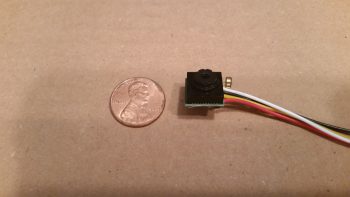
For an ounce or two tops in weight I can simply take a quick glance at a video feed in an inset on my EFIS and confirm the fuel site gauge level readings.

In addition, with a camera posted top CL of the pilot headrest looking aft, in one quick glance I can check the status of my top engine cowling and prop.  Moreover, I can check the status of the GIB and make sure they’re doing ok.

Finally, since I found a 4-into-1 video feed unit online, I plan on attaching the fourth camera just aft of the front gear T-foot that hangs down in the airstream on the bottom CL of the fuselage.  The camera will also be facing rearward to allow me to check on the health of the lower fuselage, landing brake, landing gear, lower cowling and prop.  Since the air just aft of the nose gear T-foot will already be a bit turbulent, the mounted video camera’s tiny footprint shouldn’t increase drag by any significant degree.

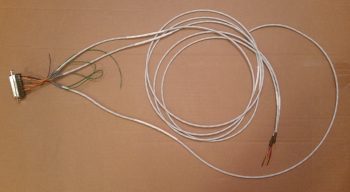
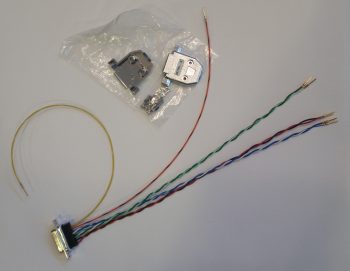
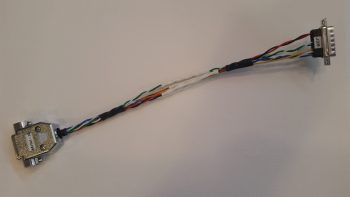
I figured out the wiring on the camera and dissected it a bit to see how I could use much thinner/lighter 24 AWG aircraft wiring to extend the leads vs using big, bulky, heavier audiovisual RCA jacks & cable leads to connect the cameras up to the avionics bay.

I of course wanted to see how well the video camera worked, so I connected it up to my dining room TV, added power to the tiny camera and Voila!  As you can see the picture is definitely good enough to see any details required for my basic needs on the airplane.
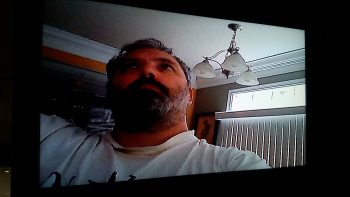
With my nascent plan coming together for these incredibly light, tiny cameras, I can incorporate their installation into the build process as I move forward.  There of course will be a bit of research and engineering to get exactly what I want as far as the control of what camera shows up on EFIS video feed, but beyond that I’m pretty much set.

Ok, another rabbit trail marked as recon’ed!

Tomorrow, Chris Seats will be coming over later in the afternoon to pick up my spare canopy that I threw up for sale on the canard group FaceBook page, and to check out my build progress.  That means some requisite shop cleaning (yep, it’s still a mess!) and then after Chris leaves I’ll actually get back to building!


Chapter 9 – Parking Brake Handle

Today I started by doing another round of updates on my comm wiring diagram.

Then I started configuring the T-handle for the parking brake.  Since I haven’t been able to find a properly labeled T-handle anywhere, my plan was to label it myself today and then clear coat so I could determine if I A) could do it, and B) needed any other materials to accomplish it.

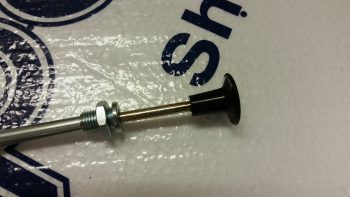
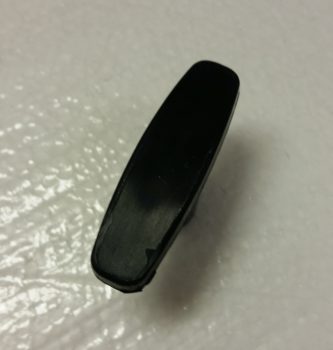
Here’s the type of handle that I used (it’s the same make, but a different handle than I actually used).

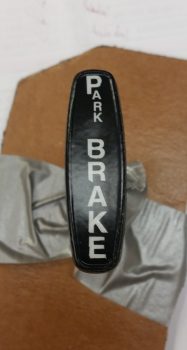
And here’s the same handle type after I labeled it with rub-on lettering.  The letters weren’t perfect when I went to clear coat it, but moreover, some loose edges (unbeknownst to me at first) were literally blown away when I hit it with the initial application of clear coat.  So, again, it’s clearly not perfect or as nice as it started out (or that I would prefer!), but it will definitely work as intended… at least for now.

As for the clear coat itself: I wanted to make sure that since this handle will most likely be subject to a fair amount of sunlight, and handled often, that the clear coat would stand up… so I shot 5 coats of matt clear on it.

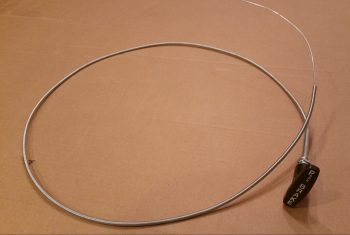
I then grabbed my comparatively lightweight cable assembly and handle –versus all the other T-handled cables I have on hand– and prepped it for trimming the handle down.  I bought this cable assembly at an auto parts store a while back since it was so lightweight, but I wanted a T-handle that would allow both more (“easier”) gripping power & enough top surface area to label it.

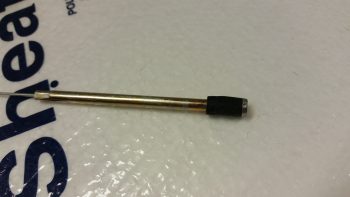
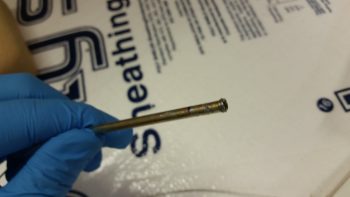
I grabbed my Dremel Tool and cut off the handle.  After removing the plastic handle material, it was then that I discovered that inside the handle was basically a round bolt head.

Originally I had planned on using the remaining plastic of the handle to secure the new handle in place with flox, but I then made the decision with the exposed round “bolt head” to cut as many 1/4-20 threads on it as I could to really help secure it in the new T-handle that I was going to mount.

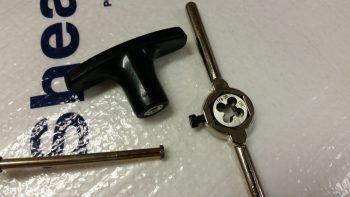
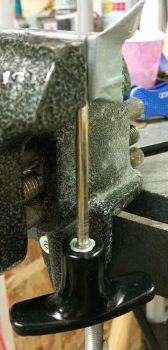
It was a bit tricky, but I was eventually able to use my die to cut a few 1/4-20 threads in the cable handle rod’s exposed round “bolt head” (yes, sorry for the pics!).

I then test mounted the freshly threaded cable handle rod and noted how deep the rod went into the handle.  I then cut a couple grooves in the handle rod just below the threaded head to provide gripping for flox.

I then whipped up a small batch of epoxy with fast hardener, put a big drop of epoxy into the T-handle threads and threaded in the cable handle rod.  With the rod set & clamped in place (hanging upside down), I then whipped up some wet flox to fill in the remaining void between the handle rod and the T-handle threads.

I then left the handle & cable assembly alone to cure.

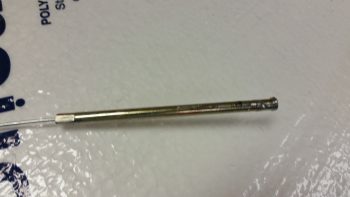
Finally, here’s a pic of the parking brake handle floxed in place on the cable assembly, with the cable assembly installed in the cable assembly sheath.  At this point the parking brake cable & handle assembly is ready for install.  As for the weight, the entire assembly shown below weighs 4.55 oz. (0.29 lbs) whereas my stock T-handle cable from Aircraft Spruce weighs in at 13.85 oz. (0.87 lbs) . . . a whopping 67% heavier than the T-handle cable I just made.

As is often the case, I didn’t get nearly as much done as I had planned on today.  But, getting this parking brake handle labeled somewhat successfully and installed on the cable assembly was a fairly big task that I can mark as completed.  Again, it may seem that my timing is a little odd, but I need at least one T-handle assembly completed to determine both the correct placement for the handle and the required structure to build to house the parking brake and nose hatch release T-handles that will reside on each side of the nose gear wheel well viewing window.  In addition, this housings for these two handles will bracket the fuel tank selector valve.

With this seemingly sideline task out of the way, tomorrow I can get back to working on the GIB fresh air & heating duct valve #3: the PIC & GIB air distribution valve.


Chapter 22 – Cheat when you can!

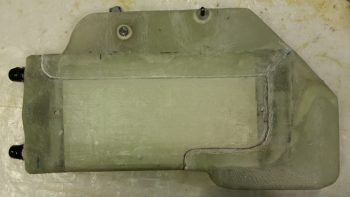
I started out today by cleaning up the inboard face of the heat exchanger by sanding the edges of the added upper & lower ducts where they overlap onto the main assembly.

I then cleaned up & prepped the heat exchanger for glass, or actually for 1 ply of carbon fiber.

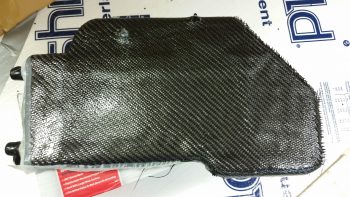
Here’s the ply of carbon fiber after I laid it up and peel plied the edges a bit to ensure it stayed in place.  I didn’t go with the traditional super sexy carbon fiber look, since the reason I’m adding the carbon is I believe that with this heat exchanger being inboard of the ducts, it will get rubbed on with legs, knees, small marsupials, etc. over the years.  If it was painted, as I’ve seen with many a canard, over time the paint would simply rub off.  I wanted something that would not only be a good contrast with the gray granite paint that I’m using for the cabin, but that would be hardy enough that it would withstand getting rubbed on over the years without discoloration or deterioration of the surface.

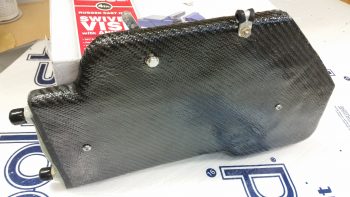
I used fast hardener so a few hours later I trimmed the carbon fiber and got the heat exchanger pretty much back to the way it was before, just with a ply of carbon fiber on the face of it.

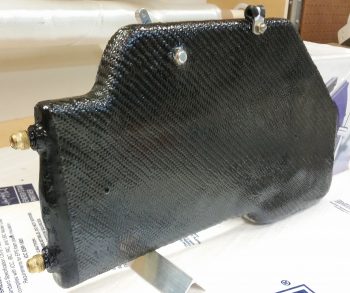
I wasn’t sure what I was going to do with the aft end, I just knew I didn’t want to attempt making my layup infinitely more difficult by trying to put carbon fiber here and wrap it around.  Admittedly, my original plan was to get much closer to the edge but the carbon fiber apparently had other thoughts on the matter.

With so much stuff to get done on this plane, I punted and went with the 80% solution to get this thing in the done column, and simply painted the aft end . . . In the grand scheme of things I don’t think anyone will really notice that the aft “face” is painted black.

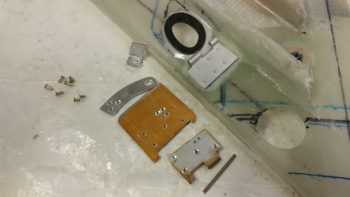
I then got to work on the fresh air/heating air routing valve.  Below is the valve assembly in its component parts, ready for assembly.

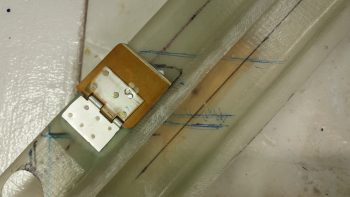
And here’s after I riveted it all together . . . the second time!!  You see, the valve hinge had to go in first before I riveted all the main pieces together.  So of course I went to Tahiti for a few minutes in my mind while I riveted the first couple of rivets to get it all together.  My fault, but what a royal PITA to drill those rivets out.  Plus, it widened the holes a bit so I used a bit longer rivets and merely mashed harder!

Ok, so she ain’t perfect, but it looks like this dog will hunt.  The one thing I’m not overly happy with is the height of my valve, since it’s taking up valuable space in my duct and reducing the duct’s cross section for airflow by almost 0.5″.

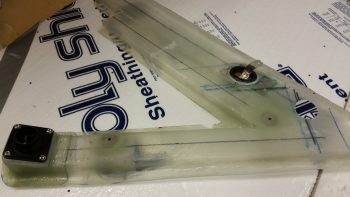
Here’s a shot to see where this valve is in relation to everything else.

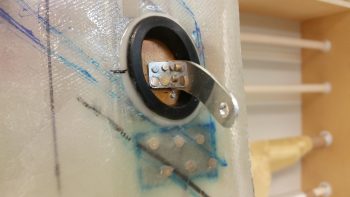
And here’s a few shots of the valve and the attached control arm.

I then added a cable mount bolt and a cable to test out the function of the valve.  It’s simple and I don’t think there should be any issues (besides having to trim down the upper edge of the valve since it’s just a hair wide.)

With my ductwork tasks done for the evening, I focused on getting the cable runs to the GIB headset jack squared away, primarily at the Dynon Intercom harness connector.

After doing over an hour’s worth of research and brushing back up on the intercom wiring, I then cut the wires to length, stripped the wires and then added shield grounding pigtails by using ground solder sleeves.

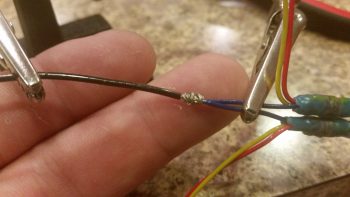
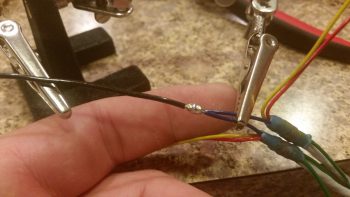
The pilot and GIB Mic/PTT wires share a common ground at Pin 2, so I went ahead and did a solder wire splice to add a small length of 20 AWG wire to the 2 shielded wire ground wires.  BTW, I used the Bob Nuckolls’ technique for solder splicing 2 wires together.

Here’s my soldered wire splice.

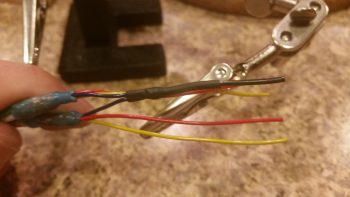
I then added a piece of shrink wrap over the soldered joint.

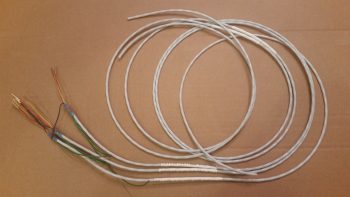
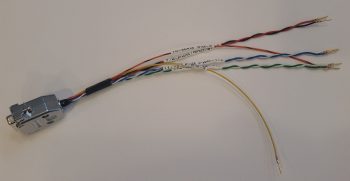
Here’s a shot of my Dynon Intercom wiring harness . . .  so far!  You can see that I labeled the main cable insulation and terminated the individual wires with the included D-Sub sockets.

Wrapping up the evening, I terminated the sockets into the Dynon Intercom 25-pin D-Sub connector.  I also stripped and heat shrank the GIB headset jack ends (the sides in the left GIB armrest) of the cables in preparation for installation.

Tomorrow I’ll continue to work on knocking out all this extraneous build stuff so I can get on to the nose, canopy and strakes.


Chapter 22 – Kick plate finished!

Today I started out by pulling the GIB kick plate out to check the forward mounting bracket layup.

The mounting bracket looked good with the angle appropriate to how the lower corner of the cockpit is shaped.

I could tell by the bottom of the cured mounting bracket that not all of it was in contact with the taped fuselage corner . . . I guess gravity isn’t what it used to be!

I first drilled the #8 screw mounting hole through the kick plate and part way through the forward lower bracket when it decided to remove itself from the kick plate.  I then drilled and riveted a K1000-8 nutplate to the mounting bracket, and then trimmed all 4 bracket sides with the Fein saw.  Finally, I drilled anchor holes and sanded the bottom of the mount that will get floxed to the fuselage corner.

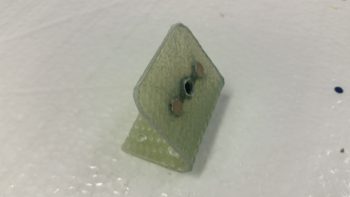
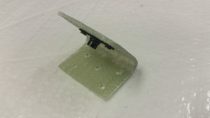
Here’s a few pics of the completed forward kick plate mounting bracket.

I then remounted the composite forward mounting bracket onto the kick plate.

Knowing that only a small portion of the mounting bracket had been in contact with the cockpit corner when I set it, I slathered it up with flox before remounting the kick plate.  I used fast hardener… so a few hours later after it cured I pulled off the kick plate to find that my mounting bracket floxing endeavor was successful.

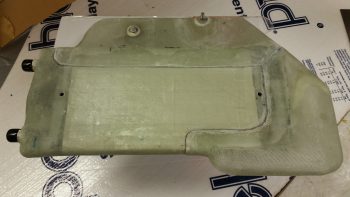
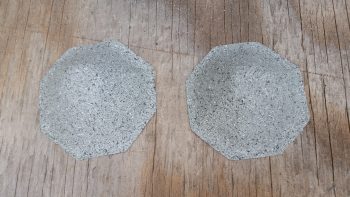
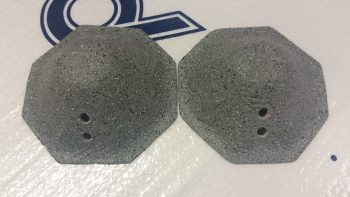
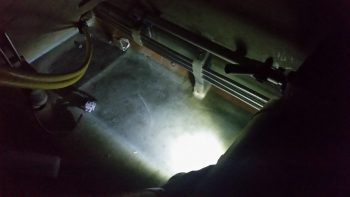
While the kick plate mounting bracket flox was curing I took my fuel sump low fuel level sensor covers outside and painted them with the Rustoleum granite paint that I will be using for the interior cabin paint.

While the fuel sump low fuel level sensor covers’ paint was curing I called Mike at ACK to go over my ELT install configuration.  He gave me some very key information that will be very pertinent to my ELT installation.

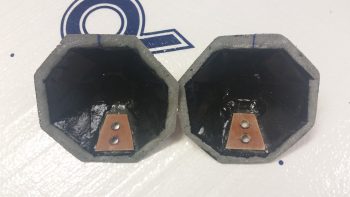
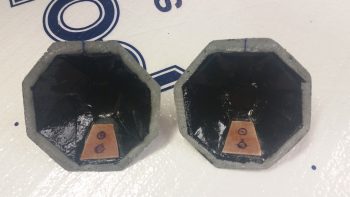
I then determined the size of the phenolic LED light mounting reinforcement plates, cut them and then 5-min glued them into place (after I removed the paint and sanded the glass where they were mounted inside the covers).

I then determined where the 2 LED holes would be situated, then drilled the holes.  I tested out the angle of the LED light beams, so when I drilled the holes I made them a bit more horizontal in comparison to the aircraft waterline.

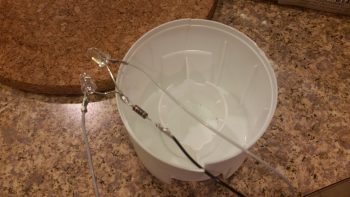
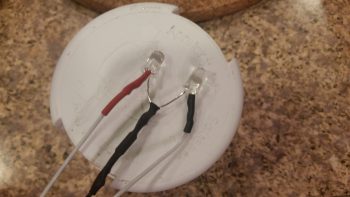
With the LED mounting holes ready, I then prepped the LED lights for mounting by soldering the red & white LEDs and wires, including a 470 Ohm resistor on the shared ground wired.

I then added heat shrink to secure & protect the solder joints.

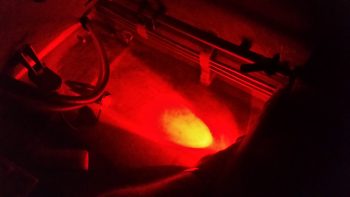
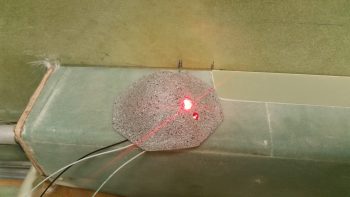
Although the pic below looks like you’re looking down into a fiery volcano, I included this representative shot of the red LED test lighting.

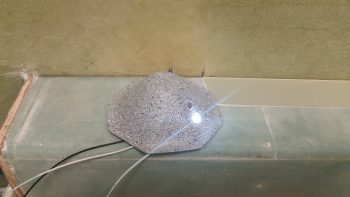
Here’s the white LED test.  Again, the light showing up in these pics is more drastic, contrasting and harsh than what is really viewed in person.

Here are another couple shots of the sump low fuel sensor cover LED floor lights from the front, facing the camera (which I shot at an angle so they wouldn’t “blind” the camera).

Again, this is a representative view of the red & white LED lights glued in place into the right sump low fuel sensor cover.  The left looks pretty much the same of course.

Concurrent to the work I had been doing on the LED floor lights, I also primed & painted the kick plate with my gray cabin granite paint.  Over 4 hours later I hit it with a couple coats of matt clear coat.

This is about an hour later after the clear coat was dry enough to set the kick plate in place  to get this pic.

Here’s another shot of the painted and clear coated GIB kick plate.  BTW, I checked the weight of the kick plate just prior to painting it and it weighed in at a whopping 5.8 ounces.

Tomorrow I’ll continue my quest to finish all things GIB before moving on with other parts of the build.


Chapter 22 – Play Time is Over!

No more electrical stuff for me… back to the GIB area!  Ok, except this one sideline task. HA!

Today I started by finishing up annotating the J3 PQD connector color codes, which of course meant digging in the GRT Mini-X manual and also seeing what the wire colors were that I physically had on hand.  Since I had the Mini-X wiring harness (15-pin D-Sub) in my hand, I decided to go ahead and knock out the wire harness connector for my Mini-X.

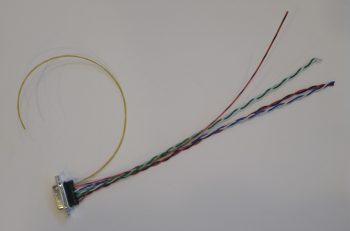
First, I had to pull a few wires for connections that I won’t be using.  These few specific wires came installed on the GRT-provided 15-pin D-Sub connector/harness.  I measured the required wire lengths between the back of the Mini-X and the J3 PQD connector on the Triparagon.  I added a couple of inches for ‘insurance’ purposes and another half inch to account for the multiples pairs that would be twisted together, then ended up cutting all the wires down to 10.5″ long.  I then crimped some D-Sub sockets onto 3 wires for the magnetometer (since it’s optional) and terminated them into the Mini-X D-Sub connector.  I then twisted the appropriate wire pairs together using a small portable drill.

I then terminated the ends of the wires with D-Sub pins on the opposite end from the Mini-X connector and performed a continuity check on each wire… all good.

Then, on the Mini-X side of the harness I installed the D-Sub backshell.

Having also just received some more correct-sized wire labels, I then labeled the 2 individual wires and the 3 wire pairs.

For the panel component labels that run ONLY between the panel components themselves, or the panel components and the PQD connectors, I’m using a bit more simplified wiring label scheme than the one I use for the rest of the plane: essentially providing just a pin number, the wire function such as “power” or “DU link” and an opposite pin number, all separated by dashes.  Obviously, on the panel I’m looking at the wire runs from the back of the given device and seeing its termination point just a scant few inches away… all the info is there for me to see straightway, except the pin #’s and wire functions. So, for example, the lone magnetometer signal wire label goes like this:

10-MAG SIG-9

Pin 10 on the Mini-X EFIS D-Sub connector, the truncated description as to the function of the wire, and Pin 9 on the J3B PQD D-Sub connector.  Short and sweet.  If a twisted pair is getting labeled, I simply add both pins on each side separated by a “/” (aka 11/12).  I’m still sticking with the more robust label scheme throughout the rest of the plane which allows me to determine where the wire is coming & going, what devices it goes to (points A & B) and what pins it connects to at each end (typically power, ground or data signal).

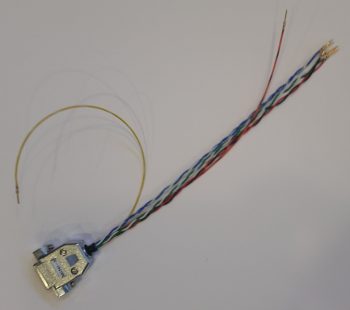
Here’s a shot of the Mini-X wiring harness, minus the D-Sub 15 backshell (which is on order) for the J3B side.

I then set my sights on finalizing the GIB right side kick plate mounting.  I started by stuffing some plastic saran wrap into the aft lower hardpoint screw hole, and then laid up a ply of BID over it.

A few hours later it was really close to being cured, so I hand drilled the hole through the glass in the front to remove the plastic.  I then cleaned up around the hard point screw hole and test fitted the screw.

Here’s another wider angle shot of above.

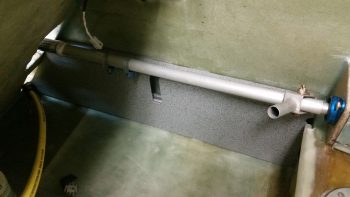
I then spent a bit of time sanding down and cleaning the fuel sump low fuel sensor covers.

Here’s the exterior side of these things . . .  After sanding, I then gave them a good Simple Green wash and dried them off.

I then taped up the interior edge of both sensor covers and then shot them with a couple quick, light layers of black paint.  I would have preferred to use matt paint, but I only had gloss on hand so they’re a bit fancier than I had intended.

I then prepped both the outboard side fuselage area and of the interior wall of the kick plate with clear packing tape to keep the composite bracket from gumming anything up.

I then set up 2 prepregged 3-ply BID layups.

I then wet out the prepregs and combined the 2 stacks of 3 plies to make up a 6-ply forward kick plate mounting bracket.

I then laid up the 6-ply bracket layup half way onto the forward kick plate mounting hardpoint.

I then folded it back on itself so that it was almost touching.  My goal here was that when the kick plate was mounted, gravity would simply pull the glass down onto the protective tape on the floor, creating the exact correctly shaped bracket blank –since the floor at the corner here is 45°– after it cures.

Here’s a shot of the entire kick plate, with the 6-ply mounting bracket glass formed on the inside.  I was able to get just a peak of it through the holes in the front seat bulkhead and from what I could ascertain, my “shot in the dark” layup looks ok.

As the kick plate bracket glass cured, I then took a quick opportunity to apply a couple of coats of gray primer onto both thigh support fuel sump low fuel sensor covers.  Since I’ll have a pair of LEDs poking out the bottom of each of these covers, I wanted to get them painted so as to not have to worry as much about taping off those LEDs, which again will be on the bottom side, when I paint the rest of the back seat area.

Tomorrow I’ll continue working on all things GIB!


Chapter 22 – Uh, more electrons please!

Well, I’ll be darned if another task didn’t blow up into a huge project.  I had planned on using this morning to finalize the electrical stuff I did yesterday: print out the diagrams and connector pinout sheets and verify a few connections.

I did just that and then, although electrical in nature, got back to working on the GIB area by working on the circuit for the GIB cabin lighting.

My GIB area cabin lighting essentially consists of 2 zones:

  1. The upper zone lit by a red/white LED map light.
  2. The lower zone lit by red/white LEDs mounted in the sump low fuel sensor covers.

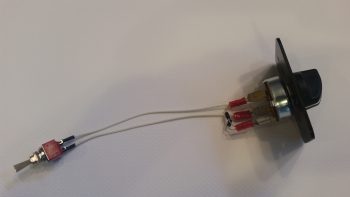
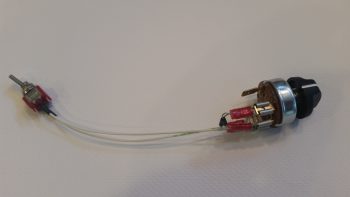
I decided to start on the switch side which consists of a mini-toggle that allows for selecting all GIB area lights to be lit either RED or WHITE.  This then connects to a rotary switch that allows the GIB to determine which lights are on or off with the following positions:

OFF – FLOOR – MAP – BOTH

So I got both switches configured & initially wired up, and all was fine until I had to tie in the LED map light.

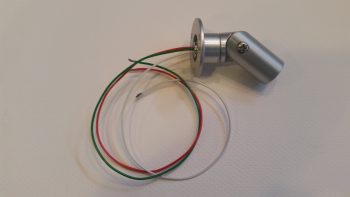
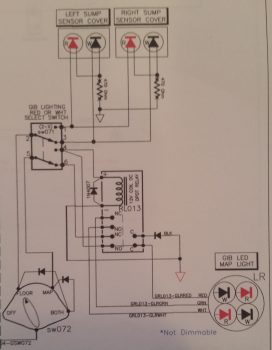
As you can see the map light has 3 wires: white, red, and green.  I mistakenly assumed that the separate, selectable red and white set of LED lights were powered by the red wire for the red lights and the white wire for the white lights, with the green wire (maybe I’ve spent too much time installing house light fixtures!) being the ground wire.

Which is exactly how I had it drawn up for years!

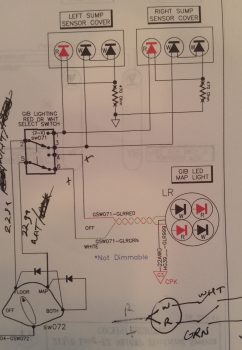
But, alas, the manufacturers of these map lights pulled a switcharoo and pretty much made the install specific to powering the lights through an ON-OFF-ON switch with each light being controlled by closing that color (red or white) circuit to ground with the switch. You can see an initial swag I took at this in the lower right corner in the pic above… albeit I lopped off the ground symbols when I cropped the pic.

I played around with it for a while, getting a bit pissy having to “waste” time on a small luxury item as this GIB map light.  Moreover, all day my Chi was apparently way off center because I was letting a ton of that critical electrical smoke that must be contained out of as sundry items such as relays, diodes, wires . . . you name it! I clearly had the reverse midas touch so when I was done creating smoke by incidental shorting of wires, etc. I decided to dare not touch the plane nor attempt any glassing later in the evening!
Although I did –after much effort, angst, creative use of expletives, persistence and hard thinking (which was like pushing a brick wall!)– finally tested out a good circuit for the GIB LED lights, which took a few hours and involved incorporating a spare small DPDT relay I had on hand (don’t ask how long it took me to find it!).  BUILDERS HINT: Install the diode in the circuit the correct way!!  Ask me how I know . . .
The challenge was that I already had the entire circuit designed and mostly constructed, so I was adding on to the tail end of it and couldn’t really pick my power & ground wires from scratch (without adding more long wire runs or even more complexity).  I eventually got it, and thus I present to you the new GIB LED lighting circuit:

Yes, hopefully tomorrow I can actually get back to the REAL GIB area tasks!


Chapter 22 – Electric all the way!

Well, as not that uncommon in this build, what was supposed to take a few hours ended up taking up every minute of my day today and propelled itself into the wee hours of the morning.

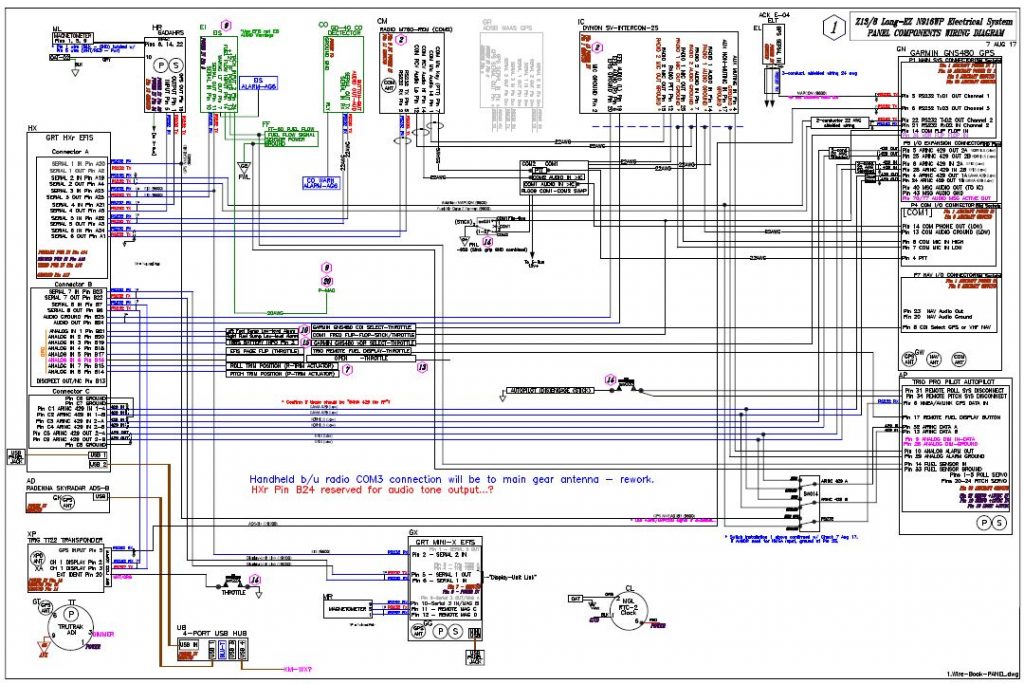
But my immediate task is done . . .  for now of course!  I tried a few different ways to get this on the screen, but alas my JPG captures on my CAD program suck.  So I just took a screen shot (pic below).  It gives you a general idea of what I was up to all day yesterday sorting through essentially a massive pile of spilled spaghetti.

I pretty much assessed every wire and every connection coming out of the GRT HXr EFIS (PFD), GRT Mini-X EFIS (MFD), Garmin GNS480 GPS receiver, and Trio Pro Pilot Autopilot. I identified if the wires would simply be run from point A to point B, or in a twisted pair or shielded conduit, all based on the requirements coming out of the installation manuals or the manufacturer’s guidance.  Where there was no specific guidance I turned to words of wisdom from the grand pupa of aircraft electrons, Bob Nuckolls, by referencing his masterpiece, The AeroElectric Connection.

In addition I clarified some info via phone calls and emails as I did with Chuck from Trio Avionics.  And will do the same with GRT tomorrow.

As I mentioned yesterday, I also labeled every RS232 serial pair and ARINC 429 pair for the data signal wires with their respective configuration labels and correlating baud rates that will be used when setting up the individual components to talk nicely amongst themselves.  I was also able to reallocate and free up some serial ports based on my newfound knowledge and tweaking of my system (also facilitated by some updated manuals such as a new 2017 install manual for the Mini-X).  This, in turn, both reduced the physical number of wires and allowed me to clear off unneeded ports that I was tracking on the diagram above.

With the wire types identified for each port, I was then able to massively rework my Panel Quick Disconnect (PQD) connectors and consolidate all the HXr EFIS harness wires on the J4 PQD 37-pin D-Sub connector.  I was just short a couple of positions, so I moved the power off the J4 connector and repurposed the J10 connector label for a new 4-pin mini-Molex power connector (HXr primary, secondary and tertiary power plus ground).  The old J10 connector got bumped down the line and is now J12.

Below is a page out of my connector pinout tracking sheets packet.  I track literally every wire, pin & socket in every connector on this aircraft.  As you can imagine, I’m waiting for the day when I can stop updating these sheets!

In addition, I did exactly the same thing in consolidating every wire for the Mini-X through the J3 PQD 15-pin D-Sub connector.  This is very significant in that it allows me to simply unplug & remove my HXr EFIS by disconnecting only 2 connectors: a D-Sub & mini-Molex (ok, and a USB cable . . . you got me!).  Moreover, If I choose to, I’ll be able to disconnect & remove my Mini-X EFIS by disconnecting 5 things: a D-Sub, a USB cable, the GPS antenna cable, and of course the Pitot & Static connections.

After I finished reworking my panel component wiring diagram and the pinouts for the 3 PQD connectors, I then did a scrub of every wiring diagram I have on hand, which is nearly 30 diagrams.  In addition to the panel component wiring diagram, I had to do significant updates to 8 other diagrams.

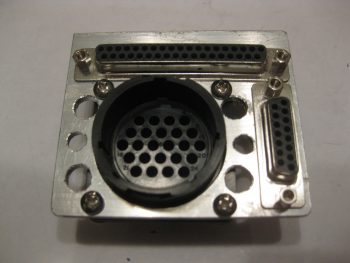
To help bring all this massive paperwork drill to life so you can see it in the physical world, I went back and snagged a couple shots of the Panel Quick Disconnect (PQD) connectors in the PQD bracket (still in its rough state before cleanup) so you can see what I’m talking about.  The 37-pin D-Sub J4 HXr connector runs across the top, while the 15-pin D-Sub J3 Mini-X connector runs down the right side.  The big round 24-pin connector, which admittedly is sparsely populated now (read: scalability) is the P6 AMP CPC connector.

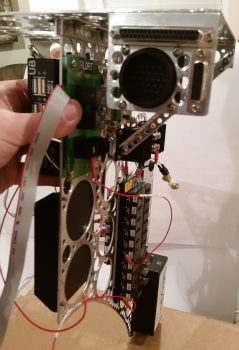
Here’s a shot of the PQD connector bracket at the aft right corner of the Triparagon’s top cross shelf.  The PQD bracket is situated right below the aft face of the Trig 22 Transponder.  In addition, the PQD connectors are only a scant 4.5″ (IRRC) from the aft side of the HXr and Mini-X . . . so close in fact that I could not physically install the cable clamp on the aft panel-side P6 AMP CPC connector and still have clearance to run all the wires!

With my short deviation back into the world of electrons over (…for now!), I can get back to tackling the GIB area and start seriously planning on knocking out the nose and canopy (with perhaps a quick sideline tryst to finish the wheel pants?!)

Chapter 22 – Panel Cross Connects

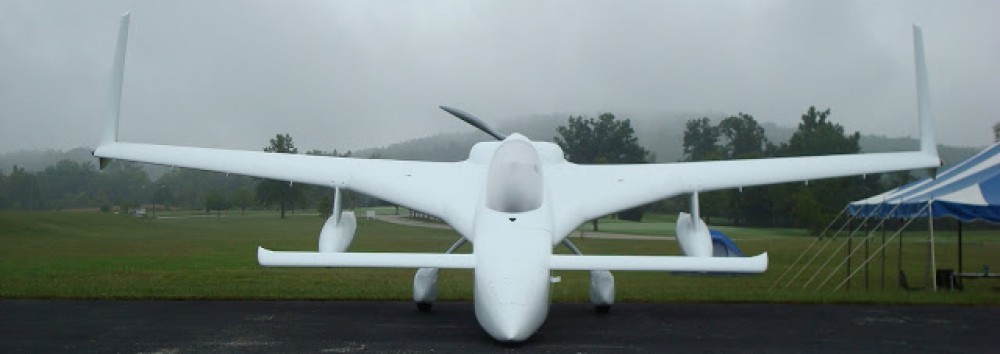
Well, I’m back from my nearly weeklong trip down to the North Carolina coast and Virginia Beach.  This past Thursday Marco flew down to New Bern, NC and picked me up and flew me back to his EZ’s home base at Chesapeake.  At 45 minutes airport to airport and averaging just over 6 gallons of fuel an hour, you can bet I’m motivated more than ever to finish my Long-EZ!

Spending a few days with Marco and Gina was great of course.  Since Marco is actually interconnecting all his panel upgrade components (GRT EFISs, Garmin GNS480 GPS, etc), it gave me a lot more insight on the configuration settings required to get all these panel components to talk to each other.

With all this configuration settings stuff fresh in my mind, when I returned home on Saturday I spent about 3 hours digging into the manuals to facilitate adding port speeds, port labels and IDs to my wiring diagram interconnect wires for my PFD, MFD, GNS480, Trio AP, transponder, etc.  With a deeper understanding of the ARINC connections, this process also allowed me to further find a couple of design configuration questions that I need to get some answers to.  So I fired off an email to Chuck at Trio to get some of those answers.

I continued my digression (or distraction!?) yesterday as I got close to wrapping up my panel wiring diagram by ID’ing specific wiring types (twisted pair, shielded, standard) for each cross connect.  I also created a spreadsheet that IDs all the major programming configs for my separate panel avionics/instruments.  I’ve already configured the majority of settings –as far as I can currently– on both my Garmin GNS480 GPS receiver and my GRT Mini-X EFIS.

Tomorrow I’ll start off by rewickering my Panel Quick Disconnect (PQD) D-Sub pinouts to allow both GRT EFISs –PFD & MFD– to be quickly disconnected when I remove the panel.  So, a minor rabbit hole, but I think it will be good to get the avionic/instrument components’ configurations tweaked while it’s all still clear in my mind.  I’ll also continue my electronics quest by testing out my GIB lighting circuit and then try to get those into place inside the covers that get installed over the GIB thigh support sump low fuel sensors.  Not only will that be another major GIB area install out of the way and confirm some proposed circuitry, but will be another electrical install task completed.


Chapter 24 – Kick plate mounting

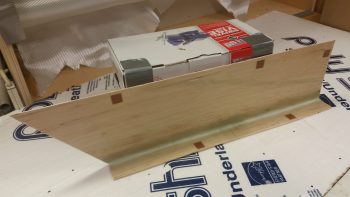
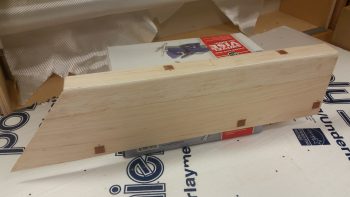
Today I started off by finalizing the cleaning up & initial round of micro’ing some divots I had made (during cleanup) and the minor gaps between the wood pieces on the GIB right kick plate.

I then let the micro cure a bit as I cut the BID and peel ply for the layup.  I then laid up the 1 ply of BID using MGS 335 with fast hardener.

I then peel plied the layup.

I then took a break, grabbed something to eat and uploaded my pics to this website.  A bit later the layup was cured so I razor trimmed it, pulled the peel ply, cut the notch for the roll trim spring assembly, and then test fitted the kick plate in place.

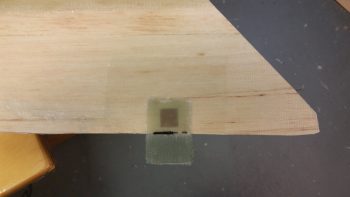
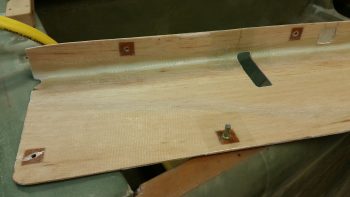
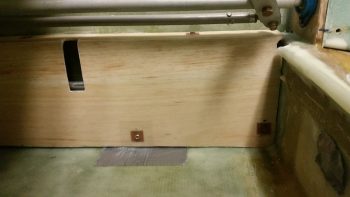
It took a few iterations of trimming both the front and the aft edges of the kick plate to allow it to slide into place, but I eventually got it to settle in quite nicely.  Towards the front side top you may notice a square patch where I cut out the interior glass and wood to thin the top out for clearance with the underlying Adel clamp.

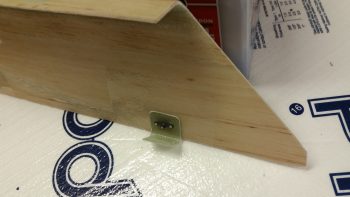
I then made up a brand new 6061 mounting tab for the aft edge and riveted a K1000-8 nutplate to it.  I also riveted K1000-8 nutplates to some existing mounting tabs I had made up earlier for the armrests.  I then added some protective tape around the mounting holes and mounted the brackets with #8 screws.

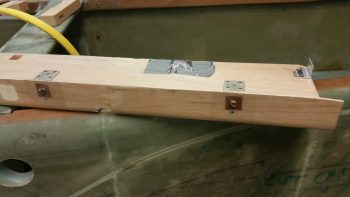
I then whipped up some flox, floxed up the 3 mounting brackets and set the kick plate in place.  To ensure the brackets were pressed into place nicely, I rested a weight against the kick plate.

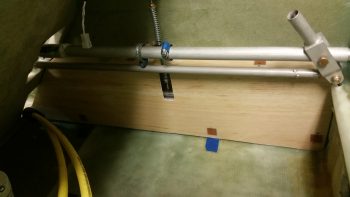
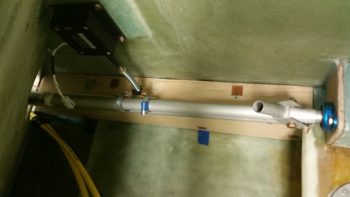
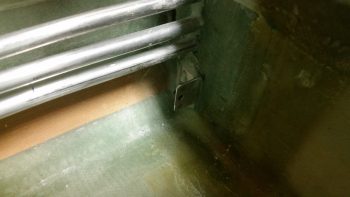
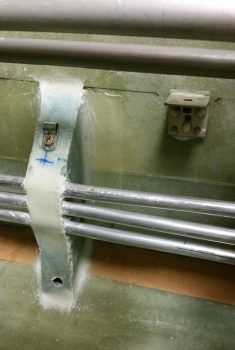
A bit later, after the flox cured, I pulled the kick plate off the installed mounting brackets and cleaned the protective tape off of the kick plate.  Here are the 2 upper mounting brackets floxed in place to the fuselage sidewall.

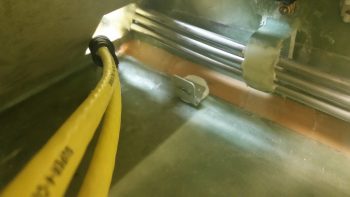
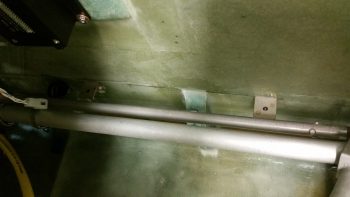
And here’s the kick plate’s aft mounting bracket floxed in place to the front thigh support sump front wall bulkhead.

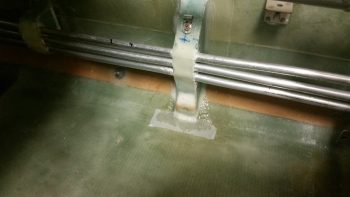
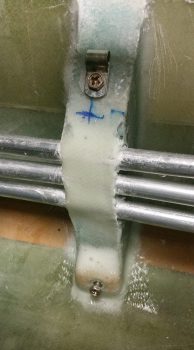
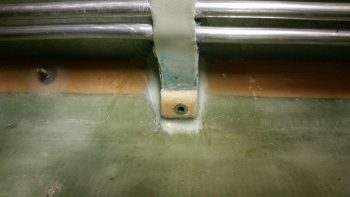
Before I pulled off the kick plate I drilled an 11/64″ hole through the bottom aft phenolic hardpoint in the kick plate.  I then widened it out in the fuel line bracket to accept a RivNut hardpoint that I’ll use for this mounting point.

I cut a few grooves into the RivNut to add some gripping power and taped up the end with duct tape.

What’s not seen here (you’ll see it when I remove the kick plate) is the 1/4″ thick Divinycell foam spacer that I floxed into place between the kick plate interior side and the fuel line mounting bracket.  The inboard half of the RivNut is floxed into the foam spacer while the rest of it is floxed into the fuel line mounting bracket.  The spacer itself is floxed on the outboard side to the face of the fuel line mounting bracket.

Later, after the RivNut & foam spacer flox cures, I’ll layup 1 ply of BID around the spacer to secure it and the RivNut to the fuel line mounting bracket.

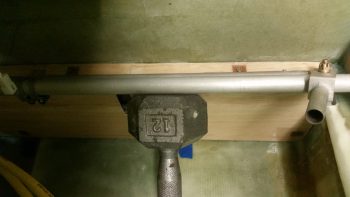
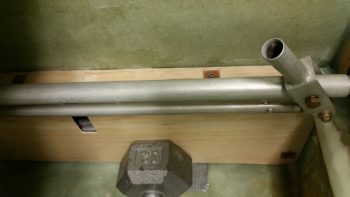
I then used the same 12-pound weight pressed against the lower RivNut hardpoint (and foam spacer) to keep it securely in place.

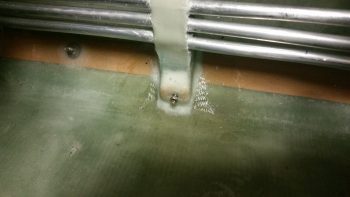
After I finished writing the majority of this blog post, I went back down to the shop to catch the flox on the lower kick plate RivNut hardpoint in its “green” stage of curing –where it’s still just a little pliable– and I was able to do so [Incredibly easier when the epoxy/flox/micro is in this stage… it has the consistency of caramel candy and can be cut and removed without much difficulty].  I removed the screws and pulled the kick plate off its mounting tabs, and then cleaned up the flox that had oozed out from around the sides of the 1/4″ Divinycell spacer.  Here’s the (nice & clean) result:

Tomorrow (Sunday) I’m leaving for North Carolina for a few days.  Then I’ll spend a couple of days with Marco.  Thus, I will not be building (although I will place some orders!) during that time.  Once I get back I plan on working full bore —in maniacal fashion— without a break until Rough River.


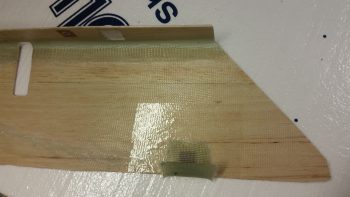
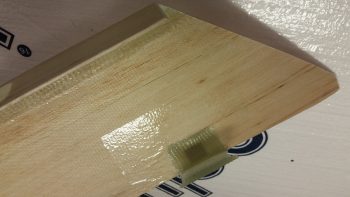
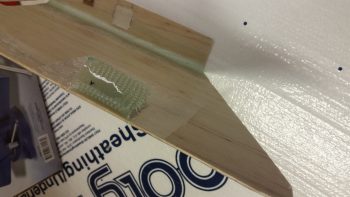
Chapter 24 – GIB kick plate glassed

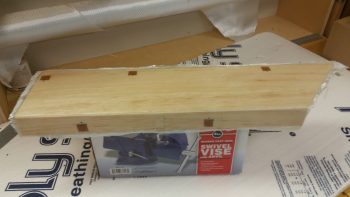
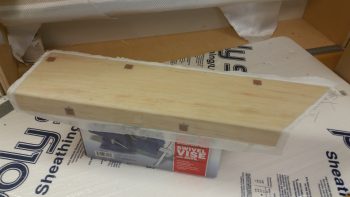
This morning I trimmed the cured layup on the underside of the GIB kick plate.

I then cleaned up some areas of dead epoxy that had seeped through to the front side.  I then sanded the corner edge down to create a nice, pleasing radius.

I would have liked to have laid up the 1 ply of BID on the entire exterior face of the kick plate, but I had to get on the road to help my friends in their move to North Carolina.