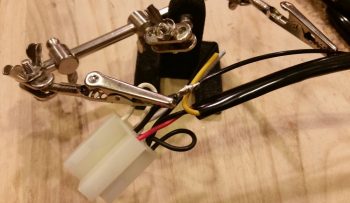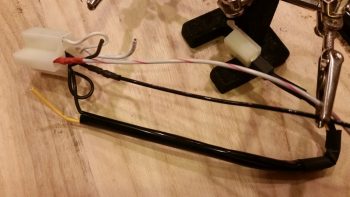
Chapter 22 – Paneltronics

Today was forecasted as the warmest day we’ll have for the rest of January, with the remaining temps in the high 40’s at the warmest.  So, besides building my engine this month, I really plan on getting all the electrical stuff that I can do knocked out, plus a few tasks that I can do in a fairly cold shop.

Today was still about cleaning up some panel electronics and getting some tasks crossed off the list. I decided as I started my endeavor to solder up my Pitch Trim power ON/OFF switch for the TCW Safety-Trim system that I would do a video on aircraft electrical wiring that my buddy Dave asked if I might be able to generate.  I still have some editing to do on the video, but will get it posted on YouTube in the next day or so.

First off, in my latest Mouser order I just received 2 new mini-toggle switches with flat bat levers (my preference) for switches #11 (Pitch Trim power) and #12 (Heated Pitot Tube on/off).  Besides having 2 different brands of switches in the row of switches on my center panel column (see pic below), the switches that I replaced were ON-OFF-ON while these new ones are simply ON-OFF.  No need to waste good switch capacity, especially when the switch levers were slightly different.

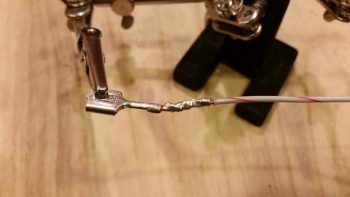
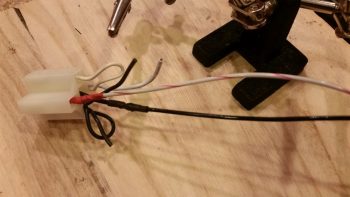
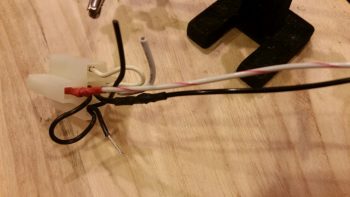
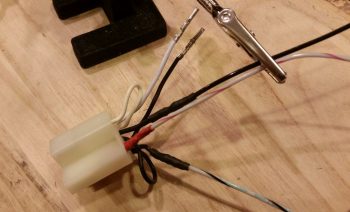
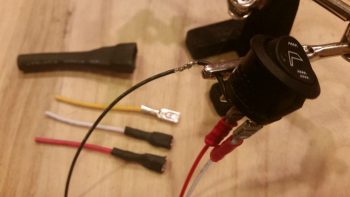
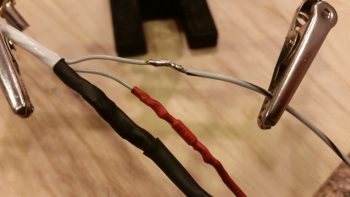
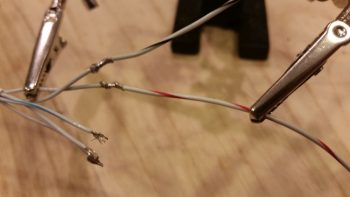
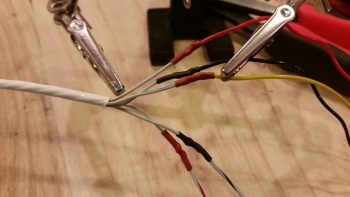
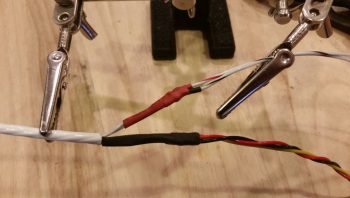
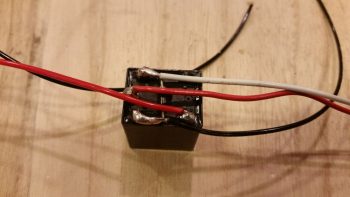
I started off by wiring the 18 AWG E-Bus lead to one side of the switch, then covered the solder joint with red heat shrink.

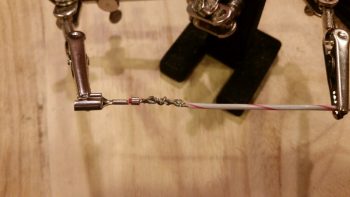
I then prepped the supposed two 20 AWG Pitch Trim power wires (as listed in the TCW Safety-Trim manual) for soldering, but then when I went to strip them found out they were actually 22 AWG.  No big deal, just a point on how robust Tefzel aircraft wiring is in handling amps and heat.

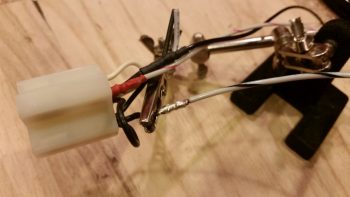
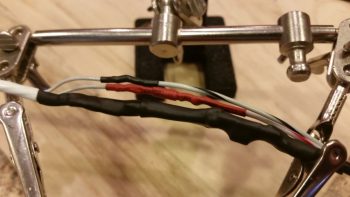
I then soldered the 2 twisted 22 AWG wires to the remaining post on switch 11.  This switch is the “master switch” that provides power to the Pitch Trim system and exists mainly as a safety switch in case there’s a runaway trim situation.

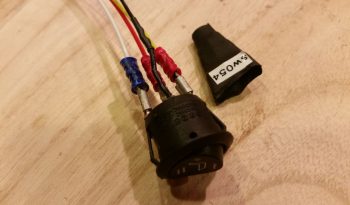
Here’s a shot of switch 11 (code sw011) remounted in the panel mockup with the soldered wires now attached.  I’m waiting to terminate the 18 AWG wire with a FastON connector to then mount to the E-Bus until after my next shipment of wire labels arrive.

I’ve circled switch 11 in the pic below in green.

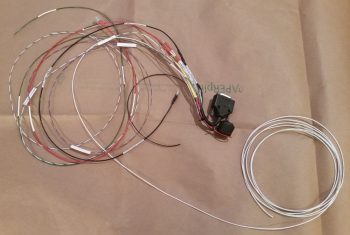
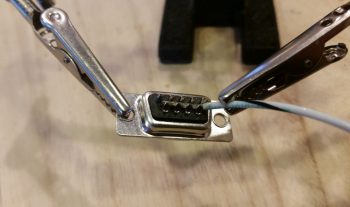
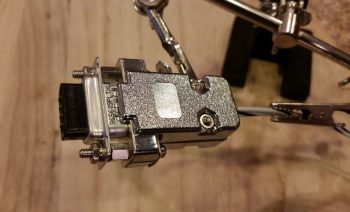
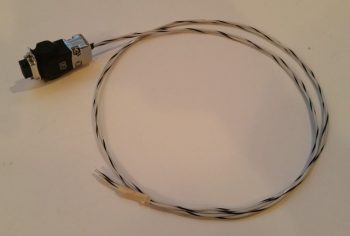
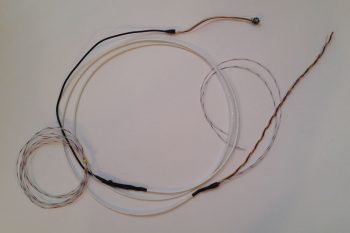
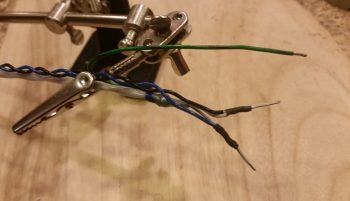
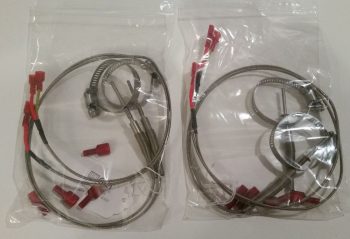
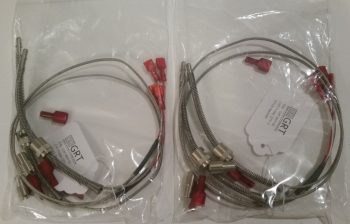
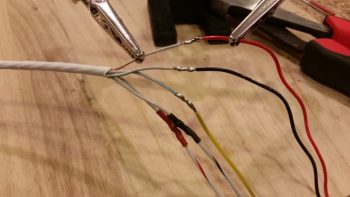
I then pressed forward with my plan to mount both GRT OAT probes forward in the fuselage, specifically in the nose gear wheel well (NB).  I removed and then disassembled the GRT Mini-X wiring harness to slip the gray wire into the mix.  Nicely, I was able to use the original OAT probe wire off the GRT EIS4000 harness that was already terminated with a D-Sub socket at the Mini-X end.

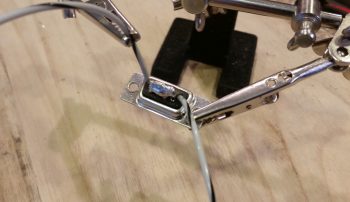
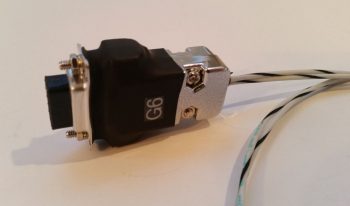
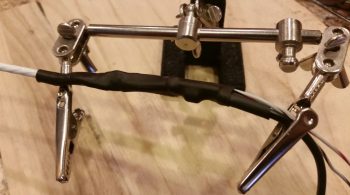
After I inserted the wire and reassembled the D-Sub back shell on the Mini-X side, I realized I should probably grab a shot of my progress.  As I noted above, I’m out of wire labels but had just a long enough piece of blank white wire label heat shrink to hand write the label for this wire…. just so I could get it in and knocked out.

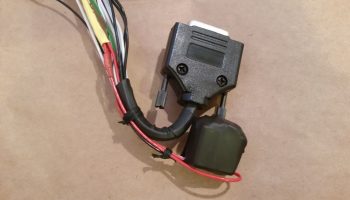
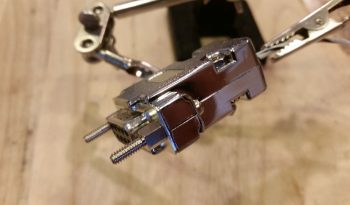
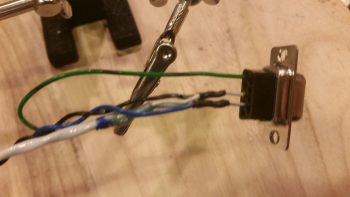
I then terminated the J3 connector side with a D-Sub pin and inserted the wire into the D-Sub connector.  Again, below is a pic of the OAT wire addition task complete, with the J3 side D-Sub jack back shell back in place.

I then reinstalled the Mini-X wiring harness, fired up the panel and checked the OAT settings.  I set the HXr on Celsius, set the Mini-X to Fahrenheit, then toggled the Mini-X setting to have the OAT show on the PFD page.

As I mentioned above, tomorrow will be more electrical system tasks since it’s still fairly cold for shop work.


Chapter 22/23 – Bad Assumptions…

will get you every time!  We all know the saying about assuming, well I “went there!”

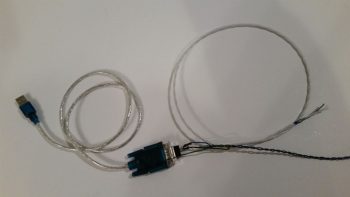
Before I tell you that story of woe, first some successful task completions.  My first order of the day when I went upstairs to work on some even more tweaking of electrical diagrams was to hook up my nose gear auto extension system’s laser altimeter to my PC via the included USB cable to finally configure the settings.

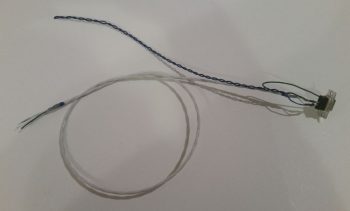
After I downloaded and installed the Lightware terminal program, I then proceeded to set all the operating parameters for the laser altimeter.  Of course that meant going paragraph by paragraph through the manual to make sure I didn’t screw anything up!

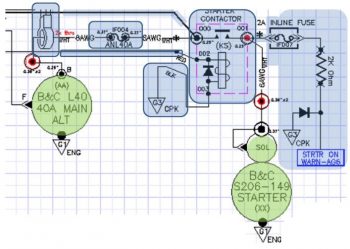
As I was tweaking the electrical diagram for the engine systems and EIS4000, I wanted to investigate further a note I had on my VDO HPS-01 Oil Pressure sensor.  The manual states that the case must be grounded, but the sensor only includes one terminal for the signal wire. As I went back through my notes I had highlighted a myriad of issues builders had had with these VDO sensors . . . mainly in wonky sensor readings caused by poor or no grounds.

Enter rabbit hole!  Well, I wanted to get to the bottom of this since it was a point on my electrical diagram that was cloudy and unknown to me.  I wanted an answer to this riddle so I could press forward with this variable turned into a constant.  After an hour or so of researching my notes, manuals, forum posts (mainly VAF) and other notations, even from canard heavyweights like Marc Zeitlin, I came to the conclusion that my VDO oil pressure sensor, did “in fact,” need a grounding tab attached to the case as spelled out by the EIS4000 manual, et al.

I looked online for these tabs, and after not being able to find a source of supply, I decided to construct one myself from some multi-connnecting Fast-ON tabs I had on hand.  I simply bent the wings of the female connector out to then create curved “wings” that could then be attached to the case of the VDO oil pressure sensor.

Patting myself on the back for my sheer ingeniousness, I then read up on brazing vs. soldering, concluding there that with brazing being generally 5x stronger than soldering, I should “in fact” go that route.  I perfected my expertise by watching a few YouTube videos on brazing, and with my newfound knowledge in hand I ran down to Lowe’s and grabbed some bronze brazing rods.  Ah, my plan was coming to fruition!

I got home, cleaned up both surfaces to be brazed with steel wool and then some wipes with Acetone.

I had let a wood board soak in water while I was gone and used that as the underlayment for my project.  Yes, all ready to go!

And then the “fun” began…. with my portable propane torch I attempted to get this baby red hot.  Well, after not doing that, but inadvertently burning some of the plastic assembly on the top side of the sensor (merely cosmetic) and realizing my best attempts of getting any bit of the brazing material to lay down was a lesson in futility, I called it quits.

Hmmmm?!?!?!

I then decided that since I had a fair bit of surface contact between tab and case, I would try my hand at soldering the tab onto the case.  Again, no joy!  The case seemed to be impervious to any attempts to attach anything to it!  Crazy . . . .

Here’s the sad aftermath of my attempts to attach a grounding tab to the side of my VDO oil pressure sensor.

Now, here’s the kicker.  I did learn a lesson in all this.  After failing miserably above, I went back into research mode.  What was the deal with this VDO sensor?  Did they make others (they do) with a terminal for a ground wire (they do).  Hmmmm?  So I uploaded all my pics, put my notes in my blog to finish in the morning, and then called it quits for the evening.

However, as I was getting ready to head to bed, I was looking through pics of installed VDO oil pressure units in aircraft.  Now, I knew if it was installed straight to the engine case (which is a no-no in itself) that it didn’t need a ground wire since the case was grounded. But I was seeing pics of remotely mounted 1-terminal VDO oil pressure sensors like mine WITHOUT a visible grounding wire!

What gives?!

Thus the need for my ground wire . . . or . . . wait a minute!  Ahhhhhh! I quickly did a continuity test on my engine sensor manifold block and –Voila!– it’s conductive!  I got a solid tone with one probe on one end and the other probe on the VDO oil pressure case at the farthest point I could get from the first probe.

Thus, my ASSUMPTION that the manifold block was a non-conductive aluminum spun me off on a wild goose chase and caused me literally hours of un-needed effort!  Combine that with the note on the GRT EIS4000 diagram that states: “The case of the sensor provides a ground connection for VDO type sensors.”  I had simply allowed the word “case,” combined with all the horror stories and accounts of the requirement to attach a grounding tab lure me down a road that was entirely unnecessary!

Ok, so here’s a shot (I cleaned up the nasty brazing/soldering marks off the VDO oil pressure sensor with steel wool earlier) of my engine sensor manifold with the sensors attached.  The top left is of course the VDO oil pressure sensor that sends a signal to the EIS4000.  The sensor beneath it is a simple backup oil pressure switch that drives a “Low Oil Pressure” light on the AG6 warning annunciator in case I lose my EFIS, EIS, etc. The sensor with the black cable running out of it is the Fuel Pressure sensor.  On the right you can see 2 brass barbs, one is for the PMag MAP tube and the other tube runs through the firewall into the hellhole where the Electroair and GRT MAP sensors are located.

At this point I’m not sure exactly where or in what orientation the engine sensor manifold block will get mounted, so I included a pic showing it oriented vertically.

I should note that in addition to all the antics above, I spoke with my engine guy up in Winchester, VA.  We scheduled the engine build for the end of next week, so again, I’ll start ramping up for that in earnest early next week.

Tomorrow I plan to get back to the plan, and that is to really make an honest attempt to finish labeling my power busses!


Chapter 22 – Bringing boring back…

Snooze alert!  The stuff you’re about to see is boring …. good heavens, even I’m bored with this stuff!  I tell ya, the one good thing about working seemingly endless hours on the mundane tasks is that it really makes you itch to get back into the shop and sniff epoxy.

I spent over 5 hours yesterday scrubbing & updating every wiring system diagram I have on hand.  I figure that if all goes according to plan that this will be the last winter I have before my first flight to knock out all this nitnoy stuff…. again, much of it that I haven’t gone over in quite a while.

Today I spent a few hours on the phone discussing build topics with another Long-EZ builder, it was a great discussion but it put a sizable dent in my schedule. Why build airplanes when you can TALK about building airplanes?! … ha!

I then did some more cleanup on a few more electrical-related docs before getting down to business.  After attaching about a dozen wiring labels, I then stripped off some of the heat shrink over the solder splice on the Electroair electronic ignition’s control unit ground wire.

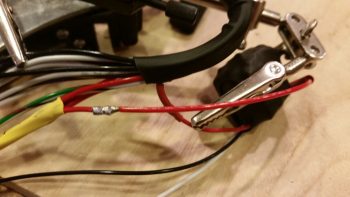
I had removed a Deutsch connector a while back and simply soldered the 2 wires together, but now I needed access to that solder joint to splice yet another wire into the mix: the 22AWG lead that will be the negative input (V- In) to the AD626 op amp board for Spark Advance reporting to the EIS.  Again, the signal coming out of the Electroair control unit is too weak so I need to literally amp it up by a gain of 10 so that the GRT EIS can use the strengthened signal to report the Spark Advance to the EFIS screen.

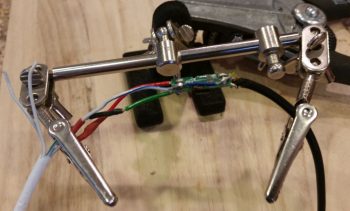
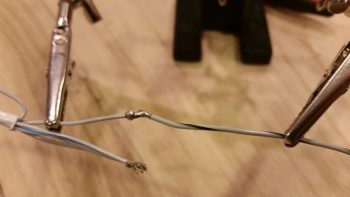
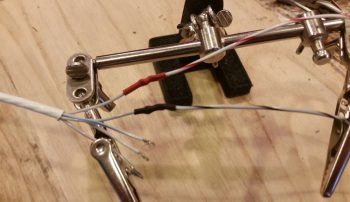
After exposing the original solder splice joint, I then soldered the 22AWG wire into the joint.

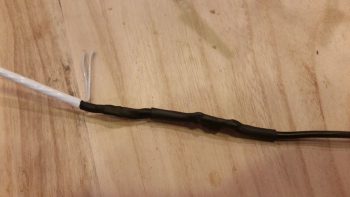
I then recovered the new solder splice with some more heat shrink.

Next, I focused on my 12V-to-5V power converter.  What will it be used for you ask?  Well, in order to use an aft-looking wide angle video camera that I’m going to mount at the top of the headrest, I need to use a 5V power signal to drive it.  In addition, I want to mount and use my Bendix/King AV8OR portable back-up GPS in the lower left corner of the panel, which too uses 5V power.

So I made up, labeled and terminated the power and ground wires for the 12V-to-5V power converter and screwed them in place on the terminals.

I have a power wire jack on order for the BK AV8OR GPS, and I need to acquire some 24AWG wire before proceeding with wiring up the video camera, so below is as far as I’m going to go on the 12V-to-5V power converter for now.

I then assessed and marked the plywood instrument panel mockup to drill a 3/8″ hole for the panel ON/OFF indicator LED lights’ dimmer.

After drilling the hole and cleaning up the sawdust, I then test mounted the dimmer switch and knob…. not bad.

I then got to work on cutting and soldering the panel ON/OFF indicator LED light ground wires to the dimmer switch.

While I was in the vicinity, I also removed the panel ON/OFF indicator LED lights’ Push-to-Test switch and soldered the power leads to it as well.

I then added heat shrink over the soldered leads for protection.

Tomorrow my focus will be on getting the Power Busses labeled, which was part of my tasks today in doing some final determinations on what components go to what tabs on the power busses.  I also updated some ground bus tab and connector pin assignments.

Yes, this stuff can be mundane and boring at times, but it is quite necessary and has proven worthwhile considering the number of small oversights that I keep finding on my diagrams and spreadsheets.  I think nearly all the clerical mistakes have been corrected now, allowing me to start off 2018 with all my electrical system docs and diagrams in order!


Chapter 22 – “Deslumpifier” installed

Today I started out by attaching about a half-dozen preprinted labels to component wires on the instrument panel.  By the end of the evening I had printed out another 2 batches of heat shrink wire labels and attached nearly all of them to their respective wires.  I have to say that printing out and attaching wire labels is definitely an exercise in perseverance and patience, but in the end I know it is way worth the effort.

Again, since the weather is so amazingly cold, I figured now would be a good time to get some really boring administrivia knocked out.  It’s been forever since I inventoried my spreadsheet of 2-character component electrical codes, and since I needed another 3-4 codes for some newly acquired components, I spent well over an hour checking the list, getting rid of old, unused codes, and making up new ones for the new electro-whizzies that I’ve gotten in over the past month or so.  I also printed out the codes and attached them to every electrical component without one, so all is up to date for all the electrical codes on my stuff!

Another can I had been kicking down the road was ID’ing and labeling my Inline Fuses.  It really is the nature of the beast during a build like this for so many components to change as electrical system design and configurations change.  I’ve had “IF00x” listed out for almost all my inline fuses for probably over a year now.  And since my system is much more dialed in and closer to final than a year ago, I figured now was the time to figure out the sequential numbering for all the Inline Fuses.  So I got that list knocked out and updated, then just as I did with the 2-character component codes, I printed out labels for the Inline Fuses and attached them to the appropriate inline fuse.

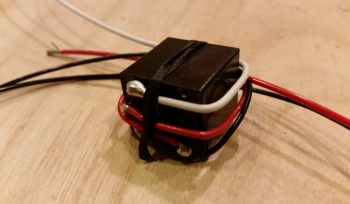
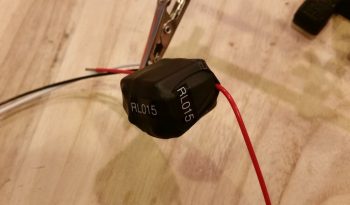
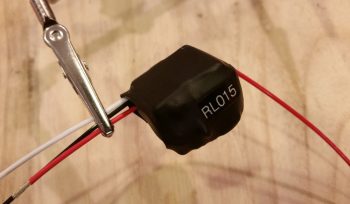
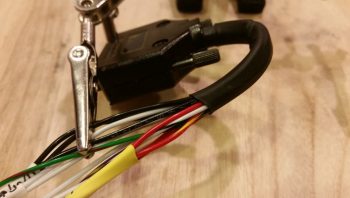
When I checked the mail today I finally received the CS-01 Hall Effect sensor that I ordered from GRT.  As I was configuring the settings on the EIS4000, I did a quick read on how to set up the CS-01.  With it in hand however, today I did some much more thorough research on just how to install the CS-01, including going back and looking at my notes.  I had a few questions, and between the GRT forum and the AEC forum I was able to find the answer…. plus a few other nice-to-know tidbits [Note the “HA” code label].

Along with tweaking the settings for the CS-01 Hall Effect Sensor, I had some other updates I needed to do on the GRT EIS4000.   So I hooked it back up, fired it up, and tweaked some limit configurations and auxiliary port settings.

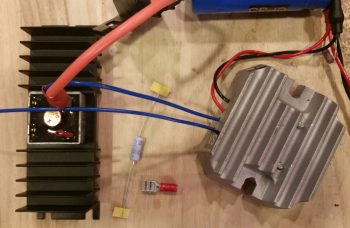
I then worked on constructing some new power and ground cables for the “Deslumpifier” AKA Voltage Slump Eliminator.  Since the power IN for the Deslumpifier needs to be fused, I just picked a location on the Triparagon that allowed me to simply use a robust inline fuse holder with leads as the main power cable.  Right now I’m fusing it with a 7.5A ATC fuse which I think is a good starting point.  To match the massive leads of the inline fuse power cable, I used a black 14AWG lead for the ground cable.

I then cut, labeled and re-terminated the existing power and ground leads to the GNS480 to allow them to be hooked up to the Deslumpifier.  After I finished the GNS480 leads, and before final hookup, I tested the Deslumpifier’s output (to ensure no power surges into the GNS480) and it showed 13.84 volts… definitely good to go.  I then terminated all power and ground leads into the Deslumpifier (note the grommet).

Backtracking just a bit . . . actually before I went final with hooking up the leads above, I cut an initial hole, then widened it into a slot on the end of the Deslumpifier cover where the leads connect onto the board.  After stuffing all the leads into the grommet I had a good idea just how wide the grommet hole/slot needed to be, so I then finalized cutting the appropriate sized slot for wire lead access into the Deslumpifier, including the grommet of course.  I then slid the grommet into the cover’s end slot and mounted the cover onto the Deslumpifier.

With the wiring looking good on the Deslumpifier, I then powered up the panel, including the GNS480.  Below is a wide angle view of the panel showing that the Deslumpifier works fine in powering the GNS480 in battery mode.  Much later on I’ll conduct Phase II testing which will be during actual engine start to see if the Deslumpifier will keep the GNS480 from rebooting.

I have to say that although there was a lot of mundane work that took place today, it was quite productive.  Tomorrow I’ll continue working on my instrument panel electrical system to-do list.


Chapter 22 – Panel…getting there!

As I mentioned last night, today I started out by doing a decent amount of research in the manuals to see what I could find out regarding my panel issues.  I fired up the panel to check on a few things, and set my full screen map in prep for Panel Overview video #2 that I was getting ready to shoot.  Although I point it out in the video, the green highlight text in the upper left hand corner denotes that ADS-B is on, alive and well.

I also checked some parameters to get a general feel for how I’m going to link the Electroair spark advance display.  I think the spark advance meter lead is most likely 12V output, so instead of conveniently hooking up it to my Engine Info box less than a foot away –all neatly stashed away in the GIB’s headrest– I’m going to have to run the wire up to the panel to connect it to the HXr for display.  Not a big issue at all, just a bit easier the other route.  BTW, AUX inputs to the EIS can only be 5V, thus the reason it would have to make its journey forward in the fuselage.

I then took my second video on the Instrument Panel, detailing some of the things I left out of my last video.  Here it is:

As the video was rendering, and armed with just enough knowledge (so I sez to myself… ha!) I called Trio and talked to Jerry about my autopilot not receiving a GPS signal.  It had before, so what changed I asked him . . . of course as the words were leaving my mouth I had an epiphany.  Something had changed.  With my newfound knowledge on GRT EFIS functionality, I had switched the A/P source select to “EFIS.”  It then came back to me that the very first time I fired up the autopilot it immediately synched to the GNS480 (the A/P source select switch being set on “GPS . . . doh!) . . . and now set on “EFIS” it wasn’t working.  Therein lied the problem: it was the connection between EFIS GPS and the Trio autopilot.

When I had talked to Chuck a few months ago, he (and the Pro Pilot manual) said that when the A/P source select switch was on “EFIS,” the autopilot was looking for NMEA GPS data.  This was perfect since this is exactly the format that the GRT GPS puts out. Today though, Jerry said that Aviation GPS data should be used if I’m not getting a GPS signal (to be fair, Chuck told that if I could use Aviation GPS data, I should).

Not bragging! But in my mind it took about 30 seconds after I had my epiphany and Jerry’s input to figure out my plan of action…

My GRT HXr GPS is connected as such:  First, there is a GPS antenna connected straight to the AHRS.  Out of the AHRS wiring bundle is an RS232 GPS OUT wire to Bus A on the HXr.  This same RS232 GPS OUT lead, immediately after it departs the wiring bundle, splits off and connects to the “EFIS” side of the A/P source select switch.

The NMEA GPS data enters the HXr on the RS232 Rx half of Serial #1.  The good thing for me is that the other side of Serial #1, the RS232 Tx half of the pair, was currently empty.  Since each port is programmable, I merely cut the wire from the AHRS GPS OUT to the Trio autopilot right near the “Y” junction close to AHRS wire bundle. With a new unattached wire then coming from the autopilot, I terminated the end of it with a socket and plugged it into the HXr Bus A RS232 Tx Serial #1 port.  When I fired up the panel I recoded the previously empty port to handle GPS Aviation data (vs. NMEA data).  The Trio Autopilot immediately came online and the display lit up like a Christmas tree!

(Note the A/P source select switch in the pic below)

Online/connected Trio autopilot receiving GPS signals from the HXr EFIS GPS.  (Note the traffic alert in the lower left corner of the EFIS).

With some physical wiring changes that just occurred, I spent a good half hour updating the associated electrical wiring diagrams.

Later in the evening I got a response back from Jeff at GRT on my forum questions regarding the Mini-X not being able to see the External flight plan generated on the GNS480.  Well, not surprisingly I was missing a few key menu-set parameters on HXr and the Mini-X, that once I cleared up I had the immediate ability to view GNS480-generated flight plans on the Mini-X!

So not a bad day today…. not only have I flushed out some major issues in the last few days, but Ive been able to find the correct information to fix them.  Hoo-ah!


Chapter 22 – Wire labels… yeah!

Today was one of those mundane, must-do build days.  I spent literally over 3 hours getting a bunch of wire labels that I had printed out heat shrunk to wires on both the mocked up panel and the cockpit heating system wires.  Part of this time was spent confirming my wiring connections in the schematics, and verifying the pinouts as a precursor to below.

I then spent well over an hour verifying and updating my connector pinout diagrams.  I know, I know  (believe me!) … not the fun updates to read about on a airplane building website, but as I’ve said many times before: Oh, so necessary for future knowledge, troubleshooting at upgrades.

I then spent another 45 minutes soldering in a 300 ohm resistor and diode, one each, to the last two GNS480 LED annunciator lights.  Let’s mark that task complete!

I then spent another good hour locating & installing 2 test switches OFF-(ON) that provided me with the momentary ON function I needed to emulate the 5-position castle switch that will control the remote UP-Down (and display) functions of the GNS480’s User Comm Frequency List.  After digging through my spare inventory of switches, I found 2 switches that fit the bill and designated one for UP and one for DOWN.

I drilled the 1/4″ holes into the bottom of the panel at each lower corner of where the pilot air/heat vent will go [again, these are simply mocked-up switches installed here to test the GNS480 User Comm Frequency List capabilities.  The final actual control function will be provided by the 5-position castle switch mounted on the throttle handle, not in the locations shown].  As you can see by the tape, the amount of pressure required to drill these 2 mounting holes snapped off this bottom piece of the panel that had simply been glued into place after I moved the air vent lower.  No worries, the tape held well enough for me to actuate these switches.

I then researched and verified a number of box configurations on the EFIS, GPS and autopilot.  As a point of note, a lot of my latest panel configurations have been in a collaborative effort with Marco, since not only is he using 2 GRT EFISs, but he also has the GNS480 and an onboard GPSS/GPSV capable autopilot (GRT).  Since Marco just converted his autopilot roll servo from the Trio EZ Pilot servo to the GRT servo, he took the opportunity to test fly it today.  Thus, a long in-depth discussion ensued afterwards (a “hot-wash” if you will) on autopilot functioning and approach sequencing, etc.

It was in this discussion that Marco, who has 2 GRT Minis (-APs vs my -X) highlighted a specific issue that he has with his Minis, and that I had summarily noticed but didn’t recognize as an issue: the GRT Minis currently will NOT view an External Flight Plan that is loaded/executed on the GNS480 (at least as we both have our respective Minis programmed).

So after a fair amount of digging in the manuals, I fired up the panel in an attempt to figure out the External flight plan viewing issues on my Mini-X.  Lo and behold, Marco was right. I could view the External flight plan off the GNS480 on the HXr, but not on the Mini-X.  Of course, if I copied the external GNS480 flight plan into the HXr as the new Internal Flight Plan, then I could see and manipulate it from the Mini-X.  This is an issue mainly as my planned role for the Mini-X is to be a fully functioning (sans vertical AP servo control) backup EFIS in case I ever lose the HXr. If I can’t see the external flight plan that is loaded in the GNS480, I would be in quite the pickle during an IFR flight in VMC, especially if a fully-coupled instrument approach was required.

Another significant issue I discovered is that through all my (latest) “initial” research in using my GRT-based glass panel, I learned that the Trio autopilot source select switch should be on “EFIS” vs “GPS” during normal flight ops.  Only if I lose the EFIS would I then go “VFR-direct” from autopilot to GNS480 GPS for ARINC and GPS flight control data input. Upon learning all this, I had since switched the autopilot source select switch to “EFIS” as the default setting.

Thus, in my last video I was remiss in identifying the reason for the “NO GPS” message on the Trio autopilot’s screen as being caused by the GNS480 being in simulator mode. However, my explanation was flawed since the GRT EFIS GPS, not the GNS480, is the primary GPS source for the Trio autopilot’s GPS input when the autopilot source select switch is in the “EFIS” position. [Trust me, all this stuff gets confusing since, when the GNS480 is online, the GRT EFIS uses the GNS480’s ARINC data to provide guidance to the autopilot… it’s a very convoluted mishmash of signals and I will probably never understand it fully].  I will say that when wiring up the Autopilot source select switch, Trio warns specifically that the source signals must never be mixed: GPS = all GNS480 source signals and EFIS = all EFIS source signals.

One final note.  Having been dealing a lot lately with the GNS480 annunciator lights’ open collector circuits, which are powered on the upstream side of the lights and then switched to ground inside the GNS480 if the light condition (GPS, NAV, SUSP, etc.) is active, I summarily hooked up the User Comm Frequency List function switches the same way.  Oops!  These go exactly the reverse in that their feed needs to start at ground, with the 12V+ coming from the GNS480.  So one quick relocation of my alligator clip wire from the E-Bus to the ground bus and I had them up & working lickety-split!

Tomorrow I have a number of phone calls and research in store for me to resolve these issues that I discovered today.  Again, most likely not a big deal, and exactly why I wanted to mock up my panel outside of the airplane so I could resolve all these issues while my panel is sitting on the bench.


Chapter 12 – Back to the pump!

Today was all about finishing up a bunch of electric tasks that are just a few that I have on a fairly long list.  Since my workshop is in a very cold state, to save money I just decided to knock out what I can on the electrical system and other non-shop –or at least heated shop– build tasks.  I figure this stuff has to be done at some point anyways, so might as well try to optimize time and money and get it done while the shop is harder to heat. Still, when I get back from my Christmas break I plan to fire up the heaters in the shop and get some real shop work done then.

One reason I needed to knock out some electrical stuff was simply to get the area around my instrument panel cleaned up and organized.  I have dozens upon dozens of wire shrink labels that need to be attached to the wires, so that’s what I started out with.  I attached 5 labels, which is much more of a pain when the wires are attached into a D-Sub connector or something analogous and must be removed to attach the label.

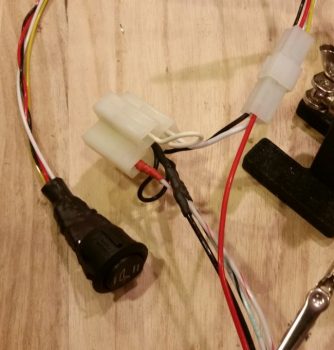
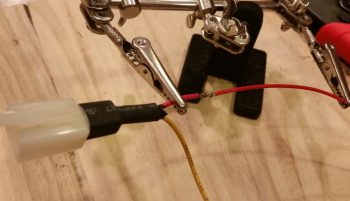
I then got to work on solder splicing a length of 20 AWG yellow wire to an existing yellow lead on the Electroair electronic ignition control head wiring harness (below).

This yellow lead is the one that attaches to the EI “mag” switch for ON/OFF control of the Electroair EI.

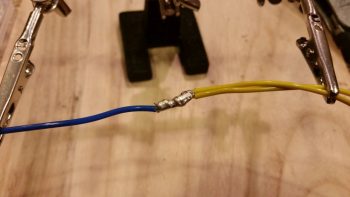
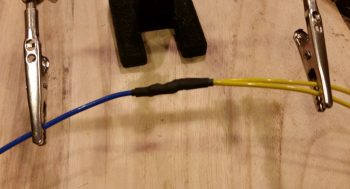
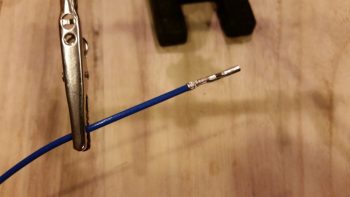
I spliced the wires together then soldered it up (I didn’t realize both pics I had of the next steps were blurry until I uploaded them).  I then labeled the wire, wound it back up and put the wiring harness away for later.

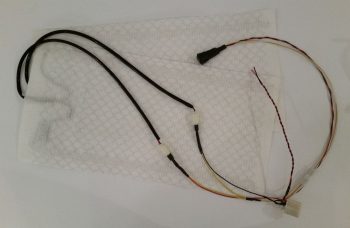
After a good hour of labeling and adding a couple of long wires to the oil heat PWM control and the heat seat relays, I then got to work on configuring the oil heat pump power leads.

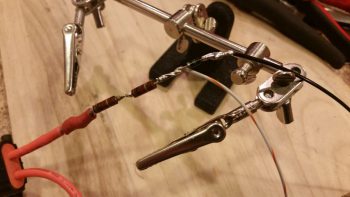
Since the wire on oil pump’s leads aren’t Tefzel, I trimmed them back fairly short and prepped them for getting solder spliced to longer 16 AWG Tefzel leads.

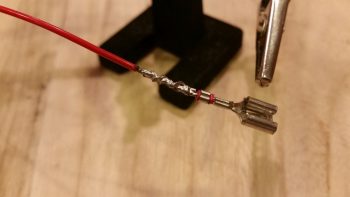
Below you can see the raw splices and the soldered splices for both of the oil heat pump’s power leads: the positive lead and ground.

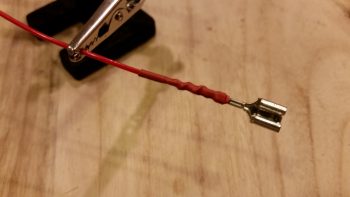
I then heat shrank the solder spliced oil heat pump power leads.

I then slightly twisted the oil heat leads together (as I did the leads coming from the PWM controller) and then labeled the leads.

I also terminated the ends of the oil heat pump power & ground leads with knife splice connectors, just as I did the oil heat pump power wires coming from the PWM controller.

Below you can see the knife splice connectors slightly set together for the aft side oil heat pump leads to the power wires coming from PWM controller.

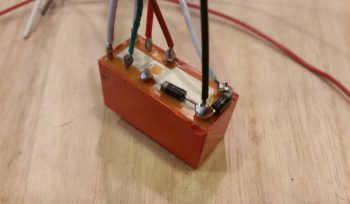
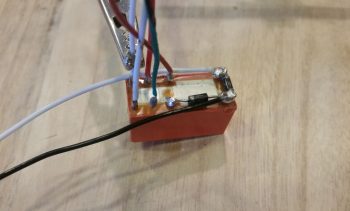
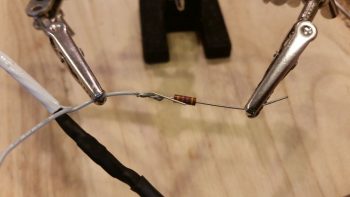
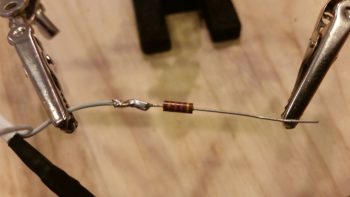
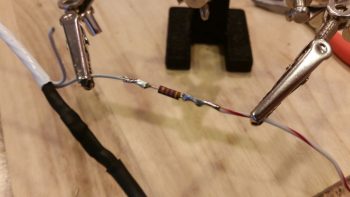
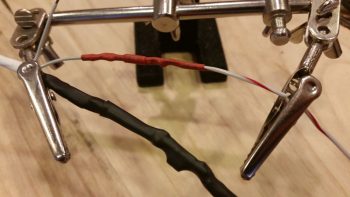
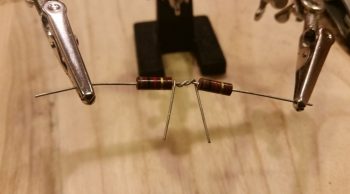
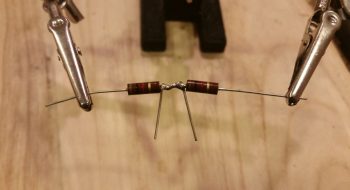
Although I had finalized a couple of the GNS480 annunciator light wires earlier, I decided to document the last one I did for the evening (I still have 2 left to do).  I’m adding in 300 Ohm resistors to help clean up the power signal and also take a slight edge off the brightness of these annunciator lights.  In addition, to ensure there is no negative power spikes to damage the LEDs, I’m installing a small diode in parallel on each annunciator light for just a bit of added protection . . . just in case.

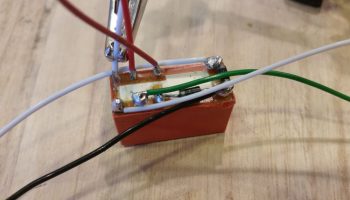
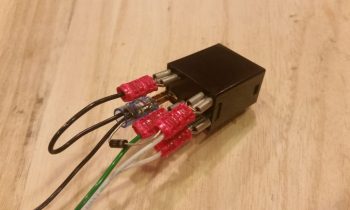
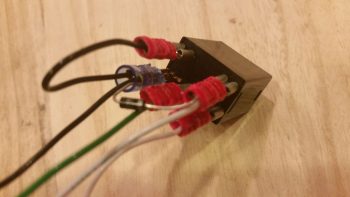
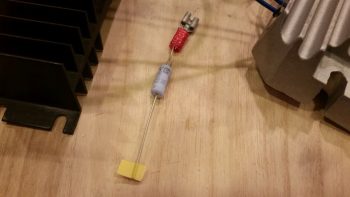
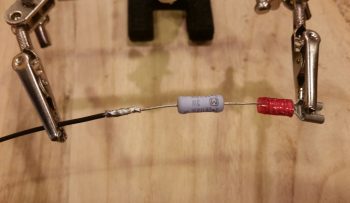
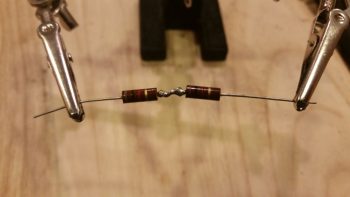
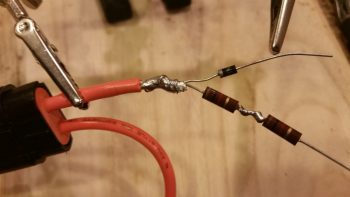
After soldering the 300 Ohm resistor in place (in a Z configuration for added strength), I then covered it with some heat shrink to secure it.  You can also see the diode lead sticking up, ready to be attached to the other GNS480 LED annunciator lead.  Since these protective diodes are truly optional, I didn’t waste any money on using fresh socket tabs on the end of each wire.  Instead, I just tacked the diodes in place with some solder at the base of each crimped on socket tab terminal.  I then added some shrink tubing for added strength to the diode lead.

Here’s the finished product for the new configuration on the GNS480 annunciator lights. This is the fourth one I’ve finished out of 6 total.  Tomorrow I plan on finishing the other 2 (….as well as use up a bunch more wire labels!)

Tomorrow will be a continuation of getting as many electrical tasks knocked out as I can during the cold season (at least for the next week).


Chapter 22 – More panel chicanery

I started out today with another round of in-depth studying on the GNS480 GPS unit.  I also tweaked some of the user’s manual as I did yesterday.  I also made up a decently long list of configuration changes that I needed to make to the GNS480 box.

Unlike yesterday, or the past week really, today I fired up the ‘ol soldering iron and got to work.  First off, I swapped out the MGL clock’s OAT probe with one of the ones I got in from GRT.  I had high hopes that a new probe would solve the issue of the MGL OAT consistently reading about 5° lower than the actual temperature, even though the MGL & GRT probes are within a couple of inches from each other (no joy, so back to MGL…).
The GRT HXr has 3 separate power inputs and it simply chooses the one it likes best power-wise and goes with it.  I thus have the HXr wired to the Main power bus, the E-Bus, and the TCW IBBS.  In the HXr install manual it states that when first powering on the HXr, to isolate each power connection to test out the power circuit.  I’ve been remiss in specifically doing this, so I took the opportunity to physically connect the HXr’s secondary power lead to the E-Bus and disconnect the HXr’s primary electrical input by removing the 3A fuse out of the Main bus.  Any power issues would then be noted upon power up [there were none].

I then pulled some LED Korry annunciator light boards out of some of the ON/OFF Indicator lights that run in the row above the main HXr EFIS.

After swapping out the LED light board for a 12V version, I then soldered a diode into the circuit on the GNS480 “GPS” annunciator light.  I did close to the same on the GNS480 “NAV” annunciator light, but also added a 300 ohm resistor in line.  Finally, for the “SUSP” annunciator light, I simply tested that with the 12V LED board sans the diode or resistor. While I had the connectors off, I took the time to label those wires that I hadn’t gotten to previously.

Since I already had my soldering “kit” out and ready for action, I went ahead and cut, labeled and then soldered the PTT leads coming out of the P5 connector to the pilot headset jacks, finishing off all the connections that need to be soldered to those headset jacks.

My final act on the panel was to move the HXr EFIS audio output feed from the designed (but not installed) proprietary Dynon EFIS input pins on the Dynon Intercom, and simply treat the EFIS audio out as any other audio feed as far as the intercom is concerned.  The big change was that I simply ran it into the intercom via the AMX-2A Audio Mixer.  I then cut and terminated a set of wires, labeled them and installed the twisted wire pair between the HXr EFIS (via the J4 connector) and the AMX-2A Audio Mixer.

Once my “chores” were out of the way, I fired up the instrument panel to check out all my updates and see how well they worked.  Plus –again– I had a number of configuration updates to input into the GNS480.

After I was done with all my checks and updates, I was going to take a few pics when I got a wild hair and decided to just film a video… so here it is:

Yes, it’s a bit lengthy (and bouncy) but hopefully it shows a glimpse of what I’ve been up to over the past week.  I have a few more minor electrical taskers to knock out tomorrow, but for the most part I won’t have a ton more of electrical stuff to do until much later.

I also updated a number of electrical diagrams as I was waiting for the video above to render.


Chapter 22 – A Black Hole . . .

Yes, over the past few days it seems as if I’ve been fighting the un-overcomeable gravitational pull of finalizing my EFIS-loaded checklists.  I’ve been wimping out a bit on getting into the cold shop, easily pulled away by the lure of cross-checking each respective piece of avionics, instruments, electronic ignitions, and components that are covered by the checklists.

A big focus of mine on the checklists was finally integrating & deconflicting the engine starting & run-up sequence between the SilverHawk fuel injection, P-MAG EI, and Electroair EI requirements as detailed in their respective manuals.  I think my “shakedown cruise” analogy regarding the checklists was correct in that it actually brought a number of issues to light that need(ed) to be worked through.

With Electroair specifically, I found that my fuses were more than adequate as stated by their tech gurus, but then got caught up into two separate discussions with Danny, then Mike, on engine starting methods, sequencing and EI ops in regards to their system’s integration with a P-MAG.  Apparently it’s much more common for them to see an Electroair system paired with a traditional mag then it is with a P-MAG.  Nonetheless, they were very helpful, I gained some more knowledge about my system, and I got my checklists nailed down for the engine starting & run-up areas.

In focusing on the GNS480 GPS and Trio autopilot part of the checklists, I realized I really needed to get it straight in my head how these two components work together with the GRT EFIS.  Besides a number of sideline conversations with Marco on both checklists and GRT EFIS functions, including instrument approaches, I took a few hours to go offline and submersed myself into learning a lot more of how my GRT EFISs really work.  This was also part of a specific effort to learn how the EFIS functions integrate with the GNS480 GPS and Trio autopilot.
And boy, did I ever learn a lot…. including that a number of my initial operational assumptions were off.   I was pleasantly surprised that these components integrate much better than I had imagined, decreasing a lot of the workload I assumed I would have with three separate systems.  Let’s just say that the ARINC 429 protocol is an amazing thing! Moreover, probably the biggest lesson this “young” (ha!) Jedi learned was that the Trio autopilot source selection [GPS or EFIS] default needs to be on “EFIS” so the autopilot is controlled by the EFIS, not the GNS480 GPS that I had mistakenly implemented.  This allows all ARINC 429 data to pass through the EFIS to the autopilot, but still allows on-screen control of the autopilot via the EFIS (not quite a Doh! moment, but close….).

Below is a shot of the GRT HXr EFIS with the “Before Taxi” checklist pulled up with checklist items checked off as complete.  The pic itself, as the one above and below, are screen snapshots, or “SNAP”s, that I took via the EFIS system with just one press of a button.  Pretty cool, eh?

Getting into these separate manuals also highlighted some not so great aspects of my current system as well . . . ahem, but let’s call these either areas of opportunity or areas for improvement, shall we?  One such area was the initial placement of the GNS480 GPS and Trio autopilot startup on the checklists.  Since I “wanted” them on the “Before Start” checklist then that’s where I put them.  But, after tweaking the lists and getting into the manuals, I was faced with “Doh!” moment 3,461 of this build…. um, can’t fire them up before engine start-up without a brown-out circuit!  Hmmm?

I’m not quite so concerned about the Trio autopilot since it has a fairly fast boot-up time, and my input to the unit is minimal.  However, loading a flight plan into the GNS480 while the engine is off is a big requirement of mine.  Burning up gas (and money) needlessly and getting the engine all hot & bothered while not moving, is not cool in my book.  So this led to a discussion with Bob Newman from TCW Technologies regarding his Intelligent Power Stabilizer and also some bubbas on Bob Nuckoll’s Aeroelectric Connection forum.  Love Bob Newman and his products, but aiming for cheap as possible here, and I think once again Eric on the AEC forum is going to bail me out of a sticky wicket with his brilliance… for way less cost!
Here’s another SNAP, this time off the Mini-X.  Yes, some blatant eye candy that I added just to spice this blog post up!

In addition to all my shenanigans above, I also got some great gouge & specs from Mike Beasley on the throttle and mixture cables install.  He gave me some awesome builder tips to assess that I’ll share as I move further along in sorting out the left armrest.

For all those of you who thought I had fallen off the grid, I haven’t.  Just took a very educational detour over the past few days.   I can assure you –maybe not in an actual physical build sense– that my time has been very productive over these past few days (IMO).


Chapter 22/24 – Bits ‘n pieces

I ran a bunch of errands today so didn’t get around to the plane build until early evening.

I started off by reviewing what I had done before I left for the Thanksgiving break.  I then trimmed the 0.040″ thick 2024 plate that makes up the 3-lever air/heater console that is positioned mid-point on the left armrest.  I used the Dremel tool to notch the inboard corners of the plate to allow clearance for the left armrest’s inside corner fillet.
After getting the inboard side of the plate trimmed up, I then notched the plate on the outboard side to clear the armrest’s sidewall mounting bracket.

I then took the plate upstairs, along with my 3-lever plate template to measure and assess the knobs that will cap off the top of each lever.  I bought the really cheap knobs below off of Ebay, but they’re a little long.  I think I’ve found a source for some automotive heating knobs that might better fit the bill.  I’ll assess those and possible get a few in to evaluate.

Tomorrow I plan on getting a significant amount of work done in the shop, but again, there’s only a few weeks before Christmas, so the holiday season will certainly take its toll on this build.