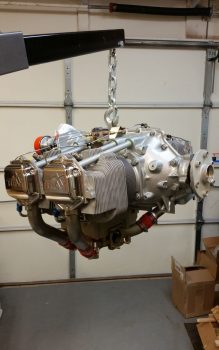
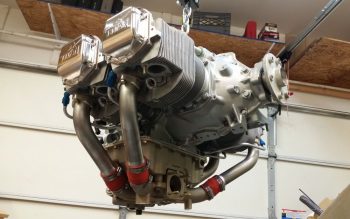
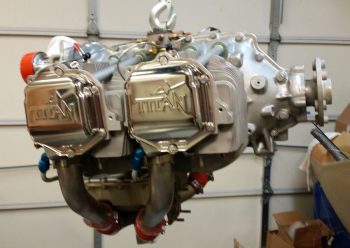
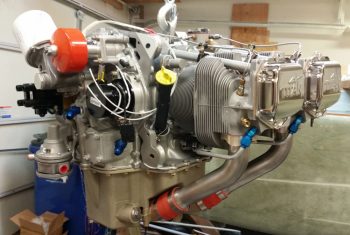
Chapter 22 – The electrons call…

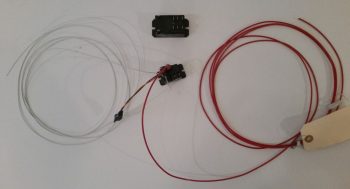
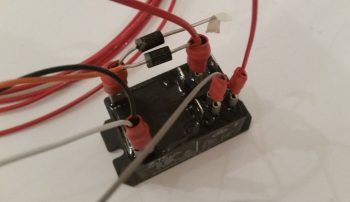
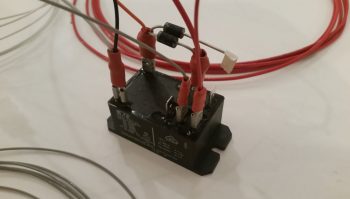
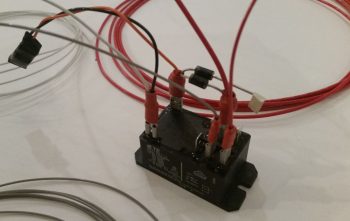
Today I started off by knocking out another long overdue electrical task, minor really as it is: adding heat shrink to relay #9, the relay that handles COM1-COM2 PTT flip-flopping.  The tricky part to this endeavor was finding a decent-priced source of supply for the 1-1/2″ diameter heat shrink to complete the job.  I looked on McMaster-Carr but they wanted to much for the amount I needed (their prices are usually reasonable, but the order quantity for stuff like heat shrink is often a bit much).  In the end I was able to find some on Ebay.

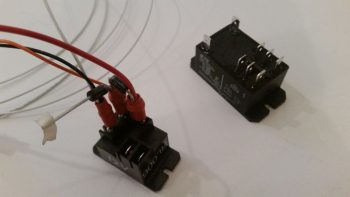
I’ve actually had this heat shrink since last week, but as you know, I’ve been a bit busy lately.  The heat shrink worked great and covered the relay nicely.

I then labeled the relay to ensure I can tell what’s what inside the avionics bay.  When I do my cable management efforts in the not-too-distant future, I’ll cinch up the bottom opening of the heat shrink with cable lace.

I then called GRT and got a lot of stuff resolved (actually 2 phone calls a couple hours apart).  First, I solved the case of the missing EGT & CHT probes and they are sending me the sets for my engine (an oversight on their part, but they are remedying it in an expeditious fashion).

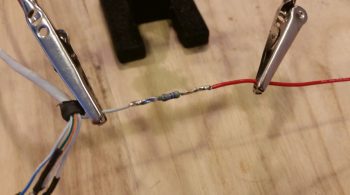
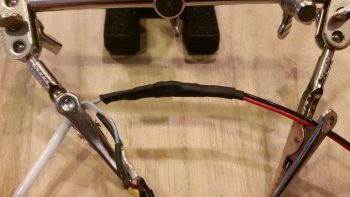
Moreover, one of their EIS techs, Eric, was great in providing me a tech sheet on just how to hook up my #3 GRT OAT probe to use as an air/heat temp sensor inside my air/heating ducts.  A couple key issues is that I needed to use a 4.8V excitation signal from a 5V source (luckily I now have that at the front side of the aircraft) and I needed to solder in a 10K Ohm resistor on a pigtail that went from the signal wire to ground.  Once I did that, Voila! … it was up and running.  With just one minor tweak of the Scale Factor setting and I was in business.

After I soldered in the 10K Ohm resistor on the ground pigtail, I then covered and secured it with heat shrink.

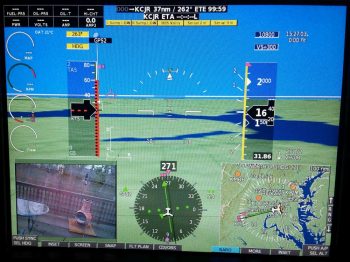
I then got to work on setting up my engine data display on the HXr EFIS.  I’d like to point out a few things in the pic below.  First, note column #3 “Airvent Tmp”  and column #5, “Spark Advnc” in the lower left inset.  Next, note the yellow “L Sump LOW” and “R Sump LOW” alarm states across the top, which not currently being hooked up to the low fuel sensors they alarm due to no signal…. I also got some more refined info on dialing in these Sump Low Fuel alarms from GRT as well.  Finally, note that in column #1 I have a low voltage alarm on EFIS Voltage 2, which is the E-Bus feed to the HXr.

Since not all data points are available to each display area.  For example, the vertical data columns in the inset don’t necessarily have the same data points to display as say the 4 black combo boxes stacked up in the upper right corner of the inset.  I played around with these a while until I finally got the data showing that I wanted.

I then went to the split screen engine data page.  Note that my #2 EFIS power input is still red in the pic below.  Also note the new red numbers in the EGT and CHT graphs at the bottom, which is showing up since I set the limits.

I finally took a moment to see why my EFIS Volts2 input source was alarming, and quickly discovered that I had no fuse in the E-Bus slot where the HXr connects to… so I popped a fuse in, and no more alarm.  However, I would like to point out even further the bus power source data below.  Column #2 in the inset is EFIS Volts3 power input which comes from the X-Bus, or IBBS.  Now –since the IBBS is not installed– it’s simply jumpered off the Main Buss, so those two busses read the same: 13.3V.  But the E-Bus voltage reads 13.0V.  Why? This is due to the Schottky diode that lies in the middle of the connection between Main Bus and E-Bus.  Schottky diodes extract a toll for their services, often up 0.7 of a volt just for being in the picture.

After setting all my engine data limits, inputs and parameters in the HXr, I then did the same in the Mini-X.  I made a few quick changes right off the bat like changing out the Carb temp reading in the upper LH corner to “MPG.”

I then did a bit of exploring and found a few cool things: such as the 6 different engine page display types on the Mini-X.

Here is DATA menu #2: EGT as shown above that I selected.  I also set some display parameters like dropping down the max RPM on the dial from 3000 to 2800 RPM.  Note that it will still display the actual numerical RPM if it goes above 2800 RPM (the dashed lines at about the 4-O’clock position of each dial), it just doesn’t show it on the dial.  The reason for narrowing the dial’s range is that it actually makes it more readable since it increases the granularity on those setting numbers displayed (i.e. makes the space bigger between the numbers) in the normal operating range.  If it goes above say, 2700-2750 RPMs, it will definitely let me know!

Here’s another page: STATS.

And lastly, a dials page that adds % power and fuel flow in dial format.

After spending a bit of time configuring all the EIS display settings and inputting all the limits and parameters, I then zeroed out all the limits on the actual EIS4000 box.  Thus, until I fire the engine up and taxi around, I’m pretty much done with programming engine data stuff on the EIS.  It will truly be just a matter of fine-tuning the numbers from here on out.

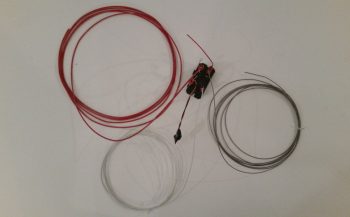
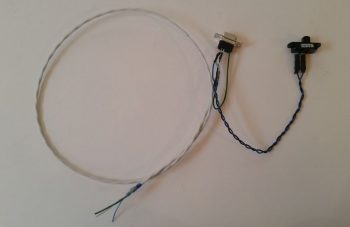
I then targeted one more electrical system task that has been on the list for quite some time to finally knock out: replacing the fuel vapor sensor wires that run from the actual fuel vapor sensor (located on the face of the GIB seat bulkhead under the right armrest) to the fuel vapor sensor control head (located on the nose wheel well [NB] cover).  I tried the lighter test on the gray 3-wire cable last year and it failed miserable, so out it goes and in with aircraft grade Tefzel wiring.  In addition, as you can see in the pic below, I wanted to get rid of that bulky connector about a foot away from the sensor unit.

The first order of business was to get rid of the offending connector and then leave only just enough of the original wire to be manageable.  I cut away a bunch of the gray outer insulator to expose the 3 wires.

I then rounded up a twisted 3-wire bundle that I bought from Stein to attach to the sensor.

I soldered the 3 sensor wires to the 3-wire bundle (all wires ~22AWG).

And then of course added protective heat shrink (pre-placed) over the solder splices.

With the result looking like this.  I had already chucked the other WWII-era looking gray wire bundle in the spare wire bin, and was too lazy to dig it out for a comparison photo…. so we’ll focus on the new & improved!

A closer view . . .

I then grabbed the connector for the other end of this wire bundle (I should have noted that I went down to the shop and got a measurement of the required length for a comfortable run: 9.5 ft) and solder spliced the wires onto the opposite end of the 3-wire twisted cable.

While I was at it, I cut the ground lead of the fuel vapor control unit to rid myself of as much non-aircraft wiring as possible, and added in a length of black 20 AWG wire for the ground.  I was thinking of removing the inline fuse, but for some reason didn’t.  However, after some further thinking I realized I want to repurpose that inline glass fuse holder. So I still have one small step to do in removing that inline fuse and (re)extending the red power wire with Tefzel wire.

I then spent about 45 min. updating all my electrical diagrams with what I had learned today.

Which reminds me, one of the diagrams I updated was on the SD-8 back-up alternator system.  My fellow local Canardian, Ron Springer, posted a question on the AeroElectric Connection forum regarding a 15A fuse shown on the B&C wiring diagram for the SD-8. On the diagram it shows this inline 15A fuse residing between the SD-8 Alternator and the voltage regulator.

In Bob Nuckolls’ AEC book, he adds a Bridge Rectifier to the SD-8 circuitry which provides a self-excitation feature, which makes it so the SD-8 doesn’t need to see power coming from the battery to “turn on.” However, in the various circuit diagrams Bob has, there is no mention or depiction of this 15A inline fuse.

So I jumped into the fray and asked Bob specifically about this fuse (there was some confusion as to exactly what fuse was being discussed, so I offered my “clarification” services . . . haha!).  Bob replied with:

 I'd forgotten about that fuse being 
 added some years ago. It's a good idea. One of 
 the failure modes for the rectifier/regulator 
 places a dead short on the SD-8 output. The fuse 
 keeps the dynamo from smoking. The RMS current 
 flowing out of the dynamo is about the same as 
 the DC output current from the rectifier/regulator.

Thus my reason for adding the 15A inline fuse back into the mix, and of course updating the Charging System electrical diagram to reflect this change.  Amazing that after all these years Ron sparked a discussion on that fuse just days prior of me needing to get a final answer on that specific fuse in order to proceed.

Tomorrow will be more smallish electrical taskers like the one I did today.  Again, I’m attempting to clear all these “lesser” important tasks that need to be done, but ones that I wouldn’t want to do during good glassing weather . . . which is still a bit away.    


Chapter 23 – Engine Build Phase I

Ok, let’s get started . . .

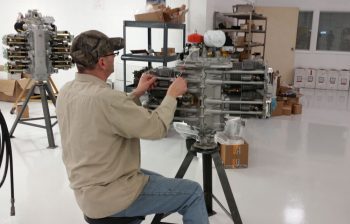
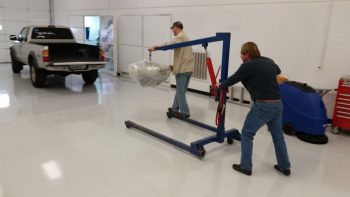
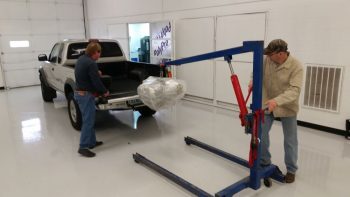
It was a dark & rainy morning (really) this morning when I loaded up the truck and I got on the road around 0630.  The rain made the typically slow DC-area drivers drive even more slowly, so I got to the main A.E.R.O Engines office at Winchester airport just a hair after 0800.  It didn’t matter though because the owner, Tom Schweitz was over at the engine assembly building across the airfield.  So I drove over and met Tom, who then introduced me to one of his master engine builders, Frank.

They showed me my engine with the crankshaft already mounted up in the crankcase on the build stand.  Since there was some confusion over whether I should have 1/2″ or 7/16″ prop flange bolts, they installed a brand new 340 strokered crankshaft with 1/2″ prop bolt flange into the Lycoming crankcase that I had bought from Tom back in July 2013 (right before I went to Qatar for a year). [NOTE: There was a bit of confusion on my side as well, so when I sent the prop extension back to Sam at Saber Manufacturing to have 3/8″ prop bolt mounting holes drilled for a Hertzler Silver Bullet prop, I also had Sam drill out 1/2″ prop flange mounting bolt holes in-between the 7/16″ holes.  In the end, it cost a bit more, but it all worked out and I can now use a lot of different props on a lot different engines with this prop extension]

And here’s the 4 brand new cylinders and pistons, that come as a matched set for flow and weight.  I had originally planned on going with tapered finned cylinders for weight reduction, but in the end decided against them since these below not only cool better (obviously more surface area) but if I ever have just one jug go bad on a trip, I can simply replace the offending cylinder with a common Lycoming/Superior/ECi vs having to track down a tapered fin cylinder (from Continental now since they bought out ECi).

The pistons are a standard low compression piston ~8.5:1 but when strokered the output is equal to 9.2:1 higher compression pistons.  This configuration alone will typically dyno out at 185 HP.   But add cold air injection and RAM air and it should result in numbers well over 190 HP, so I don’t need to thrash the cylinders with even higher compression pistons just to add a few more horses.

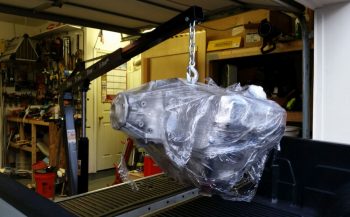
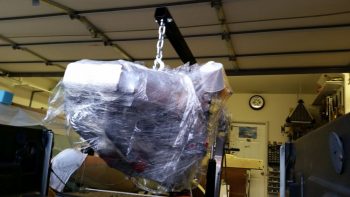
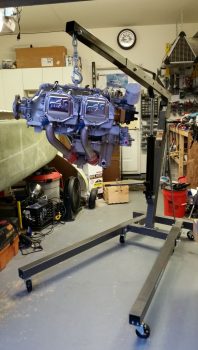
Luckily I grabbed a couple of quick pics of the crankshaft in the case and all 4 ECI cylinder/piston assemblies (above), because by the time I got out the door & back with a load of some of my engine goodies Frank already had one jug and piston mounted to the crankcase/shaft.

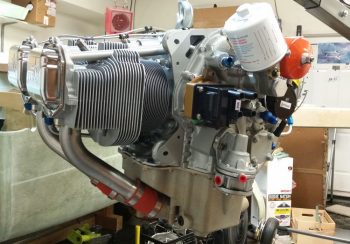
Here’s a look at the first jug in place on the crankcase.

And here’s another look at the cylinders with each respective piston inside its cylinder.  This setup makes it much easier and faster to build the engine since there’s no messing around with wrangling oil rings to get the pistons into the jugs.

Again, another load of my engine accoutrements and yet another jug in place!

Here is Frank on jug #3 (I’m not going by cylinder #s, just order mounted).

And cranking down the myriad of bolts that hold these beasts in place.  I have to tell you, the specialized tools this shop has made this job look REALLY easy!

Here’s a closer look at the top of the valve springs and cylinder heads.

About the time I finally got my engine gear situated, cylinder #4 was in place with the bolts getting torqued to final specs.  As bantering ensued, I was a bit relieved that the conversation turned to what color paint I wanted the engine, INCLUDING the cylinder barrels.  We had a good laugh when I conveyed that I had been having some initial concerns over the odd color combination.

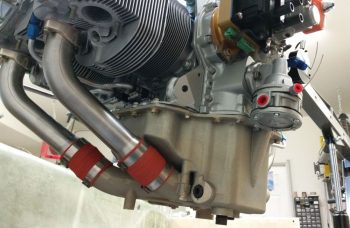
Here’s the bottom of the engine where the Superior cold air induction oil sump will get mounted.  Unfortunately, we discovered that the one I had ordered from Tom got scarfed up on some other build, so Tom had to order a new one that won’t arrive until next week.  Yes, for all you Air Force types: “Flexibility is the key to airpower!”

A longer shot of the completed cylinder mounting.

Frank then pulled out a somewhat raspy looking accessory case.   He explained that just like the engine core, a lot of larger components get reused during builds, and that the cleaning/degreasing process actually makes them look a little rough . . .  and thus part of the common practice of painting of the engine cases!

On the engine side, the two separate idler gear posts are placed on either side of the smaller oil pump gear.  The larger gear towards the bottom of the screen is the camshaft gear.

You can see on the idler gear posts the bend up tabs that are used quite often in lieu of safety wire.

Then the idler (“mag”) gears slip in over the idler gear posts and get marked and placed in relation to each other and TDC.

Frank then lubed up the internal oil pump gears and mounted the oil pump assembly into the accessory case.

Then applied some RTV-type sealant in a few spots around the crankcase & accessory case interface, threw a gasket on and proceeded to mount the accessory case in place.

A shot of the bottom bolt attach points for the Superior cold induction oil sump on the bottom of the accessory case.

And a shot of the gears inside the accessory case housing.

We then wrapped up the jugs and placed protective plates in place, including the large piece of cardboard on the engine bottom, to prep the engine for paint.  In the background in the pic below you can see a large 6-cylinder Continental motor being built.  I wasn’t overly thrilled with the blue/gray color (it wasn’t terrible, but I preferred a color that conveyed a bit more of “Formula 1 race car” and a bit less “tractor” to me), they didn’t have the high grade black engine paint on hand (they don’t buy it because Tom hates painting motors black!) . . . so, I went for that Continental silver in the background (anyone who knows me… and my truck, knows that I really like silver vehicles.  So it worked out great.)

Another shot of the engine prepped for paint.

We then picked up the whole engine, stand and all, and moved it down the long building to the paint booth.

Here’s the engine in the paint booth ready for a makeover.

And here it is sporting its new sexy silver color… love it!

Again, in different light.

We found a couple of small spots that Frank missed, so back to the paint booth for some touching up on the paint job.

Again, love this silver . . . very nice (IMO).

We then got to work on the accessory case by mounting the 90° oil filter adapter.

Here’s another shot of the oil filter adapter.  As a point of note, only the plate on the far right is real.  All the others are simply covers to keep the paint out of the holes.

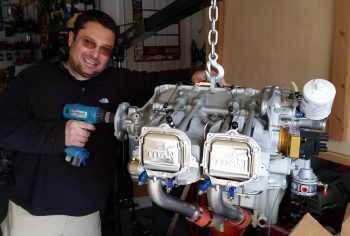
I took this shot just to show some of the concurrent engine builds they have going on… incredible.  If you’re not sure, my engine is the one on the right…. (big smile).

A close-up of my engine build in progress . . .

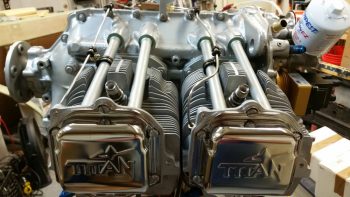
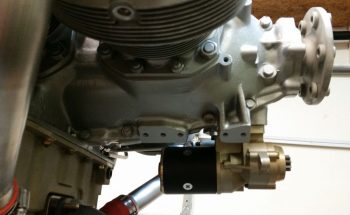
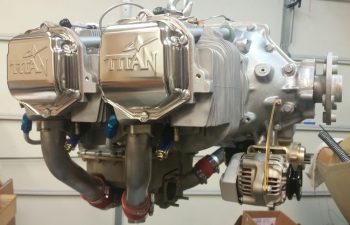
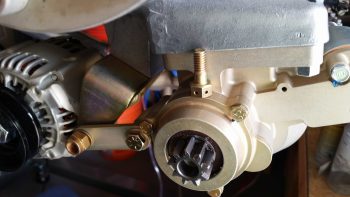
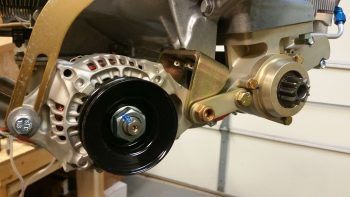
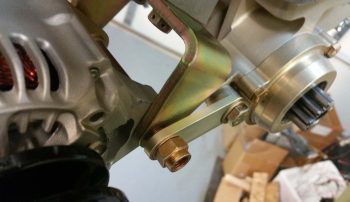
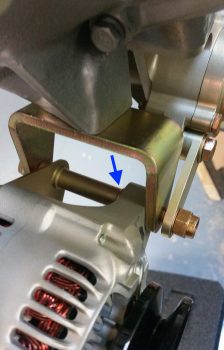
We then installed the SD-8 backup alternator on the vacuum pad.  This was done after Frank had installed all the valve lifters & tubes, valve rockers, and some outstanding Titan covers that Tom dug up (no painted “Lycoming” valve covers for me! <grin>)

Another shot of the engine build in progress.

I then dug out my brass fitting insert that has a very small outlet hole and serves as the transition from cylinder head to braided manifold pressure tubing.  Below the brass fitting insert you can see the hex plug that will get removed so the brass manifold fitting insert can be installed.

I then installed the brass manifold fitting insert.

Here’s a longer view of the brass manifold fitting insert and the mounted SD-8 backup alternator.

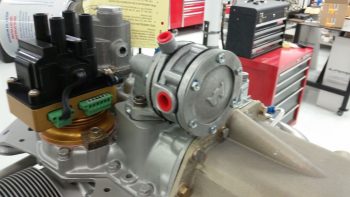
We then set our sites on the “mags.”  I have to say it was an interesting environment because, although it was very loose and fun with the guys, they don’t do or understand the experimental world.  The stuff I brought was all very new and a mystery for most of these engine builders (except for Tom…. thank goodness, since he often served as my “interpreter”).  Thus, I double-checked the manual on the Electrair electronic ignition Mag Time Housing installation . . .

to ensure we got installed correctly in relation to TDC.

Since we didn’t require a Mag impulse coupler on either side, both sets of long threaded studs had to be removed out of the accessory case and replaced with shorter ones.  In the pic below I’m holding one of the longer studs, with the shorter ones already installed.

We then installed the P-Mag.

We then installed the Andair mechanical tach port cover.

Another wider angle shot of the population-increasing accessory case.

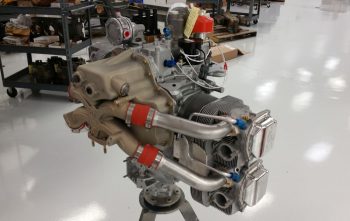
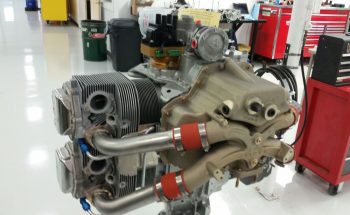
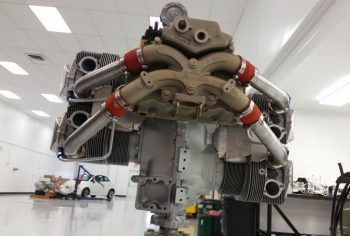
I took this pic below to show what it would like to view the engine from the side, as it sits in the aircraft.

Another view of the bottom side of the engine.

A side view . . .

A quarter view.

A slightly fuzzy shot of the increasingly populated accessory case, with the P-Mag, 90° oil filter adapter, SD-8 backup alternator and Electroair MTH all installed.

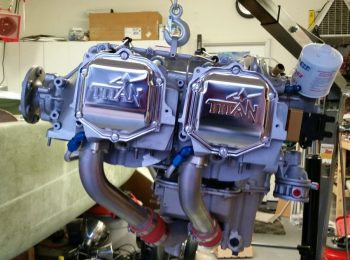
Here’s a closer shot of the shiny “Titan” valve covers indicative of the IOX-340S engines.  Again, stylistically I’m glad that they had these on hand (as a very busy build facility for certificated engines they just don’t keep a lot of experimental stuff around… for long at least).  I much prefer these than the dull painted ones with “Lycoming” stamped into them.

Here’s one more quarter view of the right side of the engine.

And one more quarter view of the left side of the engine.

The weather will remain somewhat cold for a bit, so tomorrow I’ll press forward with finalizing my EIS4000 and HXr engine parameter input swap and configuration, as well a few more minor electrical system tasks that I have.


Chapter 22 – SD-8 Alternator wiring

With my truck engine repairs complete, I’m continuing my quest with trying to knock out as much of the aircraft component wiring prep as possible to facilitate a much quicker and smoother install down the road.  However, with no wire labels on-hand I was once again limited in all that I could accomplish to finality.

My specific focus currently is on both the GIB headrest/D-Deck/TurtleDeck AND Hell Hole located components.  Since I have the EIS4000 and the Electroair EI control unit mostly configured and labeled (although I need a few more labels for the Elecroair wiring harness), today I set my sights on the B&C SD-8 backup alternator wiring.

The components for the SD-8 live in 4 distinct places within the aircraft.

  1. SD-8 alternator mounted on engine vacuum pad
  2. SD-8 Voltage Regulator, Bridge Rectifier and Capacitor in D-Deck/GIB headrest
  3. SD-8 power relay in the Hell Hole
  4. SD-8 main connection feed into aircraft electrical system at the battery contactor

I started by wiring up the dual leads that exit the robust blue capacitor (although not pictured until later below) and head to the SD-8’s PMR1C-14 Voltage Regulator and to ground and power relay, respectively.  I gathered up all my required components, including a 1K Ohm, 3 Watt resistor that gets placed across the terminals of the capacitor.

I then went down to the shop and got a good approximate length required for cutting the black & red 14 AWG leads.  Again, these will get terminated with the associated lead colors on the voltage regulator, and then the black will head off to the “forest of tabs” grounding block in the Hell Hole, while the red will head off to the SD-8 power relay, also located in the Hell Hole.

I then crimped the large yellow screw post PIDG connectors to the black & red leads, with the interconnecting 1K Ohm, 3 watt resistor.  Again, these leads will get attached to the quite hefty blue capacitor for the SD-8 backup alternator system. [I had to hold off on the blue Voltage Regulator leads since they get terminated with the big white 12 AWG SD-8 power leads that I soldered extensions to below]

I then went to the other end of this equation, literally, to attach the 14 AWG red power feed wire that runs from the SD-8 backup alternator to the battery side of the battery contactor in the nose, all via the inline 30 Amp ATC fuse.  I spliced the red SD-8 power feed wire to this inline 30 Amp fuse (IF000).

Then I finished the job with a couple of layers of red heat shrink over the solder splice.  Again, this 30A inline fuse (IF000) resides in the nose battery compartment, just below the battery contactor and nose tool box.

I then again headed down to the shop to get a very close approximation for the total length of wires I would need for the SD-8 alternator power leads.  These wires exit out of the SD-8 alternator unit and then get terminated onto the SD-8 bridge rectifier (along with the blue SD-8 voltage regulator leads) in the D-Deck/GIB headrest.  I cut the white 12 AWG wires and then did a rather intricate interweaving of the 2 sets of wires on each lead to add a lot of strength to the wires before I ever even hit the splices with solder.

I then soldered up these massive spliced joints.

And then covered each spliced joint with multiple layers of red protective heat shrink.

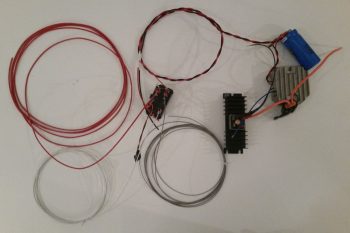
Here’s a shot of all my SD-8 related wiring effort today.  I also refined my drawing of the GIB headrest/D-Deck to nail down how the components will be mounted within it.  Note the SD-8 Voltage regulator leads are connected to the blue capacitor.  Also note the unmentioned SD-8 power relay leads’ terminated into the relay.  The small little black nodule hanging off the relay is the backup Alternator’s Over-Voltage protection module that prevents any major damage happening to the electrical system if the SD-8 enters an overvoltage state.

Finally, while not SD-8 related, since the Hobbs meter will reside in the GIB headrest as well, I went ahead and wired up the negative side lead that will traverse the firewall to connect to the backup oil pressure sensor.  I originally wasn’t going to have a Hobbs meter, but since I installed the backup oil pressure sensor I figured for 1 extra wire and about an ounce in weight I would have a good crosscheck for my engine/airframe time.

This marks the end of any aircraft tasks for a few days since tomorrow will be all about researching, studying, and load-out in prep for the engine build.


**My Truck Repair**

I’m posting my truck repair efforts since it somewhat relates to the build in that it accounts for time away from the build, it facilitates traveling to & from my Long-EZ engine build up in Winchester, VA, and it gets me in an engine/mechanical mindset for the quickly approaching engine build.

I offer this post as just an FYI of what I was doing over the past few days.  I’ve been so busy on my plane build, that –especially with this extremely cold weather we’ve been having– my truck engine needed some TLC.  My check engine light has been on for quite a while, but having the code checked I knew it wasn’t anything “serious” and was either a vacuum leak or dirty/bad sensors.

So, starting out I wanted to get the engine and engine compartment MUCH cleaner to have a better starting point.

The pics below are all labeled with the tasks I did, but here’s a comprehensive list of what I did over the last couple of days:

  • Cleaned the engine and engine compartment
  • Replaced passenger side headlight bulb
  • Cleaned the MAF (Mass Airflow Sensor)
  • Removed & cleaned the Throttle Body and gasket
  • Removed & cleaned the IAC (Idle Air Control Sensor), replaced gasket
  • Replaced the TPS (Throttle Position Sensor)
  • Removed & replaced 3 ignition coils
  • Removed & replaced 3 spark plug wires
  • Removed & replaced 6 spark plugs
  • Removed & replaced PCV valve and gasket
  • Removed & replaced PCV valve hose
  • Removed & cleaned upper intake plenum
  • Removed & replaced upper/lower intake plenum gasket
  • Removed & cleaned lower intake plenum
  • Removed & replaced lower intake plenum/intake manifold gasket
  • Removed & cleaned valve covers, prepped for new gaskets
  • Removed & replaced 3 spark plug tube seals on each valve cover
  • Removed, cleaned, re-RTV’d and reinstalled “Half-moon” plugs in engine heads
  • Removed & replaced Camshaft cover disks in engine heads
  • Reinstalled new valve cover gaskets and rubberized washers
  • Reassembled engine . . . and voila, runs like a champ!

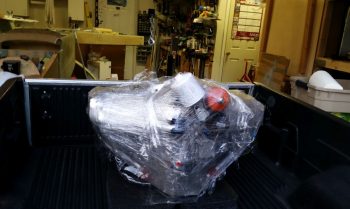
Below is the new and improved –and much cleaner– engine on my truck.  The check engine light was gone as soon as I restarted it, and it runs MUCH, MUCH better.  Dare I say it’s now ready to haul an IOX-340S aircraft engine! :)

I would be remiss if I didn’t give a huge shoutout to my next door neighbor Jerry who meandered over and spent countless hours over these past 2 days helping, and giving those extra pair of hands when I especially needed them.  Thanks Jerry!

Ok, let’s build an airplane!

Chapter 22 – More electrical tasks

Today I got all the wires labeled on the GRT EIS4000 Engine Info System wiring harness.  In addition, I was able to label the wires near the actual GRT Manifold Pressure sensor and the GRT Hall Effect sensor.  Since I ran out of wire labels —having burned through 2 cartridges in less than 3 days— the labels on the distant end of these wires (where they connect either to the EIS4000 or to ground) will come later.  Lastly, I was able to label 2 out of the 3 wires coming out of the left and right fuel tank level sensor control heads.

As you can see, I clearly made a sizable dent in the aft fuselage-located components’ wiring labels.

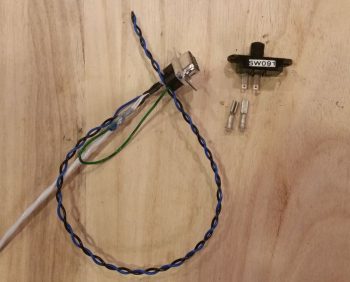
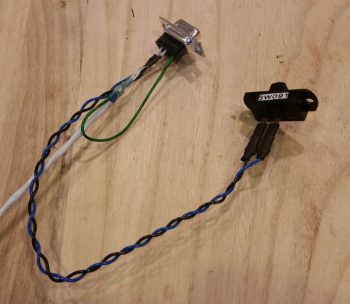
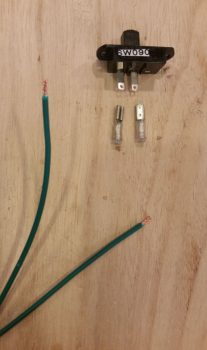
In my effort to lean as far forward as I can in getting the electrical components prepped as much as possible to facilitate as quick of an electrical system installation as I can eek out, I went ahead and soldered the 2 wire leads to the GIB PTT button.  These will get soldered onto the tabs of the GIB headset phone jacks when that gets installed.

Since I didn’t have standard sized solder tabs on the back side of this button to solder onto –remember, this came out of my F-15 throttle handle– I soldered the leads onto the legs of the existing capacitor that was mounted in place.  Nonetheless, when I toned it out with a continuity test all was good.

I then spent a couple of hours researching and doing some initial messing about with configuring my engine data info display on my HXr EFIS screen.  After seeing and assessing how I can go about configuring it, I got into the manual to find that I missed a HUGE piece of the installation puzzle . . . again, assumptions will bite you in the butt!

Since the EIS4000 is a standalone panel mounted instrument in its own right, but that can also be summarily hidden away so it’s sexier cousin (HXr) can get all the praise in presenting such wonderful data in bright shiny ways, all the parameters on the EIS4000 must be zeroed out with all the engine data max/min limits set in the EFIS.  Why?  Well, if an alarm rings off on the EIS4000 (remember, it’s a standalone instrument that shares its data with the HXr EFIS) with it tucked behind the GIB’s head, then there is no way to turn the alarm off!

Thus, by zeroing out the engine data parameters in the EIS4000, it then becomes an information collection point and conduit to further pass the data (and parameter limit control) to the HXr.  So along with deciding what exact info I want displayed, and how, a new task on my list is to now transfer all the engine data parameter limits from the EIS400 to the HXr (and Mini-X) and then zero out the engine data parameter limits on the EIS4000 box (except for the Aux functions… those are simply replicated between the two units).

Finally, my Winchester, Virginia-based engine builder, Tom Schweitz, called to ask me some configuration questions on the engine for the build next week.  To make absolutely sure I was answering his question on prop flange bolt size, I pulled the prop flange to confirm.  I figured since this a close-in objective, I would snap a pic of it so we can all get into an engine frame of mind….

Since my truck needs some TLC, especially before I make a couple of trips up to Winchester, VA and back…. the last trip most likely with engine in tow, I need to take a couple of days off my airplane building effort to focus on installing some new valve cover gaskets on the truck motor.  Thus, the next 3-4 days will be very light, if any, on the airplane build.


Chapter 22 – Check it: Done!

Yes, the cold wx spell persists (currently in the 20’s) so I’m reporting still even more news in the wonderful world of electrical system tasks completed! A lot of what I’m doing is cleanup or finalization from the original install of these components in my panel mockup. Since I’ve used this panel for months now, I am both happy with the design of it and comfortable with the flow.  Except for some 1/4″ shifts max –not that I have any planned except the center strut switches– everything is pretty much as it will be in the airplane.

My first order of business today was to solder in 2 lengths of 20 AWG wire (BLACK) for a new GNS480 ground wire(s) run.  First, as per my original plan my 2x 20 AWG power (RED) wires run forward from the aft plate of the GNS480 to the front lower LEFT corner of the panel (behind the panel), then from there traverse across the panel just above the leg holes to the 5A circuit breaker in the lower RIGHT corner of the panel.  Then one single 16 AWG wire exits the other side of the 5A CB, flows back to midpoint of the panel, then straight forward to the “Deslumpifier,” as depicted below.

After soldering the longer lengths of 20 AWG black ground wire into place, I then labeled the wire as a pair and then ran it from the GNS480 unit to the Deslumpifier, while twisting them with the power wires.  The GNS480 power wires are decent sized wires, so I should have thought of this initially when I installed the unit and took steps to mitigate any EMI/EMR noise then.  The main reason I soldered in lengths of wire vs just running brand new wires was the terminated ends that I didn’t want to waste, especially the right-angled PIDG FastONs that are a bit pricey.  In short, it was just easier and cheaper to solder in a couple of long new wires.

I then targeted the Trio autopilot wiring harness and finished labeling all the unlabeled wires in it.  The effort on the Trio autopilot also required me to add about a 6 ft extension of twisted pair of green and orange 22 AWG wires to the existing twisted pair exiting out the harness of the Trio autopilot for connection to the FT-60 Red Cube Fuel Flow transducer in the Hell Hole.  Once I cut and twisted (using a cordless drill) the new fuel flow extension wires together, I then soldered spliced them to the end of the fuel flow wires exiting out of the Trio autopilot.  I then added a few labels to the entire run of new twisted pair and called that task complete.

I added I would say at least another 30+ wire labels, both in minute recesses of the panel wiring that I had missed, or in the the new wiring schemas I was implementing today. I have to say that, except for a final, no-kidding check on the AG6 warning annunciators, CO meter, and TCW Start Smart module, with all those wires at least ~70% labeled currently, I could install the panel as-is today and be happy with the wire labeling and interconnectivity.  What I wouldn’t be happy is with the cable management, which is something I am going to undertake soon to start wrangling all those cables into a nice orderly fashion.

Another puzzle piece I had to figure out was all the OAT probes, specifically the ground points for them.  I have one OAT probe connected to the GRT HXr AHRS, one connected to the Mini-X (new design change from the EIS4000), one OAT probe that connects to the HXr but serves as an air/heat duct temperature gauge, and one OAT probe off the MGL clock.  I did some research and figured that with the signal voltage on these guys being so low (for example, the MGL uses 30 ga wiring) that I would simply tie all the OAT probe grounds in at one point on the G5 Avionics Ground Bus. I was actually shooting to tie all the OAT probe grounds into the lower, forward G4 Panel Ground Bus, but there’s a specific statement in the GRT manual to keep the OAT probe leads twisted as much as possible to optimize the signal from the sensor.  With the G5 bus being higher and farther aft on the Triparagon (i.e. closer to the positive signal wire ports of the respective OAT probes) I chose it as the best grounding point.

So that’s what I did.  Below you can see the 3 GRT OAT probes’ ground leads tied into one lead (lower right corner) ready to be connected to the G5 Avionics Ground Bus.  I labeled all the OAT probe wires and terminated the ends to match their respective tie in ports (all D-Sub: AHRS harness, J4A connector, and J3A connector).  Since my MGL Clock OAT probe is still on “probation” and subject to being swapped out if it’s numbers (temp accuracy) doesn’t improve, I simply left a pigtail hanging out of the ground harness below to tie in the MGL OAT probe.  Once that issue is resolved, I’ll solder in the MGL OAT probe ground wire and heat shrink the splice. [BTW, the GRT OAT probe leads do NOT come twisted… I had to do those by hand so as not to damage the sensors on the end of the leads].

My major push of the day was a 6-wire cable that I bought from Stein to manage and clean up a “myriad” of the single 22 AWG wires heading from in front of the panel to the D-Deck & Hell Hole areas in the back.  For a very minimal weight penalty, I now have six 22AWG wires bundled together for their journey aft (or forward…).  The 6 “chosen ones” for these wires are as follows:

  • Engine data from EIS4000 to HXr & Mini-X
  • Serial link from HXr to EIS4000 (for EIS software updates)
  • EIS alarm output to AG6 warning annunciator
  • Back-up Oil Pressure sensor power/alarm to AG6 warning annunciator
  • Hobbs meter power
  • “Starter On” alarm to AG6 warning annunciator

Today my focus would be on the forward (panel) end of this 6-wire consolidation cable. I started by stripping back the outer insulate that then allowed me to strip the ends of the wires for connection to their respective final end-point runs.

Before I connected the orange wire that provides engine information to the HXr and Mini-X, I soldered in a quick jumper wire that sends the signal from the EIS4000-to-HXr connection (J4 connector) simultaneously through the yellow jumper wire to the Mini-X (J3 connector).  Note that I created the 1/4″ bare-wire gap in the orange wire using my wire strippers, then trimmed the overhanging wire off the end when I terminated the wire with a D-Sub socket.

I then soldered the yellow jumper wire to the 1/4″ bare-wire section on the orange wire.

And covered the solder splice with some protective heat shrink.

With my initial jumper wire addition task out of the way, I then got busy soldering all the final extension wire runs into place onto the wire ends of the 6-wire cable.

And then covered all the solder splices with protective heat shrink.

I then finished up the extension wire run attachments with another couple pieces of larger red heat shrink.

After double-checking my wiring diagrams, I realized I needed another branch off the backup oil pressure sensor’s power lead to drive the AG6 warning annunciator (whenever the backup oil pressure sensor is in an alarm state).  However, as per the AG6 manual, this branch run to the AG6 requires an inline 2K Ohm resistor.  Ah, and for some reason (wink) I just happen to have some on hand!  So I bared yet another segment of wire on the backup oil pressure sensor’s red wire extension run and twisted a leg of the resistor into place.

I then soldered both the resistor connection to the backup oil pressure sensor’s red power wire extension run and white/brown lead to the actual AG6 annunciator.

I then covered all that up with some red protective heat shrink.

I spent another fair bit of time printing out wire labels and attaching them to the 6-wire consolidation cable front side wire extension runs.  I also terminated all the ends of these leads accept the ones headed to the AG6, since those simply get terminated into block terminals on the AG6.

Here’s the half finished 6-wire consolidation cable:

Of course figuring out the front side of the 6-wire consolidation cable meant determining the aft-side interfaces with the EIS4000.  During the process of building the cable above, I would fix other issues as I ran across them.  For example, now knowing that the panel On/Off LED indicator lights dim and push-to-test functions work, I cut, labeled and terminated the lead that goes from the PTT switch #4 to main bus power.

I also gleaned even more wires from the EIS4000 wiring harness, swapped some GRT wires for better quality Tefzel wires (I’m not a fan of the quality of wires that came on the EIS4000 <specifically> and swapped out 2 of the 3 wires that run into the engine compartment).  In addition, I swapped some colors out to better align with the components they were connecting to (say, yellow to yellow, etc.)  Finally, I labeled the majority of the wires in the EIS4000 wiring harness.  I’ll finish the labeling of a bunch of the EIS and D-Deck/Hell Hole area wires over the next few days.

The last big news of the day is that I spoke with my engine builder this afternoon and the engine build is a go, scheduled for next Tuesday and Wednesday.  So, as I mentioned before I will have to curtail my electrical system install shenanigans for a bit and focus on studying and prepping for my engine build.

With that, tomorrow will be another day finishing up a lot of the minutia to-do items on my electrical system tasks list.  But, besides the cable management portion, I really do see the panel wiring being pretty much a done deal by the end of the week, that includes design, configuration and labeling.  Clearly I’m moving way aft now into the D-Deck/Turtledeck components and am getting that stuff labeled as well as connectors crimped on and pigtails spliced into place, etc.  So on my engine info system and Electroair EIS, I’d say I’m near 100% on the design and will be around 75% complete on the actual installs on those two components, with actual cross-component wiring, trans-firewall feeds and mounting the only things left to do after I get the wiring harness leads labeled and terminated.

Movie’ Out!


Chapter 22 – The end is near!

At least the end of the wiring on the panel mockup area.

Today I got my wiring labels in fairly early and I immediately started knocking out my list of wire labels.  All told I attached well over 30 labels today.  I am close to running out of wires to actually label in & around the panel area . . . and that’s a good thing!

I was also able to finally finish wiring up the EFIS GPS to the Trio autopilot cross connect wire that I jury rigged about a month ago in finding the fix for the Trio AP not getting a GPS signal from the EFIS.  I never actually installed the circuit for final implementation, so I did today.

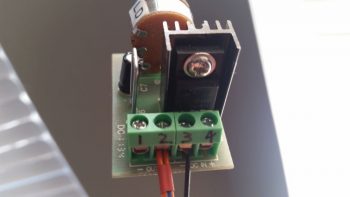
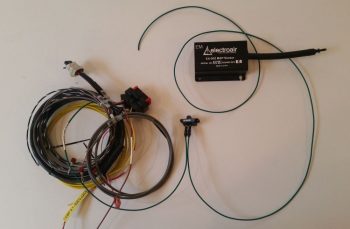
Another milestone I hit today was finally getting the Electrair Spark Advance AD626 Op Amp board wired to both the GRT EIS4000 and the Electroair control unit.  When I do the final install on the op amp board I’ll use a big piece of heat shrink to keep all the connectors in place.

Here’s a closer look at the Spark Advance AD626 Op Amp board with complete wire connections.

Again, while this cold spell lasts during January I’ll be knocking out as many small electrical tasks –like the ones above– until I get the list completed.


Chapter 22 – Inverting fuel gages

Last night at some point I was thinking about the actual physical wiring of the aft two cameras that each focus on a fuel site gage.  I knew that before I could finalize my decision that I would have to test and verify that 24 AWG wire would provide enough juice for the cameras to send a good video signal.

What was gnawing at me was an issue of consolidation, and one of cable management. Dealing with 3 separate 24 AWG wires isn’t an insurmountable task, but I thought there might be some efficiencies to be had.  I drifted to sleep with this on my mind.

Then there was the question I had this morning regarding those pesky LED lights on the fuel site gauges themselves. Hmmm, how will the wiring on these critters actually physically get run?

Then I had an idea.  An idea that has eluded me for almost 7 years, considering Vance Atkinson’s fuel site gages are the first components I purchased, IIRC, for my Long-EZ project: What if I inverted them and put the LED on top?  I pulled the installation instructions out to find, lo and behold, that the last line on the page –hand written– said that I could mount the LED on top OR bottom.  Cool!

With that info in hand, I then planned initially –to be verified with some camera tests– to use a 5x24AWG conductor wire to handle both my aft camera and fuel site gage wire runs. Each aft camera would use 3 of these wires while each fuel site gage would use the remaining 2 wires…. again, all 24 AWG wires packaged nicely in one cable.

Since I don’t have any wire label stock on hand (they should arrive tomorrow) the first thing I did today was something else I haven’t done in almost 7 years, I tested the “red” LEDs (as listed on the included specs & install sheet) on the fuel site gages to find out that they A) worked, and B) are in fact actually white LEDs, not red.

I then took about 45 minutes to get some low hanging and long overdue bits ordered.  I finally found and ordered a couple of pieces of 1.5″ diameter heat shrink off of Ebay (I checked McMaster-Carr, WAY too expensive) primarily to encase/protect my relay that controls COM1-COM2 radio flip from the control stick.  I also ordered a length of a rubber automotive seal that I’ll use for mounting the GNS480 GPS antenna puck cover atop the pilot headrest (after 20 min the ONLY source of supply for what I wanted was again off of Ebay, and straight from China no less).

I then got to work on my wiring diagrams to upend the Atkinson fuel site gages and depict their new orientation correctly.  I also better depicted their actual physical wire runs and added in the visible segment of the 5x24AWG conductor wire.  I have two diagrams, fuel system and cockpit lighting, that contain the fuel site gages so I tweaked one of them to the new “final” configuration and then merely copied over the entire new depiction to the other diagram.

I then spent a few hours doing something I haven’t done in a fair while: I created a new wiring diagram for the Video Camera Network.  Here is a saved JPG version of that diagram.  I was putting the cart before the horse slightly in that I hadn’t tested out the 24AWG wires –at least the non-shielded wire version– for the video cameras, but I was quite confident that it would work.

After compiling all the data I needed to represent the Video Camera Network wiring on a system diagram, I then set about testing my 24 AWG hypothesis.  Fortunately, I found about a 7 foot length of the exact 5-conductor wire I want to use for the aft cameras, so this would be a great representation to check the video display quality using near the same length of wire.

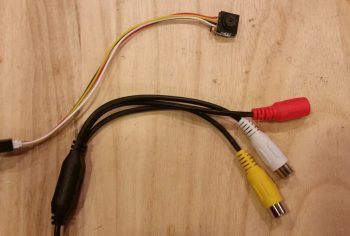
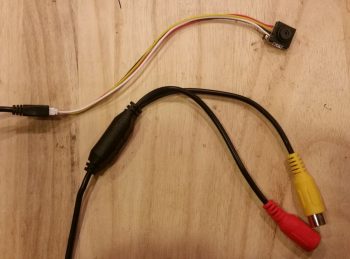
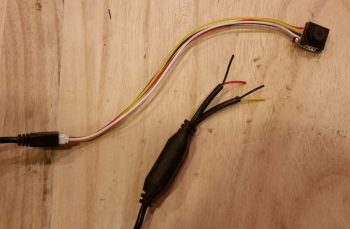
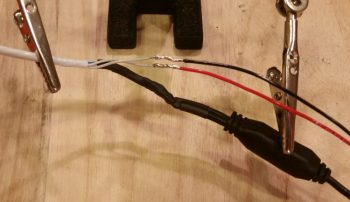
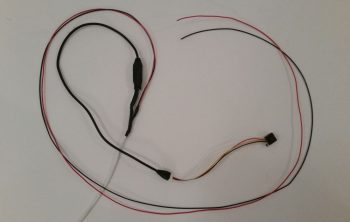
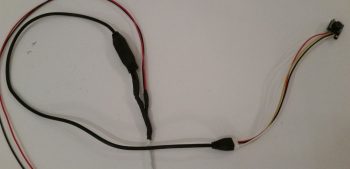
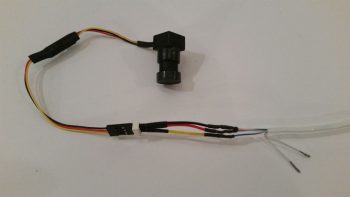
I then stripped off the first couple inches of the outer insulator and grabbed 3 of the wires to hook up to micro-video camera #1 for testing.  I soldered the wires to the camera leads off the tiny PCB board that the camera uses for 12V-to-5V conversion, and then hooked up the camera at the EFIS side.  I fired up the EFIS and as you can see in the lower left inset, I got a very readable video display from the camera.

Since this camera is going to be used to view the fuel quantity in a fuel site gage, I amused myself (yes folks, constant electronics will drive you stir crazy!) by placing the still-wrapped site gages in the video camera’s view to snap the pic below.

I then spent a good 20 minutes desoldering a connector off a PCB board (I stole it off the defunct 5v GNS480 indicator light that burnt up) and then soldering three 22 AWG wire leads to it.  I then connected my 5V “wide angle” video camera #3 up to the EFIS and 12v-to-5v converter to test it out.  As you can see below, although not nearly as “wide angle” as I was expecting, the video display quality is fine.
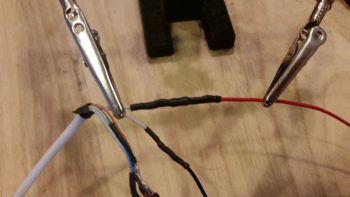
Now, I noted that a few of my 5V components go from 5V+ power on the positive lead then simply hook up to standard 12V ground on the negative lead.  Since these cameras depict and physically have a both a positive and negative side for the video signal (via the yellow RCA jack) and on the camera power input (via the red RCA-type jack) I figured each component needed a direct connection to ground.  I noted this concept was supported in Eric and Alec’s design of my 4-into-1 video signal sequencer, since on the unit’s D-Sub connector they placed a signal ground pin right next to and for each video signal input pin. Moreover, also on the unit’s D-Sub connector they had a pin for camera power and another for camera ground.  Ok, so that’s how it needed to be wired (allegedly).

But back to my 5V ground vs 12V ground, as I was testing the grounds on camera #3, I pulled the ground off the outer ring of the video signal RCA jack which resulted in ZERO impact to the video signal.  It was still right there on the screen.  In fact, I moved the camera just to ensure no weird screen capture event had occurred.

Hmmm, interesting.

Ok, so then I disconnected the ground path to the 12v-to-5v converter.  The EFIS video inset screen went blank.  I then tried re-hooking up the ground to the outer ring of the video signal RCA jack…. still no video signal.  Reconnecting camera ground brought the video back live again.

So the 2-ground requirement I had noted in the camera install manual does not seem to apply, at least for seeing the video signal.  I’ll have to double check in the manual to see if it keeps the unit from errant electrons or something.  Moreover, I tested this on camera #1 by hooking it back up and found the exact same results: no ground lead required on the video signal RCA jack.  Not a huge find in how it impacts the amount of wiring effort, since it merely eliminates 3 small ground lead pigtails… but it is nice to know.

I depicted this on my new Video Camera Network electrical diagram and with confirmation that the 5x24AWG conductor wire will work I then labeled all the wires with the appropriate wire colors.

Again, tomorrow I should be getting my wire label stock delivered so I can get back to finishing up some tasks that require wires to be labeled before next steps can be completed.


Chapter 22 – EIS Harness galor . . .

I started out today gathering up my GRT EIS4000 wiring harness, a 300 Ohm 1/4w resistor, and my D-Sub socket removal tool.  My task here was to add a cross connect wire from the EIS4000’s blue 4.8V excitation wire to the engines oil pressure sensor’s EIS signal input lead.  This is required to ensure the ~5V signal strength is maintained at the oil pressure’s input port on the EIS unit.  Physically, it is simply a cross-connect wire from the blue to the orange/black wire in the EIS4000’s wiring harness.
I started off by removing the blue wire from the D-Sub connector, then trimmed about a 1/4″ of the insulation off of it a few inches from the D-Sub socket and then wrapped one of the resistor legs around the exposed wire segment.
I then soldered the resistor to the exposed wire segment on the blue 4.8V wire.  Next, I soldered a short length of 22 AWG orange/black cross-connect wire to the other leg of the resistor.
I then trimmed up any protruding sharp edges and enshrined my work in red heat shrink.

On the EIS4000 oil pressure sensor port’s orange/black lead I then exposed about a 1/4″ of bare wire just as I had done on the blue wire above, only this time it was 4-5″ downstream of where I had tapped into the blue wire.  I then wrapped the stripped end of the cross-connect wire around the bare part of the oil pressure sensor wire….

and soldered the cross-connect wire to the oil pressure sensor wire.

I finished off my task with another round of red heat shrink over the cross-connect/oil pressure sensor wire solder-spliced junction.

In other news… I finally received my Bob Nuckolls recommended and Eric Page built AD626 Op Amp board (for displaying Electroair Spark Advance on the EFIS via the EIS). Once again Eric did a phenomenal job constructing this board. I really like his concept of using PIDG FastON tabs for connecting wires to the board…. nice & EZ!  Moreover, I’m extremely thankful that we homebuilders have a corroborative means such as the AEC forum to figure this stuff out.  Such an excellent resource.

Although I won’t have any wire labels until Monday, thus keeping me from completely wiring up the AD626 Op Amp Board, I did start prepping the EIS wiring harness with connective wires to connect to this rather diminutive component.  As an aside, the FT-60 fuel flow connects to a 12V+ port on the EIS4000. In addition, the manual specifically states to use this 12V+ port to connect the Fuel Pressure sensor.  Thus, since I have 12V power at the ready (the AD626 Op Amp board uses very little power), I am merely going to tap into the EIS4000’s 12V+ port to drive the AD626 Op Amp as well.

Pictured below are 2 wires connected to the bared 1/4″ section (just like above) of the EIS4000’s 12V+ out power port, making 3 out leads from this one port.  The longer original Red/Blue lead is for the FT-60 Red Cube Fuel Flow Transducer.  The next longer Red/White lead is for the AD626 Op Amp board, while the shortest red lead is for the Fuel Pressure sensor lead.

I then soldered the 2 added power wires to the EIS4000’s 12V+ out lead.

And then added some heat shrink to the solder joint.

I pretty much did the same thing as above for the ground side of the circuit by tying into the EIS4000’s ground wire.

Besides my usual antics of updating associated wiring diagrams, and sending out some email inquires with a little bit of research sprinkled in, I was also able to finish editing a video that I recorded for my buddy Dave Berenholtz.  The video discusses some topics on aircraft electrical wiring.

Again, with cold weather at hand I’ll continue in my electrical-centric mode until it starts getting a bit warmer.


Chapter 18/22 – Panel Indicator Lights

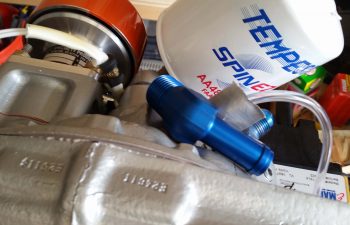
I started off today discussing a variety of issues via email with my buddy Dave Berenholtz, one of which was parts availability for the canopy latch system.  I took the pic below of my Wilhelmson RL-1 rotary canopy latch components to add some clarity to my email and thought I’d include it here.

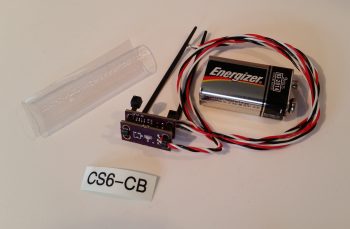
I also thought this string of 1N4007G Diodes that I just got in from Mouser would also make a cool pic and show you guys what they look like in “raw” form.

Here’s one of those diodes in action on one of the pigtails I added to 5 of the 9 panel On/Off indicator lights that allows me to tie into switch #4, the Push-to-Test button’s wiring harness.  As I mention in the video (below) that I made to highlight the Push-to-Test button (and freshly wired dimmer) for these lights, I can only hook up 5 of the 9 lights to switch #4 for testing because the other 4 On/Off indicator lights contain closed systems…. where the configuration of the components that those lights report on do not support connecting them to the Push-to-Test circuitry.

The added wire –in the form of a pigtail at first– to each light is nothing more than an alternate power source that provides 12V+ input to each indicator light connected to the Push-to-Test (PTT) circuit.  The power provided by depressing the PTT button (switch #4) then flows to ground out of the other terminal of the light’s connector (via the dimmer switch).

Thus, I’m utilizing the diodes in the PTT circuitry (pigtails) on these lights as a one-way valve, preventing power being inadvertently applied to the other lights when only one has a real valid condition to cause the light to illuminate.  For example, due to the way I’ve constructed the switch #4 wiring harness, if I didn’t employ diodes on each line then when I pulled the parking brake handle, which closes a switch allowing 12V+ power to run to the indicator light, the power would then back-channel through the pigtail (switch #4 wiring harness) and power up the other connected indicator lights.  Obviously that would not be good, and as you can see these diodes prevent that scenario from happening.

Here is the same pigtail as above only covered with red (for indicator 12V+ power) heat shrink.  One thing I should point out is that the connection to these panel On/Off indicator lights for the Push-to-Test circuits utilize D-Sub pins and sockets that themselves will be secured with heat shrink.  I used D-Sub pins and sockets due to the fact over a myriad of configuration changes on the wiring system, I have spare wires terminated with these pins and sockets.  In addition, I have a good number of spare terminated 22 AWG wires of different colors (shown on the switch #4 side of the equation in its mini wiring harness) from included GRT and TCW wiring harnesses.

Just as I did on the panel On/Off indicator lights dimmer switch, I then determined the required wire lengths to the 5 lights that will be connected to switch #4 for the Push-to-Test circuit.  I stripped the ends of these 5 wires of varying lengths and then soldered them all to the lead hanging off one side of switch #4 (the Push-to-Test button).  The lead on the other side of switch #4 goes to 12V+ main bus power and since I didn’t know exactly how long this wire needs to be, I just terminated it with a cheap automotive connector for now. I then labeled the 5 terminated leads (4 pins/1socket) on this harness (I labeled the switch pigtail lead before soldering the harness together).

With my Push-to-Test switch & wiring harness complete, I hooked it up and tested it out.  I was quite pleased at how both the dimmer and the Push-to-Test functions were working.  So pleased in fact, that I decided to make a video, especially since it’s difficult to describe light dimming action, so I figured a video would help show it much better.  I also briefly touch upon the new Engine function display page on the Mini-X that I just recently loaded.

As I keep saying, with the weather as cold as it is, which prevents composite work in the shop, I am focusing on getting a bunch of these small electrical taskers –mainly panel related– knocked out.