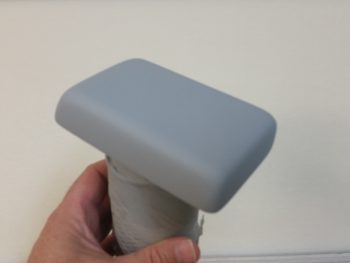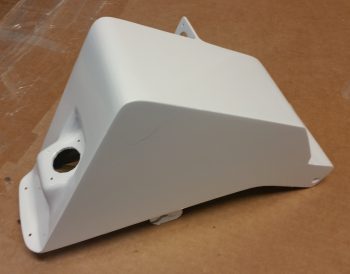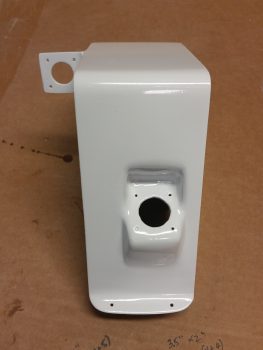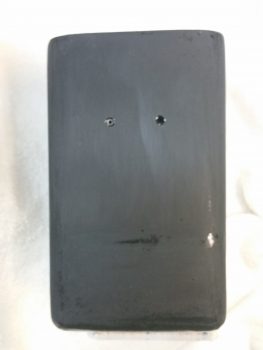
Chapter 13/25 – NG30 cover cleanup

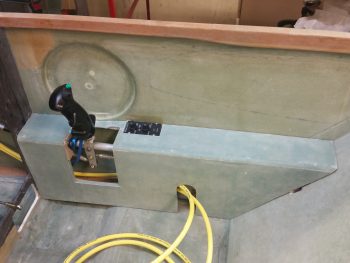
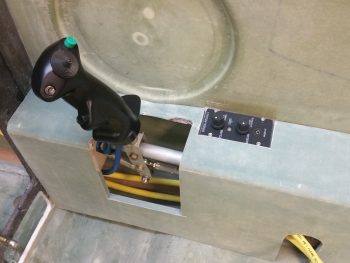
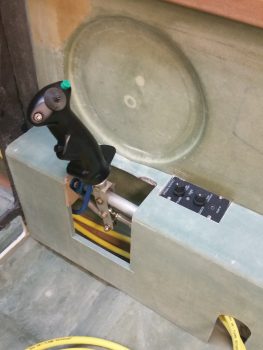
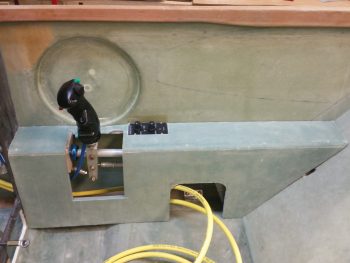
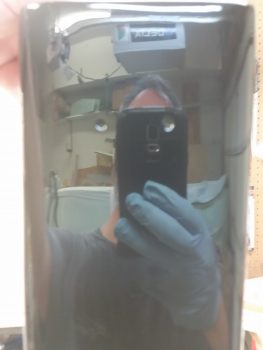
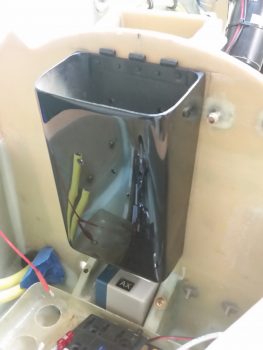
Today I cracked the case open on the NG30 channel, something that I haven’t done since I mounted the NG30 cover well over a year ago.  I unscrewed the 6 screws on the NG30 cover and worked it a bit back and forth before it came right off.

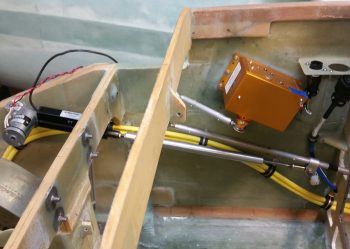
I spent a good 15 minutes getting down into the bowels of the NG30 channel to clean it out.  Many additions and a couple pieces of hardware after a couple of years definitely called for a good cleaning.  To vacuum out the aft parts of the NG30 channel I used a 3/8″ 4130 steel tube as an impromptu shop vac extension to get access.

A long overdue task regarding the NG30 that I needed to complete was the filling in of the slight gap between the bottom edge of the NG30 cover sides and the actual top edge of the NG30s.  The gap on the left side was slightly more pronounced than the right, but I wanted to get ALL the gaps filled in.

I placed clear packing tape on the top edge of each NG30 side that mated to the bottom edge of the NG30 cover in prep for micro to fill in the gap.

I then whipped up some micro –using West Epoxy– and put a thick bead of it all around the bottom side edges of the NG30 cover . . . technically the aft NG30 cover since there are 2 NG30 covers: aft and forward.

As the micro “greened” and got rubbery, I cut the majority of the packing tape away with a razor knife and cleaned up the sides a bit.

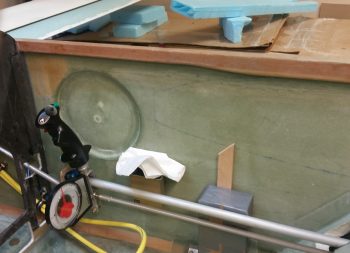
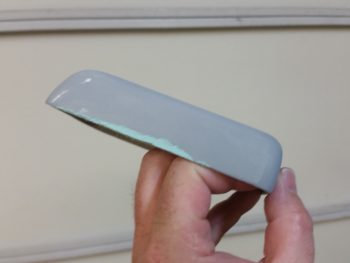
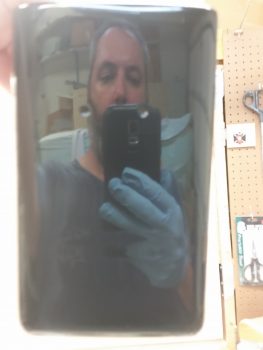
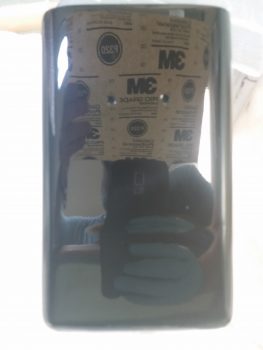
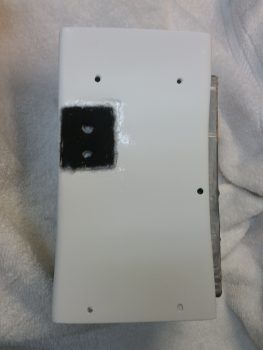
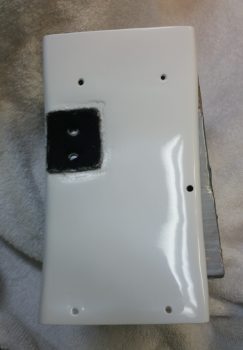
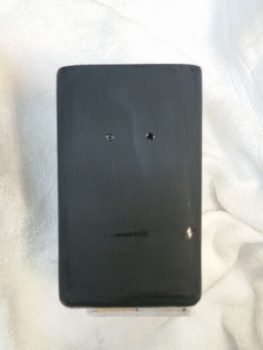
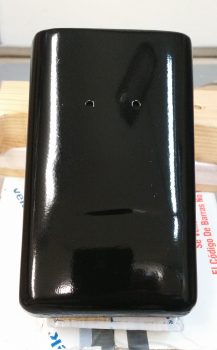
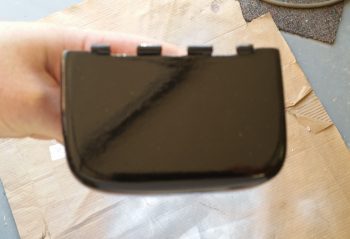
After a number of hours, after the micro was about 90% cured, I pulled off the aft NG30 cover.  You can see the pic to the left below the way it looked immediately after I removed it.  I then spent about 10 minutes trimming away the excess micro.  I got the micro at a really good point since it was cured, but still just a bit flexible enough that it cut fairly easily with a razor knife.

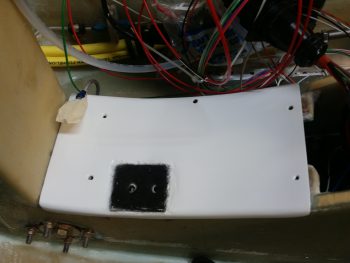
After cleaning up the micro edges on the aft NG30 cover, I put the cover back in place to check the interface between the cover and the NG30 sides.  I’m very pleased with how it turned out.  Now with the gaps filled, I can give the NG30 cover a quick sanding and finish it to paint.

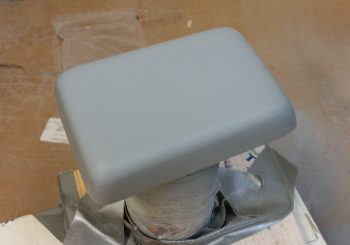
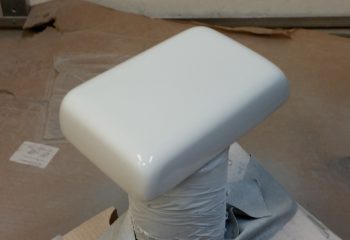
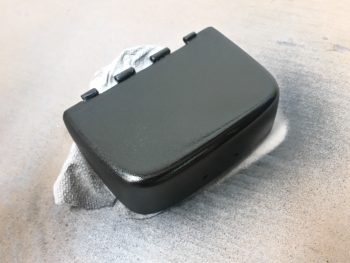
The remaining micro that I didn’t use for filling the gaps on the aft NG30 cover, I used to cover the forward NG30 cover for finishing.  I taped up the felt mounting pad for the Matco parking brake, then slathered on the micro.

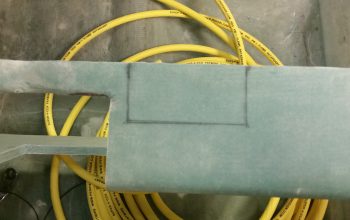
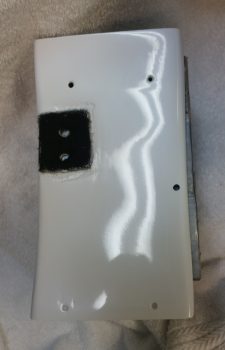
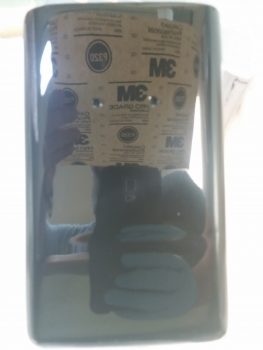
Quite a number of hours later I spent a good 20 minutes sanding down the micro on the forward NG30 cover.  The micro was still in its sweet spot “green” stage allowing me to cheese grate it, meaning it sanded way easier than if fully cured and comes off in clumps versus micro dust.

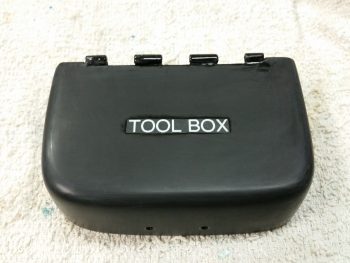
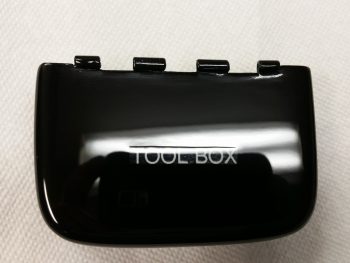
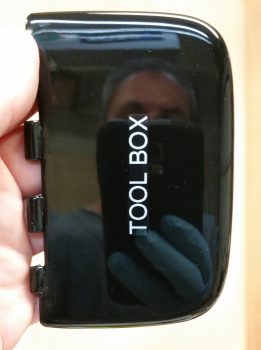
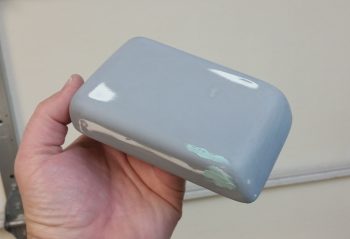
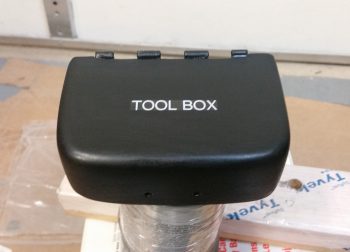
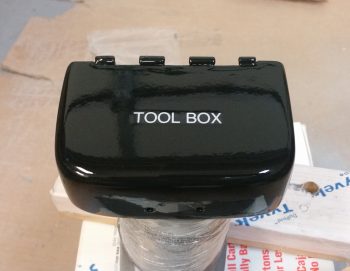
Also, here’s a shot of the tool box lid that I micro’d up with some leftover MGS epoxy that I had earlier in the day.  I also cheese grated the lid as well, although I didn’t get an after shot of it . . . yet.

I’ll continue to work instrument panel forward electrical, mechanical and fiberglass component installations until I’m ready to start a concurrent build on both the wheel pants and the top nose construction.


Chapter 13 & 22 – Taking the plunge!

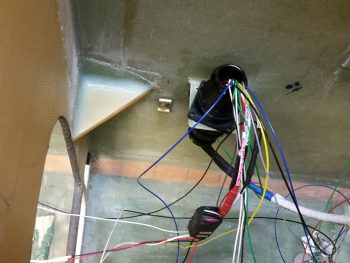
You’ll see at the end of this post that I decided to pull all the existing nose gear wiring out of the nose to allow me to reconfigure the P1 and P2 connectors with the new Marc Zeitlin designed (along with my re-added backup battery) nose gear wiring scheme.

But first . . .

Today I drilled the last hole in the sidewall for what I’m calling “Phase I” of routing the big battery cables from the nose battery compartment to the instrument panel.  Again, I’m working everything furiously from the instrument panel forward to get everything I can position, mounted & worked for the upcoming closing up & glassing of the nose.  Later I’ll continue to route these big battery cables along the right fuselage sidewall to the firewall.

I placed this new big battery cable Adel clamp sidewall hardpoint about equidistant from the existing Adel clamp hardpoint I mounted in the bottom right access hole on the panel for the control stick cable (lower right of the pic below) and the new Adel clamp I just mounted a little aft of F22.

For this Adel clamp hardpoint I chose a RivNut threaded insert and prepped it.

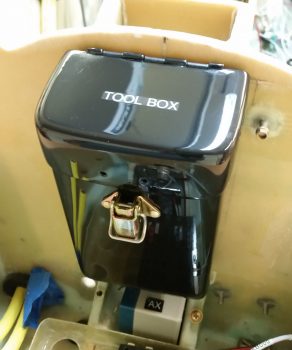
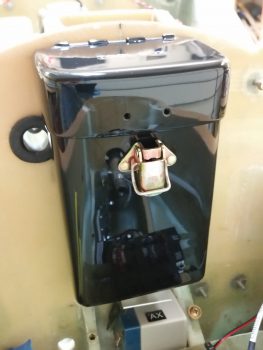
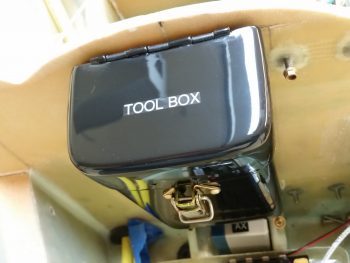
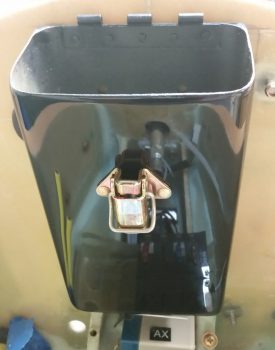
Since I like to consolidate my epoxy & glassing endeavors, I figured I would layup some reinforcement plies of glass on the nose-mounted tool box to allow me to mount a latch on the lid and body of the tool box.  I have a couple of styles of Dzus cowling latches, and decided on the most diminutive style of the ones I have on hand to allow better clearance of opening the tool box with the least chance of scraping knuckles on the main battery, which resides immediately forward of the tool box.

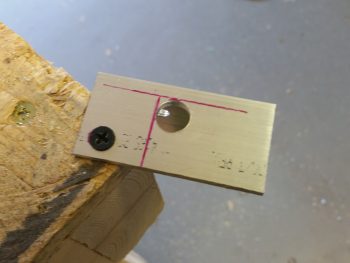
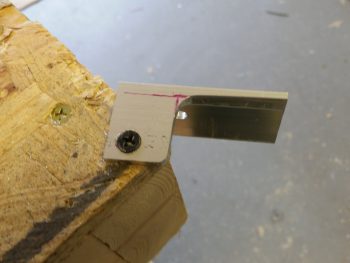
After figuring out my tool box latch, I decided to use 2 plies of BID for reinforcement on the tool box.  For a bit more oomph, in addition to the 2 plies of BID, I cut some latch reinforcement plates out some of 0.5mm aluminum that I still have left over from Germany. Once I cut the reinforcement plates (shown below) I could then determine the size of my BID plies.  I cut the BID plies, and per my norm I put them in plastic to prepreg them.  I then whipped some epoxy and wetted out the 2 sets of 2-ply BID in the prepreg setups.

Here’s a shot of the 2 sets of 2-ply pre-pregged BID and the RivNut Adel clamp threaded insert hardpoint that will get floxed into the sidewall.

I went ahead ahead and floxed the RivNut into the hole and clamped a 1×2 in place to keep it firmly pressed against the sidewall.

Then, using the flox I had just mixed for the Adel clamp RivNut, I floxed the aluminum latch reinforcement plate to the INSIDE of the tool box (I previously sanded the inside face of the tool box and the outside edge of the lid).

Since there’s not much clearance between the inside of the lid and the outside of the tool box body, I then floxed the lid aluminum latch reinforcement plate to the OUTSIDE of the lid flange.

I then laid up the 2 plies of pre-pregged BID inside the tool box onto the aluminum latch reinforcement plate.

And did the same for the lid.  These layups were just a tad squirrelly in that for some reason the reinforcement plates really wanted to slide off their marks when I applied the glass.  My thinking is that my flox wasn’t thick or sticky enough to keep them in place, since I used a bit more wet flox early on as I was mixing it up.  I got them set in the end, but with a bit more fiddling than I would have preferred.

I then added peel ply to inside tool box reinforcement layup.

And the lid reinforcement layup.

Jumping ahead a number of hours, here’s the inside tool box latch reinforcement layup after I pulled the peel ply.

You can see, with the glass so clear it was fairly EZ to work the glass on the inside of the box while looking at what I was doing from the outside of the box.  This shot is after the reinforcement layup had cured.

I pulled the peel ply on the tool box latch lid reinforcement layup and then did some much needed sanding on the lid.

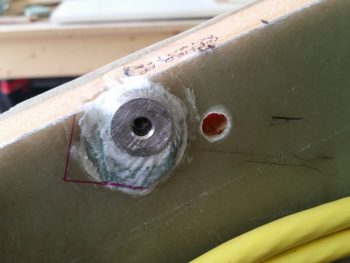
Also jumping ahead quite a few hours, this is the big battery cables’ Adel clamp hardpoint after the flox cured.  I cleaned up the flox from around the RivNut face.

The floxed RivNut was definitely in the sidewall securely, so I mounted the Adel clamp for that hardpoint, and also another big cable Adel clamp to the pre-existing hardpoint that I had in place for the control stick cable.  With this latest hardpoint install, that completes my “Phase 1” routing goal of getting these big battery cables from the nose battery compartment to the instrument panel.  Another item off the list!

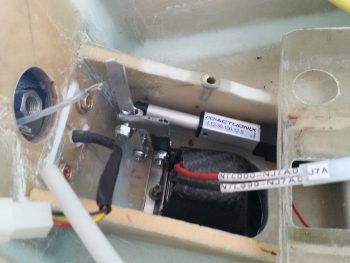
On to the taxi light cover . . . After redrilling the 4 holes in the lower taxi light cover to allow me to mount the cover with two 4-40 screws each side, I then spent a good 45 minutes trimming the existing glass and foam in the nose to allow the taxi light to be stowed into the nose side position when it was in its retracted state.

Here’s a good approximation of what the taxi light will look like when it’s deployed with the light turned on.  Remember, the taxi light extension and light coming on all happens with the push of one button on my control stick.

Getting the taxi light nestled back into the nose took a fair bit of trial & error to figure out exactly where the light was snagging on the foam and glass, but after 5-6 rounds of cutting & trimming I was able to get the taxi light –with cover– to seat properly in the hole.

Here’s a shot of what the taxi light looks from the outside.  There will need to be a bit of fancy micro finishing work to clean all this up for sure, but I think its well worth it!

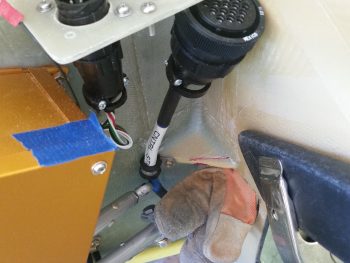
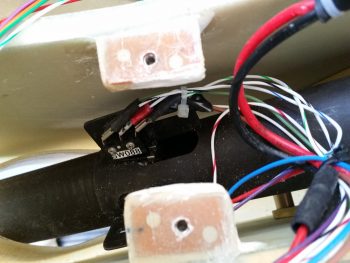
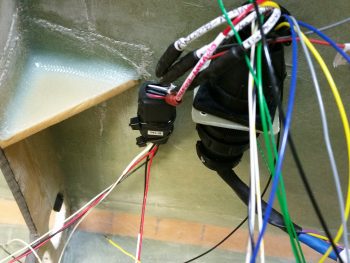
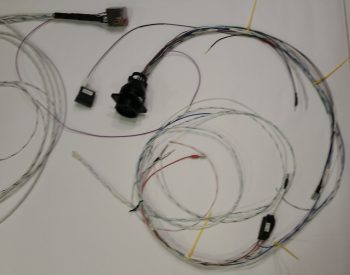
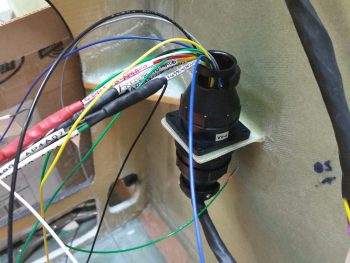
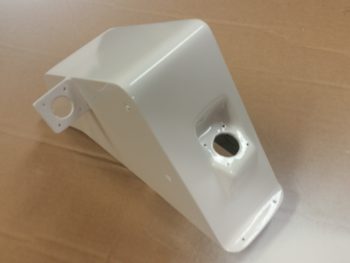
My second-to-the-last act of the evening was to pull all the existing nose gear wiring & connectors off of the NG30 cover to allow me to re-use the P1 & P2 connectors for the new nose gear wiring system.  In addition, before I build & glass the top of the nose, I want to finish & paint both NG30 covers.

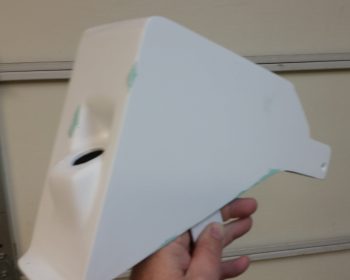
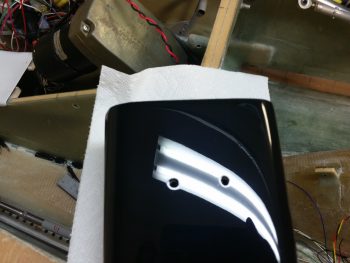
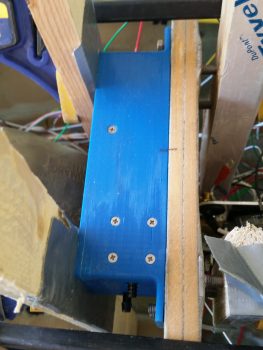
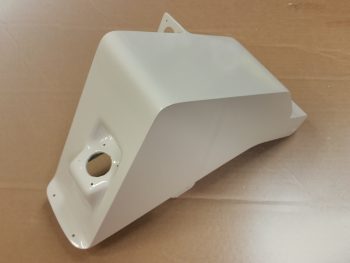
Here’s a shot of the bare NG30 cover from the right side.

My last official act of the evening (no pics… yet) was I spent a good hour sorting, selecting, and terminating wires to finish the initial P1 connector wiring for the new nose gear wiring.

And with that, I called it a night…

Chapter 22 – AEM box wiring harness

Before I get to the AEM box wiring, I’m going to cover a couple of other items first.

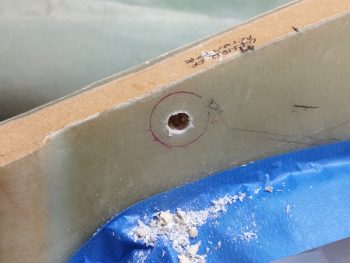
Today I identified another location to mount an Adel clamp hardpoint for my big battery power cables coming out of the nose.  I marked and then drilled the hole for the hardpoint.

Here’s the same shot, but I added the threaded insert in the pic.

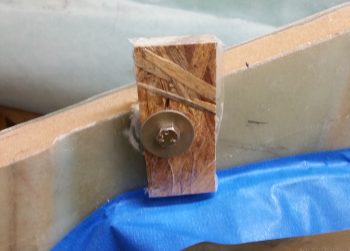
I whipped up some flox and mounted the threaded insert in the hole.  I then clamped a board onto the threaded insert to keep it in place.

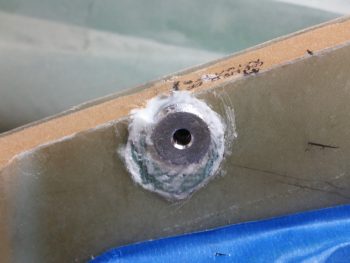
I grouped the pics in this post by topic, not chronologically, so I’m jumping ahead about 8 hours here to show the nearly completely cured flox.  I cleaned up the flox that oozed out around the taped up washer.

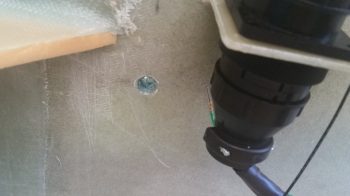
A couple of hours later I removed the bolt and popped off the washer.  I cleaned up the flox, finishing up the install of this hardpoint.

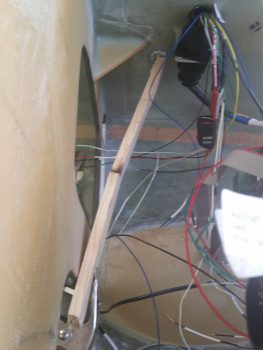
Here’s my progress so far on getting the big battery power cables routed out of the nose battery compartment –with clearance for my right rudder pedal– to my immediate goal: to the instrument panel.

Moving on.  I laid up the final carbon fiber ply on the right side of the taxi light cover.  It took some tricky machinations to get it lined up at the CF intersections, but it all seemed to work out.  To be clear, I did use a “trash” piece of CF here for this final ply.

I checked it a bit later while the epoxy was still just a bit tacky, so I was able to mash down the edges/intersections CF.

After the carbon fiber layup cured, I did a knife trim and quick cleanup.

Here’s a shot of the left side.  I need to still sand it down and hit it with one more application of epoxy.  It’s still not going to win any beauty contests, but it looks a ton better than it did obviously when I first glassed it!

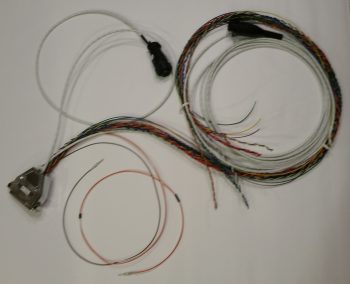
I then started building the wiring harness for the AEM box.  My first task was to configure the wiring connector that came with the laser altimeter.  There are a lot of extra wires that come on this connector harness, so I cut those to a usable length in case I need them later, then wrapped them up and heat shrunk wrapped it to the cable harness.  I then terminated the 3 wires I’m using with mini-Molex sockets and mounted them into the mini-Molex connector.

I then spent a couple of hours building the wiring harness for the AEM box.

I measured out the required wiring lengths for most of the wires, and estimated the lengths on a few of the wire runs to the panel.  I performed a continuity check on each wire as I terminated the D-Sub socket on it.

Here’s a closeup shot of the AEM box D-Sub 15-pin connector with all the terminated wires installed.

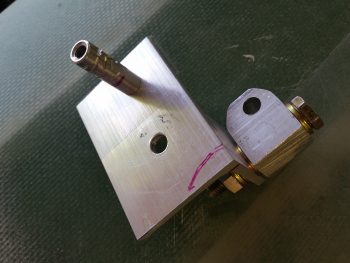
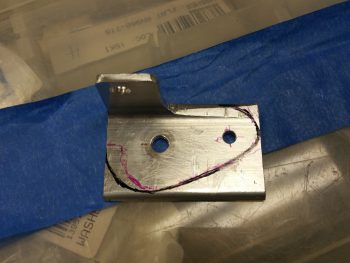
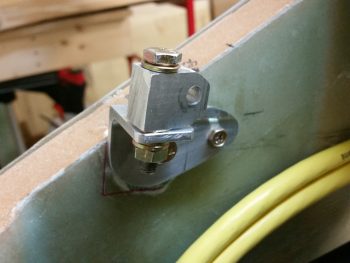
Tomorrow I’ll install the last big battery power cable Adel clamp hardpoint for my immediate goal of getting these cables’ routing locked down from the nose to the panel. I’ll also start working the pivot arm & bracket for the taxi light to provide an attach point for the taxi light deployment/retraction actuator.


Chapter 22 – Gear AEM box wiring

Today I finished mounting all the individual AEM box components and getting it wired up.  I was ONE 4-40 screw short to mount the 12V-5V converter in place, so I had to get some hardware at my local hardware store (they have virtually everything!).

Before I left I gooped up both relays with E6000 glue and set them in their respective places inside the box.  I then cut a piece of G10 Garolite as a spacer to just fit with very slight pressure against each relay and then slopped on some E6000 all around it as well. With the relays glued to the AEM box on two sides, and a spacer/support installed to keep the bigger relay (note that it’s mounted on the top inside of the box) from vibrating loose and causing issues, I think my non-screw-mounted components will be nice and secure.

BTW, if you’ve never used E6000 adhesive, you’ll understand why I wanted to apply it–out on my deck– and then leave for a few hours…. this stuff STINKS!!!!  [You may also note by all the chicken scratches inside the upper right corner that I trimmed the standoffs on the top side down by about 0.050″ to get the top airspeed switch pitot tube barb centered in the sidewall hole].

Upon returning from my hardware supply run, and still out on my deck for fresh air, I mounted the 2 airspeed switches into the AEM box.  The top airspeed switch (AS004) mounts with 4x 3-48 CS screws while the bottom (AS005) mounts with a 2x 4-40 CS screws.

Below is a look at the airspeed switch pitot tube barbs sticking through their respective access holes on the left side of the AEM box.  It doesn’t take a lot of pressure to align these barbs, so I tweaked the one on the left a bit after this pic was snapped.

Later in the evening, after a good amount of curing for the E6000 glue (read: way less stink!) I got around to cutting, stripping & terminating the wires with D-Sub pins.  For some reason I had my wiring diagram D-Sub numbers inverted from top to bottom, so I spent a good 15 minutes straightening that out.  I then started on the wires that terminated into the aft row of the 15-pin D-Sub connector (deeper into the box).

After I performed continuity checks on all my freshly terminated wires, I then mounted them into the appropriate positions on the D-Sub connector.

I then repeated the process by cutting and terminating those wires that are positioned on the forward side of the D-Sub connector (closest to the lid) with D-Sub pins.

I mounted the last/forward row of terminated wires into the D-Sub connector, and then zip tied the wires to secure them from any vibration damage, wearing or other issues.

Here’s a shot of the right side D-Sub connector end showing all the installed wires with terminated D-Sub pins.

Luckily it was a nice warm evening, because I then once again took the AEM box out onto the deck to goop up a few of the more sensitive connections with E6000, basically using it as potting material.

While the E6000 was curing I took the lid and colored the raised lettering with a very high tech coloring system…. sometimes known as a “Sharpie!”  ha!

A few hours later I collected up the box and removed some the ‘spider webs’ that are typically when using this type of glue.  I then mounted the lid with 4x #4 CS screws.

Here’s a clear shot of each end of the box: the J9 15-pin D-Sub connector on the right side, and the 2 pitot barbs poking out of their respective holes for the airspeed switches on the left side.

Barring any issues that may arise when I perform my ops function checks, this completes the construction of the Nose Gear AEM box.  I of course still have to wire up the other “B” side of the J9 connector.


Chapter 22 – AEM Box install

Today I finished installing the Nose Gear AEM box to the forward face of F22.  First, I cleaned up the 5-min glue that oozed out & dried around each Clickbond.  I also sanded down the area around the Clickbonds for a layup of 2 plies of BID around each set.

Apparently Marco had told me that I needed to prep the lid-mounting holes in the AEM box –which of course I promptly forgot– so the there was a bit of separation between the box layers (slight splitting) at each corner from me installing screws into the screw posts. Thus, when I laid up my 2 plies of BID around each set of Clickbonds, I then mounted the box, applied wet epoxy to each corner, and then clamped the box on each side to compress the corners to remove the minor splitting.

Here’s another shot of the AEM box with the clamps applied.

When I laid up the 2 plies of BID over the Clickbonds, I of course peel plied the glass for a smooth transition.  Also, I laid up the BID earlier in the day, so by late night the layups were cured and ready to be cleaned up.  The pic below is from late evening.

In addition, before I laid up the plies of BID over the Clickbonds, I determined the location of my next big power cable Adel clamp hardpoint.  I marked the location with a dot as you can see below, and then I drilled out the hardpoint hole in the sidewall.

I really didn’t get any other in-between pics, so with the same cure rate as the BID for the AEM box’s Clickbonds, by the end of the evening the big power cable Adel clamp hardpoint flox was cured and the threaded insert set in place.

Also, in addition to the AEM box Clickbonds and big power wires’ Adel clamp hardpoint, I also laid up a ply of Carbon Fiber over the left side and aft/bottom side of the taxi light cover.  I did get about half of the top as well, so when I do the last Carbon Fiber ply layup, I’ll work to get a nice overlap on the top and a good seam between the aft/bottom side and the right side.  One point of note is that the pic below is of the taxi light cover layup after I did a rough cleanup.  I need to do a good cleanup of the edges, align sides, etc. before I layup the final ply of Carbon Fiber.

I’ll continue to work these subsequent layups, but also within the next day or so I plan on wiring up the nose gear AEM box.


Chapter 22 – Taxi light cover salvaging

Today was the Big Reveal day for the taxi light cover.  Since my layup was practicing the truest form of accelerated entropy last night, I simply covered it with Saran wrap and taped it up profusely!  This morning I took off the long cross pieces of tape that I used to keep the whole layup from squeezing up the sides of the taped form, really making the cover unusable if it had.  I was now at the precipice of finding out what I had underneath of all this tape.  Would it be usable?  Would have I have to start all over again from square zero?Let’s find out . . .

Ok, so here’s the result in Airdog’s crazy layup experiment emporium.  Quite an interesting specimen I’d say, but it really does look usable.  As I’ve mentioned many times before, so much of these one-off custom jobs are ITERATIVE processes!

I grabbed my sanding block and my Perm-A-Grit tools and went to town on the taxi light cover.  I knew that I would most likely create some holes in this cover to get the shape worked out correctly . . . and I was right.  It is interesting that the resulting pics all look quite a bit like snake skin.

Here’s the opposite side.  It may be a bit difficult to see, but because I taped the top of the cover down, it resulted in 2 actions:  One negative, and one ok.  The negative action was that it created “shoulders” on each side of the cover just below the top.  My plan was to cut these off and layup a ply of BID that will bridge across the resulting hole.  The squashing of the top resulted in the 2nd action, which was that it pushed the sides just below the “shoulders” inboard more…. which was fine and actually allowed for a tighter fitting cover (i.e. takes up less room).
Here’s the sanded taxi light cover next to the taped up taxi light that I used as the cover form.

Also, here’s a shot of the inside of the taxi light cover.  Aside from scratches from the scribe I used to pry the cover off, the carbon fiber really looks nice.  Overall, this pic again has a snakeskin look to it (Marco also pointed this out when he saw it).

After assessing the cover’s usability –including cover mounting & removal– I decided that because the lips on each side clamp around the flanged base of the taxi light bulb mounting assembly, that I it was not practical to keep the forward side of the cover in place.  I cut off the forward face of the cover to simply allow the cover to be slid on from the bottom (if it’s deployed/out) or aft (retracted) side of the taxi light.  After testing this configuration I could tell immediately that I had made the right call on removing the forward cover side.  Much easier!

I then prepped it for more glass (repair layup, if you will . . .) by sanding it to shape.  This prep also included using the Fein Saw to remove the right “shoulder” just below the cover top, which left a decent-sized hole in the cover.

To keep this story line flowing, I’m jumping ahead here with my pics.  The pic below is exactly what I did above, but on the cover’s left side.  The yellow epoxy spreader is being employed as a form weight to keep the overhanging glass flat against the side lip.  Besides wrapping around the taxi light bulb mounting base to keep the cover securely in place, this side lip will get drilled in 2 places, and be held in place with two 4-40 screws.
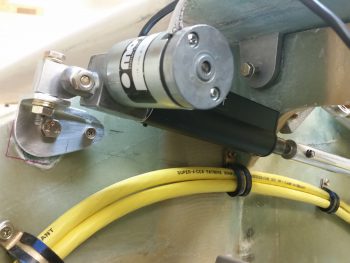
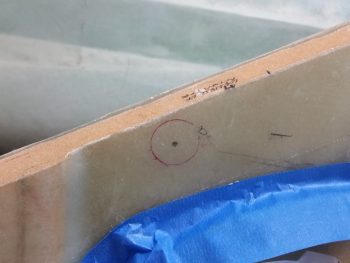
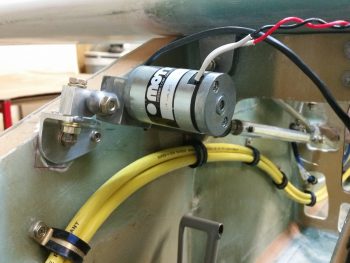
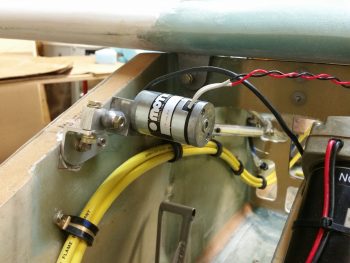
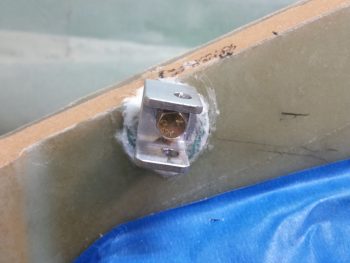
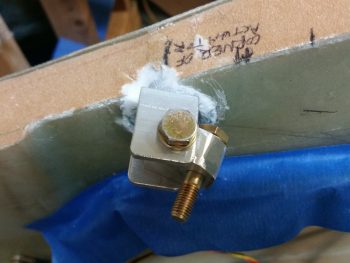
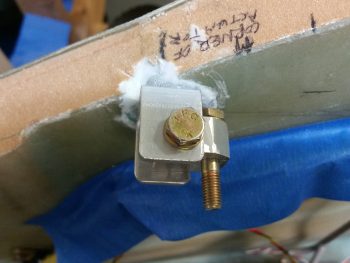
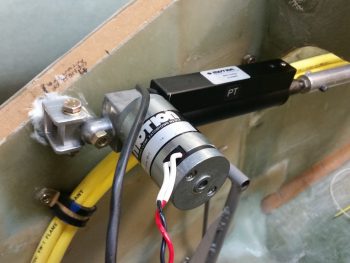
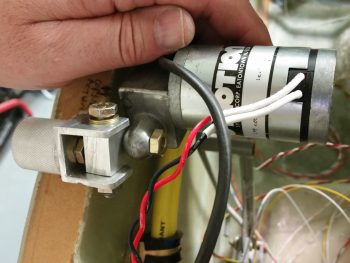
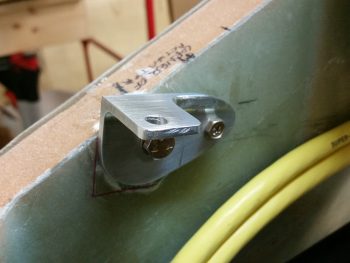
In addition to the taxi light cover, I continued to work on securing the 2 big power cables (one + power and the other – ground) that start in the nose battery compartment and end at the firewall & starter, respectively.  Again, I had to reroute these cables up and over my rudder pedal (you can see in the pic how they get in the way if not wrangled) in an arch/ Bell curve fashion.  With the 1st added Adel clamp in place, I marked the position for the 2nd additional Adel clamp.  Note in the upper right hand corner of the pic my markings for the Atkinson pitch trim actuator mounting.  You can see that I need to get these power cables as high up on the nose sidewall as possible, but still remain clear of the pitch trim actuator mounting.

After marking the spot, I then drilled the hole in the nose sidewall.  This area was a bit tougher to drill since, if you recall, that indented area that this hole was placed has additional plies of BID to beef it up for the mounting of the pitch trim actuator.

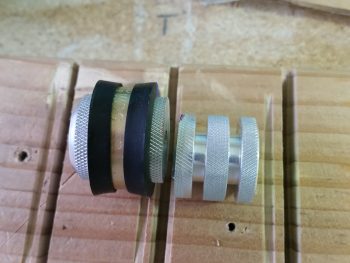
I then performed the “poor man’s” knurling of the 10-32 threaded aluminum insert that will be used to mount the Adel clamp in this location.  I wanted to use this threaded insert since it’s a bit more robust than a RivNut.

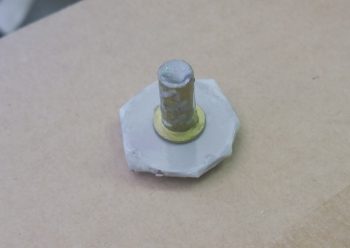
I then whipped up some flox and mounted the threaded insert assembly (including a taped washer mounted to it with an AN3 bolt).  I then clamped it in place to ensure it would be level with the surrounding sidewall surface when it cured.

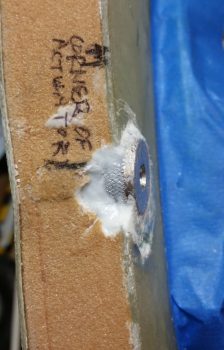
Here’s a shot about 10 hours later after it cured to about 80-90%.  The flox was still just barely soft enough to be easily removed with a razor blade (there was an entire ring of it around the perimeter of the taped washer).

Although it’s a bit slow going, I am getting through all the electrical related taskers on my list.  I expect about another week, maybe 2 at the most, before I’m ready to get back to the big chapter build items again.


Chapter 22 – Taxi light adventures

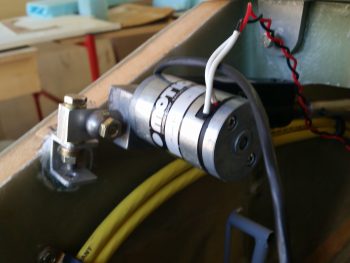
Today I removed the swingdown taxi light assembly from the fuselage to work on it in preparation for the final taxi light system install.  The first order of business was a long overdue trim of all extraneous metal to get this thing lightened up a bit.  I marked the areas to be trimmed in brown Sharpie, as you can see below on the right side . . .

and the left.

Here’s a not-so-great shot of it after I trimmed off the excess metal areas.  I also drilled the hole in the aft upright arm a little bigger as well.  In all, I trimmed well over 25% of the weight off of this taxi light assembly.

I then drilled and tapped the lower side taxi light bulb frame for two 4-40 screws on each side, to eventually use to keep the taxi light cover mounted.

After reinserting the bulb, I then cut out some cardboard pieces and taped them to the taxi light frame for a mold for the taxi light cover.

I then prepped 1 ply of BID, 1 ply of UNI (because I have a ton of spare UNI) and 1 ply of carbon fiber in a prepreg setup to layup on the taxi light cover.  Well, using prepreg here didn’t work so well, since I didn’t allow enough flex with 3 plies for the sharp corners. Worse yet, the CF started splitting at the tight corners and the whole layup quickly devolved towards sheer calamity.

I ended up pulling the entire layup off the taxi light cover, cutting it into about 5 manageable pieces, and then inverting it so the areas of separated carbon fiber were on the inside of the layup.  After placing the disparate pieces of glass in place, I wrapped the whole thing with Saran (plastic) wrap and taped the hell out of all of it.  I figured it would require a fair amount of subsequent work, but I wasn’t just about to through all that glass away.

Here’s another shot of my taped “layup from hell!

On a brighter note, here’s a shot of how my first added Adel Clamp for the big power cables traversing the length of the fuselage worked out.  I’ll add a subsequent one the next time I whip up some epoxy.

For tonight, I’ll just let the taxi light cover cure and deal with the mystery tomorrow.


Chapter 22 – Finished intercom bracket

Today I finished getting the Dynon intercom installed into the intercom bracket that I just glassed to the sidewall.

I hate to admit it, but with the curve of the sidewall that I failed to take well enough into account, I had to move the forward two K1000-6 nutplates inboard just a hair to get the intercom to mount correctly.  The front nutplates were off a bit, especially in conjunction with the aft 2 nutplates.

The lower body of the intercom just barely kisses the sidewall on the forward side, which is close to perfect as far as what I was looking for on the angle of the intercom.  I’ll stick a piece of double-side sticky tape foam at that corner and it will keep everything nice and tight, with a little separation between the intercom corner and sidewall.  In addition, in the pic below you can see that the stick is all the way left that it can go before the bottom of the control stick bracket hits the sidewall.  Sitting in the airplane this action would most likely be near impossible to accomplish at this severe angle of bank since the pilot’s leg would be in the way (at least mine would be!).  Regardless, my point is that even with the control stick maxed out to the left, there is still clearance between the lower control tube and the lower intercom box.

Moving on.  Later this evening I figured out my big power cable reroute which is essentially a Bell Curve looking deal that goes up & over my right rudder pedal travel path.  After having to move the rudder pedals forward, and having skooched them in a bit close to the sidewalls, I could no longer run the big power cables along side the right rudder pedal as I had planned for originally.  The fit was very tight before, but after moving the pedals forward it just simply wasn’t going to work.

Rerouting the big power cables worked out for the best anyway though, considering if I had gone with my original plan I might not have known how tight the rudder pedal and big cable clearance situation was until I tried to adjust the rudder pedals forward for a taller pilot (or if I hit another growth spurt… ha!)

Thus, the process of rerouting the big power cables is the same as eating an elephant: I’m doing it one bite at a time!  Tonight I drilled the first new hole in the nose sidewall and prepped it for inserting a Rivnut.

I then prepped the Rivnut by taping up both ends, and then floxed it into the hole.

I’ll let this Rivnut cure in place, then mount the cable with an Adel clamp in the Rivnut before figuring out exactly where the next Adel clamp needs to go.  I’ll then flox in the next Adel clamp hardpoint, let it cure, and repeat the process until I get the big power cables over & around the right rudder pedal and to the instrument panel . . . at a minimum.


Chapter 22 – 3D Printing AEM Box

Not me of course!  I just got these updates from Marco.  After some trials and tribulations with his 3D printer he was finally able to get a good print on both the AEM box . . .

… and the AEM box lid.

Since I pulled the trigger on the Laserware SF11/C laser altimeter I will soon have all the components required to implement Marc Zeitlin’s new nose gear Auto Extend System, with a twist of course: the backup battery emergency gear extension feature.

To get an idea of what it will look like installed, this is Marc Z’s laser altimeter installed on the inside of his Cozy gear leg cover.  Of course the Long-EZ doesn’t have this gear leg cover, so my laser altimeter will get installed inside the hell hole near the gear.  Also, note in the pic below that Marc mounted the 12V-5V converter near the laser altimeter, whereas my converter will be located in the AEM box above.

Finally, in a discussion I had with Marco I send him this pic of my GRT Mini-X Magnetometer.  Since I had it on hand I thought I would post it here.

It’s been a bit of effort to get Marc Z’s new gear system implemented, especially with redesigning the 1.2A backup battery emergency extend circuit back into Marc’s scheme. But in the end I think all this extra effort will definitely result in a much more refined, simple, optimized and user-friendly nose gear system.


Chapter 22 – Final Brackets, this time!

After the BID glass cured on the Throttle Handle electronics cable P4 connector bracket, I pulled the peel ply and razor trimmed the glass.  As I was redrilling the connector mounting holes I set this connector body in place to ensure the spacing was good.

So, here’s the final product for Throttle Handle electronics cable P4 connector bracket.

I then did pretty much the same thing for the Dynon Intercom bracket: pulled peel plied, razor trimmed, redrilled holes and sanded it all to clean it up.  I then set the intercom in place to see how it fit.  I’m definitely happy with how this intercom mounting is turning out so far.

What I’m not happy with is the forward right bracket nutplate.  It’s giving me fits and I’m going to have to drill it out and remount just a hair forward and inboard for it to align correctly with the intercom mounting hole.

Of course the other 3 nutplates went in without any issues, unlike the last one!

Besides redoing the 4th nutplate, I’ll also assess whether or not I need an angled strut at one or either end of the bracket to help support the cantilevered intercom.  I must say that this bracket is amazingly strong, but with vibrations abounding in flight I think I’ll throw on one small corner bracket to bolster it a bit.  It will weigh next to nothing but will add a lot of structural support.