Chapter 22 – Light it up!
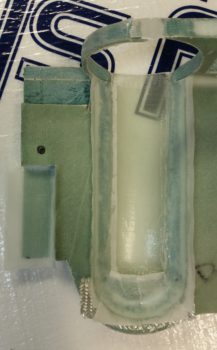
I started off today by cutting 2 small pieces of wood and attaching them to the existing panel mockup base with wood screws.  The lower 3/4″ plywood plate, mounted vertically just below the left-side row of circuit breakers, does double duty in holding up the second horizontal plate, and at 4.5″ in depth mimics the top of the lower LHS side hole in the instrument panel bulkhead, the highest point for running wires from under the left armrest to behind the panel.  In other words, all the wires going to/from the intercom to behind the panel must be run below this plate.

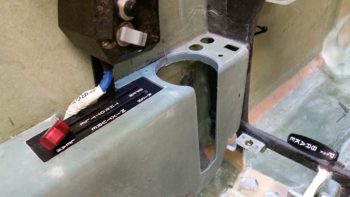
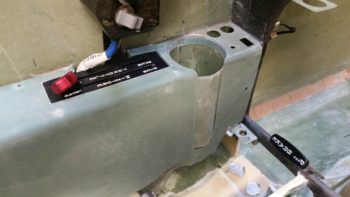
I mounted the second, thinner plate on top of the arm intercom-positioning jut-out at the base of the panel just forward of the row of circuit breakers.  This plate mimics the left armrest console aft of the panel and forward of the control stick. Since I plan on mounting my master switch and both “mag” switches here, I went ahead and mounted my master switch in its approximate position.  In this setup I’m bastardizing the master switch to serve as a power ON/OFF between battery power and main buss feed.

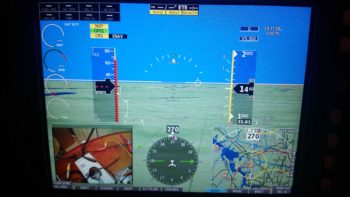
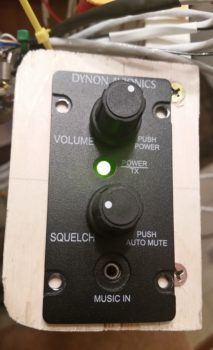
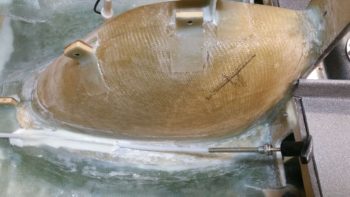
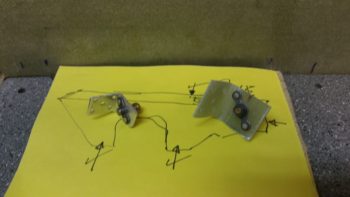
Over 12 hours later here is the panel –with about as many of the wiring cross connections completed as possible– ready to be fired up for the first time.

After I double checked all the connections, I set the battery in place and attached the leads.  My battery was at 13.8 volts, which gave me a good bit of time to test out the panel.

I took this shot a fair while later after I applied power to the panel.  I had left the GNS480 off for quite a while since it’s a bit of a power hog as I initially worked on configuring the GRT boxes.

Currently, I have 3 main issues I need to address, one major, 2 minor:

  1. My HXr won’t recognize the AHRS unit.  I’ve double checked all the connections, power, RS232 etc.  I’m stumped so tomorrow I’ll contact GRT.
  2. Three of my powered GNS480 external annunciator lights (Korry) lit up even before the unit was powered on.  Clearly I’ll need to figure this out.
  3. The OAT probe is inop on my nifty little MGL clock…. and has never worked.  I’ll contact MGL tomorrow as well.

Barring the usual snags, I’m super happy with the panel.  Tomorrow I’ll probably get back into the shop for at least a bit, but I do want to get the AHRS issue resolved.


Chapter 22 – Official Rabbit Hole!

Yes, panel build: Day 2.

Today I started off by updating my connector pinout diagrams, reviewing the upcoming connector pinouts and then printing up 2 batches of wiring labels.  I had to improvise with some larger yellow wires labels since —surprisingly— I’m out of wire label cartridges.

My goal today was to start on the J4A (front side) PQD (Panel Quick Disconnect) connector, but that quickly devolved into working on the prerequisite connector pinout on the Adaptive AHRS for the HXr EFIS.  The AHRS is the recipient of a number of wires from the J4A connector, so it was natural to finish this task at this point.

I swapped out a number of wires on the AHRS wiring connector for different colors since some of GRT’s pre-installed wires didn’t match my color coding.  I thought about leaving them as is, but it’s a fairly easy task to swap them and will make any future wire-hunting/tracing tasks go much easier if the wires keep the same color on each side of the connectors.  I also pulled a few pre-installed wires that I didn’t need.  Thus, with the AHRS wiring connector squared away, I installed it and then worked on hooking up the wires coming out of it to points yonder on the panel.

At the aft right corner of the Triparagon… a shot of the PQD connector trio: P6 (currently unpopulated), J3 Mini-X connector (on side, vertical) and J4 HXr (top, horizontal).  The relay in the foreground is Relay 9, which handles the COM1 ↔ COM2 swap.  I apparently ran out of wire labels after I constructed it, so it took me a good half hour to tone it out and deconstruct what in tarnation I was up to when I made it!  And with a 3PDT relay, it took a bit of head scratching.  After I got it all figured out and did some quick masking tape labeling, I sent the wires off in their required directions.

[NOTE: This exercise in near-“futility” definitely reinforced to me the importance of wire labels.  No matter how in-depth we get into a certain subtask, 6 months down the road all those details are lost –at least to me– and I need to “relearn” what I did!  Diagrams and wire labels are the only way for me to pick up where I left off months or years later on these countless wiring components and press forward quickly].

Here’s a closer shot of the PQD bracket and connectors.  The front (Triparagon) sides of the J3 (Mini-X) and J4 (HXr) connectors are for the most part complete.  There’s another 8-10 wire connections that will need to be added once it’s all actually installed into the aircraft.

I spent a few hours constructing the 3 x ARINC 429 and 1 x RS232 shielded wire cables that all route through a centralized grommet in the Triparagon from the J4 connector to the GNS480.  The pic below shows these cables from the right side of the Triparagon.

And here are the 4 ARINC 429/RS232 cables on the left side of the Triparagon, ready to be terminated into the GNS480 back plate D-Sub connectors (by the way… I installed the D-Sub connectors on the GNS480 back plate).  I only terminated the RS232 cable at this point since it had standard sockets, whereas the other ARINC 429 cables require High Density pins since they get terminated into connector P5 (high density).  I’m waiting until I get all the standard D-Sub pins & sockets crimped before I reset my D-Sub crimper for high density crimping.

Two of the ARINC 429 and one side of the RS232 connections I highlighted above also feed the Trio Autopilot EFIS/GPS source select switch, the rather diminutive Switch #14. On the right side of the pics above & below, you can see the cross connect cables that are tied into the GNS480’s ARINC 429/RS232 cables (spliced in just before the wires enter the GNS480’s connectors) as they run up over the GNS480 to tie into Switch 14 on the panel.

Here’s a shot of Switch 14, the Trio Autopilot EFIS/GPS source select switch, after I terminated the connections by soldering 9 wires to it: 5 connections come from the ARINC 429/RS232 cable group, 3 from the Trio AP control head, and 1 connection from the GRT HXr AHRS GPS signal.

A closeup of the 9 wires connected to the Trio Autopilot EFIS/GPS source select switch (Switch 14).

To get the wire connection lengths dialed in from the Trio autopilot to Switch 14, I had to install the massive D-Sub wiring harness on the back of the Trio autopilot.

Here’s a closer shot of the installed D-Sub connectors on the GNS480 back plate.

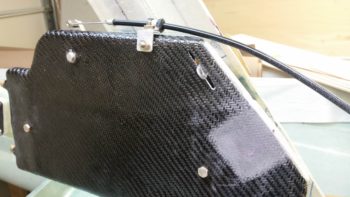
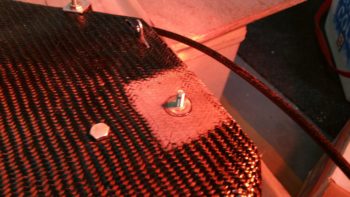
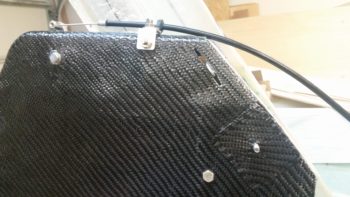
In addition, I also mounted the air deflector on the GNS480 back plate.

Lastly, I used some of the extra terminated wires that I pulled off the GRT wiring harnesses to make up much shorter harnesses for both the HXr and Mini-X magnetometer connectors.

I suspect that my Aircraft Spruce order should be in the day after tomorrow, so that gives me one more full day to knock out as much as I can on the panel before getting back into the shop.  I think I should be close to having the panel pretty much wired after another full day of working on it.


Chapter 22 – Initial panel wiring

I started off today making a quick plan for wiring up the instrument panel.  To be clear, the instrument panel is mocked up, but the wiring I’m doing now is the real deal… always subject to some upgrades (read: changes!).

The plan was to get the TruTrak ADI and MGL clock rewired since I pulled them off the P6 PQD connector and am now running all the wires from point A to point B, as I noted in yesterday’s blog.  I did get them rewired, but not without the requisite issues along the way.  Nonetheless, in the end they are wired & labeled correctly.  So, check one!

My next task was to get the wiring harness for the HXr EFIS built, which is made up of wiring leads of the 3 HXr connectors: A, B & C being consolidated into one 37-pin D-Sub connector which makes up side B of the J4 connector.  Again, as I noted yesterday, since I’m a hair short on connector positions, I pressed a 4-pin AMP CPC connector into service to handle the HXr’s primary, secondary and tertiary power wires along with the single ground wire.

In the pic below, J4B is at the top left.  Then clockwise are HXr B, HXr A, P7B and HXr C connectors.  HXr A and HXr B have a smattering of different types of connections, while P7 –again- is only for power and HXr C is all ARINC 429.  In addition, as you can see I didn’t just get the wires cross-connected, but all labeled as well.  Finally, any wire loops you may see are the loopback grounds for the shielded wiring.

The 3 HXr EFIS connectors, in their final, populated state (l to r) HXr C, HXr A, HXr B.

I then did a test fit of the HXr wiring harness.  Below is a top-down shot.  Yes, it is REALLY tight, but it all seems to fit so far.

And a shot of the 3 HXr connectors . . . installed.

And a shot of P7 connected as well.

Tomorrow I’ll continue to work on the panel with the goal to get the front (Triparagon) sides of the J4 (HXr) & J3 (Mini-X) connectors wired up, as well as the last big bubba left: the GNS480 GPS unit [the Trio autopilot will be a big task as well, but it came with a populated D-Sub wiring harness, so labeling the wires and terminating them with connectors will be the time-consuming part on the autopilot].


Chapter 22 – Yep, the boring stuff

Over the past couple of days I’ve had a heavy social calendar with old friends wanting to get together, which is always great.  On Friday and Saturday I squeezed in maybe 45 minutes each day to work on updating my electrical system diagrams, starting with my connector pinout sheets.

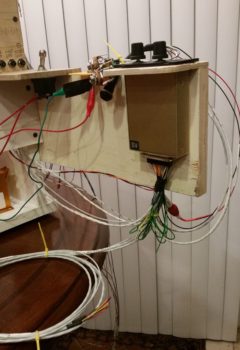
Today (Sunday) I started off making a bit of noise by cutting a 19.5″ long x 6″ high arm to mount to the right side of the instrument panel mockup base to allow me to mount the intercom very close relationally to where it resides in the actual aircraft.  Although this intercom is small in size, the whole aft end is nothing but a D-Sub connector and there are a lot of cross connections required from the panel components.

With my requisite construction task out of the way, I then started in on what I’ve been trying to get to for the past couple of days: my electrical system diagrams.  One way I keep track of all my connectors is that AMP CPC connector ID codes start with “P” (“plug”) while D-Sub and mini-Molex connectors start with “J” (“jack’).  This scheme also gives me more numbers on hand for each series, since there are a fair number of distinct connectors in this airplane.

Well, besides the myriad of other updates I needed to do, including finalizing the switch out of circuits coming off the big 24-pin P6 PQD connector, I also created a new 4-pin AMP CPC plug (P7) for the GRT HXr power wires.  Concurrently, I reclaimed its previous J10 tagline for the 25-pin Audio Mixer D-Sub connector.

Finally, if a connector is merely planned and has not been fully pressed into use, I may switch them around in an effort to keep the numbering scheme so that the low numbers start at the nose and get bigger as they move towards the back of the plane (i.e. J1 towards nose, J12 in hell hole, for example).  Well, I stole the P7 moniker from the Trio roll servo that resides in the engine compartment and its new label is now P8.  This of course required physically removing labels and adding new ones.  A bit of a mundane task in doing all this, but in the end I feel wholly worth it in having a well organized, more easily maintainable, electrical system.

With the reallocation shell game complete, I then went to work updating my connector pinout diagram sheets.  After those were complete, I then did a 100% review and update of all my electrical system diagrams.  I added the 6 new GNS480 external annunciators to the panel diagram (#1) and tweaked all the other diagrams as well.

One major difference in my updates this time around, on a number of occasions I noted exactly how long a certain wire was that was included by the manufacturer on their wiring harness, and then approximated how much more I needed to add to complete the physical wire run.  For example, on ElectroAir’s EIS Controller, that will sit in the GIB headrest, the main 20 AWG yellow wire that runs forward to the EI (“mag”) switch on the console is 6 feet long coming off the EIS Controller’s wiring harness.  Not long enough to reach the front, so I annotated that on the wiring diagram.  Now I know to have or reserve some 20 AWG yellow wire to extend the EIS Controller switch wire.

Beyond that, a lot of my diagrams were simply the old versions with my chicken scratch notes annotated on them, while the electronic versions were up to date.  I took the time to verify the info was correct, updated other info as need be, and printed off a fresh copy of every electrical diagram.  I’m sure I’ll need to do this a another few times before the plane is finished, but as of now I have a really good baseline for my entire electrical system being up to date.

As for the actual build, I’m waiting for the CAMLOC receptacle that I ordered from ACS to arrive before I press forward with the pilot seat thigh support installation, and then the subsequent tasks that follow.  I also made some other minor orders for some now known USB cable lengths and avionics panel mounting hardware.  Thus, in the next few days, until the CAMLOC receptacle arrives, I will take the opportunity to focus on getting the panel wired up.


Chapter 22 – More panel stuff

Today was still all about the panel mockup.  With a number of changes I’ve made to the wiring on the back side of the panel, I needed to check those changes to ensure they would fit my design requirements.  Once I determined that I was heading in the right direction, I made the changes which required a fair amount of pulling wires out primarily out of the PQD P6 connector and then re-adding them to other connectors and/or splicing them directly into the Triparagon side wiring.

The main reason behind all this is I had a major rethink on the process of removing the panel.  I had giant brain blank earlier when I didn’t take into account that my removable panel component wiring wouldn’t be routed through one giant opening in the panel, since the current composite “shadow” panel will in most respects mirror the outer 0.063″ 2024 aluminum panel overlay.  This means as wires from each instrument traverses their respective holes to a common connector point, then if I tried to remove the panel after disconnecting that one connector (eg PQD P6), all the wires would get hung up at the connector as the panel was being removed.

Hard to follow?  Think of an octopus on the back side of the panel reaching each of his 8 tentacles through a different hole on the panel. Then think of him grabbing ahold of 8 rods larger than each hole.  You can’t pull the octopus away from the aft panel unless he releases all the rods, and you can’t pull the rods away from the front of the panel without squishing poor Mr. octopus against the back of the panel.  In this scenario though, all the rods (instruments) are attached to the front panel overlay and Mr. octopus represents the panel quick disconnect (PQD) connector, while his tentacles represent the respective wiring to each instrument… hope this analogy makes sense.

Ok, so I removed the PQD P6 connector out of the equation for my MGL Clock, TruTrak ADI, and a few other panel mounted components.  Thus, instead of A→B, B→C, I now simply have A→C with B (P6) cut out of the pic. Of course this change entailed lopping off wiring terminating pins & sockets and then re-terminating the wires by splicing them together.  It also required a fair amount of wire relabeling as well.

My new method of panel removal for these smaller components will be to simply remove the connector at the back of each component.  In the end, it should only add a few minutes to panel removal, and will also allow me a cleaner wiring harness overall since I won’t have as many convoluted wiring runs.

In line with all I stated above, I finished the wiring for the red & green Gear/Canopy warning system wires that I initiated yesterday.  I soldered spliced the wires together for a straight shot from LED light to warning module on one side, and LED light to E-Bus power on the other.  I of course labeled all the wires as well.

If you recall, I have 3 connectors that make up the Panel Quick Disconnect (PQD) connectors: 24-pin AMP CPC, 37-pin D-Sub, and 15-pin D-Sub.  On the PQD scheme, I switched things up a while back by claiming the 15-pin D-Sub to handle the GRT Mini-X wiring only, while the 37-pin D-Sub handles the GRT HXr wiring only.  However, since I didn’t have enough pins in the 37-pin D-Sub for all the HXr connections, I decided to separate out the 4 power/ground wires and connect them through a mini-Molex connector.

Thus, since the 24-pin PQD P6 connector is an AMP CPC connector, when I pulled the main, secondary, tertiary and ground wires from the P6 connector, I would need to cut off these connectors to re-terminate the wires for the new 4-pin mini-Molex connector. I then remembered that I possibly had a spare 4-pin AMP CPC connector, and after some searching around –Voila!– I did.  I weighed the AMP CPC vs the mini-Molex and the difference was the AMP CPC being 0.08 oz heavier.  With a much better & more robust connection, plus not wasting a couple of dollars in lopped off connectors (which I’ve already had a fair amount of!) I pressed forward with simply removing these wires out of the P6 connector and popping them into my new P7 connector.  So HXr power wires on the Triparagon side are complete.

I guess my old military side came out because I then went through and labeled all the D-Sub and antenna connectors on the back panel of the GNS480 GPS unit.

And the back panel of the GRT HXr EFIS.

The moving of wires off of one connector onto another connector, or connecting straight to a wire lead all required a ton of annotations on my connector pinout diagrams.  I have company coming in tomorrow, and a heavy social calendar this weekend, but I will try to get all these changes on my electrical system updated ASAP.  After I get the required adminstrivia updated, then I can get back to actual shop work.

Chapter 22 – Fun’s over…back to work!

I started out today by re-drilling the holes in the pilot seat thigh support CAMLOC receptacle mounting tabs where I had added 2 plies of BID (no pic).  I was ready to install the mounting tabs with CAMLOCs in place, but realized it wasn’t the best idea with only one CAMLOC receptacle on hand.  Obviously I need to order one, so I added it to the small ACS order that I’m compiling.

I then started reviewing what I had left to finish my panel mockup.  With the 2 AG6 warning annunciators, I’ve ridded my panel of all extraneous warning lights save 2 (one red, one green) that specifically are allowed on my panel for the JBWilco Gear & Canopy warning system.  Interestingly, out of all the LED panel assemblies I have in stock, I did not have a green light.  I had the nice Cadillac of LED panel lights that my friend Eric at Perihelion Designs peddles, of which I have a Red & Amber version of, but I don’t have a green.  I went to Eric’s site, but alas I didn’t see them on there (I’m sure even if I missed it he would sell me one).  Interestingly I found Eric’s nice LED assembly on Stein’s site… ok, I had an identified source of supply for my green light!  Check.

So I marked up the panel using the sexy red LED panel light assembly I had on hand … Uh, Houston we have a problem, and it’s space…. not outer space, but space for the fancy robust flange included with Eric’s LED light assemblies.  They could easily fit, but at almost 0.45″ in diameter, they do take up some real estate!

In my quest for a green LED, I did run across Jack Wilhelmson’s Landing Brake switch plate that included a red and green LED… bingo!  Of course I had to rid the LEDs of their soldered component webbed matrix bondage stuff, but after I whittled them all down I ended up with a green and red LED light, albeit with short, solder-encrusted stubby leads. Knowing how these lights look in a panel, plus the diminutive plastic “grommets” used to hold them in the panel, I decided to go with these.  Plus, I really like repurposing stuff that might otherwise just end up in an old parts bin!

I checked Jack’s included landing brake wiring schematic (I’m too lazy to attempt deciphering the resistor color band codes) to determine that he did in fact use a 470 ohm resistor . . . perfect!  Thus, I reused that as well in my evil plan here.  I soldered Jack’s repurposed resistor to Jack’s repurposed green LED.  I then added the appropriate color-coded 22 AWG wire leads by soldering those into place as well.

I then soldered one of my benchstock 470 ohm resistors to the red LED, and also soldered on the appropriate color 22 AWG leads.

While I had the soldering iron fired up & soldering kit ready to go, I knocked out a quick soldering task that I had open on the books: I ridded myself of a big, bulky, heavy and unnecessary deutsch connector that resided on the ground wire to my ElectroAir EIS Controller.   To be clear, in my latest phone call with the ElectroAir bubbas, I specifically asked if this would present any issue: obviously they stated no, the connector was simply in place for ease of installation.  In my case, it would not make installation easier . . .

So, I unceremoniously lopped off each side of the deutsch connector.

I stripped the wires and prepped them for splicing (notice the longer 3-strand “tail” on the top wire).

I then joined the wire together, wrapped the lead (“tail”) around the joined wire bundles to secure the wires together tightly, and then soldered the whole affair.

I then added a piece of heat shrink to finish out my ElectroAir EIS Controller ground wire streamlining . . . Voila!  Aaah, much better.

Unlike my cleaned up ground wire above, my next task was to add complexity to the instrument panel mockup base by creating a mounting frame for the Triparagon, since it’s such an integral part (read: epicenter) to the electrical and avionics systems.

I added a top frame assembly that mimics the F28 bulkhead, including a mounting tab for the Triparagon.  On the forward bottom side I simply screwed a small block of wood in place.  I then slathered on a couple quick coats of white primer to make it all match and let it cure while I was drilling and cutting out mounting holes in the panel mockup.

Quite a few hours later, I brought the dry instrument panel mockup base upstairs, since it was ready to be pressed into service.

I then mounted the Triparagon in place.

Here’s an aft/side shot of the Triparagon.

I then mounted the ELT control head (bottom component on center strut), switches and circuit breakers into the panel mockup.  Right as I was getting ready to mount the panel into the base, I realized I had left out the diminutive Push-to-Test button for the top row Korry lights [I haven’t even address the actual wiring for the GNS480 external Korry light annunciators yet].  So after figuring out it’s exact location, I hauled the panel down to the shop and quickly drilled the mounting hole (with some requisite panel-thinning immediately behind it so it would fit depth-wise).  I then mounted the panel onto the base front uprights.

I then mounted the compass card, GRT Mini-X EFIS, TruTrak ADI, and MGL clock.

I didn’t realize it until much later, but for some reason I inexplicably mounted the MGL clock on the front (outside) of panel vs from the back.  After looking at it for a bit, I realized that I really like it this way.  I will try mounting in the traditional manner and assess, but I am really liking how it looks mounted on the front side of the panel.

I then went offline for a bit panel-wise and had to dig into the Garmin GNS480 unit manual for the details on installing the backplate onto the mounting tube (bracket).  My GNS480 came with the tube and an entire new mounting kit replete with a myriad of tiny screws, washers, etc. to assemble the backplate, D-Sub connectors and antenna connectors.

Once I got the backplate installed onto the mounting tube, I then mounted the tube into the panel mockup.

I then spent the next 2+ hours installing the remaining panel components: GNS480, GRT HXr EFIS, and Korry indicator lights.

I also mounted the 2 LED warning lights that I soldered up previously.  Here’s a shot of just the instrument panel . . . closer to what you would actually see in the plane.

And an even closer shot of the panel components.

Over the next few weeks/months I’ll do all the wiring and cross connects for the panel & Triparagon.  I would like to get it wired to the point that in the next 7-10 days I can fire it up and check out the HXr to ensure all is good with it.  As for now, I’m done with my major digression and will get back to working on the pilot seat area & left pilot armrest console in my continuing quest to finish off the lion’s share of interior cockpit component installs and configuration.  This will of course facilitate closing up the top of the nose and getting the canopy installed.


Chapter 22/24 – ELT bracket installed

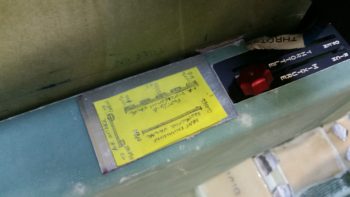
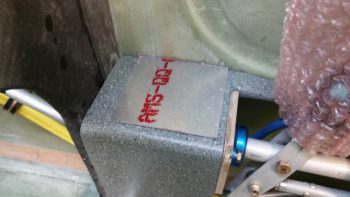
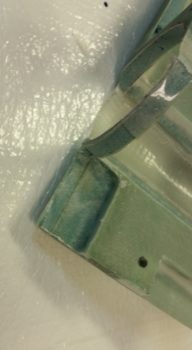
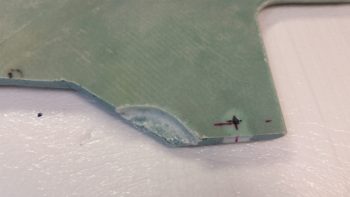
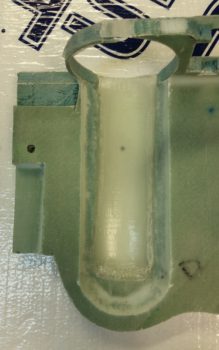
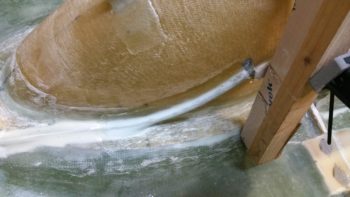
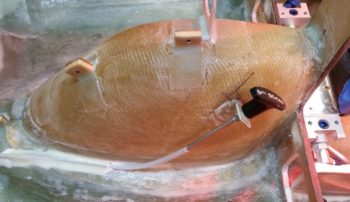
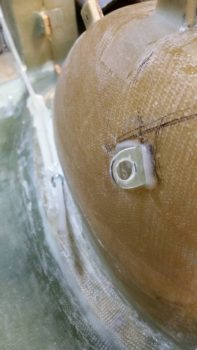
I started out today pulling the peel ply from the ELT mounting bracket base layup.  I then cleaned up the layup and drilled access holes for my 4 embedded K1000-6 nutplate assemblies.  Finally, I pulled the plastic wrap out of the mounting holes to reveal nice, ready to go screw mount holes.

I then did a test install of the ELT mounting bracket.  All was good except at the front, where the existing floor of the fuselage slanting forward up to, and including, the bottom panel bulkhead lip (the stuff that I cut out to make the ELT sit flat) was physically too close to the mounting bracket and was keeping the mounting clip from getting inserted onto the latch hook.

It took me 3 rounds of cutting, grinding and sanding to finally get it dialed in just enough where I could get the upper latch ring down over the lower latch hook.  With that action, my ELT mounting base is officially installed!

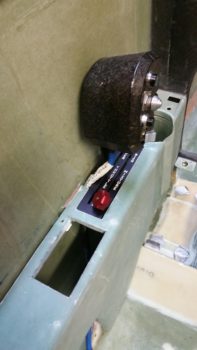
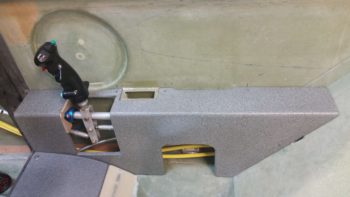
I took a quick shot showing the clearance to the left of the ELT mounting base with the left armrest console sidewall.

I then grabbed my digital level and tested the angle of the ELT mounting base: only 2.9° nose high… I’ll take it!

With ELT mounting bracket “sideline project” out of the way, I started on the final task #3 of my 1-2-3 task list that I ginned up early last week for getting the pilot seat thigh support finished.  In my mind this 3 item list was going to take 2 days . . . and here we are almost a week later!

Anyway, task item #3 is getting a CAMLOC installed in each forward corner of the thigh support top/cover plate (or “floor” as it’s called in the plans).  I rounded up a 3/8″ thick piece of foam that was glassed both sides to mimic my thigh support cover.  I also rounded up the 7-ply glass bracket stock I had made up this past weekend.

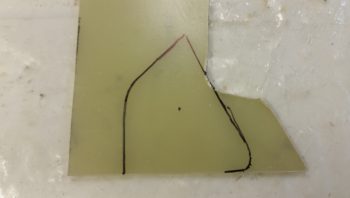
I marked the bracket stock to cut out a bracket for the CAMLOC receptacle, which I only have one for testing purposes at this point [NOTE: All my other “CAMLOC” receptacles for the engine cowlings are the SkyBolt variable adjustable type].

I then trimmed the bracket stock and lopped me off a nice bracket from it.

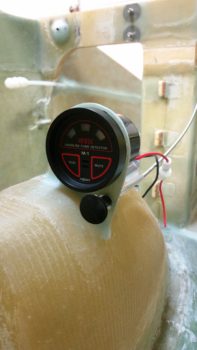
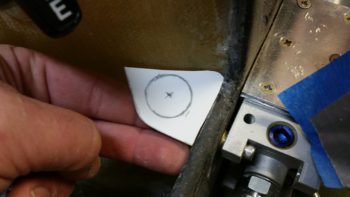
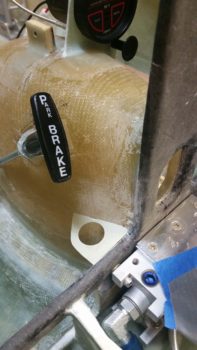
A bit later, here’s my 2 CAMLOC brackets for the pilot seat thigh support, with holes drilled for the receptacles.  As you can see I also grabbed another stud and grommet, which I’m also testing to determine my preference.

I then drilled the stud/grommet thru-holes both left & right in the forward corners of the thigh support cover plate.

Here’s a shot with both stud/grommets in place on the thigh support cover.

I then did some multi-faceted layups.  I started by slathering flocro in the thigh support corner stud/grommet thru-holes (after I prepped the holes by digging out the foam around each hole).  I worked the flocro in nice and good so that it was set inside & past the edges of each hole.

A few hours later I redrilled the thigh support corner stud/grommet thru-holes for nice strong holes with very clean edges.

I needed some more surface area for my thigh support CAMLOC receptacle brackets to mount to, so as part of my multi-faceted layups I used some flocro to mount a couple ~5/16″ thick foam pieces (that I previously shaped) into the upper outboard corners of each of the panel bulkhead’s “map pockets”.  I then glassed patches of BID –2 plies front, 1 ply aft– over these newly inserted corner pieces.

I then peel plied the layups and left them to cure.

A number of hours later I pulled the peel ply and razor trimmed the freshly glassed CAMLOC receptacle brackets’ backplate mounting extensions.

The last bit of glassing I did on the days’ big layup-palooza was to added 2 plies of BID to the top of each thigh support CAMLOC receptacle bracket.  I noted when the CAMLOCs where in the closed/fastened/locked position, that the stud was just slightly proud of the grommet.  I figured 2 plies would get me acceptably closer to a flush stud inside the grommet.  Plus I’ll have paint on the thigh support cover, so I should be able to dial in the depth of the stud to match the grommet on each side.

With my shop work complete for this evening, I then spent over 2 hours working on my mockup/test instrument panel.  I drilled out & jig sawed the 8 holes above the HXr EFIS (PFD) for the Korry status lights, and then another 6 holes above the GNS480 GPS unit for the external GPS annunciator lights (also Korry).

I then spent a good amount of time figuring out where the remaining panel components, mainly switches, will go.

Tomorrow I hope to finish up the pilot seat thigh support CAMLOC install and the instrument panel mockup configuration.  For the panel I’ll probably construct a behind-the-panel cross bracket to mimic the F28 bulkhead so that I can install the Triparagon on the panel mounting base.


Chapter 22/24 – ELT mounting base

As I was getting started in the shop I heard the UPS guy drop off my VAN’s O-320 engine baffle kit.  It was another hour before I could collect it up and inventory all the parts.  I know I will have to make both the standard mods to the baffling kit (i.e. trim for EZ cowling), but I’ll specifically have a significant mod in the forward right hand corner where RVs have their oil cooler located.

Still, I’m extremely happy I got this kit since it gets me about 80% there on getting the baffles finished and installed.  (I’d like to recognize and thank Buly again for his tip to go this direction!)

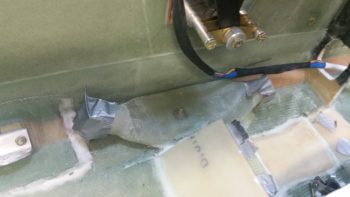
As for the build, I dug out the foam a hair over 0.25″ deep in the area at the bottom left fuselage bulkhead that I had previously “flattened” to allow for the ELT mounting bracket to be installed.

I then traced out the shape, grabbed a piece of H250 foam (to add more strength back into this somewhat critical area) and then trimmed the foam to fit.  The foam piece I grabbed wasn’t big enough so I back filled the corner with a crescent shaped piece.  For all the OCD’ers out there grabbing their inhalers, out of curiosity I just checked the price of H250 on ACS: $175 for a 2’x2′ piece!  The first piece I bought was just under $100 back in 2011, and the second piece less than $120 back in 2013.  So, it’s NOT cheap and I’m not wasting any to make something that’s getting buried in glass look perfect!

Note that you can see the 2 dots I marked up that show the front bolt positions for the ELT mounting bracket.

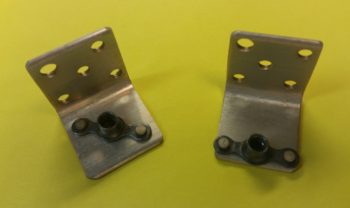
I then used some spare G10 Garolite pieces I had lying around to make up these 2 forward nutplates for the ELT mounting bracket.  These nutplates will get buried under the uber expensive foam above.

I then marked and cut depressions into the bottom of the H250 foam to allow the nutplates to sit flush.  I then 5 min. glued the nutplates into the H250 foam.  As the 5 min. glue was curing, I then made up a another, narrow 2-nutplate mounting plate out of G10 Garolite.

I then test fitted all my pieces/parts in prep for glassing in the H250 foam into the foam divot I started out making this AM.

After prepping the nutplates by stuffing them with plastic wrap to protect them from nasties, I then flocro’d the H250 foam –with nutplates attached– into place.  I then glassed 1 ply of UNI with the threads running in a nose-to-tail fashion, and then covered that with 1 ply of BID.  I then of course peel plied the layup.

A few hours later I pulled the peel ply, cleaned up and did some judicious sanding on the freshly cured layup.

I then shaped a piece of urethane foam for the aft 2/3rds of the ELT mounting bracket base.  At the very tail end of this aft foam piece will sit the longer, narrow 2-nutplate mounting plate.  I taped up the bottom of the nutplates in this plate, set it in place in the urethane foam and then checked the front bolt marks through the front bolt holes on the ELT mounting bracket.

When the configuration looked good, I then micro’d the urethane foam base in place to the fuselage floor with the ELT mounting bracket set in place on top (to ensure the bolt holes were aligned).  I then slid a 2×4 piece down the center of the ELT mounting bracket, ensuring that none of the bolt holes were covered up (ensuring alignment).  I then placed weights on top of the 2×4.

Here’s another shot.

After a couple of hours, I removed the weights and cleaned up a bit of excess micro that had oozed out.  I then sanded the top of the urethane foam base to match the top angle and elevation of the forward embedded foam base.

After getting a good prep in, I then glassed the aft ELT mounting bracket urethane foam base into place with 1 ply of BID.

During the evening I was able to add a bit to the mockup instrument panel.  If you notice, I redrilled the 2″ hole for the heating vent so that now it is located just above the left armrest intersect point.   I then drilled the holes for 3 switches right above the newly relocated heating vent.  I also drilled and mounted my 2 dimmers (center of center post).

Tomorrow I’ll continue on my quest to get the pilot seat area knocked out.  Now that the lion’s share of effort is out of the way on the ELT mounting bracket base, I can get back to the pilot thigh support seat and get the corner CAMLOCs installed.


Chapter 22/24 – If it pleases the panel

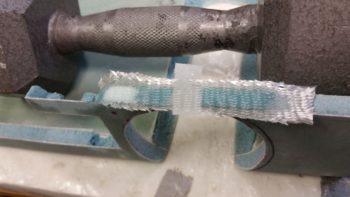
I started off today by pulling the peel ply off of the 7-ply bracket stock, and in turned pulled the bracket stock off of the taped-up 4130 1×1″ square tubing form.  As you can see, it came out just fine.  I just need to sand the inside, trim it up and cut it into individual brackets.

Here’s an end view shot of the 7-ply bracket stock.  Note the CAMLOC that I’ll be using the bracket stock to install.

I had to run some errands, including returning a motorcycle trailer I borrowed from a friend of mine… that took quite a few hours.  When I returned, I essentially spent the rest of the evening figuring out tweaking the component locations on the mockup instrument panel.  I think I’m really getting this panel dialed into where I want it!

I did have to make one major change so far: you can see in the lower left hand side where I filled the 2″ diameter heat vent hole back in by sanding down one of the 2-1/4″ instrument hole plugs that came out when I drilled the upper holes.  I then glued the new 2″ round plug back into place (I wanted to get this done so it would cure overnight).  The reason for doing this is that I decided the switches below the vent need to be higher for easier access, especially since the throttle handle will hinder easier access to that lower area just above the left armrest.

Tomorrow I’ll start back on the ELT mounting bracket and then probably do a lot more on this panel.  I want to get the panel to the point where I can get some serious wiring done in order to power up and check out all the instruments that I have on hand.


Chapter 22/24 – Prepping ELT install

Today I started off with the main task of installing a CAMLOC in each corner of the pilot thigh support plate, with an associated mounting tab underneath glassed to the lower instrument panel bulkhead.  Well, I quickly realized that to know exactly where the left side CAMLOC mounting was going to reside, I needed to the details of the ELT install.  For example: If the ELT couldn’t be set in low enough under the thigh support, then the CAMLOC assembly might sit too low to allow clearance for the ELT and have to be mounted farther inboard.  Also, if I did install the CAMLOC mounting tab, that’s just one extra extrusion to bloody my knuckles on as I worked on installing the ELT mounting bracket . . . see where I’m going with this?  It’s all sequencing, right?!

Alas, it was time to work on prepping the lower instrument panel and fuselage floor for the ELT mounting bracket.  The ELT is 7.75″ long, so it will extend out from under the seat just a tad, but not enough to get in the way while ingressing and egressing the plane.  I also confirmed with the ACK ELT techs that a “few degrees” up or down is not going to affect proper ELT operation. And to be clear: the manual states that left & right should be no more than 10° off centerline, so for up & down I consider anything less than 10° to be ok (the tech didn’t provide an actual value).

I started the process by marking a channel for the ELT mounting bracket.

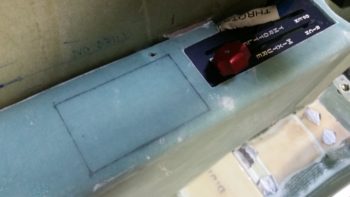
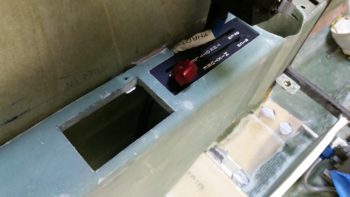
I then cut the very bottom of the instrument panel bulkhead, that makes up the bottom cross piece of the “map pocket,”  which I removed right after I snapped this pic.

Then, over a few cycles, I trimmed the glass a little and then sanded the channel in the floor down.  I kept doing this until I constantly got the angle of the ELT mounting bracket to about 3.5° nose high.  I’m definitely going to call that a win.

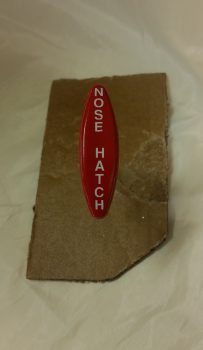
I have a 3″ x 3″ x 7.75″ cardboard mockup that I made of the ELT.  I tried that out a number of times during the floor channel excavation.  Not one time did I have any clearance issues at the aft end of the thigh support channel.  Actually, if you look in these pics the only issue I had was when I was re-leveling the fuselage at the longerons.  My electronic level fell into the cockpit and put a nice divot in my front seat, then it slammed into the wedge duct top corner and dinged it up pretty good too.

I need to ponder a little more and assess just how I’m going to install the ELT mounting bracket.  I have some ideas, but I wanted to let them germinate a bit before glassing this all up.

Today I also cut 2 small side pieces and the center strut for the mockup instrument panel. I then glued them in place at the bottom of each panel area (L, C, R) with wood glue. An hour or so later I did a quick mock up in the fuselage to see how the mockup test panel compares to the real one.  Looking pretty good!

I also did a number of things with the panel mockup, such as mount it to its base (sorry, no pics… yet).  I also installed the GNS480 mounting tube and test fitted the 480… which installed nicely.

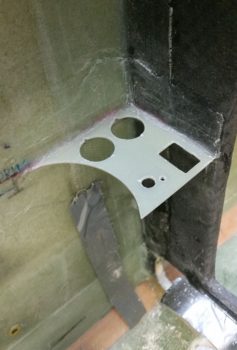
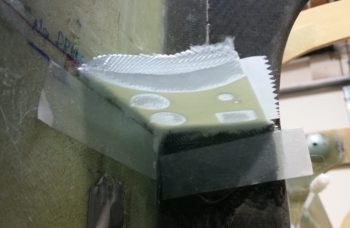
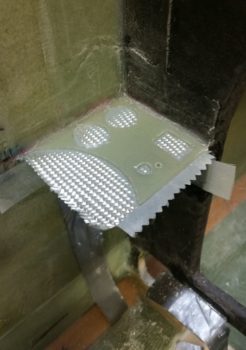
I’ll need some mounting brackets for the CAMLOCs to hold the thigh support cover plate in place, so I took my 1″x1″ piece of 4130 steel and taped it to a glassing board.  I then covered the top and outer edge with a piece of clear packing tape.

Then I laid up 7 plies of glass: 6 BID and 1 UNI, to make up a 1x1x8″ angled composite mounting bracket… which will of course get cut into 8 little mounting brackets.  Once I laid up the glass plies, I of course peel plied the layup.

Tomorrow I have to run some errands and visit some people, so I won’t be back in the shop until the afternoon.  But I do plan on setting the nutplates and glassing in the base for the ELT, and possibly getting a couple of 90° mounting brackets made up and ready for installing the CAMLOCs.