Chapter 22 – IBBS Wiring & New X-Bus

I started off today by updating and printing out my connector pinout sheets for the following connectors:

  • P4 – Throttle Handle AMP CPC
  • P5 – Infinity Control Stick AMP CPC
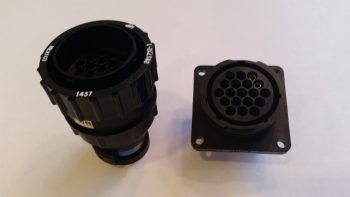
  • P6 – Panel Quick Disconnect (PQD) AMP CPC
  • X-Bus – IBBS-Powered Avionics Bus 9-Pin D-Sub
  • J3 – PQD Panel Power Connections 15-Pin D-Sub
  • J4 – PQD Panel Signal Connections 37-Pin D-Sub

At the tail end of my updates my buddy Marco called.  We talked a bit on EZ stuff, and as we spoke I got to work on soldering two 16 AWG wires to the back of a 9-Pin D-Sub connector (that I repurposed from its original role as the TruTrak ADI wiring harness).

This 9-Pin D-Sub will become the new X-Bus, replacing the original 8-slot ATC fuse holder that was the X-Bus.  As per one of my very educational discussions with Bob from TCW Technologies on the IBBS install, he informed me that I don’t need to power a fuse panel since all the components powered by the IBBS must not max out past 5 amps, and the integral 10-amp mini-ATC fuse on the side of the IBBS protects these items.  I had already chucked a panel-mounted switch that manually switched IBBS power to E-Bus power (EZ’er to let the IBBS to perform this standard function), and now I was eliminating more weight and complexity by swapping out the ATC fuse panel  X-Bus for the new & improved 9-Pin D-Sub connector X-bus.

Now, I did originally plan on using two 18 AWG wires, but Bob advised to use 16 AWG wires.  They still seem like a bit of overkill to me, so I have to admit I went 16 AWG on the other 2 wires (power & ground) that Bob intoned should be 14 AWG.

Building the new X-Bus from a 9-Pin D-Sub

Here’s a closer shot of the two 16 AWG wires to be soldered onto the back of the 9-Pin D-Sub connector that will replace the current X-Bus.

Building the new X-Bus with two 16ga wires

I then soldered the 16 AWG wires into place.

New X-Bus 16 ga wires soldered onto 9-Pin D-Sub

And prepped them with heat shrink . . .

New X-Bus Connector & Cable

Prior to mounting the wires/connector assembly in a D-Sub backshell.

X-Bus D-Sub connector backshell

Since I want the IBBS-to-XBus circuit to have a break in it –since the wires pass through the Napster bulkhead– to allow the wires to be run without concern of the D-Sub connector getting in the way, or if unable to traverse bulkheads, I terminated the ends of the two 16 AWG X-Bus feed wires with knife splice terminals.

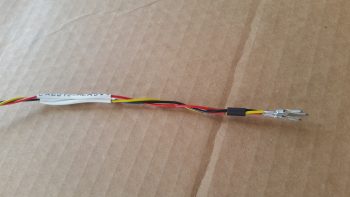
Forward end of X-Bus cable: 2 knife splices

Here’s a shot of the finished X-Bus cable (A side, from IBBS).

Completed X-Bus to IBBS cable

I then traced out, toned out and cut off about 9 feet of wire to trim down the four 20 AWG X-Bus feed wires coming out of the IBBS.  I toned them out to ensure I had the correct wires, then terminated them into pairs, into 1 knife splice each.  Thus, what I have is 4 wires exiting the IBBS unit, then those getting terminated into pairs with knife splices, then each pair connecting to a 16 AWG wire that feeds the X-Bus 9-Pin D-Sub connector (actually, the way I soldered all the pins together, it’s technically a 9-Pin D-Sub Buss).

IBBS side of X-Bus leads: 2 knife splices

I then turned my sights on the 3 pass-thru power wires and 1 main bus voltage sensor wire.  In my discussion with Bob, he said it was perfectly ok to run these all together and fuse it with 10 amps off the main bus.  So that’s exactly what I did! [Conversely, the IBBS install manual shows one fused feed to the main bus for the 3 pass-thru wires, and another fused feed for the sensor wire… always good to talk straight to the guy who designs this stuff!]

Since the other end of these 4 wires converged into one is simply a FastOn PIDG connector, I didn’t create a break in this wire group.  I merely bundle them all together and slathered with hot solder!

IBBS 3 pwr & 1 sensor wire into a 16 ga wire

As you can see, I did the Bob Nuckolls’ technique of making a 2-wire pigtail from the 16 AWG wire, then wrapping that around the bundle of wires so that they are all nice and tightly snug before soldering.

Soldering 4 IBBS wire leads into one 16ga wire

Here’s my IBBS 3 pass-thru power wires and bus volt sensor wire soldered to the !6 AWG wire on its way to the main bus.

4 IBBS wire leads soldered into one 16ga wire

I then did the same thing for the 3 ground wires that get grounded on the panel ground block (G4).

3 IBBS GND leads soldered into one 16ga wire

You may have noticed that some of my wire labels are hand written.  There are 2 reasons for this: First, I ran out of the correct size wire label heat shrink (I’m waiting for an order to arrive), and second, I’m reclaiming some printed labels that fell victim to becoming obsolete when the new world order of PQD came into existence.  I prefer to be more practical than flashy, so to save money I simply lined through the old printed label on the heat shrink piece, flipped it over and ever-so-nicely printed a new, correct label on the other side.

In hindsight, I should have taken a pic of the entire IBBS wiring harness before I started this process to contrast with what you see below, which is just a few random pics of the completed IBBS wiring harness.

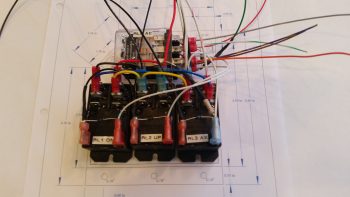
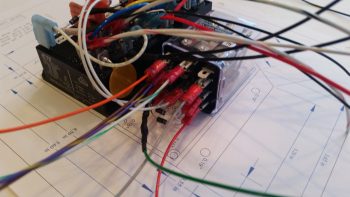
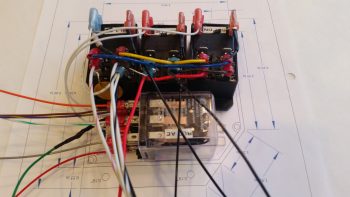
IBBS & X-Bus wiring

I have 3 wires out of the original 14 that did not get cut or combined:

  • IBBS Master Switch (to panel switch)
  • Info lead (to GRT HXr EFIS…via J4)
  • IBBS Low Voltage Warning (to AG6 Warning Annunciator)

And the wires that did get cut & combined:

  • 4 X-Bus Power leads into 2x 16AWG wires
  • 3 Pass-thru Power wires & 1 Bus Volt Sensing wire into 1x 16AWG wire
  • 3 Ground wires into 1x 16AWG wire

Among other things, this simply means that I now have half the wires to keep track of (7 vs 14) coming off the IBBS wiring harness, and fewer wires passing through the Napster bulkhead.

IBBS & X-Bus wiring

One final point of note.  Due to how the IBBS box is mount vertically on the front left face of Napster, as the wires in the harness exit the IBBS D-Sub connector they must immediately make a U-Turn to get keep from dragging on the floor of the nose battery compartment.  One of my first tasks tonight was to place a large piece of black heat shrink over all the wires in the harness.  Then before applying heat, I zip-tied the harness back onto itself in a “U” shape.  I then heat up & shrank the tubing and it kept its “U” shape perfectly.  Pretty cool!

IBBS & X-Bus wiring

Tomorrow I’ll continue to work on both the Triparagon & the wiring in/about the avionics bay.


Chapter 22 – Triparagon Cross Shelf

Technically, I started off today by spending about 2 hours finishing up my blog & tweaking this website.

I then called Bob at TCW Technologies and had a good discussion on connecting the IBBS power cables to the 9-pin D-Sub connector that will be the new X-Bus (vs the ATC fuse panel).

I then went down to the shop, marked up the front top edge of the Triparagon cross shelf in the location where I would drill the beginning holes for the rivets that will secure the parts mounting overhang tabs.

Triparagon cross shelf marked for front overhangs

My first real action though was drilling the front & aft rivet holes on the mounting flanges that secures the cross shelf to the vertical plate.  These are the first 2 of 4 total larger diameter rivets that I’ll use to secure connect these Triparagon pieces.  I couldn’t actually press the rivets in place since I can’t get in there with my rivet pressing tool, so I’ll have to mount the rivets when I remove the vertical Triparagon plate.

Riveting cross shelf to vertical plate

I drilled the aft rivet hole first (right, above) since the cross shelf needed to come up about 0.070″ on the front side to be at 0° level, which is what the double-checked longerons showed.  After drilling the front side & inserting the rivet, I confirmed that the cross shelf was still level from front to back, matching the 0° longeron level… which you can see it did!

Cross shelf matches 0 degree longerons

I took this shot specifically to show the 6 countersunk screw positions that are used to hold the cross shelf to the vertical plate via the angled mount extrusions and nutplates. You may note in the next pic that the nice aluminum material in the areas between the pairs of countersink holes were targeted for lightening… Yes, the weight loss program continues!

Removing cross shelf plate

In the pic above you can see all the dots along the leading edge of the top cross shelf where I marked the it for the rivet drill points.  I then drilled a 1/16″ pilot hole at each dot where I would be installing a rivet.  I then I clamped each overhang piece in place, drilled the #40 hole through the cross shelf pilot holes into the overhang extrusion clamped underneath.  I then deburred all the rivet holes, and then mounted one overhang at a time.  I would drill the countersink on a rivet hole, press the rivet into place and then move onto the next rivet.  You can see all the rivets installed below, which of course means that the overhangs are mounted.  Also note there are a number of new lightening holes.  After I drilled the new lightening holes, I spent a good 20 minutes cleaning up the rough edges of the larger cross shelf lightening holes.

New lightening holes & rivets!

The overhangs have the dual purpose of providing a mounting surface for the CrackerJack parts, and also to provide a flange to mount the upcoming diagonal supports that will secure the outboard ends of the cross shelf to the upper mid-point area of the vertical plate.  You can see that I pre-identified the locations for the airspeed switches and drilled the mounting holes on the overhangs before riveting them in place.

Cross shelf front overhangs - action shot

Here’s a shot of the overhang rivets . . .

Cross shelf overhangs rivets

And a shot of the entire Triparagon cross shelf . . . in repose!  ha!  I weighed the cross shelf with its attached brackets, and with the new lightening holes it weighs in at 0.476 lbs. Add that to 0.7 lbs of the vertical upright (which will get another round of lightening holes) and I get a respectable 1.176 lbs total currently.  Again, I suspect that I’ll come in at about 1.1 lbs for final Triparagon install weight.

Cross shelf front overhangs

I then mocked up and test mounted my Crackerjack parts, aka airspeed switches, onto the front overhang mounting tabs.  Note that airspeed #1 is mounted on the right side (left in the pic) on the aft side of the overhang tab staggered behind and just to the left (looking from front) of airspeed switch #2.  I mounted airspeed #1 to allow me to adjust the target airspeed set point with the setscrew.

Airspeed switches test mounted

I then spent a good couple of hours updating my IBBS wiring diagram and determining the pinouts for my PQD (Panel Quick Disconnect) connectors.

Tomorrow I’ll continue working on the Triparagon and the avionics bay electrical wiring stuff.  I figure I have at least another good week to finalize this round of electrical system stuff before moving on to the wheel pants!


Chapter 22 – Throttle Handle Wired!

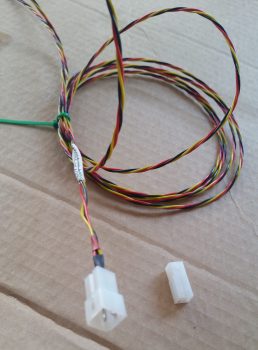
As I was finalizing my last blog post the doorbell rang. It was my mailman delivering my order from Stein, so after I finished up my blog post I opened up the box to check out all the goodies.  I took the 6-pin mini-Molex and quickly mounted the B-side to the roll trim cable. I already had labels made up so I quickly labeled both sides of the J5 jack as well. (As a reminder, my labeling scheme for connectors is quite simple: the “A” means it’s closer to the nose while “B” means tail side.  If the connector or jack is vertical, then the hard mounted side is “A” and the removal side is “B”).

Roll trim cable terminated into J5 connector

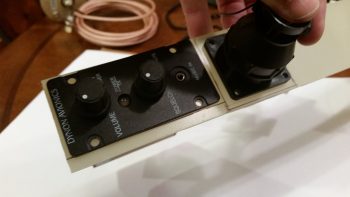
I then took a few minutes to prep the fuselage for me to sit in it and make some airplane noises.  I needed to figure out where my Dynon intercom box is going to call home, so I pulled the wood blocks out from under the nose wheel, cleaned the tools and extraneous components out of the front seat and climbed in.  I discovered that I can reach back and manipulate the controls of the intercom if it’s against the right fuselage sidewall, just aft of the stick.  How about 2″ aft of the stick? … uh, nope, not really.  Too difficult there.  But half an inch back I can curl my hand down comfortably and work the intercom controls.

I like this position because it’s really unclaimed, unused real estate that can be put to good use.  Also, I’ve had my eye on the left armrest area just forward of the throttle quadrant to use for my environmental controls panel.  Now that I’ve decided to put the Dynon intercom on the right armrest console just aft of the stick I can reclaim the forward left armrest console for the environment controls!

In addition, in thinking about where my intercom control head would go, I naturally wondered where I was going to put my headset jacks.  I’ve discussed this with Marco in the past, and we had yet another quick exchange about it via text.  I really wanted to keep the headphone jacks off the panel, but where to put them?  After doing a bit of research last night, I would like to give a shout out to Nate Mullins –and in turn, James Redmon– for highlighting the very aft side of the armrest for being a good location.  Now, they picked the aft side of the left armrest to mount their jacks, but I’m leaning towards the right for 3 reasons:

  1. It keeps the headset wires on the right side of the seat when ingressing/egressing the aircraft.
  2. It keeps the electrical wires on the right side of the aircraft (power wires right, antenna cables left), and
  3. It keeps the shielded wire run betwixt intercom box and jack very short, and since  this specific wire run is the most susceptible to gremlins and things that go staticky in the night, I would rather keep it as short (aka noise free) as possible.

So that’s 2 fairly significant component placement decisions that I made today…. after literally years of those questions floating around in the recesses of my mind.

Ok, on to the task at hand: wiring the throttle handle.

While down in the shop I collected up my throttle-handle-mounted nose gear switch that I had gooped up the aft end of with E6000 to secure the wires both to each other and to the switch body. Since these switches are older (but still look in great shape) and I had to wrangle off the massive amounts of old wiring, I want to make sure both the solder connections and switch connecting tabs stay secure, and are subjected to as little vibration as possible.

E6000 goop to strengthen wires

Here’s another shot of the E6000 gooped-up nose gear switch.

E6000 goop to strengthen wires

To finalize my wire-securing process on the nose gear switch, I added 2 pieces of heat shrink around the base of the wires and goop.

Double ply of heat shrink tubing

I then added a piece of heat shrink that secured the wire/goop subassembly to the body of the switch.

Heat shrink tubing to secure wires & terminals

I had to run down to my favorite hardware store to pick up a 2-56 stainless steel CS screw since I apparently lost one of the nose gear switch’s mounting screw somewhere.  I test fitted the screws, took it back apart and then judiciously used some E6000 on the screws and around the base of the switch mount before permanently remounting the nose gear switch into place on the throttle handle.

Nose gear switch mounted into throttle handle

Here’s how the developing rat’s nest of wires looked after I added the nose gear switch.

Nose gear switch in interior throttle handle

I should note that before I ran out to get the missing 2-56 screw (try finding one of those when you don’t know where it ran off to!) I gooped up the wires/switch intersection of the landing brake switch with E6000.  Here are a couple of slightly fuzzy pics to show you how it looked when it cured.

Fuzzy pic #1 of E6000 on landing brake switch

Fuzzy pic #2 of E6000 on landing brake switch

I then repeated the heat shrink process on the wire/goop area of the landing brake switch.

Heat shrink tubing on landing brake switch

Then secured it to the switch body with a clear piece of heat shrink.

Final clear heat shrink on landing brake switch

I then installed the bottom and last switch for the landing brake into the throttle handle.

At this point it was time to start connecting all the throttle handle switches’ wire leads to the blue cable.  I spent a good 3 hours soldering all the switch lead wires to the blue cable harness wires.  I had already identified which wires in the blue cable were 22 AWG and which ones were 20 AWG, and had to account for this when wiring up the switches.  I did only 2-3 wires at a time, ensured they toned out, then added heat shrink (that I had to ensure was on the wires before I started soldering) over the solder joint before moving onto the next few wires.

Throttle handle Landing Brake switch installed

Then it was time to start cramming… wires that is.  There was actually enough room in the throttle handle housing to stuff all the wires back into it comfortably.  As you can see I reclaimed one of the ring connectors from the original harness and pigtailed it off the ground wire for ground to the throttle handle housing.  You can also see that in this and subsequent pics that I finalized securing the two extra 18 AWG wires spiraled about the blue cable.  I also labeled the cable and added lengths of heat shrink to secure the two 18 AWG wires.

Stuffing wires back into the throttle handle!

I then remounted the throttle handle side plate cover with the 3 original screws.

Throttle handle side cover reinstalled

Here’s a shot of the throttle handle with all the switches rewired & remounted and the cable prepped for having an AMP CPC connector terminated onto it.

Throttle handle cable completed

I then terminated all the wires with AMP CPC connector sockets.

AMP CPC sockets terminated on throttle handle cable

Since I had NOT actually created the pinout scheme for the P4 connector, I stopped work and spent a good 45 minutes determining the pinouts for this connector.  Once done, I toned out the wires to ensure both continuity and to check wire IDs since there were multiple wires for each color (e.g. lots of red & black wires).  As I determined what wire was what I then placed them into their appropriate numbered socket hole.

Sockets inserted into P4 AMP CPC connector

Here’s a closer shot of the throttle handle switch wiring terminated into the AMP CPC connector housing.

Sockets inserted into P4 AMP CPC connector

And here’s a shot of the front face of the P4 (B-side) AMP CPC connector.

Sockets inserted into P4 AMP CPC connector

I then secured the wires with silicon rubber self-sealing tape before finalizing the cable clamp install.

Final wire wrap on P4 connector before cable clamp

I then mounted the cable clamp to finish the throttle handle cable.

Throttle handle cable assembly completeThrottle handle cable assembly complete

Here’s a shot of the full length throttle handle cable.

Throttle handle cable assembly complete

And a final shot of the throttle handle and P4 connector.

Throttle handle cable assembly complete

Tomorrow I’ll be back working in the avionics bay, both on getting Adel clamp hard points installed and finishing up the Triparagon.


Chapter 22 – Wiring Throttle Handle

This post covers today and yesterday since I was remiss in posting yesterday.  This weekend has been a busy one both socially and of course with football (yes, I’m an avowed football junky!).

Ya’ll have probably noticed that as I work on any one component, I like to knock out those components directly around it since I’m already “in the groove,” plus it gets those items finished.  In addition, I already know how they fit into the area that I’m working. I understand that my build methodology is somewhat organic, and often unscripted, but staying motivated and simply getting many productive hours in on the build a day is the key to having an airplane sitting on the ramp vs a project in your garage, right?!

And so it is with my electrical system.  There are a myriad of low hanging fruits right now that I’m simply going to knock out: changing as many variables into constants and resolving as many unknowns as I can at this point in the build.

Thus, it is that one of those low hanging fruits right now is the throttle handle.  As I’ve stated before, especially in an airplane as space constrained as a Long-EZ, I am a total believer in maximizing the HOTAS (Hands on Throttle and Stick) concept as much as possible.  If it’s good enough for task-saturated military fighter pilots, it should work fairly well for us too.

I started off yesterday by determining my wiring gage requirements for the throttle switches.  I then assessed the 17 wires in the 2+ ft of leftover blue cable that I cut off the Infinity stick grip.  After listing out all the wires and gages, I determined that I could I repurpose this leftover blue cable for the throttle handle switches.  Since there’s only 17 wires in the cable, I’ll also run two 18 AWG wires for the landing brake along the outside of the blue cable, for a total of 19 wires to the P4 AMP CPC connector.

I then got to work widening the mounting hole diameter for my 5-way castle switch (“joystick”) that controls a few A → B options on the GPS (i.e. GPS to VLOC) or page/screen scrolling functions (Trio fuel screens, GRT screen flips, etc).

Current throttle joystick hole mount diameter

A few months ago I picked up these drill bits specifically for this task: the 39/64″ bit to drill out the majority of the hole diameter, then the 19/32″ bit to fine tune the hole size.

Drill bits for widening joystick switch hole diameter

Here’s the hole post drilling, ready for the 5-position switch.

New throttle joystick switch hole mount diameter

The switch has a plastic keyway on the side for positioning.  Of course I could have removed it, but I decided to leave it in place and notch the side of the hole.  I clocked the switch position so that not only are the finger grips in the 3-6-9-12 O’clock positions, but also so that the ground connector tab was closest to the backside handle opening.

Throttle joystick switch keyway

After notching the hole for the switch’s keyway, I then test fitted the switch.  So far I’m very happy with how this switch is working out!

Test fit of throttle joystick switch

Here’s an inside-handle shot of the 5-way switch, with the ground connector tab on the aft side of the switch closest to the handle opening.

Test fit of throttle joystick switch

Here’s a shot of the back side of the 5-position switch.  Note that the ground tab is the tab on the far left, away from the center 5 tabs..

Throttle joystick switch soldering tabs

I then cut, stripped & soldered the 5 switch position wires and the ground wire onto the tabs on the backside of the 5-position switch.

Throttle joystick switch wires soldered in place

Another shot of the wires soldered onto the 5-position switch.

Throttle joystick switch wires soldered in place

On the 2 other top mounted throttle push button switches… since I couldn’t get these switches out of the throttle handle without destroying or marring them greatly, I simply used the wires that were attached to the switches and soldered them to the identified wires in the leftover blue cable that I cut off the Infinity stick grip.

Well, after getting these 2 switches wires soldered to the blue cable wires, I then toned them out for continuity.  When I check continuity on my Fluke multimeter, I generally just check for sound and call it good.  But this time I actually caught sight of the resistance reading, which was on the order of 6 & 9 ohms for the respective switches. Whoa, pretty high resistance for basic momentary push button switches, what was going on?  Well, under closer inspection I realized that the heat shrink over the wires at the switches wasn’t just wires, there were resistors in line as as well.  Of course I don’t need resistors for these 2 switches, so they had to go.

After I removed the offending resistors, then the issue became soldering the switch leads onto the switch posts down in the very depths of the throttle handle housing.  Hmmm, I’m decent at soldering, but this proved to be a bit challenging.  I did it, but my confidence in the physical strength of the solder joints wasn’t as high to my liking, so I did what any responsible builder would do, I reinforced those solder joints by burying them in potting goop!  After testing the switches electrical continuity (good) and checking that the resistance was back down into the normal range (0.2Ω), I then used E6000 to cover up the freshly soldered switch lead wire joints.

PTT and COM1 Freq FlipFlop switches potted

I went ahead and ran a strip of labels and printed off a few to label the switches on the inside of the throttle handle.

Throttle switches labeled

I then got to work on the SW024, the transponder Ident button & SmartStart arming switch.  I cleaned up the switch wire tabs and soldered the correct colored wires to the tabs.

Transponder Ident and SmartStart Arming switch

I then mounted the 5-position switch (SW020) and remounted the transponder Ident & SmartStart arming switch (SW024) into the throttle handle using RTV silicone, and set it aside to cure.

Interior throttle handle

As the 2 freshly added throttle handle switches cured, I then got to work on the nose gear UP & DOWN switch.  Again, I verified the correct size and colors of the wires, then soldered them into place.

Throttle mounted nose Gear switch wired

I then finished off the mojamma of the throttle handles switches, the landing brake switch with its multiple cross-pairs of wires.

Nose Gear and Landing Brake switches wired

Here’s a shot of the day’s tasks, with a total of 4 out of the 6 switches installed.

Throttle handle switches

Tomorrow I’ll install the last 2 switches and finalize the wiring on the throttle cable, to include termination the blue cable into the P4 AMP CPC connector (B side).


Chapter 22 – CrackerJack Parts Mount

Yup, today was a light build day!  Today I drilled a notch in each of the two 1″ parts mounting overhangs that will reside on the bottom front edge of the Triparagon cross shelf. Since I kept the shelf as small in dimensions as possible, space is tight all around.  Thus, the mounting screws at the 4 corners of the GRT GADAHRS box are located very near the cross shelf’s front and aft edge.  At the front side, the GADAHRS mounting screws on each side actually project through the cross shelf plate into the corners of the front parts mount overhangs, at the corner of the angled extrusions no less.

To create a notch to allow for the GADAHRS 2 front mounting screws, I simply clamped the parts mounting overhangs together and then used a larger 21/64″ drill bit to create the notch on each extrusion.  When I finished, the notch was deep enough on the vertical arm, but not the horizontal arm.  To remedy this I just remounted & reclamped them together with the horizontal extrusion arms positioned vertically together in the clamped assembly, then redrilled.  Voila! Good notches with space for the GADAHRS front mounting screws.

Cross shelf overhang AHRS screws clearance notchesI mixed up the order again slightly on my building task timeline due to my pics.  Before I drilled the notch in the parts mounting overhangs, I actually started out by going to town on Triparagon cross shelf and drilling a bunch of 5/8″ and 3/8″ lightening holes, as you can see below.  I feel like I should post a shot of the theater masks showing both funny & sad faces, because that’s exactly what this is… a bit of a lesson in futility it seems like! I drilled all those holes only to have the cross shelf weigh in at 0.53 lbs.  Thus, a total weight loss of only 0.04 pounds!  Wow!  I still have a few more spots where I’ll drill some holes, but I realized after this round of drilling lightening holes that my total target weight of 1 pound for the entire Triparagon assembly is probably not going to be met.  I will of course strive to make it as light as possible, but I think it will most likely have a final weigh-in of 1.2-1.3 lbs. Still much lighter than when I started out, considering the Triparagon vertical plate alone started out at just under 1.4 lbs!

Fiddling with shelf overhangs and shelf supports

I then spent a good 20 minutes measuring, assessing, checking, visualizing, test fitting, analyzing, mocking up & designing my final plan for the diagonal 1/2″ x 1/2″ angled aluminum supports that will be secured to the Triparagon vertical plate about 1/3 of the way down in line with the front edge of the Triparagon cross shelf.  The left & right diagonal supports will connect to the front edge of the cross shelf by being attached to the outer most edge of the parts mounting overhangs.

I will also have one diagonal support on the aft side that traverses from the inboard edge of the PQD bracket to the about midpoint on the aft edge of the Triparagon vertical plate. Clearly this is a total of 3 diagonal supports to keep the cross shelf secure specifically to provide a stable mounting surface for the GRT GADAHRS.  I suspect that once all the wiring bundles are in place and attached to the PQD connectors, and all the other bunch of wiring bundles around the Triparagon, that those will greatly assist in securing the cross shelf from any adverse movement as well.  If not, I’ll be prepared to run another cross shelf support from anywhere in the avionics bay to ensure the cross shelf is stable for the GADAHRS.

The last thing I did before taking off for the majority of the day/evening was to take my 1/2″ x 1/2″ angled support strut extrusion and use it to double check that the space gap between the top of the GADAHRS box (the tallest component on the cross shelf) and the nose structure between the instrument panel and F28 was good.  It’ll be a little tight after some foam & glass goes in there, but the spacing looks fine.

Rechecking GADAHRS to nose clearance

Later this evening, after I returned home, I took a large piece of paper and sketched out actual sized positioning for my switches and their panel positions.  With space so tight behind the panel (again, actually forward of the panel) I was specifically attempting to figure out where to put my Dynon intercom box.  It seems small, and it is fairly petite in height and width.  But add on the wiring harness D-Sub connector to the back side of this thing and now your talking over 6″ deep!  And that’s not even really accounting for the radius of the wiring bends that need to make a turn to go somewhere!  I came up with 3 spots that will actually, physically work and then assessed them on my panel sketch:

  1. Center top of the panel
  2. Left top console immediately forward of the throttle (my throttle quadrant will sit back some from the panel unlike the plan’s position)
  3. Right top console against the sidewall just aft of the stick opening (I did a full range of motion check with the stick and flight controls and there’s plenty of space since I had to kick the controls inboard 3/4″ to allow use of the Cozy Girrrls control parts)

I did pros & cons for all 3 positions, and quickly nixed the top center panel mounting idea. With an input jack for music, and the way the wiring would flow (read: get in the way) on the back side of the panel, this location just won’t work for me.

I will say that one issue I never really understood with Long-EZ’s until riding in my buddy Marco’s Long-EZ is that with the seat bulkheads designed/constructed the way they are, you cannot mount switches or items aft of where you can reach since your elbows cannot move aft at all…  since the physical seat back (aka “wall”) prevents it!  If you do, you have to mount the switch or device in a spot where you can reach over with the opposite hand to manipulate it.  This is exactly what I need to test out tomorrow, since I prefer the intercom face to be mounted on my right console just aft of the control stick/opening, tucked away against the fuselage sidewall.  But the question that needs to be answered is: CAN I REACH IT?!

Tomorrow will continue to be all things electrical for now.  I’m on a roll and I really want to knock out as much of this electrical stuff **pre-nose closing** while I can.  Just to reiterate, once I finish my current infatuation with the electrical system, I’ll be back building on the wheel pants!


Chapter 22 – Roll Trim Cable

Today was kind of a light build day.  I did finalize and submit orders to SteinAir and ACS, but I also wanted to knock out the 5-wire roll trim & ELT GPS signal cable that piggybacks off the Infinity stick grip’s P5 connector.

I started by trimming back the outer cable sheath and collected up my 5 mini-Molex sockets.  This first end that I terminated was for the P5 connector side since all these sockets will mount into a 6-pin mini-Molex connector housing (J5) that I just ordered from Stein.

5-wire roll trim & ELT GPS cable

Here’s the mini-Molex connectors terminated on the P5/J5 connector side of the 5-wire roll trim & ELT GPS signal cable.  Although this cable does of course include the ELT GPS signal cable, I have given it the moniker –and label– of simply the “ROLL TRIM cable.”

Roll trim & ELT GPS cable mini-Molex sockets

I then terminated the 5-individual wires on the roll trim servo end.  The J6 mini-Molex connector on that end is only a 4-pin connector, since that is all that is required to drive the Roll Trim’s RAC T2-10A servo.  I separated out the ELT GPS signal wire and terminated it with a D-Sub pin for future connection with the ELT GPS feed that will have a D-Sub socket.  I then terminated the other 4 wires with mini-Molex sockets.  I then added heat shrink to the wires groups.

5-wire roll trim & ELT GPS cable ends terminated

Here’s a closer shot at both ends of the Roll Trim Cable.

5-wire roll trim & ELT GPS cable ends terminated

Here’s the J6 4-pin mini-Molex connector (A side) on the Roll Trim servo side, and the ELT GPS signal wire.

Roll trim servo side J6 mini-Molex connector

And a look at the entire Roll Trim system.

5-wire roll trim & ELT GPS cable complete!

I was playing around a bit (dismantling) the odd, heavy, large joystick-type switch that came in the throttle handle when I found this guy buried inside of it.  It’s a rather large press-in-fit momentary on-off switch that I’m going to press into service as my GIB PTT button!

Serendipitous discovery of GIB PTT button!

My final act of the evening as I watched Thursday night football was to finalize the rewiring of the TruTrak ADI wiring harness by twisting the whopping three 22 AWG wires together and then installing the backshell to the 9-pin D-Sub connector.  I included the originally installed harness wires in this pic to again show how huge they were/are (14-18 ga)!

Completed rewiring of TT ADI wiring harness

Tomorrow will be a light build day since I’m heading out mid-afternoon for a social engagement.  I will try to get a bit more done on the Triparagon structure though (and stop sloughing off since there’s no football games tomorrow!)


Chapter 22 – Introducing PQD Bracket

First off, as you can see I’ve settled on the acronym PQD, Panel Quick Disconnect, to describe the connectors and bracket that I’ll be employing to make the task of removing the instrument panel infinitely EZier than without this configuration.  Although there will be some wires & components that will not be disconnected, either through their location just off the upper main Aluminum panel face, or because their wiring is not conducive to being split by a mid-point connector (eg Avidyne IFD COM plug P1002 & Dynon intercom wiring harness).

Speaking of the “upper main Aluminum panel face,” after some impromptu research I’ve decided that since I’m keeping a very large portion of the original panel in tact for strength behind the Aluminum panel face, that I’ll be using 0.063″ 2024T3 for the instrument panel. I was actually in the process of ordering that panel from ACS, when I double checked my spreadsheet and lo & behold, I had a spare 2′ x 2′ panel on hand from years ago.  Woo-hoo!

Ok, back to the PQD.  I had originally ordered a 1/8″ thick 2-1/2″ x 2-1/2″ angled piece of 2024 from McMaster-Carr quite a while ago thinking that I would hang a bunch of stuff off these cross shelf overhangs in the same fashion that I’m doing now with the clearly much smaller sized 1″ x 1″ angled aluminum overhangs.  This angled aluminum extrusion was just too big & heavy to use in any reasonable quantity, plus as my Triparagon design matured I just didn’t have a need for it.  So into the massive spare pile of aluminum it went.

Then when I was finally hit between the eyes seeing Paul Dye’s panel on the VAF forum as I was trolling for pitot-static info, I finalized my decision to make my panel fully & EZily removable. So I had to get serious on both the quantity & type of connectors to use and where they would reside.  I had had a nascent thought all along of a drop down bracket on the aft right corner of the Triparagon cross shelf IF I did the fully removable panel mod.  Well again, it was time to get really serious so out came the big gun: the 1/8″ thick 2-1/2″ x 2-1/2″ angled 2024.  If you remember I posted a few days ago, over the Thanksgiving holiday, a mockup of my connectors on the end of this massive 2′ long piece of aluminum. With my electrical connections confirmed, and with the only mod to the actual connectors being that I swapped out the 19-pin AMP CPC connector for a higher capacity 24-pin connector (same diameter), I was ready to install the J3, J4 & P6 connectors into the PQD bracket, and of course make the PQD bracket itself.

I started by marking the connector outlines on the angled extrusion.

Designing Panel Quick Disconnect (PQD) connector bracket

I then used a hole saw to drill the 1-1/2″ diameter hole for the P6 AMP CPC connector.

Making PQD connector bracket

Of course I had to check the fit…. looking good so far!

Testing P6 connector fit in PQD bracket

Then came the odd shaped 37-pin & 15-pin D-Sub connectors.  I figured this would be a total hand-jam custom build process (“custom” means it works fine, but it ain’t always pretty!).  I drilled some small starter holes, focusing especially on the corners.

Drilling out D-Sub slots in PQD bracket

I then expanded out the center area holes with a large diameter drill bit, which is the same diameter as the width of the D-Sub connectors.

Drilling out D-Sub slots in PQD bracket

I then employed my jig saw –and a few expletives!– to finalize the cutouts for the D-Sub connectors.  Here’s a shot of the initial rough connector cutouts in the beginnings of the PQD bracket.

Connector holes made in PQD bracket

And another shot after I cut the bracket out of the angled 2024 extrusion (it was raining so I plunged forward using my Skil saw to cut the bracket out!).

PQD Bracket

I then test fitted the connectors in the PQD bracket.

Connector test fit in PQD bracket

Here’s a shot of the backside of the connectors test mounted into the PQD bracket.

Connector test fit in PQD bracket

I then took the PQD bracket upstairs and mocked it up on my Triparagon cross shelf. After finalizing the mounting location for the PQD bracket on the cross shelf, I then digressed a bit from the PQD bracket and figured out where my first round of lightening holes would go on the cross shelf.

Marking Triparagon cross shelf lightening holes

I took the cross shelf and the PQD bracket down to the shop and proceeded to drill the mounting holes for the bracket into the bracket tab and the cross shelf.  I then added 3 K1000-8 nutplates to the PQD bracket mounting tab.  As you can see, I also drilled 4 lightening holes in to bracket’s mounting tab.

PQD bracket nutplate mounts

Here’s a view of the top of the PQD bracket mounting tab, with the flush rivets of the 3 K1000-3 nutplates visible.

Mounting edge of PQD bracket

I then diverged from working on the PQD bracket for a bit and drilled out the first round of a bunch of lightening holes into the Triparagon cross shelf.  After finishing round one of lightening holes, I then went back to work on the PQD bracket and drilled countersinks for each of the 3 -8 screws into the top of the Triparagon cross shelf (shown 2 pics below).  I then mounted the PQD bracket to the cross shelf.

PQD bracket mounted to cross shelf

I then test fit the cross shelf back onto the vertical Triparagon plate.  Note the 3 countersunk -8 screws securing the PQD bracket into place.  (Note: while I was drilling the PQD bracket mounting holes through the mounting bracket into the cross shelf, the bracket misaligned slightly.  Nothing earth shattering, but definitely a slightly-sloppy mounting AND a loss of cool points!)

Cross shelf test fit with PQD bracket

After I finished with the PQD bracket mounting on the Triparagon cross shelf, I headed out the door to an auto racing shop just across the river in Maryland that sells some high end stuff.  I knew that they sold the same quick disconnect fittings that I’m using for my pitot-static system, so I wanted to take a quick break from the build and take a gander.  Well, it had been raining all day, but there seemed to be a lull.  So I grabbed the keys to the shed, pulled out my table saw and trimmed down the 1″ x 1″ angled 2024 aluminum extrusions that will serve as my Triparagon cross shelf mounting tab overhangs.

I trimmed these angled extrusions down on the sides that will mount to the front underside edge of the Triparagon cross shelf.  I took 0.4″ off, with the obvious resulting width of the top horizontal extrusion arm being 0.6″.  This took all of 10 minutes, and it actually started sprinkling again as I was putting the saw back away in the shed.  With my overhang extrusions cut, I was then off to the racing shop in Maryland.

As a reminder, besides simple weight savings, I wanted to trim down the left side angled extrusion, specifically, to allow me to mount the M760REM COM2 radio about 0.4″ forward on the left underside of the Triparagon cross shelf.  This served to better deconflict the mounting screw placements between the COM2 radio and the GRT GADAHRS that’s mounted on the top side of the cross shelf.  The right extrusion was merely along for the ride since I might as well make them symmetrical, right?!

1" x 1" Triparagon cross shelf overhangs trimmed

Back from the racing shop, and my quest to replace the #40 drill bit that I broke (to no avail), I got back to work. After I collected up the right sized bits for drilling the connector mounting holes into the PQD bracket, I decided to take yet another slight detour to finalize a task that needed finishing: the right-side avionics wall bracket for the P3 & P5 connectors.  I drilled out the 8 total connector mounting screw holes and then did a final cleanup on the bracket by sanding down the edges and ridding it of excess glass fibers around all the holes.  I then test mounted both the P3 & P5 connectors.  I brought down the Trio A/P wiring harness from upstairs to test fit the other side of the P3 connector [confession time: I spent a good 10 minutes looking for that darn P3 connector just to finally realize that I had mounted it to the end of the Trio wiring harness pitch servo cable!].  You can see that I also set the 2 white auto trim wired into the back of the P3 connector as well.

P3 & P5 connector bracket completed

Here’s a longer shot of the P3-A/P Pitch Servo and P5-Infinity Stick Grip connectors test fitted and mocked up in place.

P3 & P5 connector bracket completed

Moving on with more connectors, I then mocked up the PQD connectors P6, J3, and J4.

PQD bracket mounted - view from below

Since I was holding the camera down low taking low-to-high angle shots of the PQD bracket through the right leg hole, I took a few rounds to ensure that I got a good pic.  I had to leave this one in the mix since it looks like something out of Star Wars with a pure beam of energy coming out of the back of the P6 connector.  That’s right folks… no wires for me! Just pure energy transfer in my ship!  HA!

PQD turned on...pure energy!! ha! ;)

Here’s another shot of the PQD bracket and its connectors.  Note that although I originally wanted to mount the D-Sub connectors on the aft side of the PQD bracket (which would be the forward side of the plane), it initially appears that the connection hardware with the mating side D-Sub connectors will be tough to do if I left them aft-bracket-side mounted. I’ll play around with the hardware a bit, but I think that this will most likely be the mounting configuration for these connectors.

PQD bracket - top view

An issue that I noted was after I test fitted the aft side P6 connector’s cable clamp: Hmm, don’t think it’s going to fit since the gap spacing between the cable clamp and the panel is only about 2-5/8″.  It would most likely actually fit, but then of course all the wires would exit and then immediately have to take a hard 90° turn to get to their final destination.  Not good.  So . . .

Uh-oh... Eh, a bit of a space problem!

Be gone vile & wicked cable clamp! (said in thick British villain voice… sorry, my Brit Canardian Peeps.  ha!)

Ok, much better!  As you can see with the P6 connector cable clamp removed I get about another 1.5″ clearance and 4″ spacing overall.  Still slightly tight, but since the GRT HXr EFIS is low profile on the backside this is EZily workable.

Ah, that's better... Bye-bye cable clamp!

And yet another shot showing all my current Avionics Bay connectors.

Connectors, connectors!

I reordered my blog post pics just a bit to make the topic flow a bit EZier to follow.  If you looked closely in my Avionics Bay pic above, you may have noted that I drilled a hole into the triangular panel support and added another RivNut for the second & final Adel clamp that will also be used for the Infinity Stick Grip cable routing from the stick to the P5 connector.  I also added a couple of layers of BID on the bottom side of the support triangle to beef up the RivNut mounting.

RivNut in for stick cable 2nd Adel clamp

Back on the Triparagon cross shelf, with the PQD bracket configured & installed, I then started in on some of the final pieces parts (aka “CrackerJack Bits”) that I need to mount to round out the final electrical system components install on the Triparagon.   I found a good spot for the Piezo Warning Horn on the right underside of the cross shelf. I mocked it up, ensuring it had good clearance with the vertical Triparagon components (it’s close to, but not touching, one of the mounting screws to the right side AG6 warning annunciator). I drilled the holes for #6 mounting screws and then countersunk the 2 screws on the top side of the cross shelf.

Piezo warning horn mounted on right side

Here’s a closer shot of the mounted Piezo Warning Horn with the #6 mounting screws installed.  I used standard nuts on the screws to mock up the warning horn & make it EZily removable.

close up of warning horn mount

I then test fitted the Triparagon cross shelf onto the vertical plate to double check the clearance between the warning horn and other Triparagon components.  In the pic below you can see the 2 countersunk #6 screws, and the warning horn itself through the lightening hole.

Piezo Warning Horn #6 CS screwsHere’s a final shot of the mounted Piezo Warning Horn on the right underside of the Triparagon cross shelf (pic taken from the front of plane).  You can see that it’s close in line to the wiring bundles that will spew forth from the PQD bracket, but also clearly not in the way either.

Piezo warning horn mounted

I then brought my cardboard component mockups that I made a year or so back to check out their general fit on the Triparagon cross shelf.  Below you can see the GRT GADAHRS (their new term for their new AHRS) and the Trig TT22 Transponder behind the GADAHRS.

GADAHRS & XPDR mocked upAnother shot of the cardboard GADAHRS & XPDR mockups.

GADAHRS & XPDR mockups

Just an idea of the fit of the Trig TT22 Transponder on the Triparagon cross shelf.

Trig XPDR mock up box

And the cardboard GADAHRS and XPDR on the Triparagon cross shelf with the rest of the left side Triparagon in view.

The whole shebang

Since there’s forecasted high winds tomorrow, and thus no flying, I’ll continue my quest to finalize the Triparagon cross shelf and resident components install.  I will be doing some more sideline wiring on my components since currently they’re EZ low hanging fruit, and don’t conflict with other parts of the build (like so many other build actions do at this point!).  It doesn’t look like to much longer before I’ll be back on the . . .  Yes, WHEEL PANTS!


Chapter 22 – 3 Cheers for Karnaugh!

Yep, today I employed a rudimentary list-form version of the Karnaugh map, or k-map to figure out the circuits going to/from the respective A & B sides of the 3 connectors that I’m using to enable a fairly quick-disconnect of my instrument panel.  If you’re wondering what a k-map is, it’s used in Boolean Algebra and reduction to reduce a multitude of circuits down into the least number of circuits possible and still get all the correct functions out of an integrated circuit chip.  Or, as that Internet thing puts it, “Karnaugh mapping is a graphic technique for reducing a Sum-of-Products (SOP) expression to its minimum form.

Although not overly difficult, it was of course time consuming to go through literally every wire & component to ascertain its relationship to the panel.  Moreover, since I had finalized all the I/O requirements (yes, this is still an airplane building blog, NOT a computer forum… ha!) for my throttle handle switches, I realized as I was building the new connector diagrams that with a little internal (to the throttle handle) consolidation of 3 ground wires, that I only needed exactly 19-pins for the throttle handle connector.  Thus, I could then swap out the 24-pin connector that I had planned on using for the throttle with the now “old” 19-pin connector that I had on hand for the recently put-out-to-pasture GIB Infinity control stick (AKA “the really expensive spare control stick”).  The new configuration for my 3 connectors (I’m going to have to come up with a reference name to identify these things! . . . I’m leaning toward the “PQD (Panel Quick Disconnect”) is as follows:

  • P6: 24-pin AMP CPC – Thick wires/high power & ground connections
  • J3: 15-pin D-Sub – Thin wires/low power & ground connections
  • J4: 37-pin D-Sub – RS232 data & low power transfer connections

With the PQD connectors (trying it out . . . ) squared away I then decided that before I put away the Trio Pro Pilot autopilot wiring harness I would cut & terminate the shielded 4-wire cable for the pitch servo.  I took it down to the shop and determined the required length.  I then cut it WAY shorter than how it comes from Trio.  The excess cable that I cut off is visible above the harness in the pic below (post terminated connectors).

Trio autopilot wiring harness

As with shielded cables, I carefully stripped the outer cable jacket and consolidated the shielding wire to one side.  After twisting it and cutting it down to about a 0.3″ pigtail, I then soldered a piece of black 22 AWG wire to the pigtail.  I then terminated the black pigtail wire in tandem in an AMP CPC socket with the identified ground wire of the 4 wires. I then terminated the other 3 wires with sockets as well.  Also, I added a piece of black heat shrink over the soldered joint to protect the joint and add a bit of strength to the cable for when I eventually set the connector cable clamp in place.  Finally, as I did with the roll servo cable, I performed an electrical continuity check on each wire to ensure my connector terminations were good.

Cut and terminated pitch servo wires

This concludes the connector upgrades for the autopilot’s pitch & roll servos, and the wiring harness pitch & roll servo cable feeds.  The roll servo connector (below right) is pretty much complete, but I haven’t finalized it 100% since I will have to remove the connector to route the cable down the fuselage side & through the firewall.  As for the pitch servo cable (below left), I still need to terminate the 2 autotrim wires and install those into the connector when it gets installed “for good” in the plane.

AP pitch servo and roll servo connectors

The last task of the evening was to review the mounting spacing of the Trig TT22 Transponder on the topside of the Triparagon cross shelf since it could potentially affect the mounting of both the front 1″ overhang on right-side cross shelf, as well as the PQD junction mount on the aft right side of the cross shelf (both on the underside of the cross shelf).

It’s dark & cold out right now so I’ll wait until tomorrow to cut the PQD Aluminum angle mounting bracket, as well as narrow down each of the forward 1″ x 1″ angled Aluminum cross shelf overhang tabs (for the CrackerJack parts) by about 0.4″, resulting in 0.6″ wide top arms.  I’ll also assess all the wiring going through the PQD connectors to ensure the wires are physically inserted in a logical manner to keep the wire bundles as free-flowing and stress free as possible.


Chapter 22 – Sloggin’ it out!

Today I started out by finalizing my pitot-static system plan.  I still need to make some phone calls tomorrow to some of system vendors to ensure I’ve got the most optimized configuration for hooking up the pitot-static lines on their respective systems, but beyond that I’m pretty much done.  I’ll be dropping an order to Stein here soon and it will include the remainder of the parts I need to complete my pitot-static system install.

Pitot-Static System

In addition the pitot-static system, I also reviewed & assessed my recently added Triparagon connectors that should allow me to remove the instrument panel fairly easily.  I found a few more issues that made me add the Trio autopilot’s wiring harness to the list of components that require me to simply remove the connector.  The main issue with this harness is that there are shielded wires that run all the way back to the roll servo.  Clearly these are not easily removed, and I’m sticking to Stein’s advice (because I agree!) to NOT add connectors in the middle of shielded wire runs.  Thus, this requires me to remove the Trio autopilot’s connector and leave it in the plane when I remove the instrument panel. In short, I made a lot more progress on the concept of running all the instrument panel components’ wires through connectors to allow EZ removal of the panel.

Later on, I figured I would get some wiring done while I was watched football.  Since I had just had the Trio autopilot wiring harness out, I decided to re-terminate the roll servo pins with AMP CPC pins vs Molex, and add the AMP CPC connector housing.  I’m not messing with the pitch servo since it needs to be cut significantly shorter and I need to get a good measurement for that.

Trio autopilot wiring harness

The pic below shows how the connector pins looked before I started.  Again, I cut the Molex pins off and reterminated the wires with AMP CPC pins and then mounted the connector housing for the roll servo cable.

New A/P roll servo AMP CPC connector

Continuing on, perhaps a little ironically I removed the 9-pin D-Sub connector from the roll TRIM servo and swapped it out with a 4-pin Molex connector I got from Stein.  As you probably know, I’m not a huge fan of Molex connectors, but I figure any roll trim servo failure is fairly benign in the operational realm of flying a Long-EZ.

"Old" Roll TRIM Servo connector

I started by cutting off the D-Sub connector as close to the connector housing as possible.  In both pics above and below you can see the 4-pin Molex connector housing.

Swapping Roll TRIM servo connector

I then reterminated the wires with mini-Molex pins.

New Roll TRIM servo Molex connector pins

And then snapped the pins in place into the Molex connector housing.  BTW, this connector is J6.  I’ll of course wait to terminate & add wires to the other half of the connector when I actually install the roll trim servo.

New Roll TRIM servo Molex connector

My last action of the evening was to rewire the wiring harness for the TruTrak ADI.  As I was taking inventory of all the wires, which included digging into the manuals, I noted that the wires on the TT ADI’s wiring harness connector were simply HUGE!  Although the installation manual calls out for 22 AWG wiring, these wires range from 14 to 18 gage… way too big!  Since the wires were soldered into the 9-pin D-Sub connector, I simply created an entire new TT ADI wiring harness D-Sub connector with crimped pins.  I of course used 22 AWG wires for the new harness.

Rewiring TruTrak ADI wiring harness

Here’s a closer shot of the new TT ADI wiring harness (red, black & yellow) that will replace the old one (white wires).

Rewiring TruTrak ADI wiring harness

Tomorrow I’ll finish the plan for the wiring, finalize the positions of the airspeed switches and other Triparagon cross shelf mounted components (“CrackerJack parts!”) and attempt to get the Triparagon cross shelf mounted.  I’ll most likely order the pitot-static parts as well after talking to a few equipment vendors.


Chapter 22 – Back on the shelf…

I had an Instrument flying lesson this afternoon, so I knocked out a couple of things before the lesson and then a bit afterwards.

I started off by cleaning up something I forgot to mention yesterday: the Rivnut that I installed with flox into the lower frame of the instrument panel to mount an Adel clamp for the blue multi-wired Infinity stick control cable.  I drilled the hole using my flexible drill bit adapter and a 1/4″ drill bit.  Then when I laid up the 2 plies of BID on the top of the AMP CPC connector bracket, I floxed the Rivnut into place.  As per usual, I used a small piece of duct tape on each end to keep the flox from gumming up the threads.

This morning I removed the outer piece of duct tape.

Floxed Rivnut for control stick Adel clamp

And then test fitted the Adel clamp.  I’ll be installing one more of these Adel clamps for the control stick cable on the outboard/front edge of the instrument panel corner reinforcement wedge I installed a while back.

Floxed Rivnut for control stick Adel clamp

I then spent a good half hour redrilling the holes and cleaning up the 2-ply BID layup on the topside of the AMP CPC connector bracket.  In the left pic below, besides the cleaned up connector bracket you can see the freshly mounted lower control stick cable Adel clamp, and the instrument panel corner reinforcement wedge where I’ll install the second control stick cable Adel clamp.

I then quickly test fitted the control stick cable AMP CPC connector (P5) after sanding the underside of the bracket in prep for glassing.  You can also see I bagged up & taped the AP pitch servo to keep it epoxy free.

AMP CPC bracket top 2-ply BID cured

AMP CPC bracket connector test fit

After adding a flox fillet at the corner of the bracket & the fuselage sidewall, I then laid up 2 plies of BID on the underside of the AMP CPC connector bracket.

AMP CPC bracket underside 2-ply BID layup

I finished off the layup with a strip of peel ply, primarily focusing on having a good glass transition on the sidewall glass (read: no fiberglass barbs playing “gotcha” while working in the avionics bay!)

AMP CPC bracket underside 2-ply BID layup

I then left for my flight lesson… [flew 3 instrument approaches under the hood… beautiful day for flying and the 30 seconds I saw here & there out from under the hood were an awesome sight! haha!]

Upon returning from flying, I spent another good half hour razor trimming the 2-ply BID layup on the underside of the AMP CPC connector (seen in last pic this post).

I then clamped the right side angled aluminum Triparagon shelf mounting bracket in place, with a scrap piece of 0.090″ aluminum as a spacer, to the screwed-in-place left side bracket.  I used my drill press to drill the 3 screw holes through both the angled aluminum bracket and the Triparagon cross shelf.

Drilling Right side Triparagon shelf screw holes

I then riveted 3 each K1000-3 nutplates to the right side angled aluminum mounting bracket, and countersunk the 3 screw holes on the top side of the Triparagon cross shelf. As shown in the pic below the cross shelf weighs in at 0.6 lbs, so current total weight of the Triparagon structure is at 1.3 lbs gross.  I’m certain I can knock half of the shelf weight off with lightening holes, so I expect the total weight for the installed Triparagon structure to be around a pound.

Triparagon shelf screw holes - nutplates installed

I then test mounted the Triparagon cross shelf to the installed Triparagon vertical plate. So far so good.

Triparagon cross shelf test fit

I then took the cross shelf upstairs & diagrammed out the installation location for the M760REM COM2 radio.  To set up the following discussion below, I’ll point out that I plan on having a 1″ x 1″ piece of angled aluminum mounted to the bottom front edge of the Triparagon cross shelf, one on each side of the vertical plate, for mounting what I now call the “CrackerJack Parts” (small airspeed switch size components).  To be clear, these angled aluminum pieces are NOT shown in the diagram below.

Triparagon Top Component Shelf

Now, to optimize the installation of the radio in relation to the GRT GADAHRS (see above), I decided that I need to trim the cross shelf’s front side angle brackets horizontal sides down by 0.4″. In other words, the vertical arm of each front angle bracket will be 1″ with the new trimmed horizontal arm (that mount to the the underside of the cross shelf) being 0.6″ wide. This will allow me to move the radio forward on the left underside of the Triparagon cross shelf, and provide better clearance between the mounting screws of the radio & GADAHRS.  It will also allow for the aft edge of the Triparagon cross shelf to provide more of a protective overhang for the radio’s antenna & DB15 connectors.

I’ll work a bit on the cross shelf tomorrow, but for the most part I’ll be heading into Thanksgiving holiday mode over the next few days.  It is simply imperative that I tend to my duties as the gregarious socialite!  hahaha!